Wav2Lip Alternative Tested, Compared & Ranked

Wav2Lip Alternative: Wav2Lip comes from a 2020 ACM Multimedia paper on lip sync for speech in the wild. The code is public on GitHub, with checkpoints, a Colab notebook and a pointer to Sync Labs for a commercial model. Developers and hobbyists use it to drive lips from audio. Making a finished talking video still means setting up Python, supplying footage, and handling the voice, framing and editing yourself. This guide compares Zoice, Creatify, Hedra, Synthesia and Colossyan for people who want the video without the install.
The five tools below all run as hosted products. Each one packages a speaker, a voice and an output so that nothing needs to be configured on your own machine.
Every tool is covered in the same order: profile, features, strengths, limits, plans and who it suits. Prices are read from vendor pages and unconfirmed ones are labelled.
Quick Comparison of the Best Wav2Lip Alternative Tools
| Features & Capabilities | Zoice | Creatify | Hedra | Synthesia | Colossyan |
|---|---|---|---|---|---|
| Quick Comparison | |||||
| Best For | Hosted No Code Avatar Videos | Product Link to Video Ads | Talking Characters From Audio | Training and Business Videos | Training Videos and Courses |
| AI Presenter Avatars | Yes | Yes | Yes | Yes | Yes |
| Voice Cloning | Yes | Yes | Not confirmed | Yes | Yes |
| Script to Video | Yes | Yes | Limited | Yes | Yes |
| Free Plan | Available | Available | Not confirmed | Available | Available |
| Starting Price | $7.99/month | $10/month | $20/month | $19/month | Free, then $59/month |
Best Wav2Lip Alternative
The best Wav2Lip alternative depends on whether you want a research component or a finished video. If you are building a pipeline, the open code remains useful. If you want a person speaking on screen from a script, a hosted workspace saves the setup.
Zoice ranks first because the Host, your audio and the finished video all live in one browser workspace. You write or record, direct the Host with action prompts and download the result.
Creatify, Hedra, Synthesia and Colossyan each cover a narrower task. The table above gives a quick comparison before the sections.
1. Zoice

Zoice opens in a browser and revolves around a Host. Pick one from the public library or build your own from a text description or an image.
You can type a script, record or upload audio, or train a voice profile, and you hear every file before generating. Action prompts give the Host its cues.
A single login also covers chat, image, video and transcription tools. The AI talking head video generator page explains how a speaking presenter is made.
Key Features
- AI avatar videos from a script
- Custom avatar characters
- Public character library
- Record or upload your own audio
- Voice profiles for cloned speech
- Action prompts for the Host
- AI images and AI videos
- AI chat and transcriptions
Best For:
- Content creators who would like to give their voice a face
- Marketing teams producing short product videos with a cloned voice
- Instructors who want class notes delivered by a presenter on video
- Podcasters looking for video versions of their episodes
- Business owners who would like a steady Host and voice
- Agency groups managing voices and videos for several clients
Zoice Pros
- No Setup
Nothing is installed because the workspace opens in a browser.
- Script or Audio
A script or recording becomes a speaking Host video.
- Make a Host
You can build a Host from words or an image, or take one from the library.
- Voice Profiles
Voice profiles keep a trained voice ready.
- Action Prompts
Action prompts direct the Host beyond the lips.
- Extra Tools
Image, video, chat and transcription features ride along with the account.
Zoice Cons
- Needs an Internet Connection:
You need an internet connection because everything runs online.
- Modest Public Library:
The public avatar library is smaller than the largest catalogs, so people often create a Host.
Zoice Pricing
Zoice has a free plan, four paid plans and an Enterprise tier on request.
| Plan | Price | What's Included |
|---|---|---|
| Free | $0/month | Transcription, voice, image and chat tools free of charge |
| Starter | $7.99/month | Avatar videos and AI videos become available, along with AI Voice and a single Voice Profile |
| Basic | $29.99/month | Starter with three Voice Profiles |
| Creator | $49.99/month | Starter with five Voice Profiles |
| Agency | $89.99/month | Starter with ten Voice Profiles |
| Enterprise | Custom Pricing | Scope agreed with sales, a support contact and logins for multiple staff |
Starter costs $7.99 a month, Basic $29.99, Creator $49.99 and Agency $89.99, and yearly billing takes 20% off.
When to Use Zoice?
Zoice suits people who want a finished talking video without running code or a GPU.
2. Creatify

Creatify builds video ads from a product link, using AI actors, AdFlow templates, Ad Clone, a competitor ad tracker and voiceover in over 75 languages.
A model playground opens third party image and video models, and Pro adds custom avatars.
It serves sellers and marketers who want ads rather than research tools.
Key Features
- Product link to video
- AI actors
- Custom avatars
- AdFlow templates
- Ad Clone from a URL
- Competitor ad tracker
- Premium model playground
- 75 plus languages
Best For:
- Agency groups building many ad variations for clients
- Marketing teams tracking competitor ads
- Groups that want a managed creative service alongside the software
- Engineers who automate advertising videos through developer plans
- Businesses with ad campaigns on Meta and TikTok
- Web shops that want ad videos from product pages
Creatify Pros
- Link to Ad
A product link is enough to begin.
- Actor Roster
The actor roster is 300 on Standard and 1,500 on Pro.
- Campaign Tools
Templates and Ad Clone speed up campaigns.
- Model Playground
A playground reaches third party models.
- Languages
More than 75 languages are supported.
- Free Tier
A free tier is available.
Creatify Cons
- Watermark on Free:
Free exports carry a watermark.
- Upper Tier Tools:
Standard leaves out Ad Agent, the tracker and Ad Clone.
Creatify Pricing
Creatify lists Free, Standard, Pro, Max, Business and Enterprise.
| Plan | Price | What's Included |
|---|---|---|
| Free | $0/month | A premium model trial and 300 actors, with exports that are watermarked |
| Standard | $10/month | Watermark removal, core tools, 300 actors and 200 plus templates |
| Pro | $38/month | Ad Clone, Ad Agent, tracker, three custom avatars and 1,500 actors |
| Max | $66/month | Pro with extra seats and brand spaces |
| Business | $136/month | Ten seats and ten brand spaces for a team |
| Enterprise | Custom Pricing | Dedicated manager, custom agreements and security |
Expect $10 monthly for Standard, $38 for Pro, $66 for Max and $136 for Business.
When to Use Creatify?
Creatify suits sellers who need a stream of ad variations.
3. Hedra
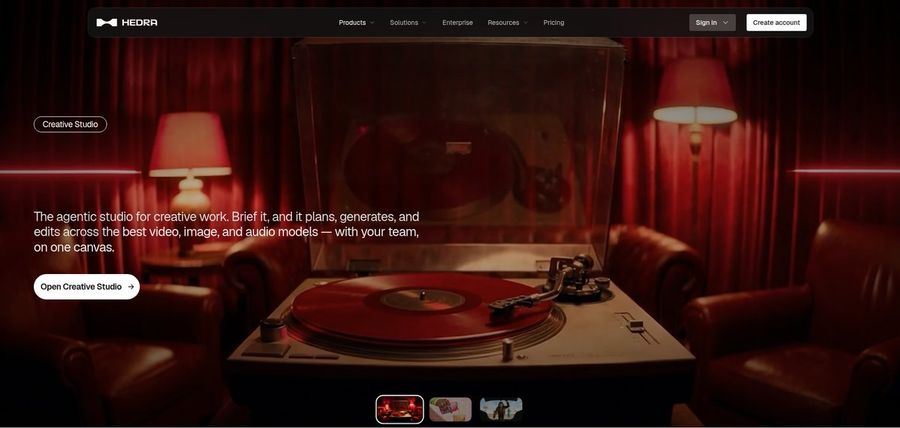
Hedra generates talking and singing characters from an image and an audio file with its Character 3 model. A Creative Studio and Visual Agent support it.
Developers can call the model by API, and Teams covers shared work. Audio has to exist first.
It is the nearest hosted relative to a research lip sync model.
Key Features
- Character 3 talking and singing avatars
- Image plus audio to video
- Creative Studio
- Visual Agent
- Several output formats
- Developer access
- Team plan
- Music video scenes
Best For:
- Groups that need a shared workspace for their creative output
- Content creators who create social posts from a photo and a recorded voice
- Agency staff working out visual concepts for clients
- People whose audio is ready and that require a face to match
- Creators who would like a character to speak or sing
- Musicians who want visuals for a track
Hedra Pros
- Audio Driven
Give it an image plus audio and the character talks or sings.
- Creative Studio
A Creative Studio holds the creative tools.
- Visual Agent
A Visual Agent helps with direction.
- API Access
Developers can reach the model by API.
- Music Videos
Music videos are a popular use.
Hedra Cons
- Audio First:
Character 3 needs audio before it starts.
- Not Presenter Led:
It focuses on characters and scenes, not presenter scripts.
- Recent Repricing:
Individual plans changed in late September, so older reviews may mislead.
Hedra Pricing
Hedra's plans are called Basic, Pro, Ultra and Teams.
| Plan | Price | What's Included |
|---|---|---|
| Basic | $20/month | A starting plan for individuals |
| Pro | $50/month | Check the vendor pricing page |
| Ultra | $100/month | The biggest individual plan |
| Teams | $75/month | A plan for groups |
Individuals pay $20, $50 or $100 a month, and Teams is $75.
When to Use Hedra?
Hedra suits creators with a recording who need a face to perform it.
4. Synthesia
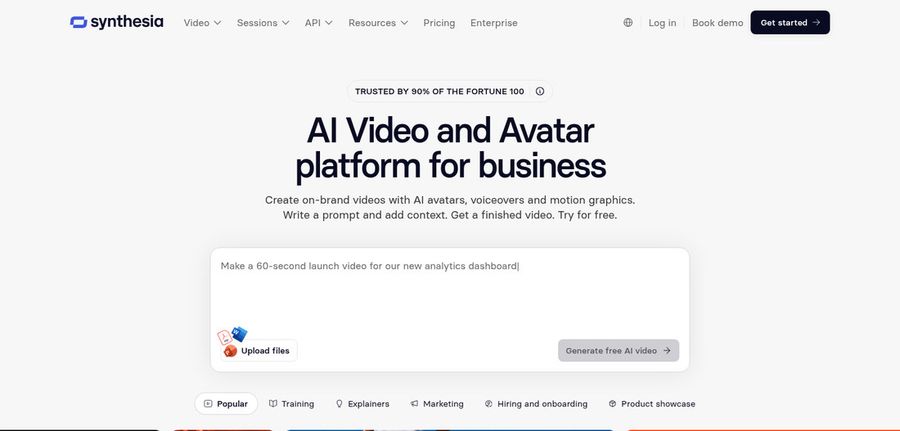
Synthesia produces AI avatar videos for companies, mostly training and internal communication. Avatars number 125 plus on Starter, 180 plus on Pro and 240 plus on Enterprise.
Personal avatars come with paid plans, along with voice cloning, dubbing, bulk personalisation and PowerPoint import. Enterprise adds SSO and SCORM.
It is a finished product, in contrast to a codebase.
Key Features
- AI avatars
- Personal avatars
- Voice cloning
- AI dubbing
- Syren AI video agent
- PowerPoint import
- Bulk personalization
- AI screen recorder
Best For:
- Customer education teams releasing product tutorials
- Companies that take one video to many markets
- Product teams that add avatars to walkthroughs of a release
- Account groups making bulk outreach videos that name each prospect
- Learning designers building courses with a dependable presenter
- HR teams explaining benefits and policies on video
Synthesia Pros
- Avatar Catalog
Avatar numbers grow with the plan.
- Personal Avatars
A personal avatar lets a real colleague appear on screen.
- AI Dubbing
Dubbing handles translation.
- Slide Import
PowerPoint decks can be imported.
- Bulk Versions
Bulk personalisation creates many versions.
- Enterprise Tools
Enterprise offers SSO and SCORM.
Synthesia Cons
- Watermark on Basic:
The free Basic plan watermarks videos.
- Few Seats:
Starter and Pro both cap the number of editor seats.
- Price Step:
Pro is a large step up from Starter.
Synthesia Pricing
Synthesia lists Basic, Starter, Pro and Enterprise.
| Plan | Price | What's Included |
|---|---|---|
| Basic | $0/month | Templates, watermarked |
| Starter | $19/month | Downloads, 125 plus avatars and three guests |
| Pro | $89/month | A catalog beyond 180 avatars, five guests and five personal avatars |
| Enterprise | Custom Pricing | Unlimited personal avatars with 240 plus stock ones, plus SSO, SCORM and a success manager |
Starter is $19 monthly and Pro is $89 monthly.
When to Use Synthesia?
Synthesia suits companies publishing training videos regularly.
5. Colossyan
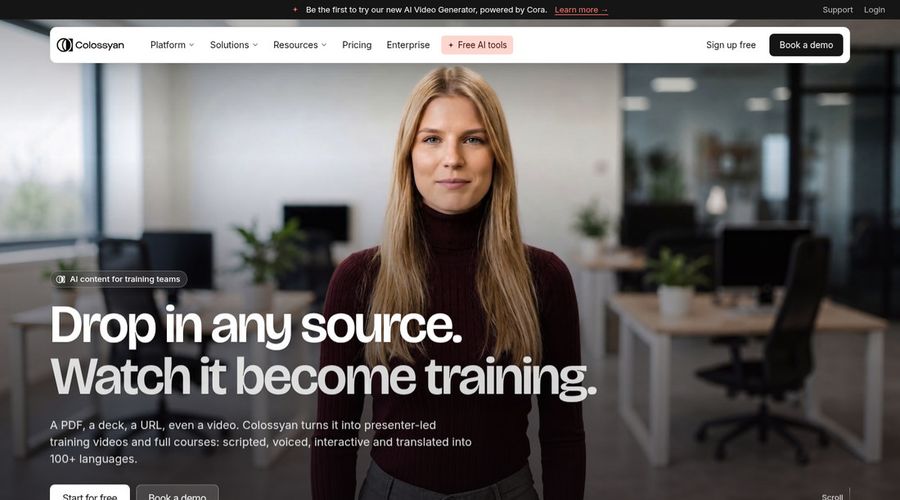
Colossyan is a video platform for training teams that combines AI avatars with a course builder. It lists over 300 avatars and over 700 voices.
Quizzes can be built into a video, and paid plans export to learning systems.
It is lesson focused.
Key Features
- AI avatars
- Cloned voices
- Interactive videos
- Course creation
- Export for learning systems
- Brand kits
- Screen recorder
- PowerPoint and PDF import
Best For:
- Trainers who would like quizzes inside a video
- Companies adapting training for multiple regions
- Enablement teams who refresh product training
- Consultants putting together learning material for clients
- Large organizations with security review and data residency needs
- Training teams building courses out of documents
Colossyan Pros
- Course Builder
A course builder works with the editor.
- Large Catalog
The platform lists 300 plus avatars and 700 plus voices.
- Quizzes
Quizzes add interactivity.
- Localisation
Narration is localised into more than 120 languages.
- Learning Export
Paid plans export to learning platforms.
- Free Starter
Starter is free and unlocks every avatar in the library.
Colossyan Cons
- Watermark on Free:
Free videos carry a watermark.
- Studio Avatar Add On:
Green screen studio avatars add $1,000 a year to the bill.
Colossyan Pricing
Colossyan has Starter, Professional and Enterprise.
| Plan | Price | What's Included |
|---|---|---|
| Starter | Free | Full avatar library, courses, brand kits and interactive videos |
| Professional | $59/month billed annually | Learning export, no watermark, three editors and AI images |
| Enterprise | Custom Pricing | Single sign on, branded avatars, analytics, a success manager and every feature unlocked |
Professional costs $59 a month billed yearly, and Enterprise is custom.
When to Use Colossyan?
Colossyan suits trainers who want quizzes in avatar videos.
Best Use Cases of Wav2Lip Alternative
These are jobs where an open lip sync model leaves the remaining work to you.
Podcast and Audio Teasers
For a talking presenter, give your script to a Host in Zoice instead of preparing footage.
Storytelling and Animation
For lessons, a Host in Zoice talks through your notes while Colossyan layers quizzes on top.
Event Invitations
For product pages, a Zoice Host plays spokesperson, and Creatify can draft an ad straight from a link.
Social Media Posts
For songs, a Host in Zoice can perform an uploaded track, and Hedra can do the same with an image and audio.
Training and Onboarding
For internal news, one Host in Zoice delivers updates, and Synthesia adds templates.
Educational Content
For podcasts, a Host in Zoice introduces episodes from your audio.
Music and Singing Projects
For stories, build a narrator Host you can reuse.
Customer Support Videos
For events, a Host in Zoice announces details with no editing software.
How We Compared the Best Wav2Lip Alternative
Wav2Lip is code, so we compared the hosted alternatives on ten points about how much work stands between you and a finished video.
Ease of Use
We counted the steps between opening the tool and a first speaking video, with no installs.
Input Options
We noted whether each tool needs footage, an image, a script or audio.
Voice and Audio
We recorded voice routes: recording, upload, clone or stock.
Character Options
We asked whether a speaker, once created, survives into the next project.
Customisation
We listed editors, templates and brand kits.
Pricing Transparency
Prices come only from vendor pages.
Free Plan Access
We noted free plans and watermarks.
Platform Fit
We marked which tools work in a browser, expose an API or offer team plans.
Support and Learning Material
We checked tutorials and help pages.
Overall Performance
A closing verdict names the project each tool handles best.
How to Choose the Right Wav2Lip Alternative Before You Pay
This short list helps you decide between running code and using a hosted tool.
Define Your Input
Decide whether you want to maintain a pipeline.
Test the Free Option
Find out whether a free plan exists and what it does to your exports.
Check the Voice Options
Pick the voice source.
Look at Character Control
Confirm the speaker can return.
Read the Plan Details
Read plan tables for limits.
Think About Where You Work
Check browser, API or team support.
Plan for Growth
Check seat prices before others join.
Frequently Asked Questions
1. What is the best Wav2Lip alternative?
Zoice is our first pick when you want a finished video without installs. Creatify, Hedra, Synthesia and Colossyan suit narrower jobs.
2. Why look for a Wav2Lip alternative?
People generally leave open code when they want a hosted tool that handles the voice, the speaker and the export.
3. Is Zoice free to try?
There is a free plan with transcription, voice, image and chat tools, and avatar videos start on Starter at $7.99 a month.
4. Can I use my own audio with Zoice?
Yes. Record in the browser or upload a file, and listen before generating.
5. Can I create my own character in Zoice?
Yes. Write a prompt, upload a picture, or choose a Host that is already in the library.
6. What are action prompts?
They are short instructions for what the Host does as your audio plays.
7. Does Zoice work in the browser?
Yes. It opens in a browser and needs a connection, with no GPU on your side.
8. How does Creatify compare?
Hedra is the closest hosted relative that works from audio, while Zoice is built around a Host you direct.
9. Which tool suits beginners?
Free plans suit beginners, and Zoice, Creatify and Colossyan each offer one.
10. Can I use these tools for business videos?
Yes. Companies can subscribe to any paid plan, and Enterprise provides dedicated support with multi staff access.
11. How should I test these tools?
Give each tool the same image and recording, and compare the output.
Conclusion
Wav2Lip is a respected research tool, but a finished video needs a speaker, a voice and an export that someone has to assemble. The hosted options above do that in different ways.
Zoice is a simple test if you give a Host your own recording. A free account, or Starter for avatar videos, lets you compare it with Hedra or Synthesia.