SuperMaker Alternative Tested, Compared & Ranked

SuperMaker Alternative: SuperMaker is a wide AI creation site. A video agent and a rotating shelf of models such as Kling and Wan share space with music, image and voice generators, and there are separate talking photo and lip sync tools driven by text to speech or an uploaded track. Breadth is the appeal. The downside is that talking characters are one tool among many. This guide compares Zoice, Hedra, Colossyan, D-ID and HeyGen for anyone who mainly wants a speaking photo or presenter.
For every tool we looked at how a face meets a voice, whether the same character can return and what an account holds.
Each section covers features, strengths, limits, plans and fit. Vendor pages were the source for each price, and gaps are flagged.
Quick Comparison of the Best SuperMaker Alternative Tools
| Features & Capabilities | Zoice | Hedra | Colossyan | D-ID | HeyGen |
|---|---|---|---|---|---|
| Quick Comparison | |||||
| Best For | Talking Photos and Host Videos | Talking Characters From Audio | Training Videos and Courses | Talking Photo Videos | Avatar Presenter Videos |
| AI Presenter Avatars | Yes | Yes | Yes | Yes | Yes |
| Voice Cloning | Yes | Not confirmed | Yes | Yes | Yes |
| Script to Video | Yes | Limited | Yes | Yes | Yes |
| Free Plan | Available | Not confirmed | Available | Trial only | Available |
| Starting Price | $7.99/month | $20/month | Free, then $59/month | $4.70/month billed annually | $29/month |
Best SuperMaker Alternative
The best SuperMaker alternative depends on whether you want one site for every medium or a tool that centres on the speaking character. SuperMaker covers a lot. If the face is the main event, a focused tool pays back.
Zoice leads for SuperMaker users who want a Host, a saved voice and action prompts in the browser.
Hedra, Colossyan, D-ID and HeyGen cover audio driven characters, courses, photo presenters and presenter platforms.
1. Zoice

Zoice puts a Host at the centre of the workspace. You can pick a public one, write a description or begin from an uploaded image.
Speech arrives as typed text, a recording, an uploaded file or a saved voice profile, and each can be previewed. Action prompts cue what the Host does.
A SuperMaker user who just wants a talking photo can look at the AI talking photo generator page.
Key Features
- AI avatar videos from a script
- Custom avatar characters
- Public character library
- Record or upload your own audio
- Voice profiles for cloned speech
- Action prompts for the Host
- AI images and AI videos
- AI chat and transcriptions
Best For:
- Educators who convert class notes into a presenter video
- Business owners who want a steady Host over many videos
- Sales teams transforming a script into short outreach videos
- Agency groups putting together videos with a presenter for a range of clients
- Small businesses that need quick notices and explainer videos
- Content creators who want to create an avatar character of their own
Zoice Pros
- Speech Inputs
The Host takes text, audio or a recording.
- Host Sources
Photos, text or the library start a Host.
- Voice Profiles
Voice profiles keep a voice steady.
- Cues
Action prompts give cues.
- Shared Login
Chat, voice and image tools share the login.
- Lip Sync
Lip sync follows uploaded audio.
Zoice Cons
- Needs an Internet Connection:
Zoice needs an internet connection.
- Smaller Public Library:
Its public avatar library is smaller.
Zoice Pricing
Zoice offers a free tier, four paid tiers and Enterprise.
| Plan | Price | What's Included |
|---|---|---|
| Free | $0/month | Free transcription, voice, images and chat |
| Starter | $7.99/month | Avatar and AI videos, AI Voice, one Voice Profile |
| Basic | $29.99/month | Three Voice Profiles |
| Creator | $49.99/month | Five Voice Profiles |
| Agency | $89.99/month | Ten Voice Profiles |
| Enterprise | Custom Pricing | Dedicated support, multi staff access |
SuperMaker users comparing plans can see $7.99 for Starter, $29.99 for Basic, $49.99 for Creator and $89.99 for Agency, each 20% lower when billed yearly.
When to Use Zoice?
Zoice suits SuperMaker users who want the talking character first.
2. Hedra
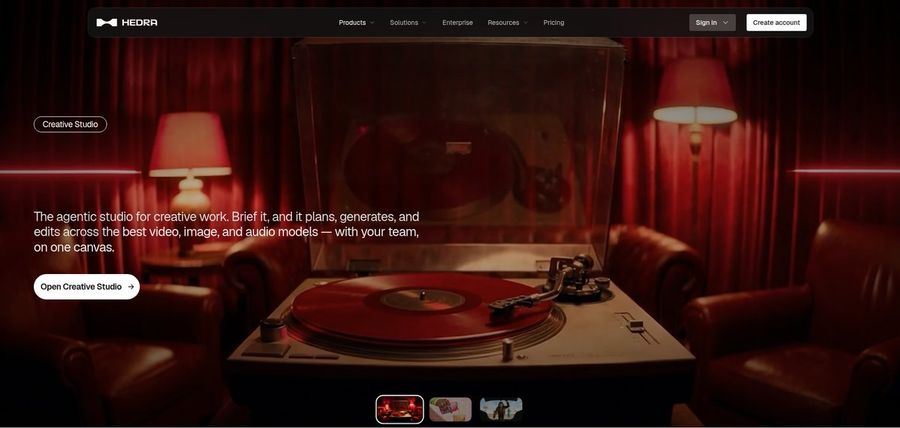
Hedra is built around Character 3, a model for talking and singing avatars that pairs an image with audio.
Its Creative Studio and Visual Agent help plan scenes, outputs come in several formats, and there is developer access and a Teams plan.
Prices changed in late September, and no free plan is confirmed on its public pages.
Key Features
- Character 3 talking and singing avatars
- Image plus audio to video
- Creative Studio
- Visual Agent
- Several output formats
- Developer access
- Team plan
- Music video scenes
Best For:
- Engineers wishing for a talking avatar model
- Teams delivering a workspace for creative projects
- Social media creators beginning with a photo and a voice recording
- Agency teams testing visual concepts for their clients
- Anyone with audio on hand looking for a face to pair with it
Hedra Pros
- Image and Audio
An image plus audio makes a character.
- Singing Avatars
Character 3 talks and sings.
- Studio and Agent
A studio and agent help plan scenes.
- Formats
Several formats are offered.
- Developer Access
Developers can use it.
Hedra Cons
- No Confirmed Free Plan:
No free plan is confirmed.
- Recent Changes:
Prices shifted recently.
- Teams Price:
Teams costs $75 a month.
Hedra Pricing
Hedra lists Basic, Pro, Ultra and Teams.
| Plan | Price | What's Included |
|---|---|---|
| Basic | $20/month | Entry paid plan |
| Pro | $50/month | See vendor pricing page |
| Ultra | $100/month | Highest individual plan |
| Teams | $75/month | Shared plan for groups |
Hedra begins at $20 for Basic, then $50 for Pro, $100 for Ultra and $75 for Teams monthly.
When to Use Hedra?
Hedra suits SuperMaker users who start from audio.
3. Colossyan
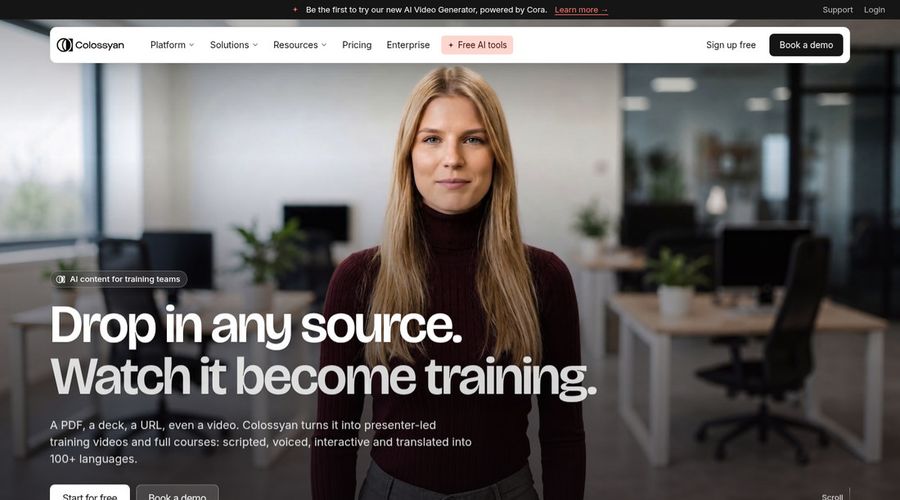
Colossyan is a training platform where AI avatars sit beside a course builder, interactive quizzes and exports for learning systems.
Its list shows 300 plus avatars and 700 plus voices, with localisation across 120 plus languages and PowerPoint or PDF import.
Studio avatars filmed on a green screen are a $1,000 yearly add on.
Key Features
- AI avatars
- Cloned voices
- Interactive videos
- Course creation
- Export for learning systems
- Brand kits
- Screen recorder
- PowerPoint and PDF import
Best For:
- Consultants who put together client learning content
- Large firms that ask for security reviews and data residency
- Training teams creating courses from documents
- People teams producing onboarding content
- Training managers who would like quizzes inside a video
- Companies that localize training for several regions
Colossyan Pros
- Quizzes
Quizzes appear inside the video.
- Course Builder
A course builder sits beside the tools.
- Avatar List
Over 300 avatars are listed.
- Localisation
Localisation covers 120 plus languages.
- Learning Export
Exports suit learning systems.
- Document Import
Slides and PDFs can be imported.
Colossyan Cons
- Watermark on Free:
Watermarks leave only on paid plans.
- Editor Cap:
Professional lists up to three editors.
Colossyan Pricing
Colossyan is split into Starter, Professional and Enterprise.
| Plan | Price | What's Included |
|---|---|---|
| Starter | Free | Free trial with the avatar library |
| Professional | $59/month billed annually | Watermark removal, learning exports, three editors |
| Enterprise | Custom Pricing | Security reviews, data residency, custom terms |
Professional is $59 a month on annual billing, a big move from SuperMaker's lighter plans.
When to Use Colossyan?
Colossyan suits SuperMaker users who need courses.
4. D-ID

D-ID turns a still photo into a speaking presenter, with a studio for creators and a platform for software builders.
Pro adds commercial use, premium presenters and one voice clone, while Advanced adds a custom watermark and three clones.
Conversational agents extend the same technology to apps.
Key Features
- Photo to talking presenter
- Stock presenters
- Voice cloning
- Text to video
- Studio for creators
- Watermark control on higher plans
- Conversational agents
- Developer platform
Best For:
- Agency groups trying avatar videos for clients
- Content creators in search of a still photo to speak
- Marketers testing out plain presenter videos
- Educators developing short lesson intros
- Teams that must put a custom watermark on exports
- Software builders exploring talking agents
D-ID Pros
- Photo Presenter
A photo becomes a presenter.
- Low Entry
Lite starts at $5.90 monthly.
- Commercial Use
Pro allows commercial use.
- Voice Clones
Voice clones arrive on Pro.
- Watermark
Advanced offers a custom watermark.
- Developers
A developer platform exists.
D-ID Cons
- Personal Lite:
Lite is for personal use only.
- Price Jump:
Advanced costs $196 monthly.
- Light Editing:
Editing tools are lighter than a video suite.
D-ID Pricing
D-ID has Lite, Pro, Advanced and Enterprise, with a trial in place of a free tier.
| Plan | Price | What's Included |
|---|---|---|
| Lite | $5.90/month, or $4.70/month billed annually | Personal use, watermark, standard presenters |
| Pro | $29/month, or $16/month billed annually | Commercial use, premium presenters, one clone |
| Advanced | $196/month, or $108/month billed annually | Custom watermark, three voice clones |
| Enterprise | Custom Pricing | Tailored plans from sales |
Lite is $5.90 or $4.70 annually, and Pro is $29 or $16 annually, with Advanced at $196 or $108.
When to Use D-ID?
D-ID suits SuperMaker users who want a photo to speak.
5. HeyGen
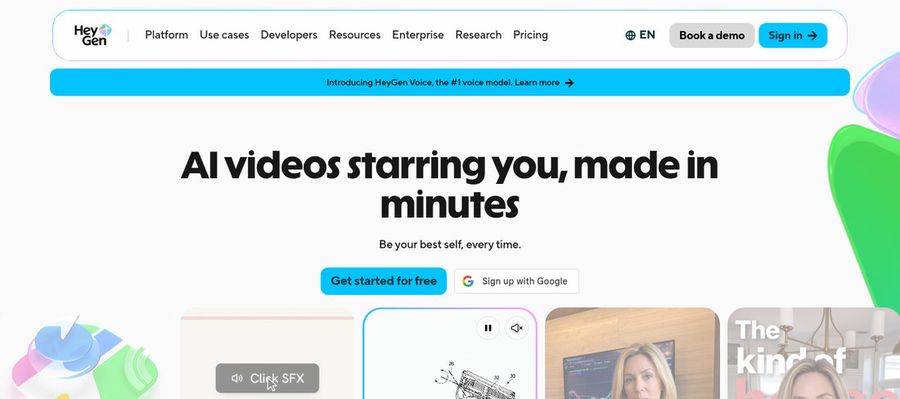
HeyGen is a presenter platform with 500 plus free presenters, 700 plus on paid tiers, and a custom avatar that can use your voice.
Paid plans carry translation across 175 plus languages and dialects, and templates plus slide import give you a start.
Usage depends on model and complexity.
Key Features
- AI presenter avatars
- Custom video avatar
- Photo avatars
- AI voices and voice cloning
- Video translation
- AI video agent
- Templates and PowerPoint import
- Team workspace and brand kit
Best For:
- Marketing teams producing product explainers and videos for social media with a presenter
- Trainers and HR teams making onboarding and videos for training
- Sales teams sending tailored video outreach
- Agencies building translated versions of one video for a number of markets
- Founders who want a steady digital version of themselves on camera
- Educators transforming presentations into narrated lessons
- Support teams producing how to videos for customers
- Companies that need shared workspaces and brand controls
HeyGen Pros
- Free Presenters
Free users see 500 plus presenters.
- Custom Avatar
A custom avatar can use your voice.
- Translation
Translation spans 175 plus languages.
- Templates
Templates and slide import help.
- Brand Controls
Business has brand controls.
- Photo Avatars
Photo avatars are offered.
HeyGen Cons
- Free Branding:
Free videos carry HeyGen branding.
- Seat Fees:
Extra Business seats cost $20 each.
HeyGen Pricing
HeyGen is priced across Free, Creator, Pro, Business and Enterprise.
| Plan | Price | What's Included |
|---|---|---|
| Free | $0/month | 500 plus presenters, watermark |
| Creator | $29/month | Custom avatar with your voice, no branding |
| Pro | $49/month | Proofreading for translations |
| Business | $149/month plus $20 per seat | SSO, brand kit and integrations |
| Enterprise | Custom Pricing | Custom terms, success manager |
Creator is $29 and Pro is $49 each month, and Business is $149 plus $20 per seat.
When to Use HeyGen?
HeyGen suits SuperMaker users who want a presenter catalog.
Best Use Cases of SuperMaker Alternative
These are jobs where a model shelf is more than you need.
Music and Singing Projects
For a spokesperson, a Host in Zoice speaks your script.
Customer Support Videos
For a talking singer, Hedra's Character 3 pairs an image with audio.
Podcast and Audio Teasers
For a training course, Colossyan adds quizzes.
Storytelling and Animation
For a photo that speaks, D-ID starts at $5.90 monthly.
Event Invitations
For a presenter library, HeyGen lists 500 plus free presenters.
Social Media Posts
For a song, a Zoice Host can lip sync a track.
Training and Onboarding
For a podcast, a Host in Zoice opens each episode.
Educational Content
For a launch, a Host in Zoice presents the news.
How We Compared the Best SuperMaker Alternative
SuperMaker spreads across many media, so we compared alternatives on ten points that centre on the speaking character.
Ease of Use
We checked how a face and a voice are paired.
Input Options
We noted whether the same character returns.
Voice and Audio
We recorded how voices are supplied.
Character Options
We tested lip sync from uploaded audio.
Customisation
We listed studios, agents and templates.
Pricing Transparency
We confirmed prices on vendor pages only.
Free Plan Access
We noted free plans and watermarks.
Platform Fit
We read the API and seat rules on each pricing page.
Support and Learning Material
We scanned vendor help pages.
Overall Performance
Each verdict names the SuperMaker job it replaces.
How to Choose the Right SuperMaker Alternative Before You Pay
Choose between a wide creation site and a character tool.
Define Your Input
Decide whether the face is the main event.
Test the Free Option
Check for free plans and watermarks.
Check the Voice Options
Decide how voices are supplied.
Look at Character Control
Confirm the character can return.
Read the Plan Details
Read the plan tables for what unlocks.
Think About Where You Work
Check for API and team access.
Plan for Growth
Check seat prices before adding people.
Frequently Asked Questions
1. What is the best SuperMaker alternative?
Zoice is our first pick when the speaking character is the point. Hedra, Colossyan, D-ID and HeyGen fit narrower jobs.
2. Why look for a SuperMaker alternative?
SuperMaker users move on when talking characters matter more than a shelf of models, or when they want a steady Host.
3. Is Zoice free to try?
Zoice's free plan has transcription, voice, image and chat, and avatar videos start on Starter at $7.99.
4. Can I use my own audio with Zoice?
Yes. Zoice takes a recording or an uploaded file, with a preview before you commit.
5. Can I create my own character in Zoice?
Yes. A Host can start from the library, an image or a written description.
6. What are action prompts?
Action prompts are short written cues the Host follows.
7. Does Zoice work in the browser?
Yes. Upload audio and a Host in Zoice lip syncs to it.
8. How does Hedra compare?
Hedra is the nearest for audio driven characters, while Zoice adds a saved voice and cues.
9. Which tool suits beginners?
Zoice, HeyGen and Colossyan have free plans, and Hedra has no confirmed free plan.
10. Can I use these tools for business videos?
Yes. SuperMaker users running a brand can use paid tiers, with Enterprise support.
11. How should I test these tools?
Make one short video in each tool.
Conclusion
SuperMaker is a handy single site for many AI media types. When the speaking character is what you want, a focused tool fits better.
Try Zoice with a line you would normally give a talking photo tool. Free covers voice and image, and Starter at $7.99 unlocks avatar videos.