SadTalker Alternative Tested, Compared & Ranked

SadTalker Alternative: SadTalker is a CVPR 2023 research project for stylised, audio driven talking face animation from a single image. The code is on GitHub under Apache 2.0, and there is a stable diffusion web UI extension plus community Colab notebooks. People who run it enjoy the control. Those who just want a talking video find that installing models, handling drivers and preparing images is a lot of work. This guide compares Zoice, HeyGen, D-ID, Creatify and Hedra, all hosted.
Our question is what you gain by skipping the setup. We checked each tool for the speaker, the voice route and the finished output.
Every tool has a profile, features, strengths, limits, plans and a verdict on who it fits. Every price was read from a vendor page, and anything we could not confirm says so.
Quick Comparison of the Best SadTalker Alternative Tools
| Features & Capabilities | Zoice | HeyGen | D-ID | Creatify | Hedra |
|---|---|---|---|---|---|
| Quick Comparison | |||||
| Best For | Hosted No Code Avatar Videos | Avatar Presenter Videos | Talking Photo Videos | Product Link to Video Ads | Talking Characters From Audio |
| AI Presenter Avatars | Yes | Yes | Yes | Yes | Yes |
| Voice Cloning | Yes | Yes | Yes | Yes | Not confirmed |
| Script to Video | Yes | Yes | Yes | Yes | Limited |
| Free Plan | Available | Available | Trial only | Available | Not confirmed |
| Starting Price | $7.99/month | $29/month | $4.70/month billed annually | $10/month | $20/month |
Best SadTalker Alternative
The best SadTalker alternative depends on whether you enjoy running your own stack. If you do, the open project is fine. If you want a talking video this afternoon without touching Python, a hosted tool is the better path.
Zoice leads because the Host, your audio and the final video happen in one browser workspace. Type or record, add action prompts, then download.
HeyGen, D-ID, Creatify and Hedra each cover a narrower need. Skim the table above first, then jump to the sections that match your setup.
1. Zoice

Zoice is a browser workspace with a Host at its centre. Choose one in the public library or make one from a text description or an image.
Voices arrive as typed scripts, recordings, uploaded files or saved voice profiles, and each can be heard before generation. Action prompts guide the Host.
The same account holds image, video, chat and transcription tools. The AI talking head video generator page covers how a presenter video is made.
Key Features
- AI avatar videos from a script
- Custom avatar characters
- Public character library
- Record or upload your own audio
- Voice profiles for cloned speech
- Action prompts for the Host
- AI images and AI videos
- AI chat and transcriptions
Best For:
- Sales teams making brief outreach videos from a script
- Agencies crafting presenter videos for a range of clients
- Small firms who need quick announcements and explainers
- Creators who would like to build their own avatar character
- Trainers converting written content into videos with a presenter
- Marketing teams making product explainers and social media videos
Zoice Pros
- No Install
It opens in a browser with nothing to install.
- Script or Recording
Scripts and recordings both become speaking Host videos.
- Host Sources
Hosts come from the library, text or images.
- Voice Profiles
Voice profiles preserve a trained voice.
- Direction
Action prompts give the Host direction.
- More Tools
Chat, images, video and transcription are part of the account.
Zoice Cons
- Needs an Internet Connection:
An internet connection is required for the browser workspace.
- Modest Public Library:
Compared with the biggest catalogs, the public avatar library is small, so building a Host is common.
Zoice Pricing
Zoice begins with a free plan, adds four paid plans and finishes with Enterprise.
| Plan | Price | What's Included |
|---|---|---|
| Free | $0/month | Free transcription, voice, image and chat tools |
| Starter | $7.99/month | Adds avatar videos and AI videos, AI Voice and one Voice Profile |
| Basic | $29.99/month | Starter with three Voice Profiles |
| Creator | $49.99/month | Starter with five Voice Profiles |
| Agency | $89.99/month | Starter with ten Voice Profiles |
| Enterprise | Custom Pricing | Tailored setup, dedicated support and multi staff access |
Paid prices per month are $7.99 for Starter, $29.99 for Basic, $49.99 for Creator and $89.99 for Agency, with 20% off yearly.
When to Use Zoice?
Zoice suits people who want a talking video with no GPU, drivers or model downloads.
2. HeyGen
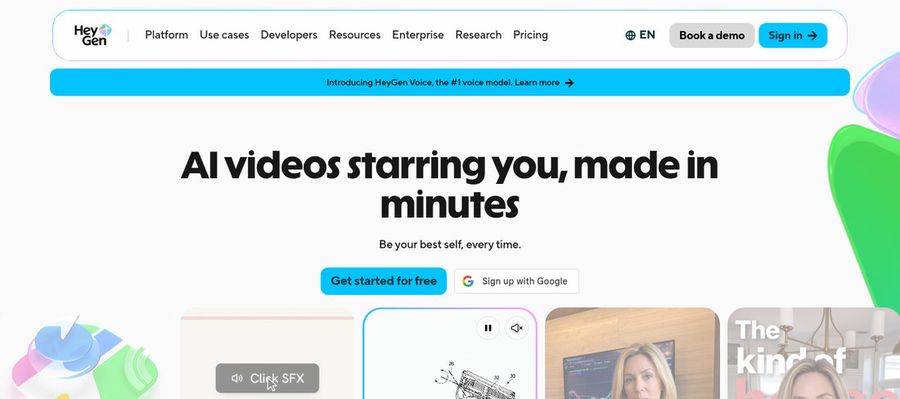
HeyGen is a presenter video product used for marketing, training and sales, and its free tier shows 500 plus presenters with one custom video avatar.
Photo avatars, voice cloning, translation, an AI video agent, templates and PowerPoint or PDF import are on offer. On Business you also get a shared workspace and a brand kit.
It is the broadest hosted option on this list.
Key Features
- AI presenter avatars
- Custom video avatar
- Photo avatars
- AI voices and voice cloning
- Video translation
- AI video agent
- Templates and PowerPoint import
- Team workspace and brand kit
Best For:
- Brand leads keeping a spokesperson steady across campaigns
- Instructional designers who translate courses
- Customer success groups capturing walkthroughs with a host
- Freelancers producing branded explainers for clients
- Content creators producing a repeatable on screen character
- IT and security teams requiring workspace controls
- Revenue teams adding video to personalized outreach
HeyGen Pros
- Free Presenters
The free tier includes 500 plus presenters.
- Photo Avatars
Photo avatars start from one picture, much like SadTalker.
- Custom Avatar
A paid plan lets a custom avatar speak in your voice.
- Language Range
Paid plans cover more than 175 languages and dialects.
- Proofreading
Pro supports translation proofreading.
- Integrations
Business adds Zapier and n8n integrations.
HeyGen Cons
- Branding on Free:
Free videos show HeyGen branding.
- Seat Costs:
Each extra Business seat costs $20 monthly.
HeyGen Pricing
HeyGen has Free, Creator, Pro, Business and Enterprise.
| Plan | Price | What's Included |
|---|---|---|
| Free | $0/month | Branded output, one custom avatar, Avatar IV, Video Agent, 500 plus presenters |
| Creator | $29/month | Your voice on a custom avatar, no branding, 175 plus languages |
| Pro | $49/month | Creator plus translation proofreading |
| Business | $149/month plus $20 per seat | Workspace, brand kit, SSO, integrations, learning export |
| Enterprise | Custom Pricing | Custom terms, provisioning, success manager |
Creator is $29 a month, Pro is $49, and Business is $149 with $20 per added seat.
When to Use HeyGen?
HeyGen suits teams whose presenter videos must reach several language markets.
3. D-ID

D-ID animates a still photo into a speaking presenter, which is the same core idea as SadTalker. It adds stock presenters, voice cloning, text to video, conversational agents and a developer platform.
Lite is personal use with the D-ID watermark, and Pro and Advanced allow commercial use.
It is the closest hosted match to what SadTalker does.
Key Features
- Photo to talking presenter
- Stock presenters
- Voice cloning
- Text to video
- Studio for creators
- Watermark control on higher plans
- Conversational agents
- Developer platform
Best For:
- Agency groups who explore avatar videos for clients
- Content creators who want a single photo to speak
- Marketing teams who try out easy videos with a presenter
- Instructors who make short lesson intros
- Teams asking for a custom watermark on exported files
- Engineers trying out talking agents
D-ID Pros
- Photo to Presenter
It animates a single photo into a presenter.
- Voice Cloning
Voice cloning begins on Pro.
- Commercial Use
Pro and Advanced both carry commercial rights.
- Stock Presenters
Stock presenters give a quick start.
- Agents
Conversational agents are available.
- Developer Platform
A developer platform is offered.
D-ID Cons
- Lite Limits:
The Lite tier covers personal use and stamps a watermark.
- Price Gap:
Advanced costs far more than Pro.
- Lighter Tools:
Its tools are lighter since it focuses on presenters.
D-ID Pricing
D-ID has Lite, Pro, Advanced and Enterprise.
| Plan | Price | What's Included |
|---|---|---|
| Lite | $5.90/month, or $4.70/month billed annually | Personal use, watermark, standard presenters |
| Pro | $29/month, or $16/month billed annually | Commercial use, premium presenters, one voice clone |
| Advanced | $196/month, or $108/month billed annually | Commercial rights, three clones and a watermark you can customise or blank out |
| Enterprise | Custom Pricing | Custom via sales |
Monthly, Lite is $5.90, Pro is $29 and Advanced is $196, falling to $4.70, $16 and $108 yearly.
When to Use D-ID?
D-ID suits people who want what SadTalker does without running it.
4. Creatify

Paste a product link into Creatify and it assembles an ad from AI actors, AdFlow templates, Ad Clone, a competitor tracker and voiceover in 75 plus languages.
Third party image and video models are reachable through its playground, and custom avatars start on Pro.
It targets marketers.
Key Features
- Product link to video
- AI actors
- Custom avatars
- AdFlow templates
- Ad Clone from a URL
- Competitor ad tracker
- Premium model playground
- 75 plus languages
Best For:
- Online retailers transforming product pages into advertising videos
- App marketing teams producing ads from store links
- Agency teams producing ad variations for many clients
- Marketing teams looking to study competitor ads
- Groups that want a managed creative service besides the tool
- Software builders who want to automate advertising videos through its developer plans
- Small businesses wanting ads with no video team
- Businesses running ads on Meta and TikTok
Creatify Pros
- Link to Ad
A product link starts the ad.
- Actor Library
Standard gives 300 actors and Pro gives 1,500.
- Campaign Tools
Templates and Ad Clone support campaigns.
- Playground
A playground opens third party models.
- Languages
75 plus languages are supported.
- Free Tier
A free tier lets you try it.
Creatify Cons
- Watermark on Free:
Free exports carry a watermark.
- Upper Tier Tools:
You need more than Standard for Ad Clone, Ad Agent and the tracker.
Creatify Pricing
Creatify sells six tiers, from Free through Max and Business to Enterprise.
| Plan | Price | What's Included |
|---|---|---|
| Free | $0/month | Premium model trial, 300 actors, watermarked |
| Standard | $10/month | Core tools, no watermark, 300 actors, 200 plus templates |
| Pro | $38/month | Ad Clone, Ad Agent, tracker, three custom avatars, 1,500 actors |
| Max | $66/month | Pro plus three seats and brand spaces |
| Business | $136/month | Ten seats and brand spaces |
| Enterprise | Custom Pricing | Dedicated manager, custom agreements, security |
Each month Standard is $10, Pro is $38, Max is $66 and Business is $136.
When to Use Creatify?
Creatify suits sellers who want ad variations.
5. Hedra
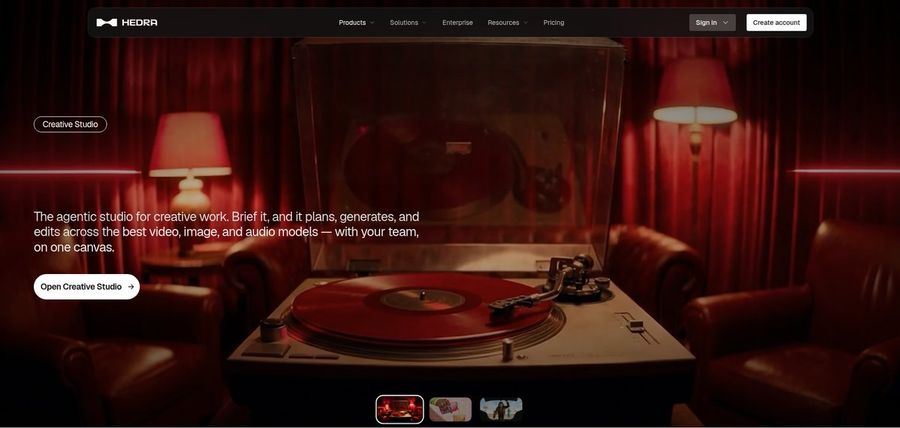
Hedra turns an image and an audio file into a talking or singing character with Character 3, supported by a Creative Studio and Visual Agent.
Developers can use the API, and Teams handles group work. You bring or generate the audio first.
It is the closest hosted relative to an audio driven research model.
Key Features
- Character 3 talking and singing avatars
- Image plus audio to video
- Creative Studio
- Visual Agent
- Several output formats
- Developer access
- Team plan
- Music video scenes
Best For:
- Agencies looking into visual concepts for clients
- Anyone with existing audio looking for a face to go with it
- Creators in search of a character that speaks or sings
- Musicians producing visuals for their track
- Storytellers shaping characters from one image
Hedra Pros
- Image and Audio
Image plus audio makes a talking or singing character.
- Creative Studio
The Creative Studio gathers its tools.
- Visual Agent
A Visual Agent helps with direction.
- API Access
Developers can use the API.
- Music Videos
Musicians use it for music videos.
Hedra Cons
- Audio Required:
Audio is needed first.
- Not Script Led:
It centres on characters and scenes, not presenter scripts.
- Recent Repricing:
Individual plans were repriced in late September, so older reviews can mislead.
Hedra Pricing
Hedra has Basic, Pro, Ultra and Teams.
| Plan | Price | What's Included |
|---|---|---|
| Basic | $20/month | Starting plan for solo users |
| Pro | $50/month | See vendor page |
| Ultra | $100/month | Largest solo plan |
| Teams | $75/month | Plan for teams |
Solo plans cost $20, $50 and $100 a month, and Teams costs $75.
When to Use Hedra?
Hedra suits creators with recordings who need a performer.
Best Use Cases of SadTalker Alternative
These are jobs where a self run animation project needs more than the animation.
Internal Communications
For a talking portrait, a Host in Zoice speaks your script, and D-ID animates a photo.
Language Practice
For a lesson, a Host in Zoice talks through your notes.
Product Explainers
For a product page, Zoice makes a spokesperson, and Creatify drafts an ad.
Marketing Campaigns
For a song, upload a track to a Host in Zoice, or give Hedra an image and audio.
Personalised Greetings
For team updates, HeyGen translates a presenter video for other offices.
Pet and Character Content
For a podcast, a Host in Zoice introduces an episode from audio.
Sales Outreach
For a story, build a narrator Host and keep using it.
Brand Spokesperson
For an event, a Host in Zoice announces the details.
How We Compared the Best SadTalker Alternative
SadTalker is a self hosted project, so we compared the hosted alternatives on ten points about how much effort stands between you and a result.
Ease of Use
We counted the steps from opening the tool to a first talking video, with no installs.
Input Options
We noted whether each tool wants a photo, a script, audio or a link.
Voice and Audio
We noted whether a voice can be recorded, uploaded, cloned or chosen from stock.
Character Options
We checked if the speaker can be reused.
Customisation
We listed editors, templates and brand kits.
Pricing Transparency
Prices come only from vendor pages.
Free Plan Access
We noted free plans and watermarks.
Platform Fit
We marked browser access, API availability and team plans for each tool.
Support and Learning Material
We checked tutorials and help pages.
Overall Performance
The verdicts tie each tool to the job where it earns its place.
How to Choose the Right SadTalker Alternative Before You Pay
Use this short list to decide between self hosting and a hosted tool.
Define Your Input
Decide whether you want to maintain a setup.
Test the Free Option
Check for free plans and watermarks.
Check the Voice Options
Pick how voices arrive.
Look at Character Control
Confirm the speaker can return.
Read the Plan Details
Read plan tables for limits.
Think About Where You Work
Check for browser, API and team features.
Plan for Growth
Check seat prices before others join.
Frequently Asked Questions
1. What is the best SadTalker alternative?
Zoice is our first pick when you want a talking video without setup. HeyGen, D-ID, Creatify and Hedra each cover narrower work.
2. Why look for a SadTalker alternative?
Open project users generally move on when they want a hosted tool that handles voices, speakers and exports.
3. Is Zoice free to try?
Zoice has a free plan for transcription, voice, image and chat tools, and avatar videos begin on Starter at $7.99 a month.
4. Can I use my own audio with Zoice?
Yes. Record in the browser or upload a file and hear it first.
5. Can I create my own character in Zoice?
Yes. You can write a description, upload an image or use a library Host.
6. What are action prompts?
They are short cues for the Host while the audio plays.
7. Does Zoice work in the browser?
Yes. It runs in a browser, with no GPU needed on your side.
8. How does HeyGen compare?
D-ID is the closest match in idea, while Zoice builds a Host you can direct.
9. Which tool suits beginners?
Free plans help newcomers, and Zoice, HeyGen and Creatify each have one.
10. Can I use these tools for business videos?
Yes. A paid plan covers business use, and Enterprise brings support and multi staff access.
11. How should I test these tools?
Use one image and one recording in each tool and compare.
Conclusion
SadTalker is a notable research project, but a finished video also needs a speaker, a voice and an export. The hosted tools above assemble those parts in different ways.
Zoice is an easy test if you give a Host your own recording. A free account will do, or Starter if you need avatar videos, and then you can stack it against D-ID or HeyGen.