Pictory Alternative Tested, Compared & Ranked

Pictory Alternative is a common search for people who want a presenter instead of stock footage, or a plan with a permanent free tier.
Pictory turns scripts, blog posts, and links into videos with stock footage, voiceover, and captions. It offers a 14 day free trial and plans from $25 per month on annual billing.
This guide ranks Zoice, Fliki, InVideo, Descript, Kapwing, and VEED by what they offer, what they cost, and where each one fits.
Quick Comparison of the Best Pictory Alternative Tools
| Features & Capabilities | Zoice | Fliki | InVideo | Descript | Kapwing | VEED |
|---|---|---|---|---|---|---|
| Quick Comparison | ||||||
| Best For | AI Avatar Videos | Text to Video With Voiceover | AI Video Creation With Editing | Editing Video and Audio Like a Document | Shared Browser Video Editing | Browser Video Editing With Subtitles |
| Script to Video | Yes | Yes | Yes | Yes | Yes | Yes |
| Text to Speech | Yes | Yes | Yes | Yes | Yes | Yes |
| AI Images | Yes | Yes | Yes | Yes | Yes | Yes |
| Voice Cloning | Yes | Yes | Yes | Yes | Not confirmed | Not confirmed |
| AI Presenter Avatars | Yes | Yes | Yes | Limited | Not confirmed | Yes |
| Free Plan | Available | Available | Not listed | Available | Available | Available |
| Starting Price | $7.99/month | $21/month billed annually | $10/seat/month | $16/month | $16/member/month billed annually | $12/user/month billed annually |
Best Pictory Alternative
Picking among Pictory alternatives starts with your main job. Zoice, Fliki, InVideo, Descript, Kapwing, and VEED each lean toward a different one.
Fliki is known for text to video with voiceover, and InVideo is known for AI video creation with editing. Descript covers editing video and audio like a document, Kapwing covers shared browser video editing, and VEED covers browser video editing with subtitles.
Zoice comes first because it fits people who want a generated Host video instead of a timeline edit. The rest of the list covers other reasons to look past Pictory.
1. Zoice

Zoice brings avatar videos, AI images, AI videos, and voice into a single platform. Voice profiles let the Host speak in a cloned voice, and paid plans include between 1 and 10 of them.
Zoice puts a Host on screen to deliver your script, which feels different from a stock footage montage.
It fits creators who want to skip filming and go from a script to a finished presenter video, then choose the aspect ratio in the Output setting. Paid plans start at $7.99 per month, and annual billing takes 20% off. Every paid plan includes AI Voice, AI Chat, AI Transcriptions, AI Images, AI Videos, and AI Avatar Videos.
Key Features
- AI avatar videos from a script
- Custom avatar characters
- Public character library
- Record or upload your own audio
- Voice profiles for cloned speech
- Action prompts for the Host
- AI images and AI videos
- AI chat and transcriptions
Best For:
- Teams that want AI images and videos in the same account as avatar videos.
- Anyone who prefers writing a script to learning a timeline editor.
- Creators who want a presenter video without filming.
- Marketers making short product videos for social feeds.
- Educators turning lesson notes into a presenter video.
- Founders who want a consistent Host across many videos.
Zoice Pros
- Avatar Videos From a Script or Audio
No camera is needed: a script or an audio file is enough to get a talking avatar video.
- Build Your Own Host
A Host can be defined with a text description or an image, and the public library holds hundreds of ready characters.
- Voice Your Way
Your own voice can enter the process as a recording, an upload, or a trained voice profile.
- Action Prompts
Action prompts are an optional way to tell the Host what to do on screen, like holding up a product.
- Hear Before You Commit
You hear a preview of the audio before committing to the video.
- More Than Avatars
One subscription spans AI images, AI videos, AI chat, and AI transcriptions.
Zoice Cons
- Works Only Online:
To use Zoice you need a working internet connection, so check your connection before a big batch.
- Public Library Is Smaller:
Zoice offers a public library of hundreds of characters, which is smaller than the avatar libraries at some larger platforms, though you can build your own Host from words or an image.
Zoice Pricing
The Zoice price list runs from a free plan to custom Enterprise pricing. Every paid plan includes AI Voice, AI Chat, AI Transcriptions, AI Images, AI Videos, and AI Avatar Videos, with a 20% discount on annual billing.
| Plan | Price | What's Included |
|---|---|---|
| Free | $0/month | Daily allowance, AI Chat, AI Transcriptions, AI Voice, AI Images |
| Starter | $7.99/month | AI Voice, AI Videos, AI Avatar Videos, 1 Voice Profile |
| Basic | $29.99/month | Everything in Starter with 3 Voice Profiles |
| Creator | $49.99/month | Everything in Starter with 5 Voice Profiles |
| Agency | $89.99/month | Everything in Starter with 10 Voice Profiles |
| Enterprise | Custom Pricing | Custom features, multi staff access, dedicated support |
Starter, at $7.99 per month, is where avatar videos begin. Creator at $49.99 per month sits between the entry and agency tiers.
When to Use Zoice?
Zoice is a good pick when a person speaking to the viewer matters more than stock visuals.
2. Fliki
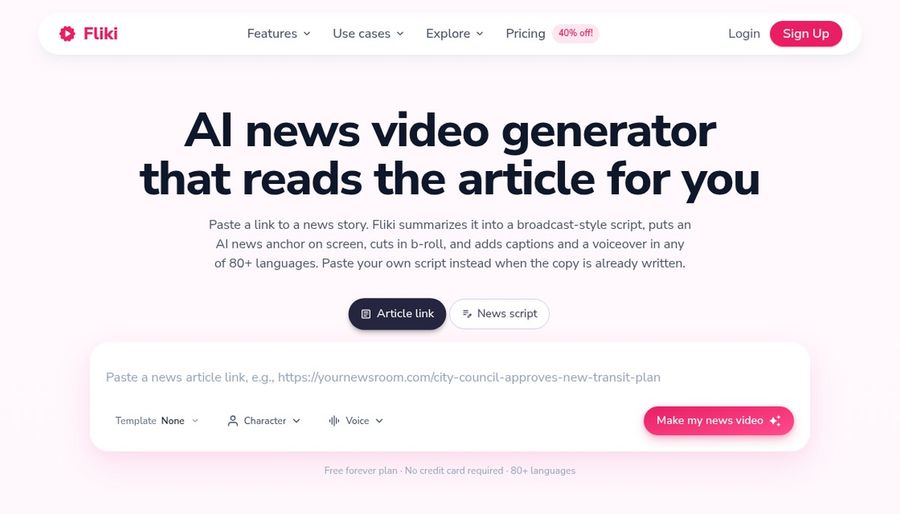
Fliki is built for creators who want to publish narrated videos without filming. YouTubers publish without filming. Compared with the other tools here, Fliki accepts plain language edits through its Copilot.
Voice cloning starts on Standard. Translation and dubbing work on uploaded video and audio. AI images and thumbnails are part of every plan.
Free exports carry a watermark. Premium costs $88 per month on monthly billing. On another front, Fliki starts from an idea, script, or blog post.
Key Features
- Idea, script, and blog to video
- Large voice library
- Voice cloning
- Video translation and dubbing
- AI avatars and photo avatars
- AI Copilot editor
- AI images and thumbnails
- Series and publishing tools
Best For:
- Social teams who post on a schedule.
- Marketers who need voiceover in several languages.
- Course creators building narrated lessons.
- Podcasters who add visuals to audio.
- Small teams who want brand kits and shared access.
- Anyone who wants to start from a simple idea.
Fliki Pros
- Ideas Become Videos
You can start with an idea, script, blog post, or presentation and get a draft with visuals and voice.
- Voices From Several Providers
The voice library draws on several providers across a very wide range of languages.
- Voice Cloning and Dubbing
Voice cloning starts on Standard, and translation covers uploaded video and audio.
- Avatars and Characters
Stock avatars, photo avatars, and custom characters sit alongside the video editor.
- Plain Language Editing
An AI Copilot accepts editing requests in plain language.
- Free Plan Available
You can try the tool without a card, with a Fliki watermark on free exports.
Fliki Cons
- Watermark on Free:
Free exports carry the Fliki watermark.
- Best Features Cost More:
Avatars for all, AI video clips, and developer access sit on the Premium plan.
- Usage Is Metered:
Each plan has a monthly allowance, so heavy use can run out early.
Fliki Pricing
Plans at Fliki are Free, Standard, Premium, and Enterprise, with entry pricing from $21/month billed annually. There is a free plan to test it. Prices were checked against the vendor's own plan page in November 2026.
| Plan | Price | What's Included |
|---|---|---|
| Free | $0/month | Voices in many languages, stock media, AI images, Fliki watermark |
| Standard | $28/month, or $21/month billed annually | Voice cloning, limited stock avatars, custom characters, commercial rights |
| Premium | $88/month, or $66/month billed annually | AI video clips, photo avatars, all avatars, multiple voice clones, brand kits, developer access |
| Enterprise | Custom Pricing | Team collaboration, personalized avatars, professional voice cloning, dedicated account manager |
Standard costs $28/month, or $21/month billed annually. Premium costs $88/month, or $66/month billed annually. Check what each tier includes before you decide.
When to Use Fliki?
Pick Fliki when you want voice cloning at a modest price. It is also worth a trial when you need text to video with voiceover.
3. InVideo

InVideo is an AI video creator that builds a draft from a prompt and then lets you refine it on a timeline. Marketers use it to ship product videos quickly. Compared with the other tools here, InVideo includes voice cloning.
An actor library offers ready made presenters. Voice cloning is available for narration. Image and video generation models sit in the same account.
Everything runs on a monthly usage allowance that varies by model. Starter has limited access to the newest agents and models. On another front, InVideo supports multiplayer editing with seat limits that grow by plan.
Key Features
- Prompt to video AI agents
- Full timeline editor
- AI twins
- AI actor library
- Voice cloning
- Stock footage library
- Multiplayer editing
- Image and video generation models
Best For:
- Editors who like stock media next to generative tools.
- Anyone who prefers a single subscription for visuals.
- Ad makers who start from an idea instead of footage.
- YouTubers who want a draft and then fine tuning.
- Creators who want a reusable digital double.
- Production teams that edit together in real time.
InVideo Pros
- Prompt First Workflow
A prompt is enough for the AI agents to build a first draft.
- Real Timeline Editor
The full timeline, with color, audio, and 3D controls, is included at every level.
- AI Twins and Actors
AI twins and an actor library cover presenter style videos.
- Generative Models Inside
Generative image and video models sit inside the same workspace.
- Multiplayer Editing
Multiplayer editing lets a team work together, with up to 5 seats on Starter and 10 on Plus.
- Stock and Storage
Stock footage and storage come with the subscription.
InVideo Cons
- Usage Allowance:
Usage allowance varies by model and unused amounts expire at the end of the cycle.
- Lighter Starter Plan:
Starter limits you to Lite agents and leaves out the latest video models.
- Per Seat Pricing:
Seat pricing means the bill rises as the team grows.
InVideo Pricing
InVideo has 3 plans: Starter, Plus, and Max. No free plan is listed. Entry pricing starts at $10/seat/month. Plan names and limits come from the public pricing page.
| Plan | Price | What's Included |
|---|---|---|
| Starter | $10/seat/month billed annually, $20 monthly | Timeline editor, multiplayer editing up to 5 seats, Lite agent access, selected models |
| Plus | $30/seat/month billed annually | Access to frontier agents, the newest video models, multiplayer editing up to 10 seats |
| Max | $250/seat/month billed annually | All models and features, early access to advanced AI features, lowest cost per unit of usage |
Starter costs $10/seat/month billed annually, $20 monthly. Next comes Plus at $30/seat/month billed annually. Comparing the first paid plans is the quickest way to judge value.
When to Use InVideo?
Choose InVideo when you want an AI draft plus a real timeline. It is also worth a trial when you need AI video creation with editing.
4. Descript

Descript edits video and audio like a document, so cutting a sentence in the transcript cuts it from the recording. Teams use it for interviews and customer stories. Compared with the other tools here, Descript lets you edit video by editing the transcript.
Filler word removal tidies spoken takes. Eye contact correction helps when reading from notes. Underlord can pick highlights and create short clips.
Top ups are sold as add ons. Media hours and AI usage are capped on every plan. On another front, Descript feels like editing a document.
Key Features
- Text based video editing
- Underlord AI co editor
- Studio Sound
- Filler word removal
- Eye contact correction
- AI Speech and voice clones
- Screen and remote recording
- Translation and dubbing
Best For:
- Teachers polishing lessons and walkthroughs.
- Marketing teams reusing webinars as clips.
- Remote teams who record guest interviews.
- Speakers who want filler words and long pauses removed.
- Companies that want shared brand templates for editors.
- Podcasters who want to cut an episode by deleting words.
Descript Pros
- Edit by Editing Text
Deleting a sentence from the transcript removes it from the video.
- Strong Cleanup Tools
Studio Sound, filler word removal, and eye contact correction clean up common recording problems.
- Voice Clones and Regeneration
AI Speech can clone your voice and repair a line so a fix blends with the rest of the audio.
- Built In Recording
Screen recording and remote guest recording are part of the app.
- Clip Creation
Underlord can find highlights and turn them into short clips for social channels.
- Free Plan to Start
The free plan lets you try text editing and the AI tools first.
Descript Cons
- Usage Limits:
Every plan caps media hours and AI usage, with more available as a paid add on.
- Priced Per Person:
Pricing is per editor, so the bill grows with each teammate.
- Edits Existing Footage First:
It starts from footage you have recorded, rather than generating a presenter from a script.
Descript Pricing
Descript prices its plans as Free, Hobbyist, Creator, Business, and Enterprise. There is a free plan to test it. Annual and monthly billing are priced differently, so compare like with like.
| Plan | Price | What's Included |
|---|---|---|
| Free | $0/month | Text based editing and a trial of the AI tools |
| Hobbyist | $16/month billed annually, $24 monthly | Watermark free export, Underlord, AI Speech with custom voice clones and video regenerate |
| Creator | $24/month billed annually, $35 monthly | More usage, generate video with the latest AI models, unlimited stock media, top ups |
| Business | $50/month billed annually, $65 monthly | Brand Studio, translation and dubbing in 30 plus languages, custom avatars from a photo or text, priority support |
| Enterprise | Custom Pricing | Security controls, shared brand guardrails, dedicated support, flexible billing |
The first paid plan, Hobbyist, is $16/month billed annually, $24 monthly. Creator costs $24/month billed annually, $35 monthly. Start small and upgrade once your workflow settles.
When to Use Descript?
Choose Descript when you already have recordings and want to edit them by text. Keep it on the shortlist if editing video and audio like a document matters to you.
5. Kapwing
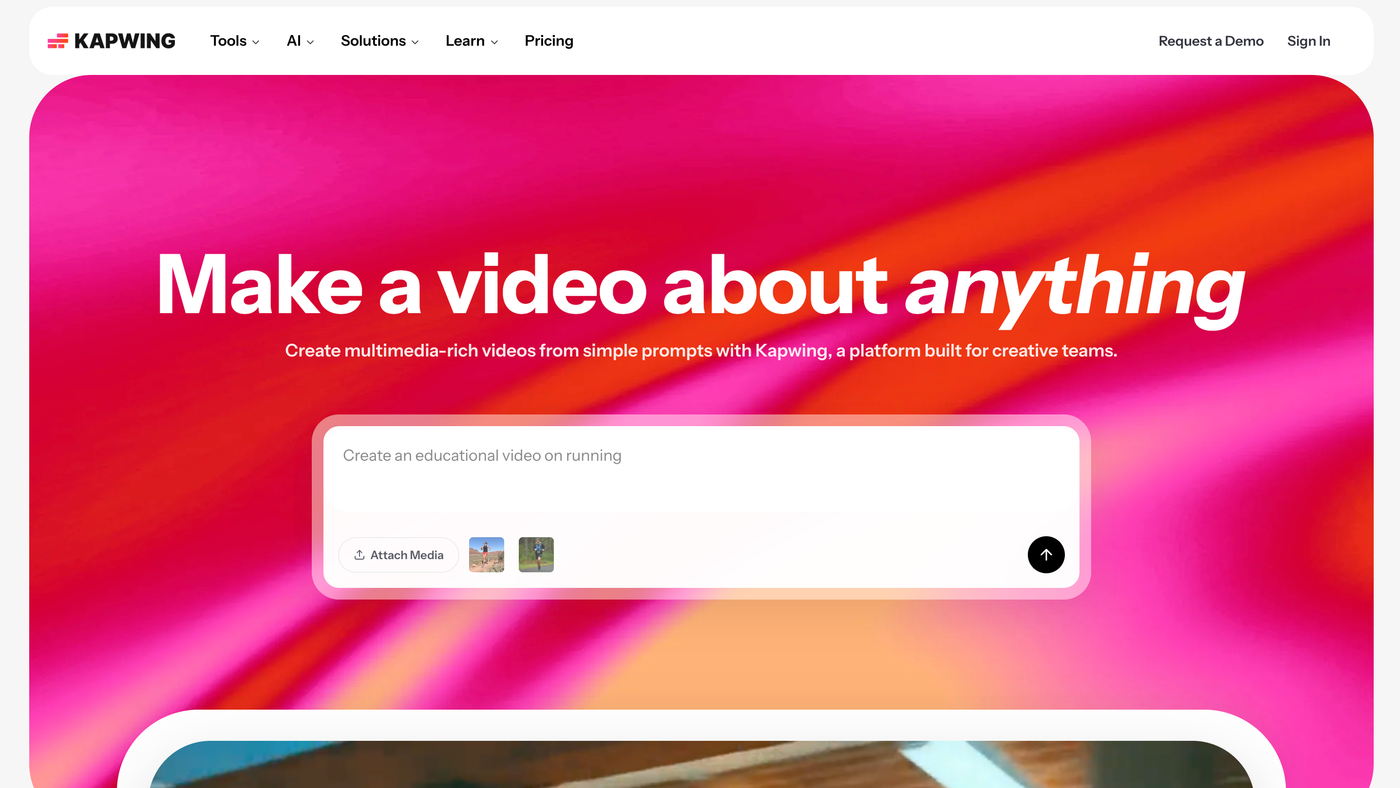
Kapwing combines a timeline editor with AI tools like subtitles. Teams edit one video together. Compared with the other tools here, Kapwing offers a full timeline with a Brand Kit on Pro.
A Brand Kit arrives on Pro. Automatic subtitles cost a small usage amount. Free exports carry a watermark.
Paid plans are priced per member. Business is $50 per member on annual billing. On another front, Kapwing runs in the browser with a shared timeline.
Key Features
- Online video editor
- Automatic subtitles
- Shared workspaces
- Real time editing and comments
- Brand Kit
- Text to video
- Lip sync on Business
- Folders and shared assets
Best For:
- Agencies who share assets across clients.
- Marketers who keep a Brand Kit for every video.
- Educators who need an editor in the browser.
- Creators who want a free place to start.
- Content teams who review with comments.
- Anyone who prefers a timeline in a web page.
Kapwing Pros
- Built for Collaboration
Shared workspaces, real time editing, comments, and folders are part of the product.
- Brand Kit on Pro
Pro adds a Brand Kit so videos stay consistent.
- Automatic Subtitles
Subtitles can be generated automatically with a small usage cost.
- Free Plan to Start
A free plan lets you try the editor before paying.
- Business Adds Lip Sync
The Business plan adds lip sync and a larger usage allowance.
- Clear Per Member Prices
Plans are listed per member per month, with annual billing priced lower.
Kapwing Cons
- Free Exports Are Marked:
Free exports carry a watermark and the free plan has a small allowance.
- Per Member Pricing:
Pro and Business are priced per member, so costs grow with the team.
- Editor Before Presenter:
It is an editor first, so avatar presenters are not its main strength.
Kapwing Pricing
Plans at Kapwing are Free, Pro, Business, and Enterprise, with entry pricing from $16/member/month billed annually. There is a free plan to test it. Prices were checked against the vendor's own plan page in November 2026.
| Plan | Price | What's Included |
|---|---|---|
| Free | $0/month | Basic editing with a watermark on exports and a small allowance |
| Pro | $16/member/month billed annually, $24 monthly | Watermark free exports, Brand Kit, shared collaboration, a monthly usage allowance |
| Business | $50/member/month billed annually, $64 monthly | Everything in Pro plus lip sync, a larger allowance, and more storage |
| Enterprise | Custom Pricing | Custom plans through the sales team |
Pro costs $16/member/month billed annually, $24 monthly. Business costs $50/member/month billed annually, $64 monthly. Check what each tier includes before you decide.
When to Use Kapwing?
Pick Kapwing when a Brand Kit keeps videos consistent. It is also worth a trial when you need shared browser video editing.
6. VEED

VEED combines recording, editing, and AI features in the browser. Social teams add subtitles in bulk. Compared with the other tools here, VEED offers a browser editor with custom templates on Studio.
Translation and dubbing arrive on Pro. AI avatars are available on Pro. Creator removes the watermark.
Prices are per user. Monthly billing costs more than annual billing. On another front, VEED runs in the browser with nothing to install.
Key Features
- Online video editor
- Automatic subtitles
- Translation and dubbing
- AI avatars
- Screen and webcam recording
- Brand templates
- Text to video
- Team workspaces
Best For:
- Educators recording and editing lessons.
- Teams that translate videos for several markets.
- Creators who want an editor in the browser.
- Agencies that need custom templates for clients.
- Founders making simple explainer videos.
- Anyone who wants to start free and edit quickly.
VEED Pros
- Easy Browser Editing
The editor runs in the browser, so there is nothing to install.
- Subtitles Without Limits Worry
Paid subtitle generation is unlimited within a fair use monthly limit.
- Translation and Dubbing
The Pro plan adds translation and dubbing.
- AI Avatar Access on Pro
Pro includes access to AI avatars.
- Custom Templates on Studio
The Studio plan adds custom templates for brand work.
- Clear Per User Prices
Plans are listed per user, from $12 per month on annual billing.
VEED Cons
- Per Seat Pricing:
Plans are priced per user, so teams pay more as they grow.
- Usage Allowance for AI Tools:
AI features draw from a yearly allowance that differs by plan.
- Editor Before Presenter:
It is an editor first, so a presenter video from a script is not its main job.
VEED Pricing
Plans at VEED are Free, Creator, Pro, Studio, and Enterprise, with entry pricing from $12/user/month billed annually. There is a free plan to test it. Prices were checked against the vendor's own plan page in November 2026.
| Plan | Price | What's Included |
|---|---|---|
| Free | $0/month | Basic editing, with VEED branding on exports |
| Creator | $12/user/month billed annually, $22 monthly | No watermark, unlimited auto subtitles, an AI usage allowance |
| Pro | $22 to $24/user/month billed annually, $47 monthly | Everything in Creator plus translation, dubbing, and AI avatar access |
| Studio | $39/user/month billed annually, $76 monthly | Everything in Pro plus custom templates and larger allowances |
| Enterprise | Custom Pricing | Custom plans through the sales team |
Creator costs $12/user/month billed annually, $22 monthly. Pro costs $22 to $24/user/month billed annually, $47 monthly. Check what each tier includes before you decide.
When to Use VEED?
Pick VEED when you want to start free in the browser. It is also worth a trial when you need browser video editing with subtitles.
Best Use Cases of Pictory Alternative
Different teams reach for Pictory alternatives for different reasons. These eight use cases show where Fliki, InVideo, Descript, Kapwing, VEED, and Zoice each fit.
Social Media Videos
Social video lives on speed, so templates and captions decide how fast you can post. VEED runs in the browser with nothing to install, and InVideo starts from a prompt and builds a first cut, so both are worth testing against Zoice. Zoice keeps the flow short: choose a Host, add a script or audio, preview, and generate.
Talking Presenter Videos
When you want a face on screen without filming, check which tools offer presenters. For this, Fliki offers stock avatars, photo avatars, and custom characters. Descript, by comparison, offers custom avatars on the Business plan.
Product Demos and Explainers
Demos and explainers need clear cuts and captions more than flashy effects. Worth noting: InVideo provides a full timeline after the AI draft, and Kapwing offers a full timeline with a Brand Kit on Pro. Zoice lets you direct the Host with an action prompt.
Marketing and Ad Creative
Marketing teams test many versions, which favors fast generation. VEED includes AI tools for subtitles and text to video, whereas Descript includes the Underlord AI co editor.
Educational and Course Content
Lessons are easiest to produce when the editor feels familiar. Kapwing runs in the browser with a shared timeline, while Fliki starts from an idea, script, or blog post. Zoice keeps the flow short: choose a Host, add a script or audio, preview, and generate.
Team Updates and Internal Communication
Shared projects and review comments keep internal videos moving. On that front, VEED is priced per user, with team workspaces. InVideo supports multiplayer editing with seat limits that grow by plan.
Repurposing Existing Recordings
Webinars and calls hold plenty of clips, and voice cleanup helps them sound better. Fliki includes a very large voice library with cloning on Standard, and Descript includes AI Speech with custom voice clones, so both are worth testing against Zoice. Zoice lets you record or upload audio, or train a voice profile for cloned speech.
Multi Platform Publishing
Creators who publish widely should check commercial terms and exports. For this, InVideo includes stock footage with its plans. Kapwing, by comparison, removes the watermark on Pro.
How We Compared the Best Pictory Alternative
We scored nothing, because every team values different things. Instead, we compared Pictory alternatives across nine areas using vendor pages from November 2026, covering Fliki, InVideo, Descript, Kapwing, VEED, and Zoice.
1. Ease of Use
We checked how quickly a new user can finish a first video. VEED runs in the browser with nothing to install, and InVideo starts from a prompt and builds a first cut, so both are worth testing against Zoice. Zoice keeps the flow short: choose a Host, add a script or audio, preview, and generate.
2. Presenter Options
Presenters are optional for editors, so we noted which tools offer them. For this, Fliki offers stock avatars, photo avatars, and custom characters. Descript, by comparison, offers custom avatars on the Business plan.
3. Voice Options
We compared voices, cloning, and audio cleanup. Worth noting: InVideo includes voice cloning, and Kapwing includes text to speech in its editor. Zoice lets you record or upload audio, or train a voice profile for cloned speech.
4. Editing Control
Control separates a quick draft from a finished edit. VEED offers a browser editor with custom templates on Studio, whereas Descript lets you edit video by editing the transcript.
5. AI Generation Tools
We compared the AI tools each platform adds beyond editing. Kapwing includes text to video and lip sync on Business, while Fliki adds AI images, thumbnails, and AI video clips on Premium. Zoice also makes AI images and AI videos from text, image, and frame inputs.
6. Templates and Formats
Templates speed up repeat formats, so we compared what each platform provides. On that front, VEED runs in the browser with nothing to install. InVideo starts from a prompt and builds a first cut.
7. Pricing and Value
We compared starting prices and what each paid plan unlocks. At the low end, Zoice is $7.99 per month, while Fliki is $21/month billed annually and Descript is $16/month.
8. Team Features
Teams need shared access, so we compared the options. For this, InVideo supports multiplayer editing with seat limits that grow by plan. Kapwing, by comparison, is built around shared workspaces, real time editing, and comments.
9. Public Information and Reviews
We relied on vendor pages for plans and features. Plans for Descript, VEED, and InVideo were read from their own sites in November 2026.
Overall Performance
In short, Zoice generates, the editors refine, and the right pick depends on whether you start with a script or a recording. For text to video with voiceover, Fliki stands out, and InVideo is the pick for AI video creation with editing. Descript is also worth a look for editing video and audio like a document.
How to Choose the Right Pictory Alternative Before You Pay
A good Pictory alternative is the one that fits your next ten videos. These seven checks help you decide between Zoice and the other tools here.
Start With Your Main Job
Decide whether you cut footage, generate scenes, or make presenter videos. VEED includes AI tools for subtitles and text to video, and InVideo runs AI agents plus image and video models, so both are worth testing against Zoice. Zoice also makes AI images and AI videos from text, image, and frame inputs.
Check the Presenter
Presenter options differ widely in editors. For this, Fliki offers stock avatars, photo avatars, and custom characters. Descript, by comparison, offers custom avatars on the Business plan.
Look at the Voice
Test the voice tools with a real script. Worth noting: InVideo includes voice cloning, and Kapwing includes text to speech in its editor. Zoice lets you record or upload audio, or train a voice profile for cloned speech.
Compare Editing Depth
Some tools edit by text and some by timeline. VEED offers a browser editor with custom templates on Studio, whereas Descript lets you edit video by editing the transcript.
Read the Pricing Page Closely
Price pages hide details like seats and billing terms. Kapwing starts at $16/member/month billed annually, Fliki starts at $21/month billed annually, and Zoice starts at $7.99 per month.
Think About Your Team
Team needs change the cheapest option. On that front, VEED is priced per user, with team workspaces. InVideo supports multiplayer editing with seat limits that grow by plan.
Try Before You Pay
Use free plans or trials with your own footage. Fliki lists a free plan, Descript lists a free plan, and Zoice has a free plan.
Frequently Asked Questions
1. What is the best Pictory alternative?
Zoice is the best Pictory alternative for people who want a generated Host video instead of a timeline edit. Fliki suits text to video with voiceover, and InVideo suits AI video creation with editing.
2. Why do people look for a Pictory alternative?
Most often because they want a presenter instead of stock footage, or a plan with a permanent free tier. Pictory offers a 14 day free trial and plans from $25 per month on annual billing.
3. How does Zoice compare with Pictory?
Zoice puts a Host on screen to deliver your script, which feels different from a stock footage montage.
4. Which Pictory alternative is best for talking presenter videos?
Among Pictory alternatives, InVideo is a strong choice because it offers AI twins and an actor library. Descript also works, since it offers custom avatars on the Business plan. Zoice fits too when you want a Host built from your own script.
5. Which platform is best for voice cloning?
Among the tools here, Fliki, InVideo, and Descript offer voice cloning. Zoice adds voice profiles on paid plans, from 1 to 10, so a Host can speak in a cloned voice.
6. Which Pictory alternative is the cheapest?
Zoice has the lowest entry price in this list at $7.99 per month, with a free plan to try first. Fliki starts at $21/month billed annually, InVideo at $10/seat/month, Descript at $16/month, Kapwing at $16/member/month billed annually, and VEED at $12/user/month billed annually.
7. Can I use videos made with these tools commercially?
Paid plans usually allow commercial use, but terms differ by tool and plan. VEED removes the watermark on Creator, and Fliki includes commercial rights on Standard. Always read each vendor's terms before using any Pictory alternative for client or advertising work.
8. Do I need editing skills to use these tools?
No, most Pictory alternatives suit beginners. Fliki starts from an idea, script, or blog post, and Kapwing runs in the browser with a shared timeline. Zoice keeps the steps to choosing a Host, adding a script or audio, previewing, and generating.
9. How does Zoice make a talking avatar video?
Open Zoice, choose a Host, and add your script or audio. Use the audio preview to check the voice, and add an action prompt if the Host should do something on screen. Zoice then builds the video with its Zoice Avatar X model.
10. What should I consider before choosing a Pictory alternative?
When you choose among Pictory alternatives, compare the presenter and voice options, how much control you get after a draft is made, what the free plan includes, and whether the tool matches your main job. For example, VEED offers a browser editor with custom templates on Studio, while Zoice lets you direct the Host with an action prompt.
11. Is Zoice free to try?
You can start on the free plan with AI Chat, AI Transcriptions, AI Voice, and AI Images. To make avatar videos or AI videos you move to a paid plan, starting at $7.99 per month. Agency has up to 10 voice profiles.
Conclusion
Moving on from Pictory is easier once you know your priority. Fliki, InVideo, Descript, Kapwing, and VEED are all worth a closer look.
For a generated Host video instead of a timeline edit, Zoice is the tool to test first. A free plan is available, and paid plans start at $7.99 per month with a 20% annual discount. Keep this in mind when you replace Pictory.