OmniHuman Alternative Tested, Compared & Ranked

OmniHuman Alternative: OmniHuman is ByteDance research that generates a human video from a single image plus audio or video driving signals. The demos get attention, but a research name is not the same as a product you can sign up for and run a business on. Readers who land here usually want a tool that is open to everyone today, with accounts, plans and exports. We compare Zoice, VEED, D-ID, HeyGen and Elai.io.
We asked of each tool what it starts from, whether a face can come from one photo and how it handles voices.
Each section lists features, strengths, limits, plans and the situations that fit. Prices are copied from vendor pages, and unconfirmed details are labelled.
Quick Comparison of the Best OmniHuman Alternative Tools
| Features & Capabilities | Zoice | VEED | D-ID | HeyGen | Elai.io |
|---|---|---|---|---|---|
| Quick Comparison | |||||
| Best For | Hosted No Code Avatar Videos | Browser Video Editing With Subtitles | Talking Photo Videos | Avatar Presenter Videos | Presenter Videos From Text |
| AI Presenter Avatars | Yes | Yes | Yes | Yes | Yes |
| Voice Cloning | Yes | Not confirmed | Yes | Yes | Enterprise plan |
| Script to Video | Yes | Yes | Yes | Yes | Yes |
| Free Plan | Available | Available | Trial only | Available | Available |
| Starting Price | $7.99/month | $12/user/month billed annually | $4.70/month billed annually | $29/month | $23/month billed annually |
Best OmniHuman Alternative
The best OmniHuman alternative depends on whether you want impressive research demos or a tool to publish with this week. A research page can inspire. A hosted product gives you a login, a price and a download.
Zoice leads because a Host, your voice and action prompts come together in a browser workspace you can open now.
VEED, D-ID, HeyGen and Elai.io each cover a narrower slice, as the table above lays out.
1. Zoice

Zoice is a browser workspace with a Host front and centre. Pick one from the public library, write a text description or build it from an image.
Your script, recording, uploaded audio or saved voice profile becomes the Host's speech, and every option can be heard before you commit. Action prompts add direction.
The AI talking head video generator page shows how a Host presents on camera.
Key Features
- AI avatar videos from a script
- Custom avatar characters
- Public character library
- Record or upload your own audio
- Voice profiles for cloned speech
- Action prompts for the Host
- AI images and AI videos
- AI chat and transcriptions
Best For:
- Marketing professionals building product explainer videos and videos for social media
- Instructors converting lesson notes into a presenter video
- Founders in search of a steady Host throughout many videos
- Salespeople creating short outreach videos out of a script
- Agencies designing videos with a presenter for multiple clients
- Small companies who need quick announcements and explainer videos
Zoice Pros
- Image to Host
A single image can become a Host.
- Speech Sources
Scripts, recordings and uploads all drive speech.
- Saved Voices
Voice profiles save a voice for reuse.
- Direction
Action prompts add direction on screen.
- Ready Now
It opens in a browser, so no research code is needed.
Zoice Cons
- Needs an Internet Connection:
You need an internet connection to reach the browser workspace.
- Smaller Public Library:
The public avatar library has fewer entries than the largest ones.
Zoice Pricing
Zoice has a free plan, four paid plans and Enterprise.
| Plan | Price | What's Included |
|---|---|---|
| Free | $0/month | Transcription, voice, image and chat tools without charge |
| Starter | $7.99/month | Avatar videos and AI videos with AI Voice and a Voice Profile |
| Basic | $29.99/month | Starter capabilities with three Voice Profiles |
| Creator | $49.99/month | Starter capabilities with five Voice Profiles |
| Agency | $89.99/month | Starter capabilities with ten Voice Profiles |
| Enterprise | Custom Pricing | Tailored terms, dedicated support and multi staff access |
A month of Starter is $7.99, Basic is $29.99, Creator is $49.99 and Agency is $89.99, and paying yearly saves 20%.
When to Use Zoice?
Zoice suits people who need a talking person from one photo today.
2. VEED

VEED is an online editor that includes automatic subtitles, translation and dubbing, a screen and webcam recorder, brand templates, text to video and AI avatars.
It prices by user, so teams should count editors first.
You would use it after the face already exists.
Key Features
- Online video editor
- Automatic subtitles
- Translation and dubbing
- AI avatars
- Recording from the screen and the webcam
- Brand templates
- Text to video
- Team workspaces
Best For:
- Social media teams who add subtitles to every video
- Marketers editing webinars and product demos
- Educators capturing and editing lessons
- Teams that adapt videos into multiple markets
- Creators in search of an editor inside the browser
- Agencies that rely on custom templates for clients
VEED Pros
- Online Editor
It edits in the browser with nothing to install.
- Subtitles
Subtitles can be generated automatically on paid plans.
- Pro Tier
Pro includes dubbing, translation and avatars.
- Recorder
A recorder captures screen and webcam.
- Studio Templates
Studio brings custom templates for brands.
- Text to Video
Text to video is supported.
VEED Cons
- Per User:
Pricing is per user.
- Editor First:
Making a presenter from a script is not its main job.
VEED Pricing
VEED lists Free, Creator, Pro, Studio and Enterprise.
| Plan | Price | What's Included |
|---|---|---|
| Free | $0/month | Core editing and a VEED mark on exports |
| Creator | $12/user/month billed annually, $22 monthly | No watermark and unlimited auto subtitles |
| Pro | $22 to $24/user/month billed annually, $47 monthly | Creator plus dubbing, translation and avatar access |
| Studio | $39/user/month billed annually, $76 monthly | See vendor pricing page |
| Enterprise | Custom Pricing | Custom plans through the sales team |
Billed annually, Creator is $12 per user monthly, Pro is $22 to $24 and Studio is $39.
When to Use VEED?
VEED suits people who caption and cut footage they already have.
3. D-ID

D-ID is the veteran of animating a single photo into a speaking presenter, and it adds stock presenters, voice cloning, text to video, agents and a developer platform.
That photo to speaker idea is the one OmniHuman pushes further in research.
Lite is for personal use with the D-ID watermark.
Key Features
- Photo to talking presenter
- Stock presenters
- Voice cloning
- Text to video
- Studio for creators
- Watermark control on higher plans
- Conversational agents
- Developer platform
Best For:
- Small firms adding a face to their notices
- Trainers in search of one cloned voice for narration
- Agency teams scoping avatar videos for clients
- Creators who want one photo to speak
- Marketers who test straightforward videos with a presenter
- Educators who produce short lesson intros
D-ID Pros
- Photo Animation
A single photo becomes a speaker.
- Voice Clone
Pro includes a voice clone.
- Commercial Use
Pro and Advanced cover commercial use.
- Watermark Choice
Advanced allows a custom or blank watermark.
- Agents
Agents can hold conversations.
- Developer Platform
A developer platform is offered.
D-ID Cons
- Lite Limits:
Lite is personal use with a D-ID watermark.
- Price Jump:
Advanced is priced far above Pro.
- Lighter Editing:
It offers lighter editing because it focuses on presenters.
D-ID Pricing
D-ID has Lite, Pro, Advanced and Enterprise.
| Plan | Price | What's Included |
|---|---|---|
| Lite | $5.90/month, or $4.70/month billed annually | Personal use, watermark and standard presenters |
| Pro | $29/month, or $16/month billed annually | Commercial rights with premium presenters and a single voice clone |
| Advanced | $196/month, or $108/month billed annually | Commercial rights, three clones and the option to customise or blank the watermark |
| Enterprise | Custom Pricing | Custom plans through the sales team |
Lite begins at $5.90 monthly, Pro at $29 and Advanced at $196, or $4.70, $16 and $108 billed yearly.
When to Use D-ID?
D-ID suits people who want to animate a still portrait.
4. HeyGen
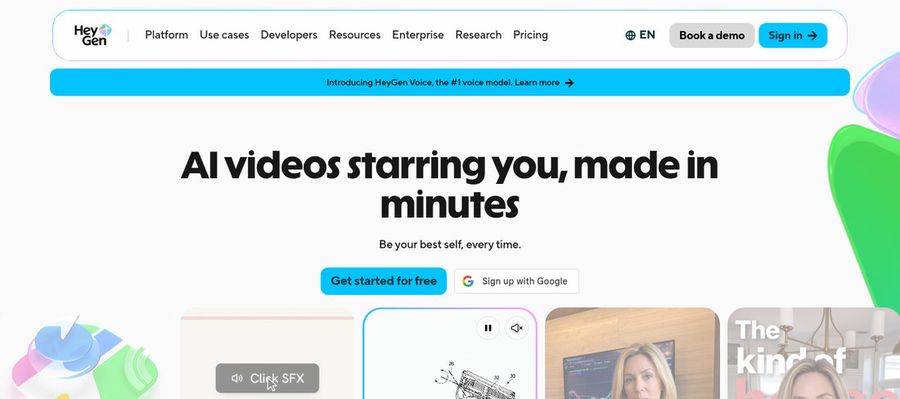
HeyGen produces presenter videos with a free tier of 500 plus presenters, photo avatars, voice cloning, translation, templates and slide import.
Business gets a shared workspace along with a brand kit.
It is the broadest of the hosted options here.
Key Features
- AI presenter avatars
- Custom video avatar
- Photo avatars
- AI voices and voice cloning
- Video translation
- AI video agent
- Templates and PowerPoint import
- Team workspace and brand kit
Best For:
- Consultants putting together a branded explainer for each client
- Content creators building a recurring on screen character
- Enterprise groups that need workspace and sign in controls
- Sales teams that attach a personal face to cold outreach
- Product marketing professionals in search of a presenter in every launch video
- Training managers translating a course for various regions
HeyGen Pros
- Free Presenters
There are 500 plus free presenters.
- Photo Avatars
Photo avatars start from your picture.
- Custom Avatar
On a paid plan a custom avatar can use your own voice.
- Languages
Paid plans reach 175 plus languages and dialects.
- Proofreading
Pro helps proofread translations.
- Business Tier
Business supports SSO and integrations.
HeyGen Cons
- Free Branding:
Free videos show HeyGen branding.
- Seat Fees:
Business seats beyond the first cost $20 each.
HeyGen Pricing
HeyGen's ladder is Free, Creator, Pro, Business, then Enterprise.
| Plan | Price | What's Included |
|---|---|---|
| Free | $0/month | Avatar IV, Video Agent, 500 plus presenters, branding and one custom avatar |
| Creator | $29/month | 175 plus languages, no branding and a custom avatar with your voice |
| Pro | $49/month | Creator plus translation proofreading |
| Business | $149/month plus $20 per seat | Single sign on, an export for learning systems, a shared workspace, integrations and brand kit |
| Enterprise | Custom Pricing | Custom terms, provisioning, a success manager and multi workspace control |
Creator costs $29 per month, Pro $49, and Business $149 plus $20 per extra seat.
When to Use HeyGen?
HeyGen suits teams that need presenter videos in several languages.
5. Elai.io

Elai.io turns text into presenter videos with avatar and voice libraries, translation into many languages and a brand kit.
A free plan for one user is offered, and Team brings three editors and three guests.
Enterprise is the only plan with custom avatars and cloned voices.
Key Features
- AI presenter avatars
- Text to video
- Avatar libraries
- Voice libraries
- Translation into many languages
- Custom avatars on Enterprise
- Cloned voices on Enterprise
- Brand kit
Best For:
- Small teams looking for a free start
- Instructors needing a presenter for their lessons
- Large firms that call for custom avatars and cloned voices
- Groups wishing for shared workspaces and a brand kit
- Anyone comparing avatar tools before committing
- Customer support teams creating how to videos
Elai.io Pros
- Text to Video
Text becomes a presenter video.
- Free Plan
A free plan is open to one user.
- Libraries
Avatar and voice libraries are included.
- Translation
Translation spans many languages.
- Team Plan
Team includes three editors and three guests.
- Enterprise Tier
Enterprise adds a brand kit and SSO.
Elai.io Cons
- Short Test:
The free plan suits a short test only.
- Team Cost:
Team costs far more than Creator.
- Enterprise Only:
Voice clones and custom avatars need Enterprise.
Elai.io Pricing
Elai.io offers Free, Creator, Team and Enterprise.
| Plan | Price | What's Included |
|---|---|---|
| Free | $0/month | One user with some avatars and languages |
| Creator | $29/month, or $23/month billed annually | One seat that opens the whole avatar and voice libraries |
| Team | $125/month, or $100/month billed annually | Three editors and three guests, premium voices and custom assets |
| Enterprise | Custom Pricing | Workspaces, translation and unlimited users, plus a brand kit, clones, SSO and custom avatars |
Creator is $29 monthly or $23 billed annually, and Team is $125 or $100.
When to Use Elai.io?
Elai.io suits small groups that produce scripted presenter videos.
Best Use Cases of OmniHuman Alternative
These are jobs where a research demo does not yet help you ship.
Pet and Character Content
For a spokesperson, a Host in Zoice built from one photo reads your script.
Sales Outreach
For an edit with captions, VEED handles subtitles and trims.
Brand Spokesperson
For a still portrait, D-ID animates one photo.
Internal Communications
For multilingual updates, HeyGen translates a presenter video.
Language Practice
For a short course, Elai.io builds presenter lessons from text.
Product Explainers
For a song, upload the track and a Host in Zoice lip syncs it.
Marketing Campaigns
For a podcast, a Zoice Host opens each episode from audio.
Personalised Greetings
For a release, a Host in Zoice presents the announcement.
How We Compared the Best OmniHuman Alternative
OmniHuman is a research model, so we compared the products on ten points of what you can actually use today.
Ease of Use
We checked whether you can sign up and generate now.
Input Options
We noted whether one photo can start a speaker.
Voice and Audio
We recorded where voices come from.
Character Options
We tested whether the speaker can return.
Customisation
We counted the editors, templates and brand kits on offer.
Pricing Transparency
Prices come only from vendor pages.
Free Plan Access
We noted free plans and watermarks.
Platform Fit
We recorded browser access, API access and team plans.
Support and Learning Material
We scanned vendor guides.
Overall Performance
The verdicts match each tool to what an OmniHuman reader likely wants to make.
How to Choose the Right OmniHuman Alternative Before You Pay
Choose between watching research and using a product.
Define Your Input
Decide whether you need something to ship now.
Test the Free Option
Check for free plans and watermarks.
Check the Voice Options
Decide where voices come from.
Look at Character Control
Confirm the speaker can return.
Read the Plan Details
Read the plan tables for what is unlocked.
Think About Where You Work
Check for browser, API and team access.
Plan for Growth
Check seat costs before adding people.
Frequently Asked Questions
1. What is the best OmniHuman alternative?
Zoice is our first pick when you want to publish soon. VEED, D-ID, HeyGen and Elai.io fit narrower jobs.
2. Why look for an OmniHuman alternative?
People look past research demos when they want an account, a price and a download they can use.
3. Is Zoice free to try?
A free plan covers transcription, voice, image and chat, and avatar videos begin on Starter at $7.99 monthly.
4. Can I use my own audio with Zoice?
Yes. Recording in the browser and uploading a file are both supported, with a preview.
5. Can I create my own character in Zoice?
Yes. A Host can come from an image, a description or the library.
6. What are action prompts?
They are brief cues that tell the Host what to do.
7. Does Zoice work in the browser?
Yes. Zoice runs in a browser, so nothing local is needed.
8. How does VEED compare?
D-ID is the closest for single photo speakers, and Zoice adds a Host you can direct.
9. Which tool suits beginners?
Zoice, VEED, HeyGen and Elai.io all have a free plan.
10. Can I use these tools for business videos?
Yes. Paid plans are fine for business use, and Enterprise brings support and multi staff access.
11. How should I test these tools?
Try one photo and one recording in each tool.
Conclusion
OmniHuman shows where audio driven human video research is heading. For work you can publish this week, the products above are the practical route.
Zoice is a quick test with one photo and one recording. A free account includes voice and image tools, and avatar videos open up on Starter.