MyTalkingPet.ai Alternative Tested, Compared & Ranked

MyTalkingPet.ai Alternative: MyTalkingPet.ai is built around one joke format: upload a pet photo, write the message, and your cat or dog delivers it with lip sync. Sign up gets you one free video, and the pitch is content for TikTok, Instagram and YouTube. It is a fun idea, but some people want a pet character they can reuse, a voice they pick, or a tool that handles other videos too. This guide covers Zoice, Fliki, VEED, D-ID and Hedra.
We looked at what each tool does with a photo, how the voice is chosen and what happens after the pet speaks.
Every section lists features, strengths, limits, plans and the situations that fit. Prices are taken from vendor pages, and gaps are marked.
Quick Comparison of the Best MyTalkingPet.ai Alternative Tools
| Features & Capabilities | Zoice | Fliki | VEED | D-ID | Hedra |
|---|---|---|---|---|---|
| Quick Comparison | |||||
| Best For | Pet and Character Videos | Text to Video With Voiceover | Browser Video Editing With Subtitles | Talking Photo Videos | Talking Characters From Audio |
| AI Presenter Avatars | Yes | Yes | Yes | Yes | Yes |
| Voice Cloning | Yes | Yes | Not confirmed | Yes | Not confirmed |
| Script to Video | Yes | Yes | Yes | Yes | Limited |
| Free Plan | Available | Available | Available | Trial only | Not confirmed |
| Starting Price | $7.99/month | $21/month billed annually | $12/user/month billed annually | $4.70/month billed annually | $20/month |
Best MyTalkingPet.ai Alternative
The best MyTalkingPet.ai alternative depends on whether the pet stays a one off gag or becomes a regular character. For a single apology message, the original app is quick. For a pet that fronts a channel, a fuller workspace is easier to live with.
Zoice leads because a pet image can become a Host with a chosen voice, and you can direct it with action prompts. Fliki, VEED, D-ID and Hedra each take a different route to a talking face.
Use the table above to scan the field, then open the sections that match your pet plans.
1. Zoice

Zoice is a browser workspace where a Host does the talking. A pet photo can be turned into one, or you can pick from public Hosts or describe a new one in words.
Speech comes from a typed script, a recording, an uploaded file or a saved voice profile, and you can preview each one. Action prompts give the Host a cue for each scene.
For singing pets in particular, see the AI singing animal generator page, which shows how an animal character is built.
Key Features
- AI avatar videos from a script
- Custom avatar characters
- Public character library
- Record or upload your own audio
- Voice profiles for cloned speech
- Action prompts for the Host
- AI images and AI videos
- AI chat and transcriptions
Best For:
- Content creators that need a person to deliver a script on screen
- Marketing professionals generating short product videos for social feeds
- Teachers converting class notes into a presenter video
- Business owners who would like a dependable Host throughout many videos
- Teams after AI images and AI videos beside their avatar videos
- Agency staff building videos with a presenter for multiple clients
Zoice Pros
- Pet to Host
A pet image becomes a Host.
- Voice Choices
Typed lines, recordings and uploads all drive the Host.
- Saved Voices
Voice profiles save a voice for later videos.
- Directed Pets
Action prompts steer what the pet does.
- One Account
A single account covers chat, images and transcription as well.
- Three Host Routes
Hosts can be public, described or made from an image.
Zoice Cons
- Needs an Internet Connection:
You need an internet connection because everything runs in the browser.
- Smaller Public Library:
Only a small selection of Hosts is public, so pet owners will usually make their own.
Zoice Pricing
Zoice offers a free plan and four paid plans, with Enterprise on top.
| Plan | Price | What's Included |
|---|---|---|
| Free | $0/month | Free tools for transcription, voice, images and chat |
| Starter | $7.99/month | Unlocks avatar videos and AI videos, plus AI Voice and one Voice Profile |
| Basic | $29.99/month | Three Voice Profiles on top of Starter |
| Creator | $49.99/month | Five Voice Profiles on top of Starter |
| Agency | $89.99/month | Ten Voice Profiles on top of Starter |
| Enterprise | Custom Pricing | Custom set up, dedicated support and multi staff access |
Each month Starter is $7.99, Basic $29.99, Creator $49.99 and Agency $89.99, and yearly billing takes 20% off.
When to Use Zoice?
Zoice suits people who want one pet to appear in many videos with a voice they chose.
2. Fliki
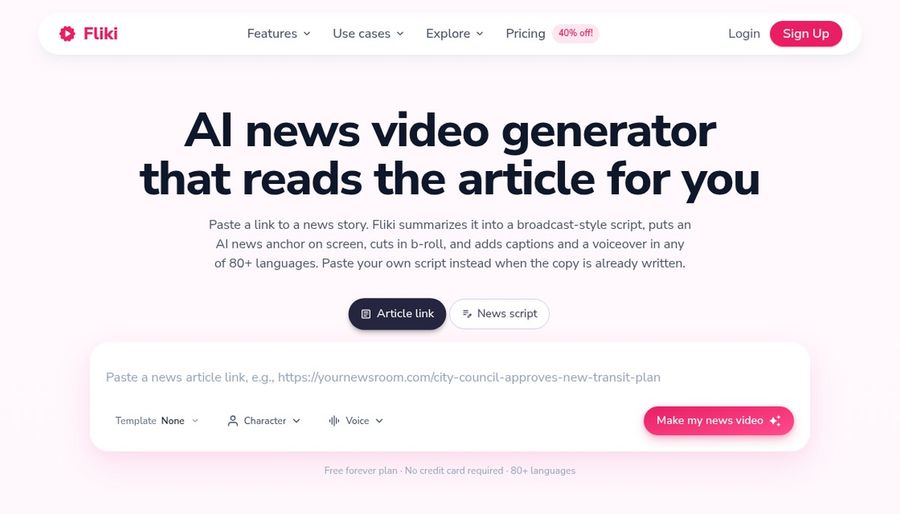
Fliki starts from words: an idea, a script, a blog post or a presentation becomes a draft with visuals and a voice. Its voice library draws on several providers.
Cloning begins on Standard, translation covers uploaded video and audio, and stock avatars, photo avatars and custom characters share an editor with an AI Copilot.
A pet owner would use it to wrap pet footage in a narrated video.
Key Features
- Idea, script, and blog to video
- Large voice library
- Voice cloning
- Video translation and dubbing
- AI avatars and photo avatars
- AI Copilot editor
- AI images and thumbnails
- Series and posting features
Best For:
- Social teams that post on a set schedule
- Marketing teams who need voiceover in various languages
- Course authors who build narrated lessons
- Podcasters adding visuals to their audio
- Small teams who would like brand kits and shared access
- Anyone who wants to start from a straightforward idea
Fliki Pros
- Draft From Words
A script or idea gets you a full draft with voice.
- Voice Library
The voice library spans many languages.
- Cloning
Cloning is available from Standard.
- Photo Avatars
Photo avatars allow a face from your own picture.
- Dubbing
Translation and dubbing handle existing media.
- Copilot Edits
The AI Copilot takes editing requests in plain language.
Fliki Cons
- Watermark on Free:
Free exports include the Fliki watermark.
Fliki Pricing
Fliki lists Free, Standard, Premium and Enterprise.
| Plan | Price | What's Included |
|---|---|---|
| Free | $0/month | Voices, watermarked exports, stock media and AI images |
| Standard | $28/month, or $21/month billed annually | Limited stock avatars, commercial rights, cloning and custom characters |
| Premium | $88/month, or $66/month billed annually | All avatars, brand kits, photo avatars, several clones and developer access |
| Enterprise | Custom Pricing | Custom avatars, account manager, collaboration and professional cloning |
Billed yearly, Standard is $21 a month and Premium is $66, versus $28 and $88 monthly.
When to Use Fliki?
Fliki suits people who turn written ideas into narrated videos.
3. VEED

VEED is an editor that lives in the browser, with automatic subtitles, translation and dubbing, a screen and webcam recorder, brand templates and AI avatars.
Pricing is per user, which matters if several people edit pet content together.
It is better as a finishing tool than as a pet animator.
Key Features
- Online video editor
- Automatic subtitles
- Translation and dubbing
- AI avatars
- A screen and webcam recorder
- Brand templates
- Text to video
- Team workspaces
Best For:
- Marketers editing webinars and product demos
- Educators who both record and edit lessons
- Teams localizing videos for a number of markets
- Creators looking for an editor in a browser
- Agency groups that rely on custom templates for clients
- Business owners building simple explainer videos
VEED Pros
- Browser Editor
Editing happens online with nothing to install.
- Auto Subtitles
Subtitles are generated automatically.
- Pro Extras
Pro adds dubbing, translation and avatars.
- Recording
A recorder captures screen and webcam.
- Brand Templates
Studio adds custom templates for brand work.
- Text to Video
Text to video is on offer.
VEED Cons
- Per User Pricing:
Plans are priced per user.
- Editor First:
It is an editor first, so a pet face is not its main job.
VEED Pricing
VEED has Free, Creator, Pro, Studio and Enterprise.
| Plan | Price | What's Included |
|---|---|---|
| Free | $0/month | Core editing with VEED branding on exports |
| Creator | $12/user/month billed annually, $22 monthly | No watermark and unlimited auto subtitles |
| Pro | $22 to $24/user/month billed annually, $47 monthly | Creator plus dubbing, translation and avatar access |
| Studio | $39/user/month billed annually, $76 monthly | See vendor pricing page |
| Enterprise | Custom Pricing | Custom plans through sales |
On annual billing Creator is $12 per user monthly, Pro $22 to $24 and Studio $39.
When to Use VEED?
VEED suits people who need to trim, caption and brand pet footage.
4. D-ID

D-ID animates a still photo into a speaking presenter and adds stock presenters, voice cloning, text to video, a creator studio, conversational agents and a developer platform.
It leans toward presenters, but a clear photo can be the starting point.
Lite is personal only and watermarked.
Key Features
- Photo to talking presenter
- Stock presenters
- Voice cloning
- Text to video
- Studio for creators
- Watermark control on higher plans
- Conversational agents
- Developer platform
Best For:
- Groups who need their own watermark on exports
- Software builders testing talking agents
- People who want an affordable entry plan
- Small firms adding a face to notices
- Trainers after one cloned voice for narration
- Agency staff who look into avatar videos for clients
D-ID Pros
- Photo Animation
Photos become speaking presenters.
- Cloning
Pro adds one voice clone.
- Commercial Rights
Pro and Advanced allow commercial use.
- Watermark Control
Advanced offers a custom or blank watermark.
- Agents
Agents can hold conversations.
- Developer Platform
A developer platform is available.
D-ID Cons
- Lite Limits:
The Lite plan is for personal use and has the D-ID mark.
- Price Gap:
Advanced costs well above Pro.
- Lighter Tools:
Tools are lighter because it focuses on presenters.
D-ID Pricing
D-ID sells Lite, Pro, Advanced and Enterprise.
| Plan | Price | What's Included |
|---|---|---|
| Lite | $5.90/month, or $4.70/month billed annually | Personal use, watermark, standard presenters |
| Pro | $29/month, or $16/month billed annually | Commercial use, premium presenters, one voice clone |
| Advanced | $196/month, or $108/month billed annually | Commercial use, three clones, custom or blank watermark |
| Enterprise | Custom Pricing | Custom plans through sales |
Lite starts at $5.90 a month, Pro at $29 and Advanced at $196, or $4.70, $16 and $108 billed yearly.
When to Use D-ID?
D-ID suits small teams that want a face for short notices.
5. Hedra
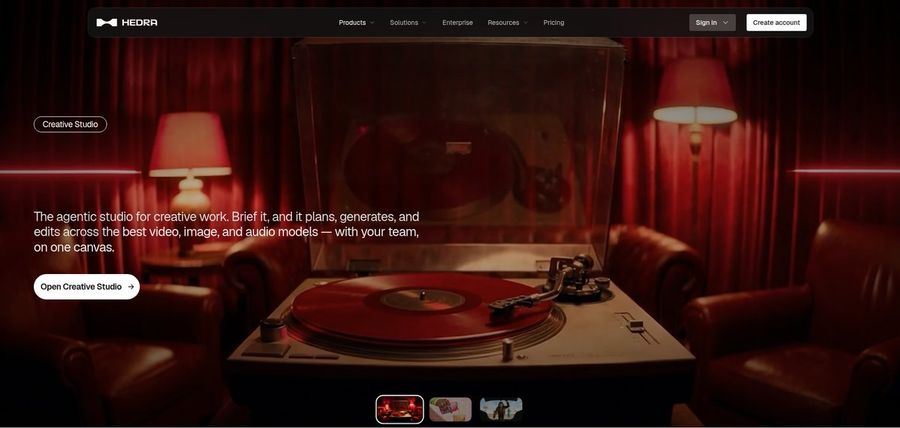
Hedra's Character 3 combines an image and an audio file to make a talking or singing video, and a pet picture is a fair input. Alongside it sit a Creative Studio and a Visual Agent.
Developers get API access, and Teams covers shared use.
Bring your own audio, because Character 3 needs it.
Key Features
- Character 3 talking and singing avatars
- Image plus audio to video
- Creative Studio
- Visual Agent
- Several output formats
- Developer access
- Team plan
- Music video scenes
Best For:
- Builders who want a talking avatar model
- Groups that require a shared workspace for their creative output
- Social creators who open with a photo and a voice recording
- Agencies experimenting with visual concepts for clients
- Users with existing audio who are missing a face for it
Hedra Pros
- Talking or Singing
An image and a voice file give a talking or singing result.
- Creative Studio
The studio is agentic and creative.
- Visual Agent
A Visual Agent supports direction.
- API Access
Developers can reach it by API.
- Music Videos
Pet song ideas fit music video use.
Hedra Cons
- Audio Required:
Audio must exist before you start.
- Not Script Led:
Its design favours characters and scenes over scripted explainers.
- Recent Repricing:
Individual prices changed in late September.
Hedra Pricing
Hedra lists Basic, Pro, Ultra and Teams.
| Plan | Price | What's Included |
|---|---|---|
| Basic | $20/month | Entry plan for individual creators |
| Pro | $50/month | See vendor page |
| Ultra | $100/month | Biggest solo plan |
| Teams | $75/month | Shared plan for teams |
Individuals pay $20, $50 or $100 a month, while Teams is $75.
When to Use Hedra?
Hedra suits people with a recorded track who need a character to perform it.
Best Use Cases of MyTalkingPet.ai Alternative
These are the pet and character jobs where a one video app runs out of road.
Music and Singing Projects
For a birthday message, a Host in Zoice can be made from your pet photo and speak your line.
Customer Support Videos
For a pet channel, Zoice keeps one voice and one face across episodes.
Podcast and Audio Teasers
For a narrated pet story, Fliki turns a written script into visuals with a voice.
Storytelling and Animation
For captions on a pet reel, VEED adds subtitles and a brand template.
Event Invitations
For a company mascot, D-ID animates one image into a presenter.
Social Media Posts
For a pet song, Hedra animates a voice track with Character 3.
Training and Onboarding
For a shelter appeal, a Host in Zoice tells an adoption story.
Educational Content
For a quick joke, a Host in Zoice can be directed with action prompts.
How We Compared the Best MyTalkingPet.ai Alternative
MyTalkingPet.ai makes one talking pet video at a time, so we compared the alternatives on ten points about what happens after that first video.
Ease of Use
We looked at whether a pet photo can start the video.
Input Options
We noted whether the voice is typed, recorded, uploaded or cloned.
Voice and Audio
We checked if the pet can come back in later videos.
Character Options
We listed subtitles, editing and brand tools.
Customisation
We recorded plans, free tiers and watermarks.
Pricing Transparency
Prices come only from vendor pages.
Free Plan Access
We noted whether each product works in a browser.
Platform Fit
We recorded API access and team plans.
Support and Learning Material
We scanned vendor guides and tutorials.
Overall Performance
Each verdict ties a tool to a pet job.
How to Choose the Right MyTalkingPet.ai Alternative Before You Pay
Pick the tool that fits what your pet videos will become.
Define Your Input
Decide if the pet is a one time joke or a regular star.
Test the Free Option
Check whether you need typed, recorded or cloned voices.
Check the Voice Options
Look at what editing you want after the pet speaks.
Look at Character Control
Confirm whether a watermark will show on exports.
Read the Plan Details
Read the plan tables for what each tier unlocks.
Think About Where You Work
Check for API access and shared plans.
Plan for Growth
Check what each added user costs.
Frequently Asked Questions
1. What is the best MyTalkingPet.ai alternative?
Zoice is our first pick when the pet should stay a character. Fliki, VEED, D-ID and Hedra suit narrower jobs.
2. Why look for a MyTalkingPet.ai alternative?
People leave a one video pet app when they want a reusable character, their own voice or editing after the video.
3. Is Zoice free to try?
The free plan has transcription, voice, image and chat tools, and for pet avatar videos you start on Starter at $7.99 monthly.
4. Can I use my own audio with Zoice?
Yes. A recording, an upload or a typed line all work, and you can preview it.
5. Can I create my own character in Zoice?
Yes. A pet image can become a Host, and you can also describe one or use a public one.
6. What are action prompts?
They are short instructions that tell the Host what to do on screen.
7. Does Zoice work in the browser?
Yes. A Host in Zoice can lip sync to an uploaded song.
8. How does Fliki compare?
Hedra is the closest for audio plus image characters, while Zoice adds a Host you can direct.
9. Which tool suits beginners?
Fliki and Zoice both let you start free, so test your pet photo there.
10. Can I use these tools for business videos?
Yes. Paid plans cover business use, and Enterprise adds dedicated support and multi staff access.
11. How should I test these tools?
Make the same short pet message in each tool and compare the results.
Conclusion
MyTalkingPet.ai is a quick way to get one pet to talk. When you want the pet to return, with a voice you picked, the alternatives above take over.
Zoice is a reasonable first test because a pet image can become a Host. A free account covers voice and image tools, and Starter unlocks avatar videos.