Media.io Alternative Tested, Compared & Ranked

Media.io Alternative: Media.io is the online toolbox from Wondershare, where an AI avatar from a photo and a lip sync tool for existing footage sit beside converters, editors, and image tools. People who come to it for quick jobs often outgrow the single task approach and want one workspace for a recurring character. This guide compares Zoice, Hedra, Creatify, D-ID, and HeyGen for that situation.
The upside of Media.io is breadth: one site covers many small chores. The common reasons to compare are depth in one area, such as a character that returns every time or a presenter who speaks in your own voice.
Each entry has a short profile, key features, strengths, limits, listed plans, and a verdict. We quote prices only from vendor pages and say so plainly when a figure could not be confirmed.
Quick Comparison of the Best Media.io Alternative Tools
| Features & Capabilities | Zoice | Hedra | Creatify | D-ID | HeyGen |
|---|---|---|---|---|---|
| Quick Comparison | |||||
| Best For | Talking Photos and Host Videos | Talking Characters From Audio | Product Link to Video Ads | Talking Photo Videos | Avatar Presenter Videos |
| AI Presenter Avatars | Yes | Yes | Yes | Yes | Yes |
| Voice Cloning | Yes | Not confirmed | Yes | Yes | Yes |
| Script to Video | Yes | Limited | Yes | Yes | Yes |
| Free Plan | Available | Not confirmed | Available | Trial only | Available |
| Starting Price | $7.99/month | $20/month | $10/month | $4.70/month billed annually | $29/month |
Best Media.io Alternative
The best Media.io alternative depends on how much of the job you want in one place. If you value a wide set of quick tools, stay with a toolbox. If you want a talking character you can build on, pick a tool made around that.
Zoice is first because the Host, the voice, and the finished video all live in one browser workspace. A Host can speak a script you type or a recording you provide, and it can appear again in the next video.
Hedra, Creatify, D-ID, and HeyGen follow, each with its own emphasis. The table above sets them side by side.
1. Zoice

Zoice is a browser workspace where the main character is a Host. You can take one from the public library, or build a new Host from a written description or a picture.
A script can be typed, a voice can be recorded or uploaded, and a voice profile can be trained for later use, with a preview before any video is generated. Action prompts describe what the Host should do while speaking.
Images, videos, chat, and transcriptions are part of the account too. For the photo driven side, the AI talking photo generator page explains how it works.
Key Features
- AI avatar videos from a script
- Custom avatar characters
- Public character library
- Record or upload your own audio
- Voice profiles for cloned speech
- Action prompts for the Host
- AI images and AI videos
- AI chat and transcriptions
Best For:
- Marketing teams making product explainer videos and social videos
- Teachers turning class notes into a presenter video
- Founders who would like a steady Host throughout many videos
- Sales teams generating short outreach videos from a script
- Agency groups supplying videos with a presenter to a number of clients
- Small businesses who need quick updates and explainers
Zoice Pros
- Everything in One Place
One browser workspace covers the Host, the voice, and the video.
- Flexible Host Creation
A Host can come from a description, an image, or the library.
- Script or Recording
You can type a script or provide your own recording.
- Repeatable Voice
A trained voice profile gives you the same voice again.
- Directed Performance
Action prompts steer what the Host does.
- Wider Toolset
Images, video, chat, and transcription tools sit in the same account.
Zoice Cons
- Needs an Internet Connection:
Zoice needs an internet connection because it runs in a browser.
- Modest Public Library:
Its public avatar library is smaller than the largest catalogs, so many users make their own Host.
Zoice Pricing
Zoice offers a free plan, four paid plans, and an Enterprise option with custom pricing.
| Plan | Price | What's Included |
|---|---|---|
| Free | $0/month | Four free tools: transcription, voice, images, and chat |
| Starter | $7.99/month | Unlocks avatar videos and AI videos, along with AI Voice and one Voice Profile |
| Basic | $29.99/month | Everything in Starter, with three Voice Profiles |
| Creator | $49.99/month | Everything in Starter, with five Voice Profiles |
| Agency | $89.99/month | Everything in Starter, with ten Voice Profiles |
| Enterprise | Custom Pricing | Custom features, support from a dedicated contact, and access for multiple staff |
Monthly prices are $7.99 for Starter, $29.99 for Basic, $49.99 for Creator, and $89.99 for Agency. Paying yearly takes 20% off.
When to Use Zoice?
Pick Zoice if you want a character that carries over from video to video, with your own voice behind it. It is a good fit for people who are tired of rebuilding the same scene in separate apps.
2. Hedra
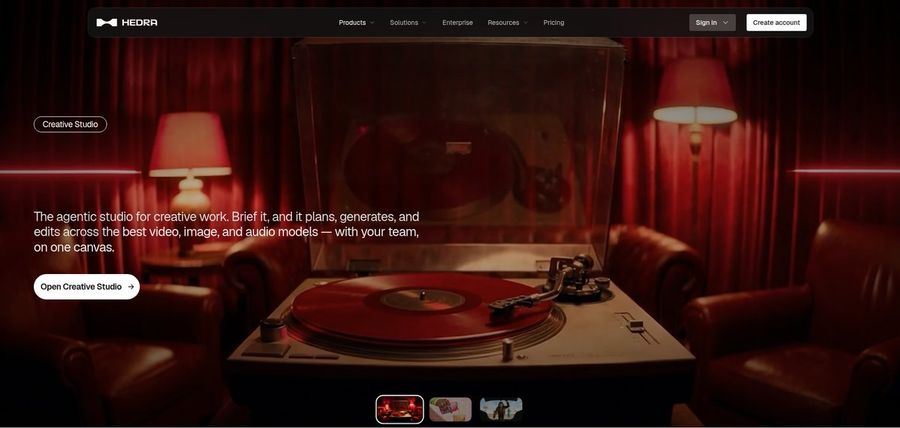
Hedra builds talking and singing characters from an image and an audio file using its Character 3 model. It also has a Creative Studio and a Visual Agent for wider creative work.
There is a developer option and a Teams plan for shared use. The audio has to come first, since the model does not write the voice for you.
It leans toward expressive characters and scenes, so it suits people who care about performance.
Key Features
- Character 3 talking and singing avatars
- Image plus audio to video
- Creative Studio
- Visual Agent
- Several output formats
- Developer access
- Team plan
- Music video scenes
Best For:
- Engineers who would like a talking avatar model
- Teams collaborating in one workspace on creative work
- Social media creators starting from a single photo plus a voice recording
- Agency groups investigating visual concepts for clients
- Content creators with audio in hand that require a face for it
Hedra Pros
- Audio Drives the Character
An image and a recording become a character that talks or sings.
- Creative Studio
The Creative Studio gathers image, video, and audio tools.
- Visual Agent
A Visual Agent helps with creative direction.
- Developer Access
Developers can reach the model through an API.
- Teams Option
A Teams plan allows shared work.
Hedra Cons
- Audio Is Required:
A voice file is required before Character 3 can run.
- Not a Script Tool:
It is built around characters and scenes rather than scripts.
- Prices Moved Recently:
Individual plan names and prices shifted recently, so older reviews may mislead.
Hedra Pricing
Hedra lists Basic, Pro, Ultra, and Teams plans.
| Plan | Price | What's Included |
|---|---|---|
| Basic | $20/month | The entry plan for individual creators |
| Pro | $50/month | A step up from Basic, with details on the vendor page |
| Ultra | $100/month | The largest of the individual plans |
| Teams | $75/month | A tier for people who work on one shared account |
Individual plans cost $20, $50, and $100 monthly, and Teams costs $75 monthly.
When to Use Hedra?
Hedra is for people who already have audio and want an expressive character from it. It is less suited to script driven business videos.
3. Creatify

Creatify makes ads from a product page. Paste a link, and it builds a video with an AI actor, and the Free plan starts with 300 actors while Pro and above reach 1,500.
Ad Clone, a competitor ad tracker, AdFlow templates, and a model playground are among the extras. More than 75 languages are available.
It is built for advertisers, so a general toolbox feel is missing.
Key Features
- Product link to video
- AI actors
- Custom avatars
- AdFlow templates
- Ad Clone from a URL
- Competitor ad tracker
- Premium model playground
- 75 plus languages
Best For:
- Marketers advertising apps from store pages
- Studios converting out ad variations for clients
- Strategists keeping tabs on competitor creative
- Businesses looking for a service team backing the tool
- Engineers developing ad automation
Creatify Pros
- Link to Ad
A product link is enough to start an ad.
- Actor Library
The actor library grows with the plan.
- Ad Clone
Ad Clone copies the structure of an ad you like.
- AdFlow Templates
Templates give you a first draft.
- Ad Tracker
A competitor tracker shows what others run.
- Many Languages
More than 75 languages are supported.
Creatify Cons
- Watermark on Free:
Free exports carry a watermark.
- Ad Tools Start Higher:
Many ad features begin above Standard.
- Ad Focus:
It is aimed at ads, not general talking photos.
Creatify Pricing
Creatify begins with a Free plan, then Standard, Pro, Max, and Business, plus Enterprise on request.
| Plan | Price | What's Included |
|---|---|---|
| Free | $0/month | A trial of premium models, with 300 AI actors and watermarked exports |
| Standard | $10/month | Removes the watermark and adds 200 plus templates and core tools |
| Pro | $38/month | Raises actors to 1,500 and adds Ad Clone, the Ad Agent, and three custom avatars |
| Max | $66/month | All of Pro, with three brand spaces and three seats |
| Business | $136/month | Ten brand spaces, ten seats, and team level access controls |
| Enterprise | Custom Pricing | Security features, custom agreements, and an account manager |
Standard is $10 per month, Pro is $38, Max is $66, and Business is $136.
When to Use Creatify?
Creatify is for ecommerce and app marketers who want ads from links. If your goal is a talking portrait, other tools match better.
4. D-ID

D-ID animates a single photo into a talking presenter. Stock presenters, text to video, and a creator Studio round out the product.
Pro and Advanced add voice cloning, and a developer platform handles agents. Lite is the cheap entry for personal projects.
Media.io users who come for the talking photo will find the closest comparison here.
Key Features
- Photo to talking presenter
- Stock presenters
- Voice cloning
- Text to video
- Studio for creators
- Watermark control on higher plans
- Conversational agents
- Developer platform
Best For:
- Training leads who want one cloned voice for narration
- Agency groups experimenting with avatar videos for clients
- Creators in search of a single photo to speak
- Marketing professionals piloting simple videos with a presenter
- Teachers crafting short lesson intros
- Teams who need a custom watermark on exports
D-ID Pros
- Photo Animation
One photo turns into a presenter.
- Voice Cloning
Voice clones come with Pro and Advanced.
- Watermark Choice
Advanced allows a custom or blank watermark.
- Agents and API
Developers can use an agent platform.
- Cheap Entry
Lite costs very little.
- Stock Presenters
Stock presenters need no photo.
D-ID Cons
- Lite Is Personal:
Lite is limited to personal use and keeps the watermark.
- Big Step to Advanced:
Advanced costs $196 monthly, a big step from Pro.
- Narrower Scope:
It is a presenter tool rather than a broad suite.
D-ID Pricing
D-ID lists Lite, Pro, Advanced, and Enterprise, with annual billing discounts.
| Plan | Price | What's Included |
|---|---|---|
| Lite | $5.90/month, or $4.70/month billed annually | Covers personal projects, and videos keep the D-ID watermark |
| Pro | $29/month, or $16/month billed annually | Adds commercial rights and premium presenters, plus one voice clone |
| Advanced | $196/month, or $108/month billed annually | Commercial rights, three voice clones, and the choice of a custom or blank watermark |
| Enterprise | Custom Pricing | Custom plans through sales |
Lite costs $5.90 monthly or $4.70 annually. Pro costs $29 or $16, and Advanced costs $196 or $108.
When to Use D-ID?
D-ID is a good match for a talking photo with a clear price ladder.
5. HeyGen
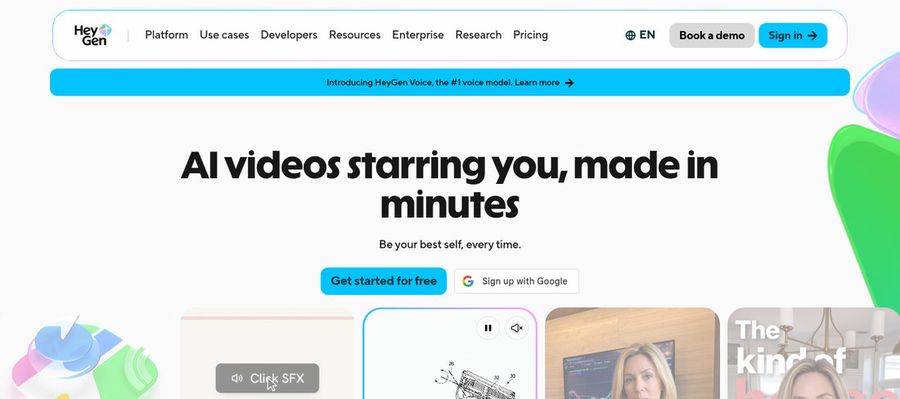
HeyGen makes presenter videos for marketing, training, and sales, with over 500 presenters and one custom avatar on the free plan.
Photo avatars, voice cloning, translation, an AI agent, and PowerPoint or PDF import are included. Business adds a workspace and brand kit.
It is the widest presenter tool in this guide.
Key Features
- AI presenter avatars
- Custom video avatar
- Photo avatars
- AI voices and voice cloning
- Video translation
- AI video agent
- Templates and PowerPoint import
- Team workspace and brand kit
Best For:
- Instructors turning slideshows into narrated lessons
- Customer support teams making how to videos for customers
- Businesses that want shared workspaces plus brand controls
- Marketing professionals producing product explainer videos and social videos with a presenter
- Training leads and HR teams making onboarding and videos for training
- Sales teams delivering personalized video outreach
HeyGen Pros
- Free Presenters
A big set of presenters is free.
- Picture to Speaker
A picture can speak once it becomes a photo avatar.
- Cloned Voices
Voices can be cloned.
- Language Range
Creator reaches over 175 languages and dialects.
- Slides and PDFs
Slides can be imported.
- Business Features
Business adds SSO and a brand kit.
HeyGen Cons
- Branding on Free:
Free videos carry HeyGen branding.
- Costs Scale:
Costs rise with usage and seats.
HeyGen Pricing
HeyGen has a free plan and paid plans up to Enterprise.
| Plan | Price | What's Included |
|---|---|---|
| Free | $0/month | Branded videos, one custom avatar, and over 500 presenters |
| Creator | $29/month | Your voice on a custom avatar, no branding, and 175 plus languages |
| Pro | $49/month | Everything in Creator, with scene avatars and proofreading for translation |
| Business | $149/month plus $20 per seat | A shared workspace, brand kit, integrations, SSO, and LMS export |
| Enterprise | Custom Pricing | Custom terms, user provisioning, and a customer success manager |
Creator costs $29 monthly, Pro costs $49, and Business costs $149 plus $20 per seat.
When to Use HeyGen?
HeyGen is for presenter videos in many languages.
Best Use Cases of Media.io Alternative
These are common tasks for people who start from an online media toolbox.
Brand Spokesperson
Zoice lets a Host speak a social post you write, and HeyGen translates it for other markets.
Internal Communications
A Host in Zoice can run onboarding, while Creatify handles product ads.
Language Practice
Zoice explains lessons through one Host, and D-ID adds a presenter to a single photo.
Product Explainers
A song file goes to Zoice for a Host to perform, and Hedra builds a character around the audio.
Marketing Campaigns
Zoice reads support steps aloud, and D-ID agents answer questions.
Personalised Greetings
Give an audio episode a face with a Host in Zoice, or animate a portrait in D-ID.
Pet and Character Content
Build a narrator Host in Zoice, or shape a character in Hedra.
Sales Outreach
Zoice can have a Host announce your event, and HeyGen can render the same invite in other languages.
How We Compared the Best Media.io Alternative
Media.io is a toolbox of small jobs, so we judged each alternative on ten points about a character that returns.
Ease of Use
We counted the steps a Media.io user takes from sign up to a first photo avatar video.
Input Options
Media.io users bring photos and audio files, so we noted whether each tool also starts from a script or a product link.
Voice and Audio
We checked recording, upload, cloning and stock voices for people who want a presenter in their own voice.
Character Options
We compared how reusable each character is, since a single task tool does not keep one for you.
Customisation
Templates, brand kits and editors were noted for projects that grow past one video.
Pricing Transparency
Media.io users compare prices often, so we used vendor pages only and flagged gaps.
Free Plan Access
We recorded free plans and watermarks for each Media.io rival.
Platform Fit
We noted browser, API and team access.
Support and Learning Material
Tutorials and help pages were checked for people used to quick online jobs.
Overall Performance
Each verdict names the Media.io task the tool can take over.
How to Choose the Right Media.io Alternative Before You Pay
Use these checks if a one task toolbox stops fitting your work.
Define Your Input
Decide whether you need one quick job or a character that returns.
Test the Free Option
Prefer a free plan, and note any watermark.
Check the Voice Options
Media.io users can weigh a recording of their own against a clone and a stock voice.
Look at Character Control
Confirm that one character can appear in every video.
Read the Plan Details
Read each plan table for seats and gated features.
Think About Where You Work
Match the tool to your working style, browser first or API.
Plan for Growth
Compare seat prices if collaborators will join.
Frequently Asked Questions
1. What is the best Media.io alternative?
For Media.io users, Zoice is the first pick for a character that carries over from video to video. Hedra, Creatify, D-ID and HeyGen each fill a narrower role.
2. Why look for a Media.io alternative?
Media.io users leave for depth in a single area, such as a returning character or their own voice.
3. Is Zoice free to try?
There is a free plan with AI Transcriptions, AI Voice, AI Images and AI Chat. Avatar videos begin on Starter at $7.99 a month.
4. Can I use my own audio with Zoice?
You can speak into the browser or upload an existing audio file.
5. Can I create my own character in Zoice?
Yes, you can describe a character, upload a picture or choose a Host from the library.
6. What are action prompts?
Action prompts are short directions that tell the Host what to do while speaking.
7. Does Zoice work in the browser?
Yes, it runs in a browser and needs an internet connection.
8. How does Hedra compare?
Creatify builds ads from product links and Zoice centres on a Host who speaks your audio.
9. Which tool suits beginners?
Zoice, Creatify and HeyGen have free plans, which suits Media.io users who start cautiously.
10. Can I use these tools for business videos?
Yes, paid plans serve business, and Enterprise adds support and multi staff access.
11. How should I test these tools?
Use the same photo and audio in each tool and compare.
Conclusion
Media.io is handy for a quick online job, but a recurring character needs a tool built for it. The options above all take that further.
Zoice is a sensible first test for a Host with your own audio. Opening a free account, or Starter, lets you test it against Hedra or D-ID on the same photo.