Mango Animate Alternative Tested, Compared & Ranked

Mango Animate Alternative: Mango Animate runs a large catalogue under the Mango AI name, with talking photos, singing photos, talking animals, lip sync video, pet and baby podcasts, face swap and many photo and video effects. That breadth suits people who like trying many one off effects. If your aim is a steady presenter, a repeatable voice or a business video, a catalogue of effects can feel scattered. This guide compares Zoice, HeyGen, Creatify, Elai.io and Fliki.
We asked of each tool how it makes a speaker, where the voice comes from and how repeatable the workflow is.
Each section lists features, strengths, limits, plans and fit. Prices come from vendor pages, with gaps marked.
Quick Comparison of the Best Mango Animate Alternative Tools
| Features & Capabilities | Zoice | HeyGen | Creatify | Elai.io | Fliki |
|---|---|---|---|---|---|
| Quick Comparison | |||||
| Best For | Talking Photos and Host Videos | Avatar Presenter Videos | Product Link to Video Ads | Presenter Videos From Text | Text to Video With Voiceover |
| AI Presenter Avatars | Yes | Yes | Yes | Yes | Yes |
| Voice Cloning | Yes | Yes | Yes | Enterprise plan | Yes |
| Script to Video | Yes | Yes | Yes | Yes | Yes |
| Free Plan | Available | Available | Available | Available | Available |
| Starting Price | $7.99/month | $29/month | $10/month | $23/month billed annually | $21/month billed annually |
Best Mango Animate Alternative
The best Mango Animate alternative depends on whether you want variety or consistency. A big effects menu is handy for novelty content. A focused workspace is easier when the same face has to appear every week.
Zoice leads because one Host, a chosen voice and action prompts live together in a browser workspace.
HeyGen, Creatify, Elai.io and Fliki each serve a narrower purpose, and the table above shows where.
1. Zoice

Zoice is a workspace organised around a Host. You pick a public Host, describe a new one in text or build one from an image.
A typed script, a recording, an uploaded file or a saved voice profile provides the speech, with a preview for each. Action prompts shape what the Host does.
For a photo that speaks, the AI talking photo generator page explains how it works.
Key Features
- AI avatar videos from a script
- Custom avatar characters
- Public character library
- Record or upload your own audio
- Voice profiles for cloned speech
- Action prompts for the Host
- AI images and AI videos
- AI chat and transcriptions
Best For:
- Business owners in search of a steady Host over many videos
- Small businesses that need quick updates and explainer videos
- Agency teams converting out presenter videos for a range of clients
- Groups that want AI images, videos, and avatar videos under one login
- Those who would choose a script over learning a timeline editor
- Creators after a presenter video with no filming
Zoice Pros
- Photo to Host
A photo or description makes a Host.
- Speech Inputs
Speech can come from text, recordings or uploads.
- Voice Profiles
Saved profiles keep the same voice.
- Directed Hosts
Action prompts direct the Host.
- Account Tools
The same account covers chat, images and transcription.
Zoice Cons
- Needs an Internet Connection:
It needs an internet connection to work in the browser.
- Smaller Public Library:
Zoice has a smaller public library of avatars than the biggest catalogs.
Zoice Pricing
Zoice has a free plan, then four paid plans, then a custom Enterprise tier.
| Plan | Price | What's Included |
|---|---|---|
| Free | $0/month | Free transcription, voice, image and chat tools |
| Starter | $7.99/month | Adds avatar videos and AI videos, along with AI Voice and one Voice Profile |
| Basic | $29.99/month | Starter plus three Voice Profiles |
| Creator | $49.99/month | Starter plus five Voice Profiles |
| Agency | $89.99/month | Starter plus ten Voice Profiles |
| Enterprise | Custom Pricing | Tailored plan with dedicated support and multi staff access |
Per month it is $7.99 for Starter, $29.99 for Basic, $49.99 for Creator and $89.99 for Agency, with a 20% yearly discount.
When to Use Zoice?
Zoice suits people who want one recognisable Host rather than a menu of effects.
2. HeyGen
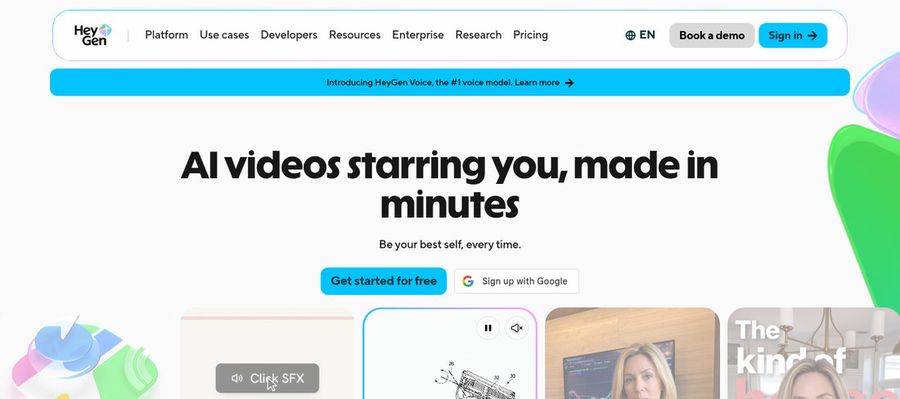
HeyGen builds presenter videos for sales, training and marketing teams. Its free tier lists 500 plus prebuilt presenters, and paid tiers list over 700 stock avatars.
You can train a custom avatar with your look and voice, work in 175 plus languages and dialects, and start from templates or PowerPoint and PDF import.
It is the best known presenter tool here.
Key Features
- AI presenter avatars
- Custom video avatar
- Photo avatars
- AI voices and voice cloning
- Video translation
- AI video agent
- Templates and PowerPoint import
- Team workspace and brand kit
Best For:
- Learning teams who convert policies into onboarding videos
- Sales representatives sending personal video messages in volume
- Agency teams sending one video in several languages
- Founders looking for a digital version of themselves on camera
- Instructors building lessons around a consistent presenter
HeyGen Pros
- Custom Avatar
A custom video avatar can carry your likeness and voice.
- Stock Avatars
Paid plans list 700 plus stock avatars.
- Translation
Translation covers 175 plus languages and dialects.
- Templates and Import
Templates and slide import speed up the first draft.
- Integrations
Business connects to Zapier, HubSpot, Make and n8n.
- Script Proofing
Pro lets you proofread translated scripts.
HeyGen Cons
- Branded Free Videos:
Free videos are branded by HeyGen.
- Seat Fees:
Extra Business seats cost $20 each every month.
HeyGen Pricing
HeyGen lists Free, Creator, Pro, Business and Enterprise.
| Plan | Price | What's Included |
|---|---|---|
| Free | $0/month | 500 plus presenters, Avatar IV, Video Agent, watermark and one custom avatar |
| Creator | $29/month | No branding, 175 plus languages and a custom avatar with your own voice |
| Pro | $49/month | Creator plus proofreading of translated scripts |
| Business | $149/month plus $20 per seat | Brand kit, integrations, learning export, SSO and a shared workspace |
| Enterprise | Custom Pricing | Provisioning, success manager, multi workspace control and custom terms |
Creator is $29 each month, Pro is $49 and Business is $149 plus $20 per seat.
When to Use HeyGen?
HeyGen suits teams that need presenters across many languages.
3. Creatify

Creatify turns a product or app link into a video ad using AI actors, AdFlow templates, Ad Clone, a competitor ad tracker and voiceover in 75 plus languages.
A playground opens many third party image and video models.
Marketers get the most from it.
Key Features
- Product link to video
- AI actors
- Custom avatars
- AdFlow templates
- Ad Clone from a URL
- Competitor ad tracker
- Premium model playground
- 75 plus languages
Best For:
- Developers who automate video ads through developer plans
- Businesses whose ads appear on Meta and TikTok
- Web shops that want ad videos from product listings
- App marketing professionals working from store links
- Agency teams building many ad variations for clients
- Marketing professionals tracking competitor ads
Creatify Pros
- Link Start
One product or app link starts the whole ad.
- Actors
Standard lists 300 actors, higher plans list 1,500.
- Ad Workflow
Ad Clone and the tracker support a full ad workflow.
- Playground
The playground reaches many third party models.
- Languages
More than 75 languages are supported.
- Free Plan
A free plan lets you try it.
Creatify Cons
- Free Watermark:
Free exports are watermarked.
- Higher Tier Tools:
Ad Agent, Ad Clone and the tracker are not in Standard.
Creatify Pricing
Creatify's plan names run Free, Standard, Pro, Max, Business and Enterprise.
| Plan | Price | What's Included |
|---|---|---|
| Free | $0/month | A watermark on exports, a trial of premium models and 300 actors |
| Standard | $10/month | Watermark removal, core tools, 200 plus templates and 300 actors |
| Pro | $38/month | Three custom avatars, Ad Agent, 1,500 actors, Ad Clone and the tracker |
| Max | $66/month | Everything in Pro plus three brand spaces and three seats |
| Business | $136/month | Team access and control with ten seats and ten brand spaces |
| Enterprise | Custom Pricing | Custom agreements, security and an account manager |
At $10, Standard is the cheapest monthly plan, ahead of Pro at $38, Max at $66 and Business at $136.
When to Use Creatify?
Creatify suits sellers who test several ad variants.
4. Elai.io

Elai.io converts text into presenter videos using avatar and voice libraries, translation into many languages and a brand kit.
Custom avatars and cloned voices are part of Enterprise.
A free plan for one user lets you try it first.
Key Features
- AI presenter avatars
- Text to video
- Avatar libraries
- Voice libraries
- Translation into many languages
- Custom avatars on Enterprise
- Cloned voices on Enterprise
- Brand kit
Best For:
- Trainers who make presenter videos out of text
- Marketing professionals producing multilingual explainers
- HR teams developing onboarding videos
- Small teams after a free start
- Educators that need a presenter in their lessons
- Big companies that want custom avatars along with cloned voices
Elai.io Pros
- Text to Video
Text turns into a presenter video.
- Free Plan
There is a free plan for one user.
- Libraries
Avatar and voice libraries are available.
- Translation
Translation covers many languages.
- Team Seats
Team adds three editors and three guests.
- Custom Assets
Enterprise has custom avatars and voice clones.
Elai.io Cons
- Test Only:
The free plan only suits a short test.
- Team Jump:
Team costs far more than Creator.
- Enterprise Only:
Cloned voices and custom avatars are Enterprise only.
Elai.io Pricing
Elai.io offers Free, Creator, Team and Enterprise.
| Plan | Price | What's Included |
|---|---|---|
| Free | $0/month | One user with some avatars and languages to test |
| Creator | $29/month, or $23/month billed annually | One seat with the full avatar and voice libraries |
| Team | $125/month, or $100/month billed annually | Three editors, premium voices, three guests and custom assets |
| Enterprise | Custom Pricing | Workspaces, translation, unlimited users, brand kit, clones, SSO and custom avatars |
Creator is $29 monthly or $23 billed yearly, and Team is $125 or $100.
When to Use Elai.io?
Elai.io suits small teams making presenter videos from scripts.
5. Fliki
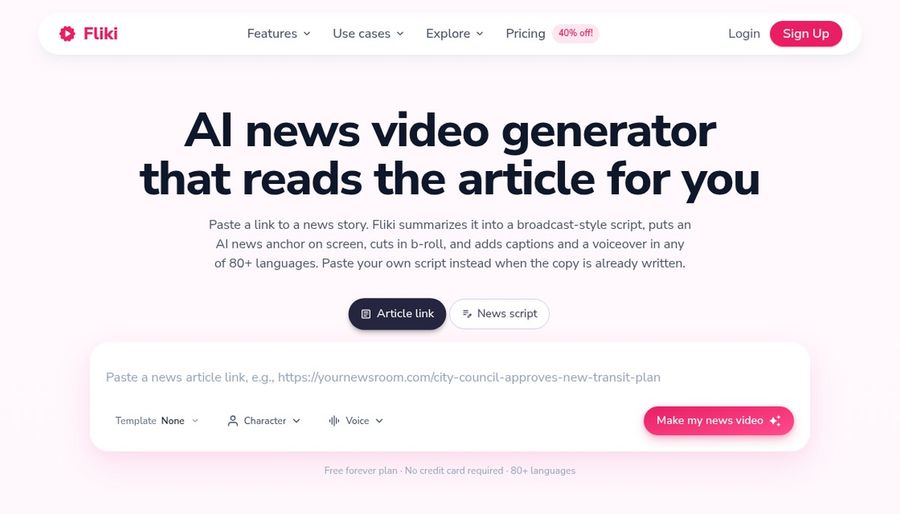
Fliki builds a video from an idea, a script, a blog post or a deck. Its voice library draws on several providers, and cloning starts on Standard.
Translation handles uploaded video and audio, and an AI Copilot accepts edit requests in plain language.
Stock avatars, photo avatars and custom characters sit in the editor.
Key Features
- Idea, script, and blog to video
- Large voice library
- Voice cloning
- Video translation and dubbing
- AI avatars and photo avatars
- AI Copilot editor
- AI images and thumbnails
- Features for series and for publishing
Best For:
- YouTubers who release videos without filming
- Bloggers who convert articles into voiced videos
- Teams that post to social channels on a schedule
- Marketing teams that need voiceover in multiple languages
- Course authors producing narrated lessons
- Podcasters who convert audio into visual content
Fliki Pros
- Draft Creation
Ideas, scripts and decks become drafts.
- Voices
A broad voice library covers many languages.
- Cloning
Cloning is available from Standard.
- Translation
Translation handles uploaded media.
- Copilot
An AI Copilot understands plain requests.
- Photo Avatars
Photo avatars use your own picture.
Fliki Cons
- Free Watermark:
Free exports show a Fliki watermark.
Fliki Pricing
Fliki has Free, Standard, Premium and Enterprise.
| Plan | Price | What's Included |
|---|---|---|
| Free | $0/month | Voices, stock media, AI images and a Fliki watermark |
| Standard | $28/month, or $21/month billed annually | Cloning, commercial rights, limited stock avatars and custom characters |
| Premium | $88/month, or $66/month billed annually | Brand kits, several clones, developer access, all avatars and photo avatars |
| Enterprise | Custom Pricing | Personalised avatars, collaboration, account manager and professional cloning |
Standard is $28 a month or $21 billed yearly, and Premium is $88 or $66.
When to Use Fliki?
Fliki suits publishers who turn writing into narrated videos.
Best Use Cases of Mango Animate Alternative
These are cases where an effects catalogue stops being the right shape.
Storytelling and Animation
For a recurring presenter, a Zoice Host appears in every video.
Event Invitations
For a photo that speaks, a Host in Zoice built from your image reads your script.
Social Media Posts
For product ads, Creatify builds from a link.
Training and Onboarding
For multilingual updates, HeyGen translates presenter videos.
Educational Content
For a singing photo, a Host in Zoice can lip sync an uploaded song.
Music and Singing Projects
For a pet or baby video, a Zoice Host can start from the picture you have.
Customer Support Videos
For narrated posts, Fliki turns text into video.
Podcast and Audio Teasers
For small team training, Elai.io makes presenter videos from scripts.
How We Compared the Best Mango Animate Alternative
Mango Animate offers many separate effects, so we compared alternatives on ten points about repeatability and control rather than novelty.
Ease of Use
We checked whether one character can reappear across videos.
Input Options
We noted whether text, audio or a link starts a video.
Voice and Audio
We recorded where voices come from.
Character Options
We tested for singing and lip sync support.
Customisation
We noted which editors, templates and brand kits come with each tool.
Pricing Transparency
Prices come only from vendor pages.
Free Plan Access
We noted free plans and watermarks.
Platform Fit
We marked browser use, API access and team plans.
Support and Learning Material
We scanned vendor guides.
Overall Performance
Every verdict names the job a tool does best for people leaving Mango Animate.
How to Choose the Right Mango Animate Alternative Before You Pay
Pick between a wide effects catalogue and a focused tool.
Define Your Input
Decide whether you need variety or consistency.
Test the Free Option
Check if singing or lip sync matters.
Check the Voice Options
Decide where voices come from.
Look at Character Control
Confirm the speaker can return.
Read the Plan Details
Read the plans for what is unlocked.
Think About Where You Work
Check for API and team access.
Plan for Growth
Check seat costs before sharing.
Frequently Asked Questions
1. What is the best Mango Animate alternative?
Zoice is our first pick when you want a steady character. HeyGen, Creatify, Elai.io and Fliki fit narrower needs.
2. Why look for a Mango Animate alternative?
People leave effects catalogues when they want one reusable character, a chosen voice or a business focused workflow.
3. Is Zoice free to try?
The free plan covers transcription, voice, image and chat tools, and avatar videos begin on Starter at $7.99 a month.
4. Can I use my own audio with Zoice?
Yes. Record in the browser or upload a file and preview it.
5. Can I create my own character in Zoice?
Yes. Pick from the library, upload an image or describe one in text.
6. What are action prompts?
They are short cues that tell the Host what to do.
7. Does Zoice work in the browser?
Yes. A Host in Zoice can lip sync to a song you upload.
8. How does HeyGen compare?
HeyGen is the closest on presenters, while Zoice adds a Host you can direct.
9. Which tool suits beginners?
Zoice, HeyGen, Creatify, Elai.io and Fliki all offer a free starting point.
10. Can I use these tools for business videos?
Yes. Any paid plan works for a business, and Enterprise includes support and multi staff access.
11. How should I test these tools?
Make the same short video in each tool and compare.
Conclusion
Mango Animate is a playful place to try many effects. When the goal is a consistent character and voice, the alternatives above are easier to build on.
Zoice is a simple test with one photo and one recording. A free account gets you voice and image tools, while Starter is where avatar videos begin.