Kling AI Alternative Tested, Compared & Ranked

Kling AI Alternative is a common search for people who want a presenter, a script driven workflow, or a different pricing structure.
Kling AI generates short videos from text prompts and still images. Its Standard plan is $8.80 per month after a $6.99 first month, and plan prices changed in October 2026.
Below, we put Zoice next to Runway, Hedra, InVideo, Pictory, and CapCut, and cover plans, strengths, limits, and who each tool suits.
Quick Comparison of the Best Kling AI Alternative Tools
| Features & Capabilities | Zoice | Runway | Hedra | InVideo | Pictory | CapCut |
|---|---|---|---|---|---|---|
| Quick Comparison | ||||||
| Best For | AI Avatar Videos | Generative Video From Prompts | Talking Characters From Audio | AI Video Creation With Editing | Script and Blog to Video | Social Video Editing |
| AI Video From Prompts | Yes | Yes | Yes | Yes | Yes | Yes |
| AI Images | Yes | Yes | Not confirmed | Yes | Yes | Yes |
| AI Presenter Avatars | Yes | Limited | Yes | Yes | Yes | Yes |
| Text to Speech | Yes | Yes | Not confirmed | Yes | Yes | Yes |
| Script to Video | Yes | Not listed | Limited | Yes | Yes | Yes |
| Free Plan | Available | Available | Not confirmed | Not listed | Trial only | Available |
| Starting Price | $7.99/month | $12/month | $20/month | $10/seat/month | $25/month billed annually | $19.99/month |
Best Kling AI Alternative
There is no single winner among Kling AI alternatives, because the tools here solve different problems. We compared Zoice with Runway, Hedra, InVideo, Pictory, and CapCut.
Runway is known for generative video from prompts, and Hedra is known for talking characters from audio. InVideo covers AI video creation with editing, Pictory covers script and blog to video, and CapCut covers social video editing.
Zoice comes first because it fits people who want a Host who speaks to the viewer, plus AI images and videos in one account. The rest of the list covers other reasons to look past Kling AI.
1. Zoice

Zoice combines a Host video maker with AI images, AI videos, and voice tools in one account. Voice profiles let the Host speak in a cloned voice, and paid plans include between 1 and 10 of them.
Zoice gives you a Host who speaks your script, along with AI images and AI videos from text, image, and frame inputs.
Zoice is built for the job where a person needs to deliver a message. It also includes AI videos from text, images, and frames, so you can add generated scenes in the same account. Action prompts let you tell the Host what to do on screen. Enterprise adds custom features, multi staff access, and dedicated support.
Key Features
- AI avatar videos from a script
- Custom avatar characters
- Public character library
- Record or upload your own audio
- Voice profiles for cloned speech
- Action prompts for the Host
- AI images and AI videos
- AI chat and transcriptions
Best For:
- Agencies producing presenter videos for several clients.
- Small businesses that need quick announcements and explainers.
- Anyone who wants to add generated visuals around a presenter.
- Creators who need a person to deliver a script on screen.
- Marketers making short product videos for social feeds.
- Educators turning lesson notes into a presenter video.
Zoice Pros
- Avatar Videos From a Script or Audio
Starting from text or audio, you get a talking avatar video without picking up a camera.
- Build Your Own Host
Build your own Host from a prompt or an image, or choose from hundreds of public characters.
- Voice Your Way
Voice can come from a recording, an uploaded file, or a trained voice profile.
- Action Prompts
Direct the Host through an action prompt, for instance asking it to hold up a product.
- Hear Before You Commit
Preview the audio to check the voice before generating.
- More Than Avatars
The platform also offers AI images, AI videos from several inputs, AI chat, and AI transcriptions.
Zoice Cons
- Connection Needed:
Zoice needs an internet connection to open your Host and generate videos, which matters if you travel or work from patchy wifi.
- Fewer Public Avatars:
Choosing from public characters in Zoice means a smaller pool than some competitors offer, so check the library for a match before you commit.
Zoice Pricing
Zoice offers a free plan, four self serve paid plans, and an Enterprise plan. Every paid plan includes AI Voice, AI Chat, AI Transcriptions, AI Images, AI Videos, and AI Avatar Videos, with a 20% discount on annual billing.
| Plan | Price | What's Included |
|---|---|---|
| Free | $0/month | Daily allowance, AI Chat, AI Transcriptions, AI Voice, AI Images |
| Starter | $7.99/month | AI Voice, AI Videos, AI Avatar Videos, 1 Voice Profile |
| Basic | $29.99/month | Everything in Starter with 3 Voice Profiles |
| Creator | $49.99/month | Everything in Starter with 5 Voice Profiles |
| Agency | $89.99/month | Everything in Starter with 10 Voice Profiles |
| Enterprise | Custom Pricing | Custom features, multi staff access, dedicated support |
Starter costs $7.99 per month and is the entry point for avatar videos. Creator at $49.99 per month sits between the entry and agency tiers.
When to Use Zoice?
Zoice is the better pick when your video needs a speaker more than a scene.
2. Runway

Runway is a long running AI video platform used by filmmakers, designers, and marketing teams to generate scenes. Brand teams generate concept scenes for campaigns. Compared with the other tools here, Runway gives model choice and image inputs for steering a scene.
Image generation, text to speech, and music tools are included. A free plan comes with a one time deposit so you can try it. Enterprise plans cover companies with custom needs.
Standard and Pro allowances reset each cycle without rollover. Costs rise quickly on the Max plan at $76 per month on annual billing. On another front, Runway has a prompt box and a library of models.
Key Features
- Text to video
- Image to video
- Image generation
- Text to speech
- Music and sound tools
- Partner model access
- Characters for developers
- Team and enterprise plans
Best For:
- Developers building conversational video characters.
- Studios that need enterprise controls.
- Filmmakers sketching concept shots.
- Designers who generate visuals and moving images.
- Brand teams making short clips.
- Creators who test the newest video models.
Runway Pros
- Creative Generation
Video can be made from text and images without filming.
- Model Choice
Runway's own models and partner models live in one account.
- Images and Audio
Image generation, speech, and music tools come in the same plans.
- Free Plan
The free plan includes a one time deposit for trying the tools.
- Rollover on Max
Max rolls up to one month of unused allowance forward.
- Established Platform
Runway says more than 60 million creators use it.
Runway Cons
- Everything Is Metered:
Every generation draws from a monthly allowance that changes with the model.
- No Rollover on Lower Plans:
Standard and Pro allowances reset every cycle with no rollover.
- Not a Presenter Tool:
It does not center on a presenter reading a script.
Runway Pricing
Runway prices its plans as Free, Standard, Pro, Max, and Enterprise. There is a free plan to test it. Billing options and plan limits can change, so confirm them on the vendor's site.
| Plan | Price | What's Included |
|---|---|---|
| Free | $0 | A one time deposit to try the tools |
| Standard | $12/month billed annually, $15 monthly | Monthly allowance for video, image, and audio generation |
| Pro | $28/month billed annually, $35 monthly | A larger monthly allowance for regular creators |
| Max | $76/month billed annually, $95 monthly | The largest allowance, with up to one month of unused rollover |
| Enterprise | Contact sales | Custom plans for companies |
The first paid plan, Standard, is $12/month billed annually, $15 monthly. Pro costs $28/month billed annually, $35 monthly. The right tier depends on how often you generate.
When to Use Runway?
Pick Runway if you are comfortable budgeting around a usage allowance. Consider it too if you need generative video from prompts.
3. Hedra
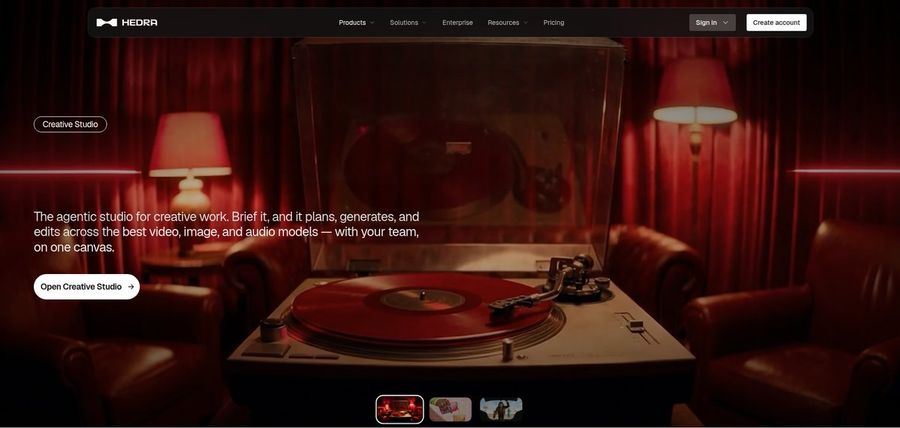
Hedra focuses on characters, letting creators drive a still image with their own audio. Storytellers build recurring characters from one image. Compared with the other tools here, Hedra lets audio drive the performance of the character.
A Creative Studio gathers image, video, and audio tools in one place. A Teams plan gives groups a shared workspace. Hedra repriced its individual plans in late September 2026.
Older reviews list plan names that no longer exist. It is not built for script to presenter team workflows. On another front, Hedra keeps creation simple with an image and an audio file.
Key Features
- Character 3 talking and singing avatars
- Image plus audio to video
- Creative Studio
- Visual Agent
- Several output formats
- Developer access
- Team plan
- Music video scenes
Best For:
- Developers who want a talking avatar model.
- Teams that share a workspace for creative work.
- Social creators who start from a photo and a voice recording.
- Agencies exploring visual concepts for clients.
- Anyone who already has audio and needs a face for it.
- Creators who want a character to speak or sing.
Hedra Pros
- Audio Drives the Character
Character 3 builds a talking or singing video from an image and an audio file.
- Creative Studio
Hedra describes its studio as an agentic workspace for creative work.
- Plans for Individuals and Teams
Basic, Pro, and Ultra cover individuals, and Teams covers shared use.
- Clear Monthly Prices
Individual plans are listed at $20, $50, and $100 per month.
- Developer Access
Character 3 is also offered to developers with per second pricing.
- Music and Story Use
The studio has been used for music videos and character stories.
Hedra Cons
- Audio Is Required:
Character 3 needs an audio file, so you must bring or generate the voice first.
- Plan Names Changed:
Hedra repriced its individual plans in late September, so older reviews may be out of date.
- Not a Script Tool:
It is built around characters and scenes, not a script to presenter workflow with team training in mind.
Hedra Pricing
Hedra has 4 plans: Basic, Pro, Ultra, and Teams. A free plan is not confirmed on its public pages. Entry pricing starts at $20/month. Billing options and plan limits can change, so confirm them on the vendor's site.
| Plan | Price | What's Included |
|---|---|---|
| Basic | $20/month | Entry plan for individual creators |
| Pro | $50/month | A larger monthly usage allowance for regular creators |
| Ultra | $100/month | The largest individual plan |
| Teams | $75/month | A plan built for teams that work together |
Basic costs $20/month. Pro costs $50/month. The right tier depends on how often you generate.
When to Use Hedra?
Hedra fits music and story projects better than corporate training. Consider it too if you need talking characters from audio.
4. InVideo

InVideo targets marketers and creators who want a quick first draft and still need control over the final cut. Agencies compare model options in one place. Compared with the other tools here, InVideo provides a full timeline after the AI draft.
AI twins let you create a digital version of yourself. Multiplayer editing lets several seats work on one project. Plus opens the frontier agents and newest video models.
No free plan is listed on the pricing page. Prices are per seat, so teams pay more as they grow. On another front, InVideo starts from a prompt and builds a first cut.
Key Features
- Prompt to video AI agents
- Full timeline editor
- AI twins
- AI actor library
- Voice cloning
- Stock footage library
- Multiplayer editing
- Image and video generation models
Best For:
- Small shops making product videos with no crew.
- Teams that want stock footage built into the editor.
- Anyone who wants images and video in one plan.
- Marketers who want a first cut of a promo video from a prompt.
- Creators who like to refine an AI draft on a timeline.
- People who want an AI twin for recurring videos.
InVideo Pros
- Prompt First Workflow
You describe the video and AI agents assemble a draft for you.
- Real Timeline Editor
Every plan includes a timeline with color, audio, and 3D tools.
- AI Twins and Actors
Make an AI twin of yourself or choose from the actor library.
- Generative Models Inside
Image and video models are available without leaving the account.
- Multiplayer Editing
Several seats can edit one project together, and seat limits grow with the plan.
- Stock and Storage
Premium stock footage and cloud storage are part of the plans.
InVideo Cons
- Usage Allowance:
All work draws from a monthly allowance that depends on the model and does not roll over.
- Lighter Starter Plan:
The Starter plan has Lite agent access and does not include the newest video models.
- Per Seat Pricing:
Prices are per seat per month, so larger teams pay more.
InVideo Pricing
No free plan is listed. The InVideo plan list reads Starter, Plus, and Max. Annual and monthly billing are priced differently, so compare like with like.
| Plan | Price | What's Included |
|---|---|---|
| Starter | $10/seat/month billed annually, $20 monthly | Timeline editor, multiplayer editing up to 5 seats, Lite agent access, selected models |
| Plus | $30/seat/month billed annually | Access to frontier agents, the newest video models, multiplayer editing up to 10 seats |
| Max | $250/seat/month billed annually | All models and features, early access to advanced AI features, lowest cost per unit of usage |
The first paid plan, Starter, is $10/seat/month billed annually, $20 monthly. Plus costs $30/seat/month billed annually. Compare the plan limits with your expected monthly work.
When to Use InVideo?
Pick InVideo when multiplayer editing and stock footage matter to your team. Keep it on the shortlist if AI video creation with editing matters to you.
5. Pictory

Pictory turns scripts, blog posts, and links into videos with stock footage, voiceover, and captions. Educators turn slides into lessons. Compared with the other tools here, Pictory lets you edit one scene at a time.
An AI video agent builds a draft that you can refine. Stock and custom avatars can present your script. Teams adds team workspaces and extra brand kits.
The lowest listed prices assume annual billing. Pictory offers a free trial, not a permanent free plan. On another front, Pictory starts from a script, blog, or link.
Key Features
- Script, blog, and link to video
- AI video agent
- AI scene editor
- AI Studio images and video
- Stock footage from Getty Images and Storyblocks
- Voices from ElevenLabs
- Stock and custom avatars
- Automatic subtitles
Best For:
- Social teams who want captions on every video.
- Small businesses without footage of their own.
- Content teams that need brand kits across videos.
- Agencies producing regular videos for several clients.
- Trainers converting PowerPoint decks to video.
- Anyone who prefers editing scene by scene.
Pictory Pros
- Starts From Text You Already Have
A script, blog post, or link is enough to generate a first draft with scenes and voiceover.
- Large Stock Library
Plans include footage and images from Getty Images and Storyblocks.
- Scene by Scene Editing
The AI scene editor lets you change one scene at a time with plain instructions.
- Captions Built In
Automatic subtitles can be exported as separate caption files.
- PowerPoint to Video
Slides can be imported and converted into a narrated video.
- Brand Kits
Every plan includes at least one brand kit, and higher plans include more.
Pictory Cons
- No Permanent Free Plan:
Pictory offers a 14 day free trial rather than a free plan.
- Annual Pricing Shown First:
The lowest prices on the pricing page are for annual billing.
- Not a Presenter First Tool:
Avatars are available, but the product centers on stock footage and text driven videos.
Pictory Pricing
There is a trial rather than a permanent free plan. The Pictory plan list reads Free trial, Starter, Professional, Teams, and Enterprise. Prices were checked against the vendor's own plan page in November 2026.
| Plan | Price | What's Included |
|---|---|---|
| Free trial | 14 days | Try the video tools before choosing a plan |
| Starter | $25/month billed annually | One user, AI video agent, scene editor, stock avatars, one brand kit |
| Professional | $35/month billed annually | Everything in Starter with more usage, more storage, and five brand kits |
| Teams | $119/month billed annually | Team collaboration, ten brand kits, and the largest usage and storage |
| Enterprise | Custom Pricing | Single sign on, custom templates, priority support, dedicated account manager |
The first paid plan, Free trial, is 14 days. Starter costs $25/month billed annually. Check what each tier includes before you decide.
When to Use Pictory?
Choose Pictory when written content should become video fast. Consider it too if you need script and blog to video.
6. CapCut
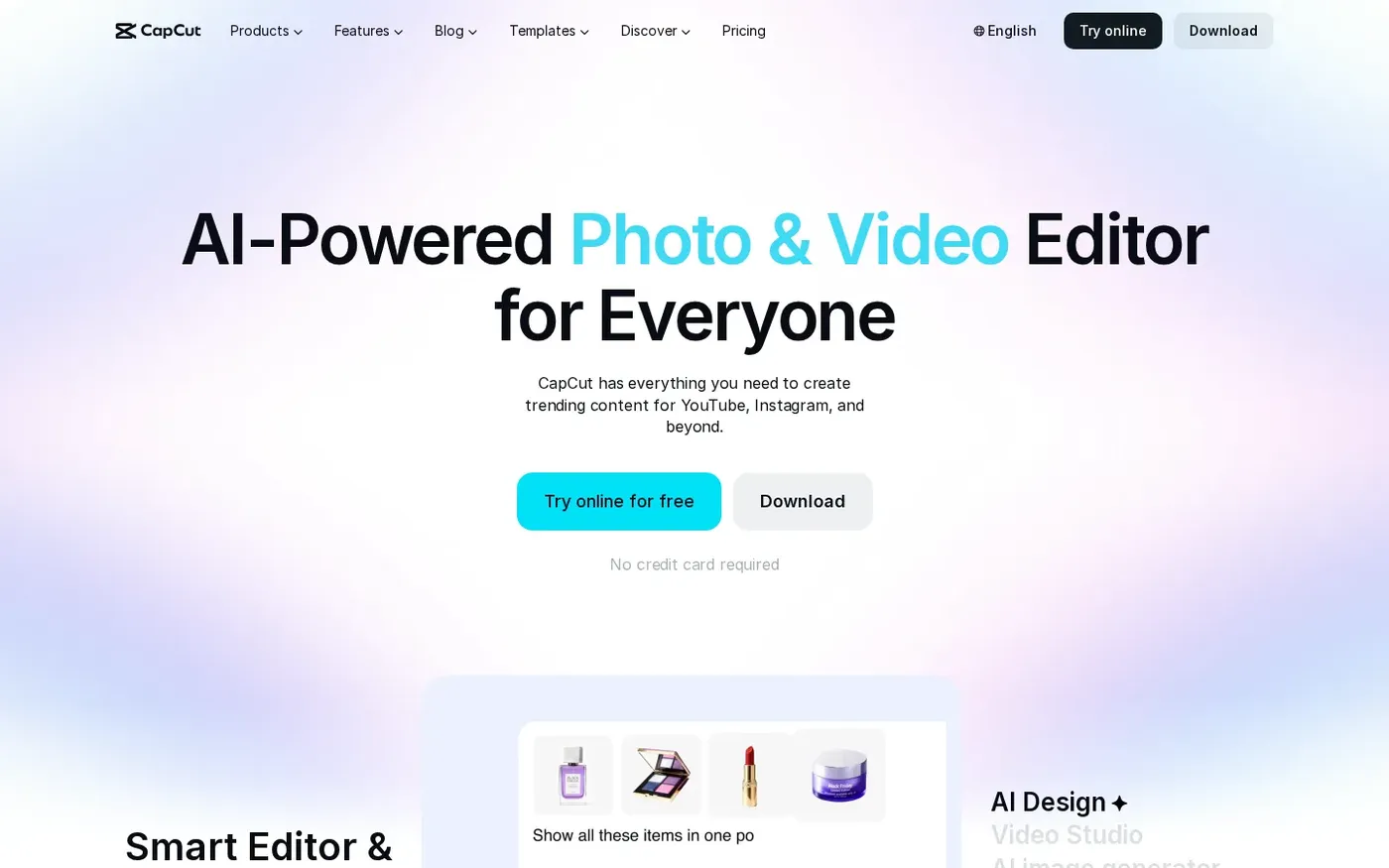
CapCut is a popular video editor with AI tools for social video, available on the web and on phones. Beginners can learn it quickly. Compared with the other tools here, CapCut gives a familiar editor for cutting and trimming.
An AI video generator and a Video Studio chat builder are part of the platform. Text to speech and automatic subtitles come with the editor. New users can start a 7 day free trial of Pro, depending on region and platform.
Pro is $19.99 per month and Ultra is $79 per month. Plans and features can differ by region, platform, and time. On another front, CapCut is easy for beginners with templates.
Key Features
- Online video editor
- AI video generator
- Video Studio chat builder
- AI image generator
- Text to speech
- Automatic subtitles
- Background remover
- Templates for Reels and TikTok
Best For:
- Marketers adding captions across many clips.
- First time editors who want simple controls.
- Creators who want free AI features.
- Sellers who need cutouts and clean audio.
- Teams that share a brand kit.
- Creators making Shorts, Reels, and TikToks on a phone.
CapCut Pros
- Free to Start
Start free and test AI features at your own pace.
- Easy Editor
Cuts, transitions, and subtitles are handled in a single editor.
- Template Library
Ready made templates cover the common social formats.
- AI Generation Tools
AI generation for video, images, and speech sits within the same product.
- Audio Cleanup
Noise removal and voice enhancement can lift weak audio.
- Free Trial for Pro
Eligible new users can try Pro for 7 days at no cost.
CapCut Cons
- Varies by Region and Platform:
Some plans and tools depend on where you live and which platform you use.
- Editor First:
The core job is editing, not turning a script into a presenter.
- Prices Shown at Sign In:
The pricing page says final prices show at sign in.
CapCut Pricing
CapCut prices its plans as Free, Pro, Ultra, and Teams. There is a free plan to test it. Annual and monthly billing are priced differently, so compare like with like.
| Plan | Price | What's Included |
|---|---|---|
| Free | $0/month | Everyday editing and a chance to explore the platform |
| Pro | $19.99/month | Advanced editing tools, premium templates, more AI features, 7 day free trial for new users |
| Ultra | $79/month | A broader range of advanced features, templates, and AI models |
| Teams | See pricing page | Shared access for multiple users, Brand Kit for consistent assets |
The first paid plan, Pro, is $19.99/month. Ultra costs $79/month. Start small and upgrade once your workflow settles.
When to Use CapCut?
Choose CapCut when social video editing is the daily task. Keep it on the shortlist if social video editing matters to you.
Best Use Cases of Kling AI Alternative
Eight common jobs show where the best Kling AI alternatives differ. Each use case below points to the tools that handle it well, from Runway and Hedra to Zoice.
Concept Scenes and Storyboards
Storyboards come alive faster when a tool can turn a prompt into a clip. On that front, Pictory includes AI Studio for images and video clips. Runway generates video from text and images with its own and partner models.
Short Brand Clips
Short brand clips need control over the result, not just novelty. CapCut gives a familiar editor for cutting and trimming, and Hedra lets audio drive the performance of the character, so both are worth testing against Zoice. Zoice lets you direct the Host with an action prompt.
Talking Presenter Videos
If you need someone talking to the viewer, presenter support narrows the list. For this, Runway is not built for presenters, so on screen people are secondary. InVideo, by comparison, offers AI twins and an actor library.
Product Visuals
Product visuals benefit from starting with an image. Worth noting: Hedra runs a Creative Studio with image, video, and audio tools, and Pictory includes AI Studio for images and video clips. Zoice also makes AI images and AI videos from text, image, and frame inputs.
Social Content
A simple prompt box helps when you post daily. CapCut is easy for beginners with templates, whereas InVideo starts from a prompt and builds a first cut.
Creative Experiments
Experiments are where generation tools shine. Pictory includes AI Studio for images and video clips, while Runway generates video from text and images with its own and partner models. Zoice also makes AI images and AI videos from text, image, and frame inputs.
Explainers and Training
Team training favors tools with a presenter and shared access. On that front, CapCut adds shared access and a Brand Kit on Teams. Hedra offers a Teams plan for shared work.
Developer Projects
Developers care about access and pricing beyond the app. Runway includes commercial use on paid plans, and InVideo includes stock footage with its plans, so both are worth testing against Zoice. Zoice paid plans start at $7.99 per month, with annual billing at a 20% discount.
How We Compared the Best Kling AI Alternative
Our comparison of Kling AI alternatives covers nine areas, drawn from vendor pricing and feature pages checked in November 2026. We compared Zoice with Runway, Hedra, InVideo, Pictory, and CapCut on each one.
1. Ease of Use
A simple prompt flow lowers the barrier. On that front, Pictory starts from a script, blog, or link. Runway has a prompt box and a library of models.
2. Presenter Options
We looked at presenter or character support. CapCut includes avatar options inside the editor, and Hedra builds talking characters from one image, so both are worth testing against Zoice. Zoice gives you a Host built from a description or an image, or taken from a public library.
3. Voice Options
Voice is optional in scene tools, so we noted what exists. For this, Runway includes text to speech and music tools. InVideo, by comparison, includes voice cloning.
4. Generation Range
We checked which inputs and outputs each tool supports. Worth noting: Hedra runs a Creative Studio with image, video, and audio tools, and Pictory includes AI Studio for images and video clips. Zoice also makes AI images and AI videos from text, image, and frame inputs.
5. Control Over Results
Steering tools separate toys from workflow tools. CapCut gives a familiar editor for cutting and trimming, whereas InVideo provides a full timeline after the AI draft.
6. Model Choice
We noted whether a platform runs its own models or several. Pictory includes AI Studio for images and video clips, while Runway generates video from text and images with its own and partner models. Zoice also makes AI images and AI videos from text, image, and frame inputs.
7. Pricing and Value
Monthly allowances shape real cost. Entry pricing is $19.99/month for CapCut, $20/month for Hedra, and $7.99 per month for Zoice.
8. Team and Developer Features
We checked team plans and developer access. Runway offers Enterprise plans for teams, and InVideo supports multiplayer editing with seat limits that grow by plan, so both are worth testing against Zoice. Zoice offers an Enterprise plan with multi staff access and dedicated support.
9. Public Information and Reviews
Every claim here traces to a published page. We checked Hedra, Pictory, and Runway against their public pricing and feature pages in November 2026.
Overall Performance
Taken together, Zoice covers Host videos plus images and clips, and the others lean toward pure scene generation. For generative video from prompts, Runway stands out, and Hedra is the pick for talking characters from audio. InVideo is also worth a look for AI video creation with editing.
How to Choose the Right Kling AI Alternative Before You Pay
Before you pay for any Kling AI alternative, work out what you will make most often. The steps below help you compare Zoice, Runway, Hedra, InVideo, Pictory, and CapCut on that basis.
Define the Output
The output type picks the tool. On that front, Pictory includes AI Studio for images and video clips. Runway generates video from text and images with its own and partner models.
Check Presenter Support
If a talking person is needed, check support first. CapCut includes avatar options inside the editor, and Hedra builds talking characters from one image, so both are worth testing against Zoice. Zoice gives you a Host built from a description or an image, or taken from a public library.
Look at the Voice
Voice support varies widely. For this, Runway includes text to speech and music tools. InVideo, by comparison, includes voice cloning.
Understand How Usage Is Counted
Allowances are spent per generation, so read the rules. Entry pricing is $20/month for Hedra, $25/month billed annually for Pictory, and $7.99 per month for Zoice.
Compare Models and Inputs
Inputs determine what you can start from. CapCut includes AI video and AI image generators, whereas InVideo runs AI agents plus image and video models.
Think About Your Team
Teams should check seats and shared access. Pictory adds team workspaces on the Teams plan, while Runway offers Enterprise plans for teams. Zoice offers an Enterprise plan with multi staff access and dedicated support.
Try Before You Pay
A direct test shows real differences. On free access, CapCut shows a free plan and Hedra shows no confirmed free plan, while Zoice offers a free plan.
Frequently Asked Questions
1. What is the best Kling AI alternative?
Zoice is the best Kling AI alternative for people who want a Host who speaks to the viewer, plus AI images and videos in one account. Runway suits generative video from prompts, and Hedra suits talking characters from audio.
2. Why do people look for a Kling AI alternative?
Most often because they want a presenter, a script driven workflow, or a different pricing structure. Kling AI's Standard plan is $8.80 per month after a $6.99 first month, and plan prices changed in October 2026.
3. How does Zoice compare with Kling AI?
Zoice gives you a Host who speaks your script, along with AI images and AI videos from text, image, and frame inputs.
4. Which Kling AI alternative is best for talking presenter videos?
Among Kling AI alternatives, Runway is a strong choice because it generates video from text and images with its own and partner models. Hedra also works, since it runs a Creative Studio with image, video, and audio tools. Zoice fits too when you want a Host built from your own script.
5. Which platform is best for voice cloning?
Voice cloning is listed by InVideo and CapCut. With Zoice, a voice profile lets the Host speak in a cloned voice, and the number of profiles runs from 1 to 10 across paid plans.
6. Which Kling AI alternative is the cheapest?
Starting prices differ by billing: Runway is $12/month, Hedra is $20/month, InVideo is $10/seat/month, Pictory is $25/month billed annually, and CapCut is $19.99/month. Zoice starts at $7.99 per month and also has a free plan.
7. Can I use videos made with these tools commercially?
Paid plans usually allow commercial use, but terms differ by tool and plan. Pictory removes its branding on paid plans, and CapCut varies by plan, region, and platform. Always read each vendor's terms before using any Kling AI alternative for client or advertising work.
8. Do I need technical skills to use these tools?
No, most Kling AI alternatives suit beginners. CapCut is easy for beginners with templates, and InVideo starts from a prompt and builds a first cut. Zoice keeps the steps to choosing a Host, adding a script or audio, previewing, and generating.
9. How does Zoice make a talking avatar video?
Start by choosing a Host, whether from the public library or one you create. Use the audio preview to check the voice, and add an action prompt if the Host should do something on screen. Generation runs on the Zoice Avatar X model.
10. What should I consider before choosing a Kling AI alternative?
When you choose among Kling AI alternatives, compare the presenter and voice options, how much control you get after a draft is made, what the free plan includes, and whether the tool matches your main job. For example, Pictory lets you edit one scene at a time, while Zoice lets you direct the Host with an action prompt.
11. Is Zoice free to try?
Yes. The free plan lets you test Zoice with a daily allowance and AI Voice, and avatar videos begin on the Starter plan at $7.99 per month, with annual billing at a 20% discount. Agency has up to 10 voice profiles.
Conclusion
There is no single replacement for Kling AI, because the tools here solve different problems. Runway leads for generative video from prompts, Hedra for talking characters from audio, and InVideo for AI video creation with editing.
For a Host who speaks to the viewer, plus AI images and videos in one account, Zoice is the tool to test first. A free plan is available, and paid plans start at $7.99 per month with a 20% annual discount.