Kenerate AI Alternative Tested, Compared & Ranked

Kenerate AI Alternative: Kenerate AI is a creative studio that puts many image, video, voice and music models in one place. Its Avatar Talk tool turns a photo or one of 500 stock presenters into a lip synced talking video, and AI Dubbing covers 33 languages. Billing is one time packs from $15, with nothing renewing. People who leave usually want a tool focused on the presenter, with one saved Host and voice. This guide compares Zoice with Hedra, D-ID, HeyGen and Fliki.
We checked how each tool turns one portrait and one voice into a talking video, and how plans are billed.
Each Kenerate AI rival below has features, strengths, limits, plans and fit. Vendor pages supplied the prices a Kenerate AI user would compare, and gaps are flagged.
Quick Comparison of the Best Kenerate AI Alternative Tools
| Features & Capabilities | Zoice | Hedra | D-ID | HeyGen | Fliki |
|---|---|---|---|---|---|
| Quick Comparison | |||||
| Best For | Avatar Videos in One Account | Talking Characters From Audio | Talking Photo Videos | Avatar Presenter Videos | Text to Video With Voiceover |
| AI Presenter Avatars | Yes | Yes | Yes | Yes | Yes |
| Voice Cloning | Yes | Not confirmed | Yes | Yes | Yes |
| Script to Video | Yes | Limited | Yes | Yes | Yes |
| Free Plan | Available | Not confirmed | Trial only | Available | Available |
| Starting Price | $7.99/month | $20/month | $4.70/month billed annually | $29/month | $21/month billed annually |
Best Kenerate AI Alternative
The best Kenerate AI alternative depends on whether you want a model studio or a talking presenter. Kenerate AI gathers many engines under one balance. A Host you return to each week needs a tool built around that.
Zoice leads for Kenerate AI users who want a Host they direct with action prompts, a saved voice and one account for avatar videos, images and voice.
Hedra, D-ID, HeyGen and Fliki cover talking characters, talking photos, presenter catalogs and narrated videos.
1. Zoice

Zoice makes the Host your presenter. Use a photo you own. Browse the public library.
Load a stored profile. Record your voice. Nothing renders until you listen. Direction comes from action prompts.
Kenerate AI users who want a presenter without a model menu can read the AI avatar generator page.
Key Features
- AI avatar videos from a script
- Custom avatar characters
- Public character library
- Record or upload your own audio
- Voice profiles for cloned speech
- Action prompts for the Host
- AI images and AI videos
- AI chat and transcriptions
Best For:
- Podcasters wanting video versions of episodes
- Founders needing a consistent Host and voice
- Agencies managing voices for many clients
- Small businesses that need quick announcements
- Teams with audio from another voice tool can bring it into Zoice.
- Creators wanting to give voices a face
Zoice Pros
- Host Sources
Describe a Host or upload one.
- Speech Inputs
Speech can be typed, recorded or uploaded.
- Saved Voice
Voice profiles keep a voice steady.
- Cues
Action prompts add stage directions.
- Lip Sync
Lip sync follows uploaded audio.
- Extra Tools
Chat and image tools share the account.
Zoice Cons
- Needs an Internet Connection:
You need an internet connection.
- Smaller Public Library:
The public avatar library is smaller.
Zoice Pricing
Leaving Kenerate AI, you can start on Zoice's free tier and climb through four paid tiers to Enterprise.
| Plan | Price | What's Included |
|---|---|---|
| Free | $0/month | Free transcription, voice, images, chat |
| Starter | $7.99/month | Avatar videos, AI videos, voice, 1 profile |
| Basic | $29.99/month | Three Voice Profiles |
| Creator | $49.99/month | Five Voice Profiles |
| Agency | $89.99/month | Ten Voice Profiles |
| Enterprise | Custom Pricing | Support, setup, multi staff access |
Starter is $7.99 monthly. Basic is $29.99 monthly. Creator is $49.99 monthly. Agency is $89.99 monthly. Billing yearly cuts 20%. Enterprise is quoted on request.
When to Use Zoice?
Zoice suits Kenerate AI users who want a Host they direct.
2. Hedra
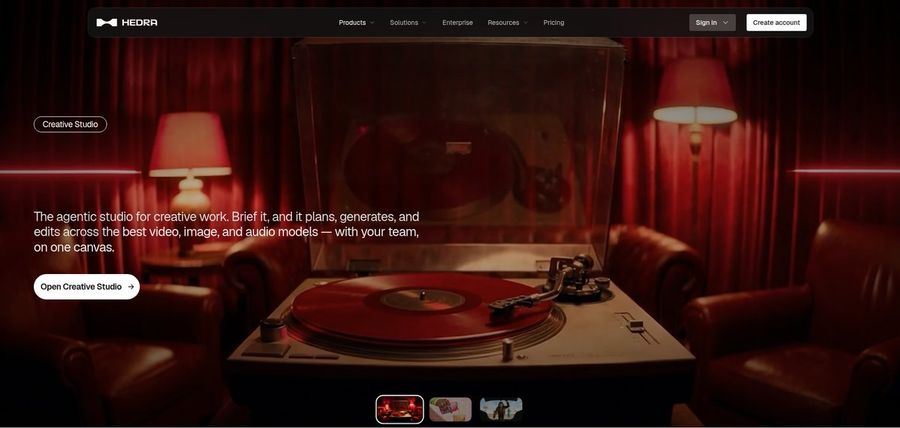
Hedra centres on expressive characters, and one image can sing or speak.
The Character 3 model runs the Studio, and plan prices were revised in late September.
Kenerate AI users who want one character to talk get audio driven performances.
Key Features
- Character 3 talking and singing avatars
- Image plus audio to video
- Creative Studio
- Visual Agent
- Several output formats
- Developer access
- Team plan
- Music video scenes
Best For:
- Teams sharing a workspace for creative work
- Social creators with a photo and voice
- Agencies exploring visual concepts for clients
- Anyone holding audio that needs a face
- Creators wanting characters that speak or sing
- Musicians making visuals for a track
Hedra Pros
- Character Studio
Characters speak from image and audio.
- Text Input
Text can drive a character.
- Singing
Singing performances are supported.
- Current Model
Character 3 is the current model.
- Teams Plan
Teams gets shared workspaces.
Hedra Cons
- No Confirmed Free:
No free plan is confirmed.
- Recent Changes:
Pricing changed in September.
- Verify Plans:
Check each tier on the vendor site.
Hedra Pricing
Four plans exist at Hedra.
| Plan | Price | What's Included |
|---|---|---|
| Basic | $20/month | Entry paid plan |
| Pro | $50/month | See vendor pricing page |
| Ultra | $100/month | Highest individual tier |
| Teams | $75/month | Shared workspace |
Basic is $20 monthly. Pro is $50 and Ultra $100. Teams is $75.
When to Use Hedra?
Hedra suits Kenerate AI users who animate characters.
3. D-ID

D-ID turns one portrait into a presenter. The studio suits creators, and the platform suits developers.
Lite is personal use. Pro adds commercial use and voice cloning. Advanced adds three clones.
Kenerate AI users who start from a portrait get a talking photo in a browser.
Key Features
- Photo to talking presenter
- Stock presenters
- Voice cloning
- Text to video
- Studio for creators
- Watermark control on higher plans
- Conversational agents
- Developer platform
Best For:
- Teams needing a custom watermark on exports
- Developers exploring talking agents
- Anyone wanting a low cost entry plan
- Small businesses adding a face to announcements
- Trainers wanting a cloned narration voice
- Agencies exploring avatar videos for clients
D-ID Pros
- Photo Presenter
A photo becomes a presenter.
- Low Entry
Lite starts at $5.90.
- Commercial Use
Pro allows commercial use.
- Voice Clones
Voice clones start on Pro.
- Watermark
Advanced offers a custom watermark.
- Developers
A developer platform exists.
D-ID Cons
- Personal Lite:
Lite is personal use only.
- Price Jump:
Advanced costs $196 monthly.
- Light Editing:
Editing is lighter than a video suite.
D-ID Pricing
D-ID has four plans and a trial.
| Plan | Price | What's Included |
|---|---|---|
| Lite | $5.90/month, or $4.70/month billed annually | Personal use, watermark, standard presenters |
| Pro | $29/month, or $16/month billed annually | Commercial use, premium presenters, one clone |
| Advanced | $196/month, or $108/month billed annually | Custom watermark, three voice clones |
| Enterprise | Custom Pricing | Tailored plans from sales |
Lite is $5.90, or $4.70 yearly. Pro is $29, or $16 yearly. Advanced is $196, or $108.
When to Use D-ID?
D-ID suits Kenerate AI users who animate portraits.
4. HeyGen
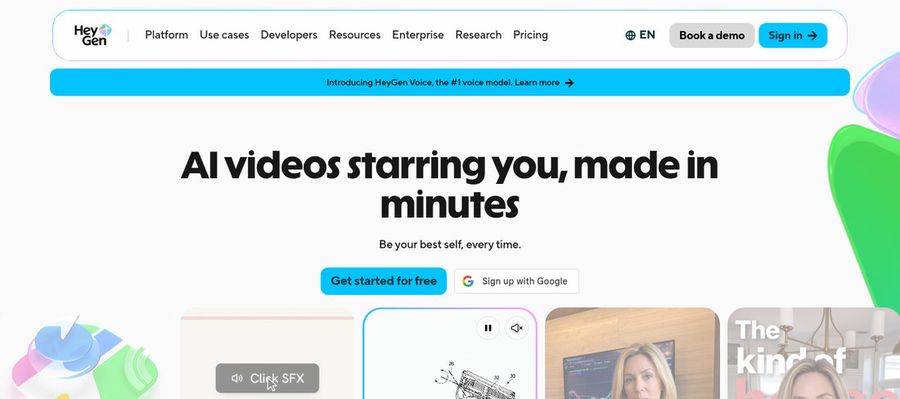
HeyGen helps teams make presenter videos from templates and scripts. Avatar IV and a Video Agent appear on the pricing page.
Free accounts see 500 plus presenters. Paid accounts see 700 plus. Your voice can power a custom avatar.
Kenerate AI users who want ready presenters get a deep avatar catalog.
Key Features
- AI presenter avatars
- Custom video avatar
- Photo avatars
- AI voices and voice cloning
- Video translation
- AI video agent
- Templates and PowerPoint import
- Team workspace and brand kit
Best For:
- Marketing teams producing multilingual product videos
- Customer success teams explaining features on video
- HR teams recording policy updates
- Course creators wanting a host per lesson
- Recruiters sending personalized video intros
- Agencies managing avatar videos for several clients
- Small businesses needing a budget spokesperson
HeyGen Pros
- Free Presenters
Free accounts see 500 plus presenters.
- Custom Avatar
A custom avatar can use your voice.
- Photo Avatars
Photo avatars are available.
- Translation
Translation covers 175 plus languages.
- Slide Import
Slides import into scenes.
- Brand Controls
Business brings brand controls.
HeyGen Cons
- Free Branding:
Free videos carry HeyGen branding.
- Seat Fees:
Extra Business seats cost $20.
- Proofreading Tier:
Proofreading starts on Pro.
HeyGen Pricing
HeyGen has five plans.
| Plan | Price | What's Included |
|---|---|---|
| Free | $0/month | 500 plus presenters, watermark |
| Creator | $29/month | Custom avatar with your voice, no branding |
| Pro | $49/month | Proofreading for translations |
| Business | $149/month plus $20 per seat | SSO, brand kit, integrations |
| Enterprise | Custom Pricing | Custom terms, success manager |
Creator is $29 monthly. Pro is $49. Business is $149 plus $20 a seat.
When to Use HeyGen?
HeyGen suits Kenerate AI users who skip the photo.
5. Fliki
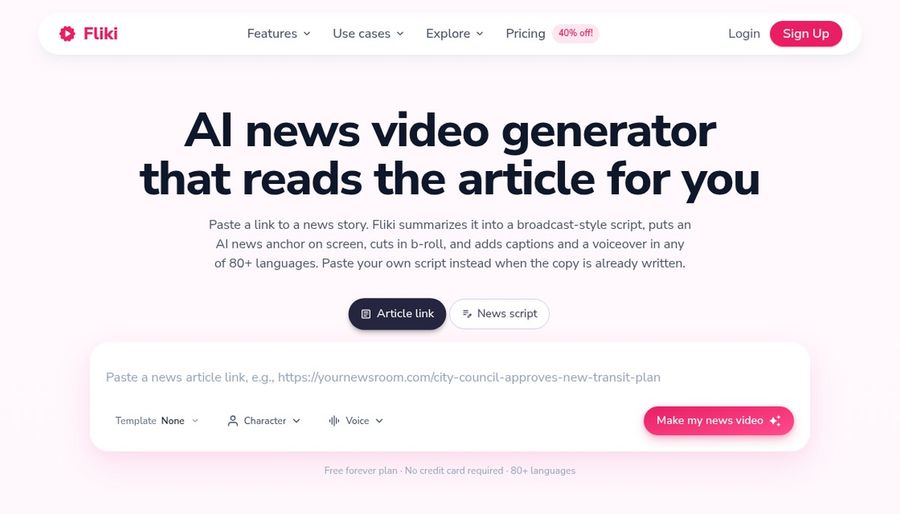
Fliki makes video from voice first, with a Copilot editor to help.
Dubbing and translation are included. Voice cloning begins on Standard.
Kenerate AI users who narrate text get voices and avatars in one editor.
Key Features
- Idea, script, and blog to video
- Large voice library
- Voice cloning
- Video translation and dubbing
- AI avatars and photo avatars
- AI Copilot editor
- AI images and thumbnails
- Series and publishing tools
Best For:
- YouTubers who publish videos without filming
- Bloggers who turn articles into narrated videos
- Social teams who post on a schedule
- Marketers who need voiceover in several languages
- Course creators building narrated lessons
- Podcasters who add visuals to audio
Fliki Pros
- Text Start
Scripts, ideas or posts start a video.
- Voice Library
The voice library is large.
- Voice Cloning
Voice cloning is offered.
- Dubbing
Translation and dubbing are included.
- Copilot
A Copilot edits in plain language.
- Photo Avatars
Photo avatars come on Premium.
Fliki Cons
- Free Watermark:
Free exports carry a watermark.
Fliki Pricing
Fliki has four plans.
| Plan | Price | What's Included |
|---|---|---|
| Free | $0/month | Stock media, many voices, watermark |
| Standard | $28/month, or $21/month billed annually | Voice cloning, commercial rights, limited stock avatars |
| Premium | $88/month, or $66/month billed annually | Photo avatars, all avatars, several clones |
| Enterprise | Custom Pricing | Personalised avatars, team tools, account manager |
Standard is $28 monthly, or $21 yearly. Premium is $88, or $66 yearly.
When to Use Fliki?
Fliki suits Kenerate AI users who start from articles.
Best Use Cases of Kenerate AI Alternative
These are jobs where a studio of many models is not the whole answer.
Personalised Greetings
If Kenerate AI videos needed one steady presenter, a Host in Zoice keeps the role.
Pet and Character Content
For talking characters, Hedra builds a performance from an audio track.
Sales Outreach
For portraits that speak, D-ID animates a single photo.
Brand Spokesperson
For ready presenters, HeyGen lists hundreds of free stock avatars.
Internal Communications
For narrated articles, Fliki turns text into video.
Language Practice
If Kenerate AI was where you made duets, a Zoice Host can lip sync the track you upload.
Product Explainers
For a podcast, a Host in Zoice can open each Kenerate AI episode.
Marketing Campaigns
For a launch that outgrows Kenerate AI, a Host in Zoice presents the announcement.
How We Compared the Best Kenerate AI Alternative
Kenerate AI is a studio of many models, so we compared alternatives on ten points about presenters and voices.
Ease of Use
We checked how each tool creates a face for people moving on from Kenerate AI.
Input Options
We noted what drives speech in each tool, since Kenerate AI has its own inputs.
Voice and Audio
We recorded how voices are chosen, cloned or uploaded for Kenerate AI users.
Character Options
We tested lip sync on uploaded audio.
Customisation
We listed the editors, templates and ad or learning tools around the Kenerate AI workflow.
Pricing Transparency
We confirmed prices on vendor pages only.
Free Plan Access
We noted free plans and watermarks.
Platform Fit
We read API and seat details on each Kenerate AI rival's pricing page.
Support and Learning Material
We scanned vendor help pages.
Overall Performance
Every verdict is tied to a task you did in Kenerate AI.
How to Choose the Right Kenerate AI Alternative Before You Pay
Decide whether you want a model studio or a presenter.
Define Your Input
Decide whether one face should return.
Test the Free Option
Check for free plans and watermarks.
Check the Voice Options
Decide where voices come from.
Look at Character Control
Confirm what starts a video.
Read the Plan Details
Read the plan tables for what unlocks.
Think About Where You Work
Check for API and team access.
Plan for Growth
Check how packs and plans are billed.
Frequently Asked Questions
1. What is the best Kenerate AI alternative?
For Kenerate AI users, Zoice is the first pick when you want one directable Host. Hedra, D-ID, HeyGen and Fliki fit narrower work.
2. Why look for a Kenerate AI alternative?
Kenerate AI users move on for talking characters, portrait animation, presenter catalogs or narrated articles.
3. Is Zoice free to try?
For Kenerate AI users: Zoice's free plan holds transcription, voice, image and chat, with avatar videos from $7.99 on Starter.
4. Can I use my own audio with Zoice?
Yes. Zoice accepts recordings and uploads for Kenerate AI switchers, with a preview before rendering.
5. Can I create my own character in Zoice?
Yes. The Host that replaces your Kenerate AI subject can begin as a library pick, an image or a prompt.
6. What are action prompts?
Action prompts are typed cues that tell the Host what to do, which Kenerate AI users can try on the free plan's voice tools first.
7. Does Zoice work in the browser?
Yes. Zoice runs in a browser, so you skip installs, and an internet connection is required.
8. How does Hedra compare?
For Kenerate AI users, D-ID is nearest on talking photos, and Zoice adds a saved voice and cues.
9. Which tool suits beginners?
HeyGen, Fliki and Zoice have free plans, D-ID has a trial, Hedra has none confirmed, and Kenerate AI has a free tier.
10. Can I use these tools for business videos?
Yes. Kenerate AI users running a business can pick paid tiers, and Enterprise brings support.
11. How should I test these tools?
Run the same Kenerate AI script through each tool and compare.
Conclusion
Kenerate AI is a useful place to try many models in one studio. When the presenter is the priority, the tools above suit you better.
Try Zoice with the script you would have given Kenerate AI. Kenerate AI switchers get voice and image tools free, and avatar videos begin on Starter.