InVideo Alternative Tested, Compared & Ranked

InVideo Alternative is a popular search among creators and marketers who like describing a video and letting AI build it, but want a different price, plan structure, or workflow. InVideo combines AI agents with a full timeline editor.
Many users compare other tools because InVideo is priced per seat, runs on a monthly usage allowance that does not roll over, and keeps its newest agents and video models on higher plans. Others want a tool focused on a presenter delivering a script.
In this guide we compare the best InVideo alternatives by presenter options, voice, editing control, AI generation tools, pricing, and team features. Whether you make ads, social clips, or explainers, this will help you decide.
Quick Comparison of the Best InVideo Alternative Tools
| Features & Capabilities | Zoice | CapCut | Runway | Creatify | Descript | HeyGen |
|---|---|---|---|---|---|---|
| Quick Comparison | ||||||
| Best For | AI Avatar Videos | Social Video Editing | Generative Video From Prompts | Product Link to Video Ads | Editing Video and Audio Like a Document | Avatar Presenter Videos |
| AI Presenter Avatars | Yes | Yes | Limited | Yes | Limited | Yes |
| Text to Speech | Yes | Yes | Yes | Yes | Yes | Yes |
| AI Video From Prompts | Yes | Yes | Yes | Yes | Yes | Yes |
| AI Images | Yes | Yes | Yes | Yes | Yes | Yes |
| Free Plan | Available | Available | Available | Available | Available | Available |
| Starting Price | $7.99/month | $19.99/month | $12/month | $10/month | $16/month | $29/month |
Best InVideo Alternative
InVideo is an AI video platform with prompt driven agents, a full timeline editor, AI twins and an actor library, voice cloning, stock footage, multiplayer editing, and access to image and video generation models.
Depending on your needs, you may want a simpler script to presenter flow, a free plan, or a tool built around ads or generated scenes.
In this section we compare the best InVideo alternatives so you can choose a platform that fits your videos.
1. Zoice

Zoice is an AI creation platform for avatar videos, AI images, AI videos, and voice. You pick a Host, bring a script or your own audio, and Zoice generates a talking avatar video with its Zoice Avatar X model, without a timeline to learn.
If you mostly need a person on screen delivering a script, Zoice offers a more direct path than a prompt driven agent. You choose a Host, write a script or bring audio, and generate the video, then choose the aspect ratio in the Output setting.
Zoice keeps the path short for presenter videos: pick a Host, write the script, preview the audio, and generate, with the Output setting for the aspect ratio.
Key Features
- AI avatar videos from a script
- Custom avatar characters
- Public character library
- Record or upload your own audio
- Voice profiles for cloned speech
- Action prompts for the Host
- AI images and AI videos
- AI chat and transcriptions
Best For:
- Creators who want a presenter video without a timeline.
- Marketers making short product videos.
- Educators turning notes into a Host video.
- Founders who want a consistent Host.
- Small businesses that need fast explainers.
- Agencies producing Host videos for several clients.
Zoice Pros
- Avatar Videos From a Script or Audio
Turn a script, or audio you already have, into a Host video in one workflow.
- Build Your Own Host
Create a Host from words or a picture, or select one of the hundreds in the public library.
- Voice Your Way
Cloned speech is possible through a trained voice profile, and plain recordings and uploads work too.
- Action Prompts
An action prompt gives the Host an instruction, such as showing a product while it speaks.
- Hear Before You Commit
Previewing audio first means the voice is settled before the video is generated.
- More Than Avatars
AI images, AI videos built from text, images, and frames, chat, and transcription are all in the account.
Zoice Cons
- Works Only Online:
To use Zoice you need a working internet connection, which matters if you travel or work from patchy wifi.
- Public Library Is Smaller:
Zoice offers a public library of hundreds of characters, which is smaller than the avatar libraries at some larger platforms, so check the library for a match before you commit.
Zoice Pricing
You can try Zoice free. The paid plans, aimed at creators, marketers, and agencies, all include the full set of AI tools, with extra voice profiles on higher plans, and annual billing reduces the price by 20%.
| Plan | Price | What's Included |
|---|---|---|
| Free | $0/month | Daily allowance, AI Chat, AI Transcriptions, AI Voice, AI Images |
| Starter | $7.99/month | AI Voice, AI Videos, AI Avatar Videos, 1 Voice Profile |
| Basic | $29.99/month | Everything in Starter with 3 Voice Profiles |
| Creator | $49.99/month | Everything in Starter with 5 Voice Profiles |
| Agency | $89.99/month | Everything in Starter with 10 Voice Profiles |
| Enterprise | Custom Pricing | Custom features, multi staff access, dedicated support |
Test avatar videos on Starter, grow into Basic, Creator, or Agency as your voice profile needs rise, and contact Zoice for Enterprise features, multi staff access, and dedicated support.
When to Use Zoice?
Zoice is a great choice if you want a script to Host video with your own voice or audio and a free plan to try first. If you want an AI draft that you can refine on a full timeline, an editor first tool is a strong fit.
2. CapCut
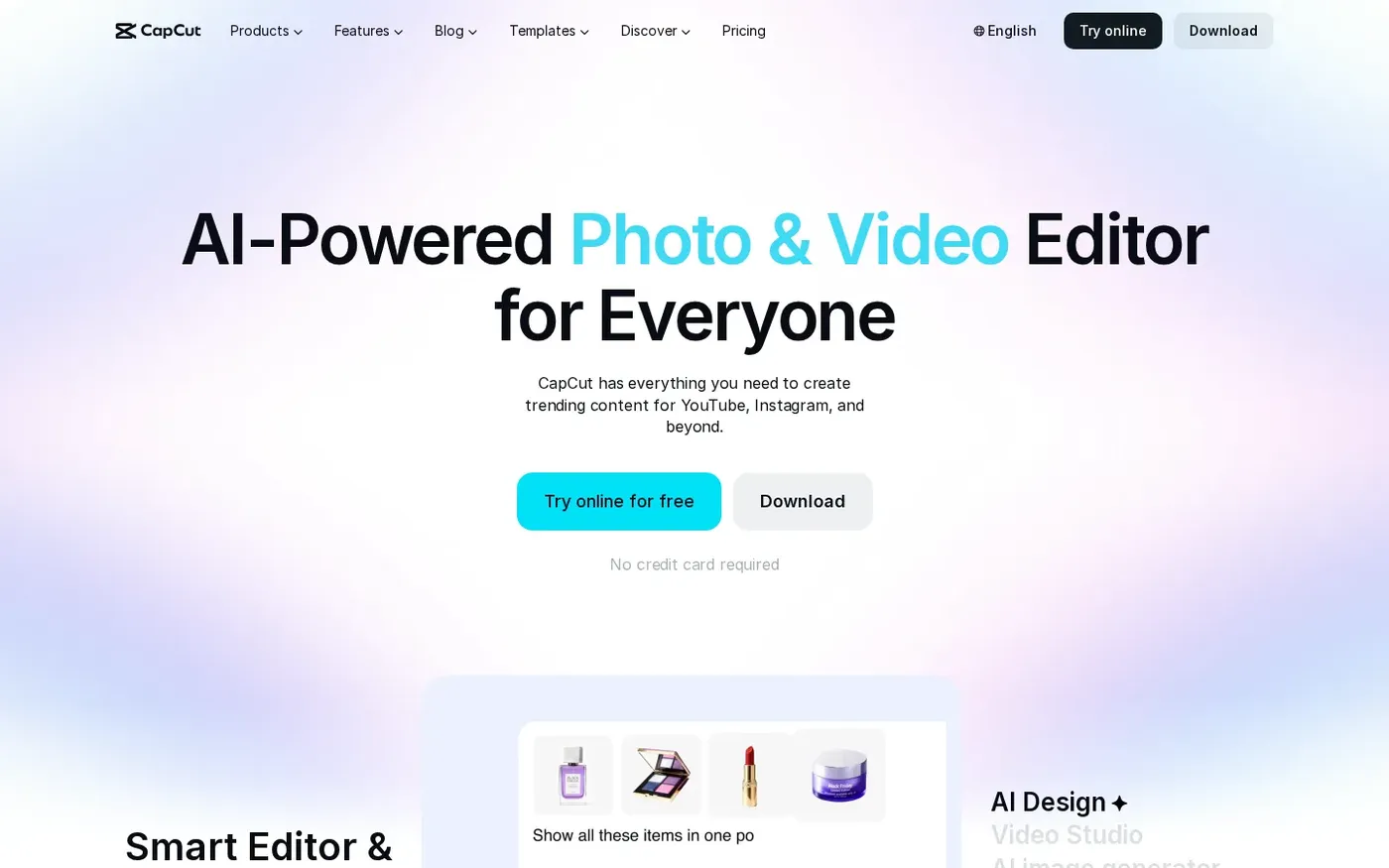
CapCut is a free editor with an online version, templates, and AI helpers, aimed at creators who make short videos for social platforms.
AI video from text, images, or keyframes, Video Studio chat building, AI images, text to speech, noise removal, background removal, and automatic subtitles are all on the list. Plan details can differ by region and platform.
It suits people who want a timeline editor without a per seat bill. Its AI tools are helpers inside an editor rather than prompt first agents.
Key Features
- Online video editor
- AI video generator
- Video Studio chat builder
- AI image generator
- Text to speech
- Automatic subtitles
- Background remover
- Templates for Reels and TikTok
Best For:
- YouTube Shorts makers who trim and caption in minutes.
- Small brands that use templates for quick promos.
- Community managers who need music and subtitles fast.
- Students who are new to video editing.
- Hobbyists who want AI tools without paying first.
- Sellers who often need a clean background.
- Companies that want shared assets through Teams.
CapCut Pros
- Free to Start
A free tier covers daily editing and a first look at the AI features.
- Easy Editor
Cutting clips, adding transitions, and generating subtitles happen in the same place.
- Template Library
Starting points are available for social, Reels, TikTok, and business formats.
- AI Generation Tools
Generation tools for video, images, and speech come with the editor.
- Audio Cleanup
Audio tools such as noise removal and voice enhancement help with rough takes.
- Free Trial for Pro
A 7 day Pro trial is offered to new users where it is available.
CapCut Cons
- Varies by Region and Platform:
What you see can change with your region, device, and the offer of the day.
- Editor First:
The product centers on cutting clips rather than building a talking presenter from text.
- Prices Shown at Sign In:
Final pricing is only shown after you sign in, as the pricing page itself notes.
CapCut Pricing
CapCut has a free plan and paid plans for individuals and teams. The pricing page notes that shown prices are for reference and the final price appears at sign in.
| Plan | Price | What's Included |
|---|---|---|
| Free | $0/month | Everyday editing and a chance to explore the platform |
| Pro | $19.99/month | Advanced editing tools, premium templates, more AI features, 7 day free trial for new users |
| Ultra | $79/month | A broader range of advanced features, templates, and AI models |
| Teams | See pricing page | Shared access for multiple users, Brand Kit for consistent assets |
Pro is the practical upgrade, Ultra covers heavier creative work, and Teams adds shared access with a Brand Kit.
When to Use CapCut?
CapCut is a strong choice if you want a free editor with AI included. If you want agents to draft whole videos from a prompt, a prompt first tool goes further.
3. Runway

Runway is a creative AI platform that generates video, images, and audio from prompts, with its own models and partner models.
Plans include text to speech, music and sound tools, and model choices that spend from one monthly allowance. Characters lets developers build conversational video characters from a single image.
It is for people who want to invent scenes and test the newest models rather than assemble a video on a timeline.
Key Features
- Text to video
- Image to video
- Image generation
- Text to speech
- Music and sound tools
- Partner model access
- Characters for developers
- Team and enterprise plans
Best For:
- Directors testing looks before a shoot.
- Visual artists making stills and short moving pieces.
- Marketing teams creating brand loops.
- Early adopters trying each new video model.
- Creative agencies pitching concepts.
- App developers adding talking video characters.
- Large studios with security needs.
Runway Pros
- Creative Generation
Start from text or an image instead of a camera.
- Model Choice
Its own models are offered next to partner models.
- Images and Audio
The plans also cover images, text to speech, and music and sound.
- Free Plan
New users get a one time deposit on the free plan.
- Rollover on Max
The Max plan carries up to one month of leftover allowance forward.
- Established Platform
The company reports a user base of over 60 million creators.
Runway Cons
- Everything Is Metered:
A shared monthly allowance is spent differently by each model.
- No Rollover on Lower Plans:
Lower tiers lose any unused allowance when the cycle ends.
- Not a Presenter Tool:
A talking presenter from a script is not what it is built for.
Runway Pricing
Runway has a free plan and three paid plans, with lower prices on yearly billing. Each gives a monthly allowance spent across models.
| Plan | Price | What's Included |
|---|---|---|
| Free | $0 | A one time deposit to try the tools |
| Standard | $12/month billed annually, $15 monthly | Monthly allowance for video, image, and audio generation |
| Pro | $28/month billed annually, $35 monthly | A larger monthly allowance for regular creators |
| Max | $76/month billed annually, $95 monthly | The largest allowance, with up to one month of unused rollover |
| Enterprise | Contact sales | Custom plans for companies |
Standard suits occasional use, Pro suits regular creators, and Max suits heavy use and rolls over up to one month.
When to Use Runway?
Runway fits if generation is the main goal and editing is secondary. If you want a timeline plus an AI draft, an editor first tool is closer.
4. Creatify

Creatify turns a product page, app store link, or Shopify link into a video ad. It pulls in the images and text, writes a script, and builds the video with an AI actor.
It lists an actor library, custom avatars on higher plans, AdFlow templates, a model playground, Ad Clone, a competitor ad tracker, an ad agent, over 75 languages, and developer plans.
It suits ecommerce teams and marketers who need ad variations in volume. Higher plans add the agent and tracking tools.
Key Features
- Product link to video
- AI actors
- Custom avatars
- AdFlow templates
- Ad Clone from a URL
- Competitor ad tracker
- Premium model playground
- 75 plus languages
Best For:
- Online stores that want video ads from product pages.
- App marketers working from store links.
- Agencies making many ad variations for clients.
- Marketers who keep an eye on competitor ads.
- Teams that want a managed creative service on top of the software.
- Developers who automate ad videos through developer plans.
- Brands that advertise on Meta and TikTok.
Creatify Pros
- Link to Video Workflow
A product or app link is all you need to start an ad.
- Actor Library
Standard lists 300 AI actors and higher plans list 1,500.
- Ad Tools
Templates, Ad Clone, and the competitor ad tracker cover the ad process on higher plans.
- Premium Models
The model playground opens access to many third party image and video models.
- Multilingual
More than 75 languages are supported.
- Free Plan
A free plan lets you try it, with watermarked exports.
Creatify Cons
- Usage Varies:
Each generation uses an allowance that depends on model, feature, and output, and the cost is shown before you confirm.
- Watermark on Free:
Free plan exports are watermarked.
- Best Tools on Higher Plans:
The ad agent, ad tracker, and Ad Clone sit above the Standard plan.
Creatify Pricing
Creatify has a free plan, individual plans, a Business plan, Enterprise pricing, and developer plans priced separately. Figures below are the monthly prices on its pricing page.
| Plan | Price | What's Included |
|---|---|---|
| Free | $0/month | Watermarked exports, 300 AI actors, a trial of premium models |
| Standard | $10/month | Core creation tools, 300 AI actors, 200 plus templates, watermark removal |
| Pro | $38/month | 1,500 AI actors, 3 custom avatars, Ad Agent, Ad Clone, competitor ad tracker |
| Max | $66/month | Everything in Pro with 3 seats and 3 brand spaces |
| Business | $136/month | 10 seats, 10 brand spaces, team access and control |
| Enterprise | Custom Pricing | Custom agreements, security, and a dedicated account manager |
Standard is the entry plan, Pro unlocks the ad intelligence tools, and Max and Business add seats and brand spaces.
When to Use Creatify?
Choose Creatify if your videos are product ads. For general explainers and edits, a broader editor has more range.
5. Descript

Descript edits video and podcasts through their transcript. You change the words and the recording follows.
It offers Underlord, Studio Sound, filler word removal, eye contact correction, green screen, clip creation, AI Speech with voice clones, and video generation. Higher plans add translation and dubbing.
It works for recorded talk content. It starts from footage you already own instead of a prompt.
Key Features
- Text based video editing
- Underlord AI co editor
- Studio Sound
- Filler word removal
- Eye contact correction
- AI Speech and voice clones
- Screen and remote recording
- Translation and dubbing
Best For:
- Shows and channels that publish interview content.
- Solo creators who film themselves and edit in text.
- Workshop leaders cleaning up recorded sessions.
- Communications teams cutting executive messages.
- Product teams editing demo recordings.
- Creators who want automatic cleanup of ums and silences.
- Teams that standardize on brand templates.
Descript Pros
- Edit by Editing Text
Text based editing means a sentence cut in the transcript is cut in the video.
- Strong Cleanup Tools
Noise cleanup, filler word removal, and eye contact correction come built in.
- Voice Clones and Regeneration
Clone your voice with AI Speech and regenerate a line so audio stays consistent.
- Built In Recording
Recording tools cover both your screen and remote guests.
- Clip Creation
Underlord proposes social clips from longer videos.
- Free Plan to Start
You can begin on the free plan and upgrade later.
Descript Cons
- Usage Limits:
Limits on media processing and AI use apply on all plans.
- Priced Per Person:
Seat based pricing makes larger teams more expensive.
- Edits Existing Footage First:
It is strongest when footage already exists, not when you begin with only a script.
Descript Pricing
Descript has a free plan and three paid plans priced per person, with a discount for annual billing.
| Plan | Price | What's Included |
|---|---|---|
| Free | $0/month | Text based editing and a trial of the AI tools |
| Hobbyist | $16/month billed annually, $24 monthly | Watermark free export, Underlord, AI Speech with custom voice clones and video regenerate |
| Creator | $24/month billed annually, $35 monthly | More usage, generate video with the latest AI models, unlimited stock media, top ups |
| Business | $50/month billed annually, $65 monthly | Brand Studio, translation and dubbing in 30 plus languages, custom avatars from a photo or text, priority support |
| Enterprise | Custom Pricing | Security controls, shared brand guardrails, dedicated support, flexible billing |
Hobbyist is for individuals, Creator adds more usage and AI models, and Business adds brand controls and translation. Prices are per person.
When to Use Descript?
Pick Descript if you record yourself or guests. For prompt driven drafts, a prompt first tool is faster.
6. HeyGen
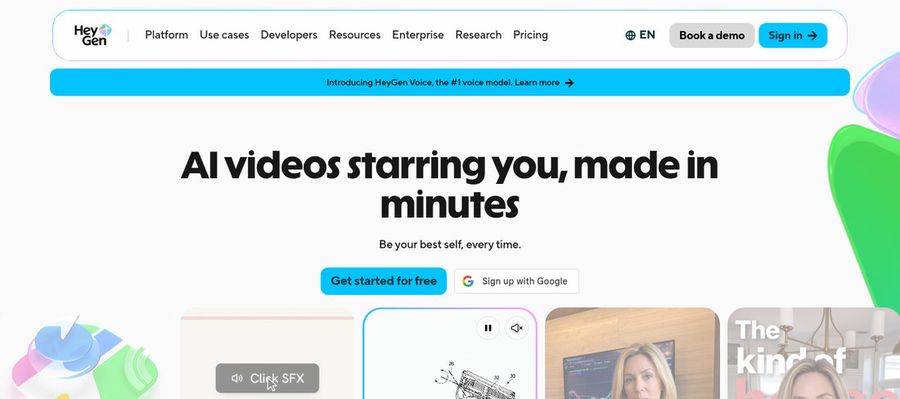
HeyGen produces a talking presenter from your script, so no footage is needed. It is the easiest swap if you only need a person on screen.
It includes ready made presenters, custom video avatars, photo avatars, voice cloning, templates, PowerPoint and PDF import, a video agent, and translation into 175 languages and dialects on paid plans.
It suits marketers, trainers, and sales teams who want a polished presenter. Usage runs on a monthly allowance that depends on the model and the video.
Key Features
- AI presenter avatars
- Custom video avatar
- Photo avatars
- AI voices and voice cloning
- Video translation
- AI video agent
- Templates and PowerPoint import
- Team workspace and brand kit
Best For:
- Brand managers keeping a spokesperson consistent across campaigns.
- Instructional designers who localize courses.
- Customer success teams recording walkthroughs with a host.
- Freelancers producing branded explainers for clients.
- Creators building a repeatable on screen character.
- IT and security teams that need workspace controls.
- Revenue teams personalizing outreach with video.
HeyGen Pros
- Large Presenter Library
The free plan lists over 500 presenters, and paid plans lift that to over 700.
- Custom Avatar With Your Voice
A custom video avatar with your own likeness and voice is available on paid plans.
- Wide Language Coverage
Translation spans more than 175 languages and dialects on paid plans, against over 30 free.
- Translation Controls
On Pro, translated scripts can be checked and edited before release.
- Editor and Templates
More than 75 templates and PowerPoint and PDF import speed up a first draft.
- Team Features
Business adds a shared workspace, brand kit, single sign on, and links to Zapier, HubSpot, Make, and n8n.
HeyGen Cons
- Watermark on the Free Plan:
Videos from the free plan are watermarked.
- Metered Usage:
The monthly allowance shifts with the model and the complexity of the video, so budgeting takes care.
- Seats Cost Extra:
Business charges $20 per month for every added seat.
HeyGen Pricing
HeyGen has a free plan and paid plans for individuals, teams, and large companies, each with a monthly allowance.
| Plan | Price | What's Included |
|---|---|---|
| Free | $0/month | Watermarked videos, access to Avatar IV and Video Agent, one custom video avatar, 500 plus ready made presenters |
| Creator | $29/month | Branding removed, custom video avatar with your own voice, 175 plus languages and dialects |
| Pro | $49/month | Everything in Creator plus faster processing, Cinematic Avatars, and proofreading for translations |
| Business | $149/month plus $20 per seat | Shared workspace, brand kit, single sign on, learning system export, and automation integrations |
| Enterprise | Custom Pricing | Multi workspace control, user provisioning, dedicated customer success manager, custom terms |
Creator is for individuals, Pro adds newer tools, and Business adds shared workspaces and brand controls.
When to Use HeyGen?
HeyGen is a strong choice for script to presenter work. If you want a full timeline and generative scenes, an editor first tool covers more ground.
Best Use Cases of InVideo Alternative
Prompt driven video tools are used for ads, explainers, and social clips. The list below shows where the best InVideo alternatives help most.
Ads and Promo Videos
Marketers want a quick first cut they can refine. Compare how far each tool takes a prompt before you have to step in, as InVideo does with agents.
YouTube Explainers
Explainers need pacing and clear narration. See whether a tool lets you tune each scene.
Presenter Style Videos
If a person must read your script, Zoice generates a Host from your script or audio.
Social Clips
Short clips benefit from fast generation and the right output shape.
Product Showcases
Product videos mix footage, text, and voice. Check stock libraries and brand controls.
Team Projects
Agencies and in house teams need seats and shared projects without constant exports.
Digital Doubles
Some creators want an AI version of themselves for recurring videos.
Image and Video Together
Check whether a plan covers images and video, or whether you need two subscriptions.
How We Compared the Best InVideo Alternative
To find the best InVideo alternatives, we compared each platform on drafting speed, editing control, presenters, voice, price, and team features. We used each vendor's own pricing and feature pages, checked in November 2026.
1. Ease of Use
We checked how quickly a new user gets from a prompt or script to a usable draft.
2. Presenter Options
We compared actor libraries, custom avatar options, and consistency.
3. Voice Options
We looked at built in voices, cloning, and whether you can bring audio.
4. Editing Control
We checked how much you can edit after the first draft, from scenes to captions.
5. AI Generation Tools
We compared the video, image, and speech tools each platform includes.
6. Templates and Formats
We looked at templates and output shapes for different platforms.
7. Pricing and Value
We opened every pricing page and recorded free plans, entry prices, and the features that sit behind higher tiers.
8. Team Features
We looked at per seat pricing, shared projects, and brand controls.
9. Public Information and Reviews
We relied on vendor published pages and favored clear, current statements.
Overall Performance
Finally, we weighed ease of use, presenters, voice, editing control, generation, formats, price, and team features to decide which InVideo alternative suits each kind of creator.
How to Choose the Right InVideo Alternative Before You Pay
Choosing an InVideo alternative depends on how much editing you want and how you like to start a video. Compare the points below before you subscribe.
Decide How Much You Want to Edit
If you like a timeline, pick a tool that includes one. If you want a finished presenter from text, pick a generator.
Check Which Models You Get
Newer video models and agents are often gated by plan, so look at what the tier you can afford includes.
Listen to the Voice
See whether you can clone a voice or upload audio and hear it first.
Compare Seat and Usage Pricing
Some tools charge per seat, others per allowance, and some both. Work out what a month of real use would cost.
Look for a Free Plan
Not every tool lists one, so check before you invest time.
Think About Collaboration
If several people edit, check seat limits and shared projects.
Try the Same Brief
Give two or three tools the same brief and compare drafts side by side.
Frequently Asked Questions
1. What is the best InVideo alternative?
It depends on your work. Zoice is a strong alternative for script to Host videos. CapCut is a free editor with AI tools, Runway generates scenes from prompts, Creatify focuses on ads, Descript edits recordings by editing text, and HeyGen is a broader avatar platform.
2. Why are users looking for InVideo alternatives?
People look for a free plan, a different pricing structure, no per seat pricing, or a tool focused on presenter videos or ads.
3. Is Zoice better than InVideo?
Zoice is a better fit if you want a simple script to Host workflow. InVideo is a better fit if you want AI agents plus a full timeline editor. The right choice depends on how much editing control you need.
4. Which InVideo alternative is best for talking presenter videos?
Zoice is built around this job: write a script or bring audio, choose a Host, and generate the video. HeyGen is also avatar focused, while InVideo, CapCut, and Descript lean toward editing.
5. Which platform is best for voice cloning?
Among the tools here, CapCut, Creatify, Descript, and HeyGen offer voice cloning. Zoice lets you train a voice profile for cloned speech, and paid plans include from 1 to 10 voice profiles.
6. Which InVideo alternative is the cheapest?
Zoice starts at $7.99 per month for avatar videos. InVideo Starter is $10 per seat per month on annual billing, Creatify Standard is $10 per month, Runway Standard is $12 per month on annual billing, and CapCut Pro is shown at $19.99 per month.
7. Can I use AI videos and voices for commercial projects?
Paid plans usually allow commercial use, but terms differ by tool and plan. Descript describes a license for personal or internal business use, so read each vendor's terms before you publish client or advertising work.
8. Do I need editing skills to use these tools?
Not for the generators. With Zoice you choose a Host and a voice, write a script, and set the output. Editors such as InVideo and CapCut offer more control but ask you to learn a timeline.
9. How does Zoice make a talking avatar video?
You choose a Host, then type a script or record or upload audio. Preview the audio, add an optional action prompt for what the Host does on screen, set the output, and generate.
10. What should I consider before choosing an InVideo alternative?
Look at whether a free plan exists, how per seat pricing grows with your team, which models sit on which plan, and how much editing you want. Give two tools the same brief and compare.
11. Do InVideo alternatives offer free plans or trials?
Yes. Zoice, CapCut, Runway, Creatify, Descript, and HeyGen all list free plans. InVideo does not list a free plan on its pricing page.
Conclusion
Choosing the best InVideo alternative depends on whether you want an AI agent with a timeline, a generator for scenes, or a presenter from a script. InVideo is a capable platform, but other tools offer free plans, different pricing, and different strengths.
Zoice stands out when you want a Host to deliver your script. You can build your own avatar character, bring your own audio or train a voice profile, and choose the aspect ratio in the Output setting, starting from $7.99 per month.