InfiniteTalk Alternative Tested, Compared & Ranked

InfiniteTalk Alternative: InfiniteTalk comes from the MeiGen AI team as an open source, audio driven model for dubbing video and animating images, and the InfiniteTalk AI site wraps it with modes for lipsync, talking avatars, singers and talking photos. It appeals to people who want the model's sparse frame control. Others find that driving it means working with Python and PyTorch, or that they need a presenter tool with templates, voices and team features. We compare Zoice, Creatify, Colossyan, HeyGen and Synthesia.
For each tool we checked how a speaker is chosen, where the voice comes from and what happens once the video exists.
Every profile covers features, strengths, limits, plans and the jobs it suits. We took every price from the vendor's own page and flagged what we could not verify.
Quick Comparison of the Best InfiniteTalk Alternative Tools
| Features & Capabilities | Zoice | Creatify | Colossyan | HeyGen | Synthesia |
|---|---|---|---|---|---|
| Quick Comparison | |||||
| Best For | Hosted No Code Avatar Videos | Product Link to Video Ads | Training Videos and Courses | Avatar Presenter Videos | Training and Business Videos |
| AI Presenter Avatars | Yes | Yes | Yes | Yes | Yes |
| Voice Cloning | Yes | Yes | Yes | Yes | Yes |
| Script to Video | Yes | Yes | Yes | Yes | Yes |
| Free Plan | Available | Available | Available | Available | Available |
| Starting Price | $7.99/month | $10/month | Free, then $59/month | $29/month | $19/month |
Best InfiniteTalk Alternative
The best InfiniteTalk alternative depends on whether you want a research model or a finished product. If you like experimenting with audio to video, stay with the model. If you need presenters, voices and exports without a setup, a hosted tool will save time.
Zoice leads because a Host, a voice and the finished video sit in one browser workspace, and action prompts add direction.
Creatify, Colossyan, HeyGen and Synthesia each focus on one audience, as the table above hints.
1. Zoice

In Zoice a Host sits at the centre of the browser workspace, and it can be chosen from the public library, written as a text description or made from an image.
A script, a recording, an uploaded file or a saved voice profile supplies the speech, and each can be previewed first. Action prompts then cue the Host.
Other tools in the account cover chat, images and transcription. The AI talking head video generator page walks through making a presenter.
Key Features
- AI avatar videos from a script
- Custom avatar characters
- Public character library
- Record or upload your own audio
- Voice profiles for cloned speech
- Action prompts for the Host
- AI images and AI videos
- AI chat and transcriptions
Best For:
- Creators who want a presenter video without any filming
- Marketing professionals who produce short product videos for social channels
- Teachers creating a presenter video out of their class notes
- Founders after a consistent Host throughout many videos
- Small companies that require quick announcements and explainers
- Agency teams rolling out videos with a presenter for several clients
Zoice Pros
- Browser Only
No Python or PyTorch is needed because it runs in a browser.
- Speech Sources
You can use scripts, recordings or uploads for speech.
- Host Options
The Host comes from the library, text or an image.
- Voice Profiles
Saved voice profiles keep a voice consistent.
- Action Prompts
Action prompts add direction to the Host.
- Wider Toolkit
Chat, image and transcription tools share the account.
Zoice Cons
- Needs an Internet Connection:
A working internet connection is needed since it is browser based.
- Smaller Public Library:
Zoice has fewer public avatars than the biggest catalogs offer.
Zoice Pricing
Zoice has one free plan, four paid plans and a custom Enterprise tier.
| Plan | Price | What's Included |
|---|---|---|
| Free | $0/month | No cost access to transcription, voice, image and chat tools |
| Starter | $7.99/month | Avatar videos and AI videos, AI Voice and one Voice Profile |
| Basic | $29.99/month | Three Voice Profiles with Starter features |
| Creator | $49.99/month | Five Voice Profiles with Starter features |
| Agency | $89.99/month | Ten Voice Profiles with Starter features |
| Enterprise | Custom Pricing | Custom terms, dedicated support and multi staff access |
Starter is $7.99 monthly, Basic $29.99, Creator $49.99 and Agency $89.99, and annual billing is 20% cheaper.
When to Use Zoice?
Zoice suits people who want a hosted Host and voice without a local model.
2. Creatify

Creatify makes marketing videos from a product link. It combines AI actors, AdFlow templates, Ad Clone, a competitor ad tracker and voiceover in 75 plus languages.
Model playground access and custom avatars sit higher in the plans.
It is aimed at performance marketers.
Key Features
- Product link to video
- AI actors
- Custom avatars
- AdFlow templates
- Ad Clone from a URL
- Competitor ad tracker
- Premium model playground
- 75 plus languages
Best For:
- Shopify merchants transforming listings into ad videos
- Mobile app teams marketing a fresh release
- Agency groups running ad tests for a client list
- Brand teams reviewing what competitors run
- Businesses seeking help from a creative service
- Developers who link ad generation to their own tools
Creatify Pros
- Link Driven
Paste a product link and an ad takes shape.
- Actor Counts
Standard has 300 actors and Pro has 1,500.
- Ad Clone
Ad Clone supports campaign variations.
- Voiceover
Voiceover spans over 75 languages.
- Model Playground
A playground gives access to other models.
- Free Plan
A free plan allows a trial.
Creatify Cons
- Free Watermark:
Watermarks appear on free exports.
- Pro for Ad Tools:
The ad tools such as Ad Agent need Pro.
Creatify Pricing
Creatify has six tiers from Free to Enterprise.
| Plan | Price | What's Included |
|---|---|---|
| Free | $0/month | A premium model trial, 300 actors and watermarked exports |
| Standard | $10/month | Core creation tools, 300 actors, 200 plus templates and no watermark |
| Pro | $38/month | Ad Agent, three custom avatars, 1,500 actors, tracker and Ad Clone |
| Max | $66/month | Pro tools plus three brand spaces and three seats |
| Business | $136/month | Ten seats, ten brand spaces and controls for teams |
| Enterprise | Custom Pricing | Account manager, custom agreements and security options |
Standard costs $10 a month, Pro $38, Max $66 and Business $136.
When to Use Creatify?
Creatify suits advertisers who produce many product videos.
3. Colossyan
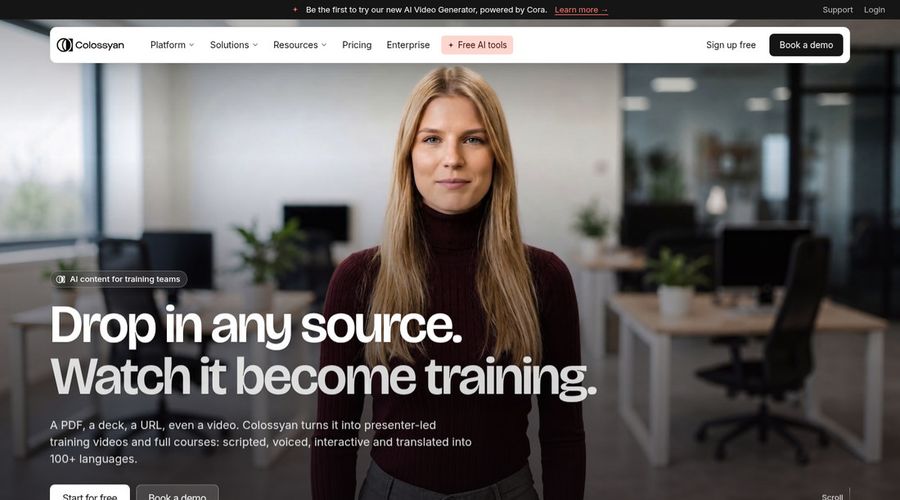
Colossyan is a workplace training tool with interactive videos, brand kits, course creation and a large avatar library of 300 plus avatars and 700 plus voices.
Studio avatars are a $1,000 yearly add on.
It fits learning teams.
Key Features
- AI avatars
- Cloned voices
- Interactive videos
- Course creation
- Export for learning systems
- Brand kits
- Screen recorder
- PowerPoint and PDF import
Best For:
- Enablement teams updating product training
- Consultants making client training material
- Enterprises needing security reviews and data residency
- Anyone converting slides into narrated lessons
- Learning teams turning documents into video courses
- Human resources teams creating onboarding content
Colossyan Pros
- Interactive Videos
Interactive videos suit training.
- Course Creation
Courses can be built inside the tool.
- Brand Kits
Brand kits keep a consistent look.
- Free Starter
Starter is free and includes the full avatar library.
- Learning Export
Professional exports for learning systems.
- Voice Count
Over 700 voices are listed.
Colossyan Cons
- Avatar Add On:
Studio avatars cost an extra $1,000 per year.
- Training Focus:
It is built for training, not for audio driven dubbing.
Colossyan Pricing
Colossyan has Starter, Professional and Enterprise.
| Plan | Price | What's Included |
|---|---|---|
| Starter | Free | Interactive videos, brand kits, courses and the full avatar library |
| Professional | $59/month billed annually | Up to three editors, learning exports, no watermark and AI images |
| Enterprise | Custom Pricing | Branded avatars, analytics, SSO, every feature and a success manager |
Professional is $59 per month when billed yearly.
When to Use Colossyan?
Colossyan suits companies that turn procedures into courses.
4. HeyGen
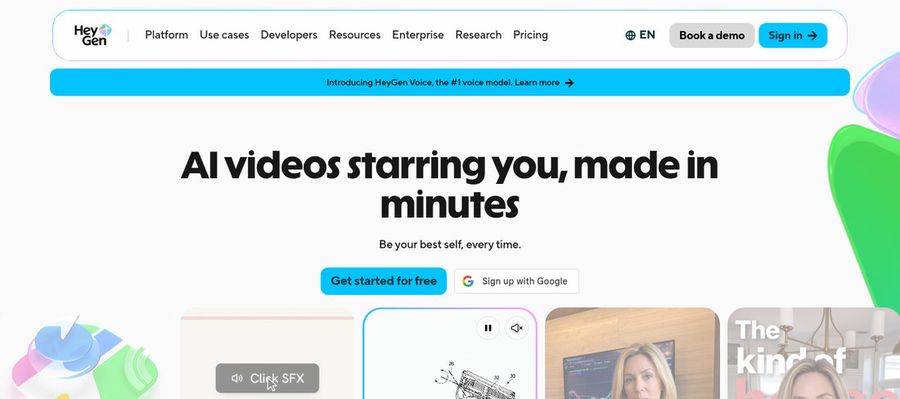
HeyGen is a presenter video product with a free tier of 500 plus presenters, photo avatars, voice cloning, translation, templates and PowerPoint or PDF import.
Teams can use a shared workspace and brand kit on Business.
It is broad and widely used.
Key Features
- AI presenter avatars
- Custom video avatar
- Photo avatars
- AI voices and voice cloning
- Video translation
- AI video agent
- Templates and PowerPoint import
- Team workspace and brand kit
Best For:
- Marketing professionals who would like a face for every campaign
- Course teams who translate lessons for new regions
- Support groups bringing a presenter into help content
- Agency staff producing branded explainers on request
- Solo content creators looking for a recurring character
- Large companies who need single sign on
- Salespeople who would like personal video at scale
HeyGen Pros
- Presenter Library
Free users see 500 plus presenters.
- Custom Avatar
A custom avatar can speak in your voice on paid plans.
- Languages
Over 175 languages and dialects are available on paid plans.
- Proofreading
Pro proofreads translations.
- Business Controls
Business offers SSO and a shared workspace.
- Integrations
Integrations connect with automation tools.
HeyGen Cons
- Free Branding:
Free videos carry HeyGen branding.
- Seat Cost:
Business seats are $20 each beyond the base.
- Plan Steps:
Pricing steps up quickly between plans.
HeyGen Pricing
HeyGen lists a Free tier ahead of Creator, Pro, Business and Enterprise.
| Plan | Price | What's Included |
|---|---|---|
| Free | $0/month | Avatar IV, Video Agent, 500 plus presenters, watermark, one custom avatar |
| Creator | $29/month | Custom avatar with your voice, 175 plus languages, no branding |
| Pro | $49/month | Creator features plus translation proofreading |
| Business | $149/month plus $20 per seat | SSO, learning export, shared workspace, integrations and brand kit |
| Enterprise | Custom Pricing | Bespoke terms, control across workspaces, user provisioning and a success manager |
Creator is $29 monthly, Pro $49, and Business $149 plus $20 per seat.
When to Use HeyGen?
HeyGen suits teams that localise presenter videos.
5. Synthesia
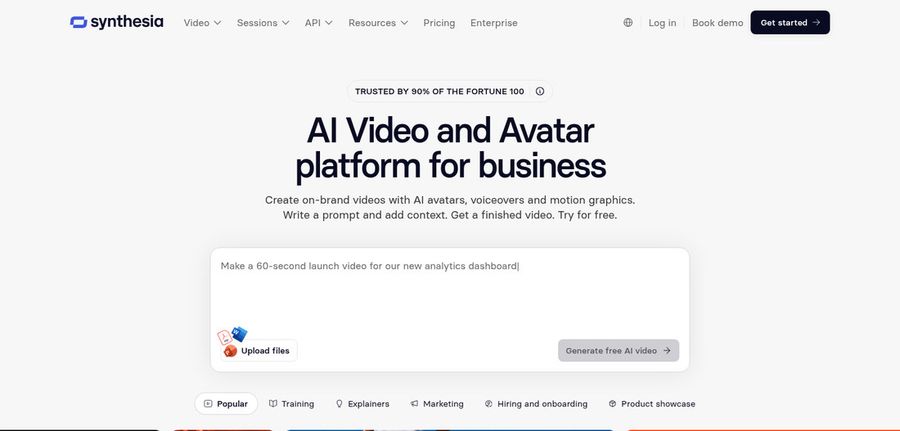
Synthesia produces avatar videos for business and training, with 125 plus avatars on Starter, 180 plus on Pro and 240 plus on Enterprise.
Templates, guests and personal avatars grow with the plan.
It is a polished option for corporate content.
Key Features
- AI avatars
- Personal avatars
- Voice cloning
- AI dubbing
- Syren AI video agent
- PowerPoint import
- Bulk personalization
- AI screen recorder
Best For:
- Instructional groups that release learning content routinely
- Employee experience teams producing welcome videos
- Revenue teams refreshing product training routinely
- Enterprises that take training into lots of languages
- Internal comms teams that release updates out of slides
- Marketing teams after customized video for each prospect
Synthesia Pros
- Avatar Tiers
Avatar counts rise by plan.
- Templates
Templates give you a head start.
- Personal Avatars
Personal avatars arrive on Pro.
- Guests
Guests can join the workspace.
- Enterprise Controls
Enterprise adds SSO and learning export.
- Free Basic
Basic is free for a first test.
Synthesia Cons
- Basic Watermark:
Basic videos are watermarked.
- Enterprise Only:
Unlimited personal avatars are reserved for Enterprise.
Synthesia Pricing
Synthesia has Basic, Starter, Pro and Enterprise.
| Plan | Price | What's Included |
|---|---|---|
| Basic | $0/month | Templates and watermarked videos |
| Starter | $19/month | Downloads, 125 plus avatars and three guests |
| Pro | $89/month | Five guests and five personal avatars, with a 180 plus avatar catalog |
| Enterprise | Custom Pricing | Success manager, unlimited personal avatars, 240 plus avatars, SSO and learning export |
Starter costs $19 a month and Pro costs $89.
When to Use Synthesia?
Synthesia suits corporate teams that publish training videos.
Best Use Cases of InfiniteTalk Alternative
These are jobs where a dubbing model needs a full workspace behind it.
Educational Content
For a spokesperson, a Host in Zoice reads your script, and HeyGen offers a presenter library.
Music and Singing Projects
For a lesson, Colossyan builds interactive courses.
Customer Support Videos
For an ad, Creatify drafts a video from a product link.
Podcast and Audio Teasers
For an internal update, Synthesia offers templates and avatars.
Storytelling and Animation
For a song, a Host in Zoice can lip sync your upload.
Event Invitations
For a podcast, a Zoice Host opens each episode with your audio.
Social Media Posts
For a story, a Host in Zoice stays the same across scenes.
Training and Onboarding
For a launch, a Host in Zoice can announce the news.
How We Compared the Best InfiniteTalk Alternative
InfiniteTalk is a model with a thin product layer, so we compared the hosted options on ten points of what you need around the model.
Ease of Use
We checked whether each tool works with no local setup.
Input Options
We noted if a script, audio or a link starts the video.
Voice and Audio
We recorded where voices come from.
Character Options
We checked if the speaker returns in later videos.
Customisation
We looked at editors, templates and brand kits.
Pricing Transparency
Prices come only from vendor pages.
Free Plan Access
We noted free plans and watermarks.
Platform Fit
We recorded API access and team plans.
Support and Learning Material
We scanned vendor help pages.
Overall Performance
Each verdict links a tool to the work it handles best.
How to Choose the Right InfiniteTalk Alternative Before You Pay
Use this list to settle between running a model and using a tool.
Define Your Input
Decide whether you want to manage your own setup.
Test the Free Option
Look for free plans and watermarks.
Check the Voice Options
Decide where voices come from.
Look at Character Control
Confirm the speaker can be reused.
Read the Plan Details
Read plan tables for what unlocks.
Think About Where You Work
Check for browser, API and team access.
Plan for Growth
Check seat costs before inviting others.
Frequently Asked Questions
1. What is the best InfiniteTalk alternative?
Zoice is our first pick when you want a hosted result. Creatify, Colossyan, HeyGen and Synthesia fit narrower jobs.
2. Why look for an InfiniteTalk alternative?
People leave model based tools when they want presenters, voices and exports in one place without Python.
3. Is Zoice free to try?
A free plan covers transcription, voice, image and chat, and avatar videos begin at Starter for $7.99 a month.
4. Can I use my own audio with Zoice?
Yes. Record in the browser or upload a file, then preview it.
5. Can I create my own character in Zoice?
Yes. Write a description, upload an image or choose from the library.
6. What are action prompts?
They are brief cues that give the Host something to act out.
7. Does Zoice work in the browser?
Yes. Everything runs in the browser, so no local model is needed.
8. How does Creatify compare?
HeyGen is the closest for presenter videos, and Zoice adds a Host you can direct.
9. Which tool suits beginners?
Free plans exist for Zoice, Creatify, Colossyan, HeyGen and Synthesia.
10. Can I use these tools for business videos?
Yes. Companies can use any paid plan, and Enterprise brings support with multi staff access.
11. How should I test these tools?
Give each tool the same short audio and compare the videos.
Conclusion
InfiniteTalk is interesting as an audio driven model, but production work usually needs voices, presenters and exports around it. The hosted tools above fill that in differently.
Zoice is a quick test with your own recording on a Host. Use a free account first, then Starter for avatar videos.