Hallo Alternative Tested, Compared & Ranked

Hallo Alternative: Hallo is an open source portrait animation project from Fudan University, released under the MIT licence with inference and training code and tested on A100 GPUs. Developers like that it can be inspected, changed and trained. People who just want a speaker on screen face a different reality, with GPU hardware, dependency installs and weights to manage. We compare Zoice, Synthesia, VEED, HeyGen and Elai.io, all hosted.
Our checks covered what each tool needs from you, how a face is chosen and how voices arrive.
Each tool gets features, strengths, limits, plans and a line on who it fits. Prices come from vendor pages, with unconfirmed items labelled.
Quick Comparison of the Best Hallo Alternative Tools
| Features & Capabilities | Zoice | Synthesia | VEED | HeyGen | Elai.io |
|---|---|---|---|---|---|
| Quick Comparison | |||||
| Best For | Hosted No Code Avatar Videos | Training and Business Videos | Browser Video Editing With Subtitles | Avatar Presenter Videos | Presenter Videos From Text |
| AI Presenter Avatars | Yes | Yes | Yes | Yes | Yes |
| Voice Cloning | Yes | Yes | Not confirmed | Yes | Enterprise plan |
| Script to Video | Yes | Yes | Yes | Yes | Yes |
| Free Plan | Available | Available | Available | Available | Available |
| Starting Price | $7.99/month | $19/month | $12/user/month billed annually | $29/month | $23/month billed annually |
Best Hallo Alternative
The best Hallo alternative depends on whether the code itself matters to you. Researchers and tinkerers can stay with the repository. Anyone who needs finished videos without a GPU is better off with a hosted product.
Zoice leads because the Host, the voice and the export all live in a browser workspace, with action prompts for direction.
Synthesia, VEED, HeyGen and Elai.io each serve a narrower audience, as the table above suggests.
1. Zoice

Zoice puts a Host in the middle of a browser based workspace. Select a public Host, write a description or turn an image into one.
The Host speaks from a typed script, a recording, an uploaded file or a saved voice profile, and each option has a preview. Action prompts let you direct what happens.
For a quick look at presenter creation, read the AI talking head video generator page.
Key Features
- AI avatar videos from a script
- Custom avatar characters
- Public character library
- Record or upload your own audio
- Voice profiles for cloned speech
- Action prompts for the Host
- AI images and AI videos
- AI chat and transcriptions
Best For:
- Small companies that need quick announcements and explainers
- Agency groups creating presenter videos for several clients
- Teams that keep AI images, videos, and avatar videos in a single account
- Users who would rather have writing a script to learning a timeline editor
- Content creators looking for a presenter video without filming
- Marketing professionals making short product videos for social feeds
Zoice Pros
- No Hardware
No GPU or install is required.
- Speech Inputs
Hallo style speech can be typed, recorded or uploaded.
- Host Starts
A Host starts from a photo, text or the library.
- Voice Profiles
Voice profiles preserve a chosen voice.
- Steering
Action prompts steer the Host.
Zoice Cons
- Needs an Internet Connection:
Browser use means you must be online.
- Smaller Public Library:
Zoice offers a smaller set of public avatars than the biggest libraries.
Zoice Pricing
Zoice begins with a free plan and moves through four paid plans to Enterprise.
| Plan | Price | What's Included |
|---|---|---|
| Free | $0/month | Transcription, voice, image and chat tools with no fee |
| Starter | $7.99/month | Avatar and AI videos, plus AI Voice and one Voice Profile |
| Basic | $29.99/month | Starter plus a bundle of three Voice Profiles |
| Creator | $49.99/month | Starter plus a bundle of five Voice Profiles |
| Agency | $89.99/month | Starter plus a bundle of ten Voice Profiles |
| Enterprise | Custom Pricing | Enterprise terms with dedicated support and multi staff access |
Monthly rates are $7.99 for Starter, $29.99 for Basic, $49.99 for Creator and $89.99 for Agency, and annual billing saves 20%.
When to Use Zoice?
Zoice suits people who want the Hallo style result without owning a GPU.
2. Synthesia
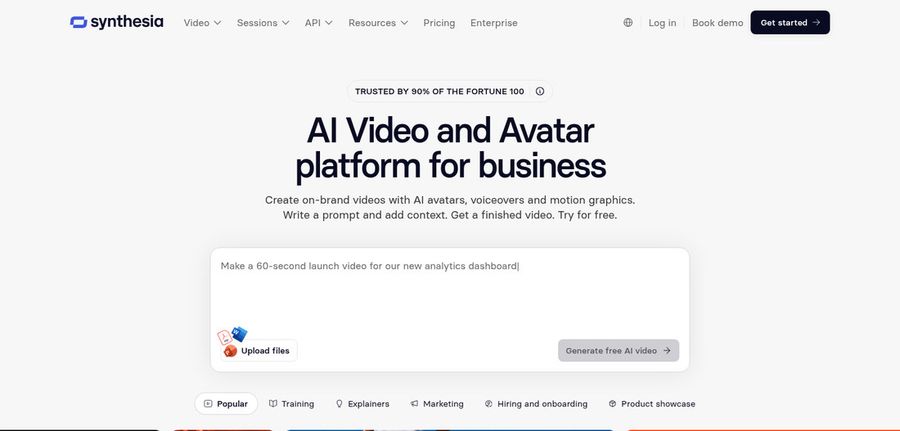
Synthesia is an avatar video product for business and training teams. The catalog counts are 125 plus avatars on Starter, 180 plus on Pro and 240 plus on Enterprise.
Templates, guests and personal avatars grow with each plan.
Companies that standardise their video use it often.
Key Features
- AI avatars
- Personal avatars
- Voice cloning
- AI dubbing
- Syren AI video agent
- PowerPoint import
- Bulk personalization
- AI screen recorder
Best For:
- Compliance training managers who need repeatable course videos
- Human resources teams creating onboarding walkthroughs
- Sales enablement teams keeping product training up to date
- Global companies dubbing videos with AI
- Operations teams turning slides into voiced videos
- Marketing professionals delivering customized videos from a spreadsheet
Synthesia Pros
- Avatar Range
Avatar choice grows from 125 plus to 240 plus.
- Templates
Templates give you a running start.
- Personal Avatars
Personal avatars are part of Pro.
- Guests
Guests can be invited to the workspace.
- Enterprise Tools
Enterprise offers SSO and learning export.
- Free Basic
A free Basic plan allows a first test.
Synthesia Cons
- Basic Watermark:
Basic videos carry a watermark.
- Enterprise Only:
Unlimited personal avatars are for Enterprise.
Synthesia Pricing
Synthesia has Basic, Starter, Pro and Enterprise.
| Plan | Price | What's Included |
|---|---|---|
| Basic | $0/month | Prebuilt templates and watermarked videos |
| Starter | $19/month | Downloads, 125 plus avatars and three guests |
| Pro | $89/month | Five guests, five personal avatars and a 180 plus avatar library |
| Enterprise | Custom Pricing | A success manager, unlimited personal avatars, 240 plus avatars, SSO and learning export |
Monthly, Starter costs $19 and Pro costs $89.
When to Use Synthesia?
Synthesia suits teams that publish regular internal training.
3. VEED

VEED edits video in the browser, with automatic subtitles, translation and dubbing, a recorder, brand templates, text to video and AI avatars.
Everything is priced per user.
Its strength is finishing, not generating from scratch.
Key Features
- Online video editor
- Automatic subtitles
- Translation and dubbing
- AI avatars
- Recording of your screen and webcam
- Brand templates
- Text to video
- Team workspaces
Best For:
- Marketers editing webinars and product demos
- Teachers handling lesson recording and editing
- Teams that bring one video to various markets in translation
- Creators after an editor in a browser
- Agencies who require custom templates for clients
- Business owners producing straightforward explainer videos
VEED Pros
- Online Edits
Edits happen online without installs.
- Subtitles
Auto subtitles come with paid plans.
- Pro Features
Pro adds dubbing, translation and avatars.
- Recorder
The recorder covers screen and webcam.
- Brand Work
Studio has brand templates.
- Text to Video
Text to video is available.
VEED Cons
- Per User Billing:
Each user is billed separately.
- Not Presenter First:
Presenter creation from a script is not the focus.
VEED Pricing
VEED offers Free, Creator, Pro and Studio before its custom Enterprise deal.
| Plan | Price | What's Included |
|---|---|---|
| Free | $0/month | Core editing with branded exports |
| Creator | $12/user/month billed annually, $22 monthly | Unwatermarked exports and unlimited auto subtitles |
| Pro | $22 to $24/user/month billed annually, $47 monthly | Creator features plus dubbing, translation and avatars |
| Studio | $39/user/month billed annually, $76 monthly | See vendor pricing page |
| Enterprise | Custom Pricing | Custom plans via sales |
On annual billing Creator is $12 per user monthly, Pro runs $22 to $24 and Studio is $39.
When to Use VEED?
VEED suits people who polish footage with captions and templates.
4. HeyGen
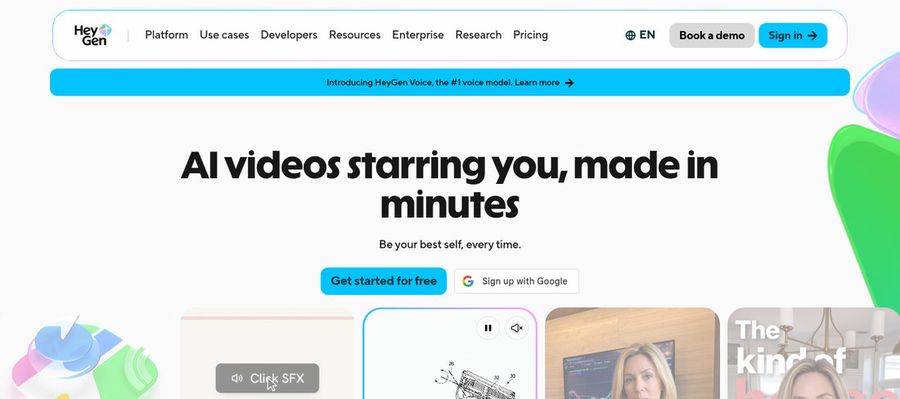
HeyGen offers presenter videos from a free tier with 500 plus presenters, plus photo avatars, voice cloning, translation, templates and PowerPoint or PDF import.
Business adds teamwork features such as a shared workspace and a brand kit.
It is probably the most familiar hosted name on this list.
Key Features
- AI presenter avatars
- Custom video avatar
- Photo avatars
- AI voices and voice cloning
- Video translation
- AI video agent
- Templates and PowerPoint import
- Team workspace and brand kit
Best For:
- Consultants creating a branded explainer for each client
- Creators building a recurring on screen character
- Enterprise teams that need workspace and sign in controls
- Sales teams adding a personal face to cold outreach
- Product marketers who want a presenter in every launch video
- Trainers localizing a course for several regions
HeyGen Pros
- Free Presenters
Free presenters number over 500.
- Photo Avatars
Photo avatars begin with one image.
- Custom Avatar
Paid custom avatars can use your voice.
- Languages
More than 175 languages and dialects appear on paid plans.
- Proofreading
Pro helps proofread translated scripts.
- Integrations
Business links to automation tools.
HeyGen Cons
- Free Branding:
The free tier adds HeyGen branding.
- Seat Cost:
Extra Business seats are $20 each.
HeyGen Pricing
HeyGen plans run Free, Creator, Pro, Business and finally Enterprise.
| Plan | Price | What's Included |
|---|---|---|
| Free | $0/month | 500 plus presenters, Avatar IV, Video Agent, branding and one custom avatar |
| Creator | $29/month | Removes branding, adds 175 plus languages and a custom avatar in your voice |
| Pro | $49/month | Creator plus proofreading for translations |
| Business | $149/month plus $20 per seat | Workspace sharing, brand kit, SSO, integrations and learning export |
| Enterprise | Custom Pricing | Custom terms, user provisioning, success manager and multi workspace control |
Creator is $29 each month, Pro is $49, and Business starts at $149 with $20 for each extra seat.
When to Use HeyGen?
HeyGen suits marketers who translate presenter videos.
5. Elai.io

Elai.io converts a script into a presenter video with avatar and voice libraries, translation and a brand kit.
There is a free plan for one user, and Team adds three editors and three guests.
Custom avatars and cloned voices are reserved for the Enterprise plan.
Key Features
- AI presenter avatars
- Text to video
- Avatar libraries
- Voice libraries
- Translation into many languages
- Custom avatars on Enterprise
- Cloned voices on Enterprise
- Brand kit
Best For:
- Teachers that require lessons with a presenter
- Enterprise teams after cloned voices and custom avatars
- Teams requiring a brand kit and shared workspaces
- Anyone comparing avatar tools before committing
- Customer support teams making how to videos
- Trainers who produce videos with a presenter from text
Elai.io Pros
- Script to Video
Scripts become presenter videos.
- Free Plan
One user can start free.
- Libraries
Avatar and voice libraries ship with it.
- Translation
Translation covers many languages.
- Team Seats
Team gives three editors and three guests.
- Enterprise Features
Enterprise offers a brand kit and SSO.
Elai.io Cons
- Quick Test:
Free access only suits a quick test.
- Team Price:
Team is priced far above Creator.
- Enterprise Gate:
Enterprise is the gate for clones and custom avatars.
Elai.io Pricing
Elai.io has Free, Creator, Team and Enterprise.
| Plan | Price | What's Included |
|---|---|---|
| Free | $0/month | A single user with sample avatars and languages |
| Creator | $29/month, or $23/month billed annually | One seat with every avatar and voice |
| Team | $125/month, or $100/month billed annually | Three editors with three guests, along with premium voices and custom assets |
| Enterprise | Custom Pricing | Workspaces, translation, unlimited users, brand kit, voice clones, SSO and custom avatars |
Creator is $29 monthly, or $23 when billed annually, and Team is $125 or $100.
When to Use Elai.io?
Elai.io suits teams that produce presenter videos from text.
Best Use Cases of Hallo Alternative
These are jobs where repository code gets in the way of delivery.
Social Media Posts
For a spokesperson, a Host in Zoice speaks your script with no GPU.
Training and Onboarding
For corporate training, Synthesia offers templates and personal avatars.
Educational Content
For polished edits, VEED adds subtitles and brand templates.
Music and Singing Projects
For multilingual updates, HeyGen translates presenter videos.
Customer Support Videos
For small team lessons, Elai.io makes videos from scripts.
Podcast and Audio Teasers
For a song, give a Host in Zoice the audio and it lip syncs.
Storytelling and Animation
For a podcast, a Zoice Host introduces each episode.
Event Invitations
For news, a Host in Zoice presents the update.
How We Compared the Best Hallo Alternative
Hallo is code you run yourself, so we compared the hosted alternatives on ten points of what they take off your plate.
Ease of Use
We counted how much setup stands between you and a first video.
Input Options
We noted whether a photo, text or audio starts the speaker.
Voice and Audio
We recorded where voices come from.
Character Options
We checked whether the speaker can be reused.
Customisation
We reviewed the editors, templates and brand kits each tool brings.
Pricing Transparency
Prices come only from vendor pages.
Free Plan Access
We noted free plans and watermarks.
Platform Fit
We wrote down browser use, any API and team plan details.
Support and Learning Material
We scanned vendor help pages.
Overall Performance
Each verdict explains what a Hallo user would use that tool for.
How to Choose the Right Hallo Alternative Before You Pay
Decide between running Hallo and paying for a hosted tool.
Define Your Input
Decide whether you want to manage GPUs and weights.
Test the Free Option
Check for free plans and watermarks.
Check the Voice Options
Decide how voices will arrive.
Look at Character Control
Confirm the speaker can return.
Read the Plan Details
Read the plan tables for limits.
Think About Where You Work
Check for browser, API and team access.
Plan for Growth
Check per seat costs.
Frequently Asked Questions
1. What is the best Hallo alternative?
Zoice is our first pick when you want hosted results. Synthesia, VEED, HeyGen and Elai.io fit narrower needs.
2. Why look for a Hallo alternative?
People move on from repositories when they want to skip GPUs, installs and model weights.
3. Is Zoice free to try?
Zoice has a free plan with transcription, voice, image and chat tools, while avatar videos begin on Starter at $7.99 a month.
4. Can I use my own audio with Zoice?
Yes. Record in the browser or upload audio and preview it.
5. Can I create my own character in Zoice?
Yes. Use an image, a description or the public library.
6. What are action prompts?
They work as quick cues for the Host's actions.
7. Does Zoice work in the browser?
Yes. Everything runs in the browser, so no GPU is needed.
8. How does Synthesia compare?
HeyGen is the closest hosted presenter tool, while Zoice adds a Host you can direct.
9. Which tool suits beginners?
Zoice, VEED, HeyGen and Elai.io each offer a free plan, and Synthesia has a free Basic plan.
10. Can I use these tools for business videos?
Yes. Businesses can use any paid plan, and Enterprise adds support and multi staff access.
11. How should I test these tools?
Give each tool one photo and one recording and compare.
Conclusion
Hallo is a solid open source project for people who want to work with the code. When the goal is a finished video, the hosted tools above remove the setup.
Zoice is a quick way to test with your own recording. A free account gets you voice and image tools, and Starter brings in avatar videos.