Gemelo Alternative Tested, Compared & Ranked

Gemelo Alternative: Gemelo makes an AI twin of you from one photo and a cloned voice, then turns a script or an idea into a captioned LinkedIn video. You see the price first, nothing renders until you approve, and the output is labelled AI generated. It also offers synthetic avatars. The scope is narrow by design, which suits a LinkedIn habit but not every team. This guide compares Zoice, Arcads, Colossyan, Synthesia and VEED for people who want avatar video beyond one feed.
For each tool we asked how a face enters, how a voice is supplied and what the workflow looks like after the first video.
Each Gemelo alternative gets features, strengths, limits, plans and fit. We took prices from vendor pages and flagged the gaps.
Quick Comparison of the Best Gemelo Alternative Tools
| Features & Capabilities | Zoice | Arcads | Colossyan | Synthesia | VEED |
|---|---|---|---|---|---|
| Quick Comparison | |||||
| Best For | Avatar Videos in One Account | Creator Style Video Ads | Training Videos and Courses | Training and Business Videos | Browser Video Editing With Subtitles |
| AI Presenter Avatars | Yes | Yes | Yes | Yes | Yes |
| Voice Cloning | Yes | Not confirmed | Yes | Yes | Not confirmed |
| Script to Video | Yes | Yes | Yes | Yes | Yes |
| Free Plan | Available | Trial only | Available | Available | Available |
| Starting Price | $7.99/month | About $110/month | Free, then $59/month | $19/month | $12/user/month billed annually |
Best Gemelo Alternative
The best Gemelo alternative depends on whether you post as yourself or run a broader video program. Gemelo is tuned to a founder or professional showing up on LinkedIn. Ads, training and editing call for other tools.
Zoice leads for Gemelo users who want a Host, a saved voice and cues in one browser workspace that is not tied to one network.
Arcads, Colossyan, Synthesia and VEED cover ads, courses, company training and editing with subtitles.
1. Zoice

Zoice runs in the browser and puts a Host on screen as the speaker. Take a public Host, describe a new one or begin with an image.
Speech can be typed, recorded, uploaded or loaded from a saved voice profile, and you can preview it before you render. Action prompts guide the Host.
Gemelo users who like the twin idea can try the AI avatar generator page.
Key Features
- AI avatar videos from a script
- Custom avatar characters
- Public character library
- Record or upload your own audio
- Voice profiles for cloned speech
- Action prompts for the Host
- AI images and AI videos
- AI chat and transcriptions
Best For:
- Marketers making product explainers and social media videos
- Educators who want teaching notes delivered by a presenter on video
- Business owners who want a dependable Host throughout many videos
- Sales teams who make short outreach videos from a script
- Agency staff rolling out videos with a presenter for several clients
- Small businesses who need quick notices and explainers
Zoice Pros
- Host Sources
Library, image or prompt creates a Host.
- Speech Inputs
Speech can be typed, recorded or uploaded.
- Saved Voice
Voice profiles store a voice.
- Cues
Action prompts add direction.
- Lip Sync
Lip sync follows uploaded audio.
Zoice Cons
- Needs an Internet Connection:
You need an internet connection.
- Smaller Public Library:
Its public avatar library is smaller.
Zoice Pricing
Zoice starts free, adds four paid steps and ends with Enterprise.
| Plan | Price | What's Included |
|---|---|---|
| Free | $0/month | Free transcription, voice, images, chat |
| Starter | $7.99/month | Avatar videos, AI videos, AI Voice and a first Voice Profile |
| Basic | $29.99/month | Three Voice Profiles |
| Creator | $49.99/month | Five Voice Profiles |
| Agency | $89.99/month | Ten Voice Profiles |
| Enterprise | Custom Pricing | Support, setup, multi staff access |
For a professional leaving Gemelo, paid Zoice plans run $7.99, $29.99, $49.99 and $89.99 monthly, with 20% off yearly.
When to Use Zoice?
Zoice suits Gemelo users who want to publish beyond one feed.
2. Arcads

Arcads produces ads in a creator voice using AI actors, plus a studio of workflows, audio led generation and an agent that helps write scripts.
No public plan page exists. The figures below come from its help centre as list prices.
It is built for advertisers, not for personal branding.
Key Features
- AI actors
- Script to video ads
- Studio and workflows
- AI agent for scripts
- Audio driven generation
- Video model access
- Custom actors on Pro
Best For:
- Agency groups carrying out ad tests for a range of clients
- Founders after ads without hiring creators
- Groups who need both custom actors and team seats
- Advertisers across Meta and short video platforms
Arcads Pros
- AI Actors
AI actors star in ads.
- Script Start
Scripts become ads.
- Studio
A studio holds workflows.
- Script Agent
An agent helps with scripts.
- Audio Driven
Audio can drive a take.
Arcads Cons
- No Public Pricing:
No public pricing page exists.
- Ads Only:
Ads are its only focus.
- High Entry:
Entry is about $110 monthly.
Arcads Pricing
Arcads has no public price page, so treat these as reported list prices and verify in the app.
| Plan | Price | What's Included |
|---|---|---|
| Trial | Card required | Card required |
| Starter | About $110/month | Reported about $110 monthly |
| Creator | About $220/month | Reported about $220 monthly |
| Pro | About $550/month | Reported about $550 monthly |
| Scale and Business | See in app | See in app |
| Enterprise | Custom Pricing | Via sales |
Reported prices are about $110, $220 and $550 each month for Starter, Creator and Pro.
When to Use Arcads?
Arcads suits Gemelo users who move into paid ads.
3. Colossyan
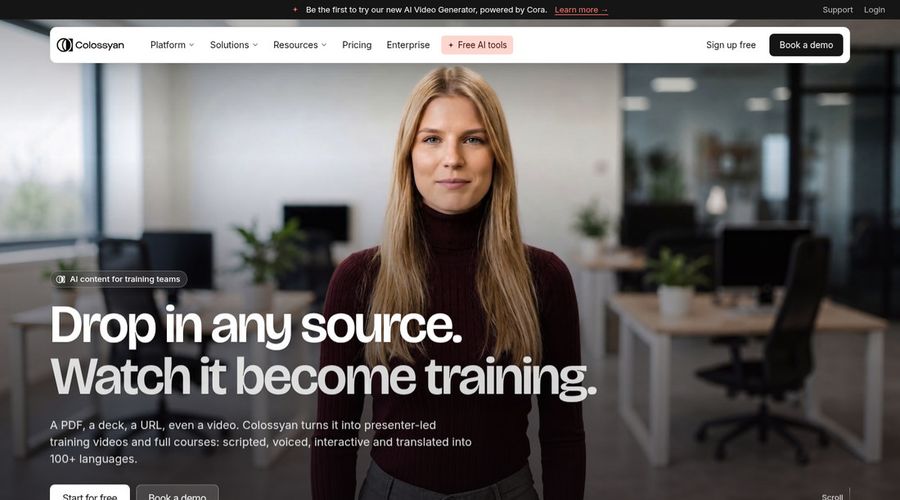
Colossyan is a training platform where avatars sit beside a course builder and interactive quizzes.
It lists 300 plus avatars, 700 plus voices and localisation into 120 plus languages, with PowerPoint and PDF import.
A green screen studio avatar is a $1,000 per year add on.
Key Features
- AI avatars
- Cloned voices
- Interactive videos
- Course creation
- Export for learning systems
- Brand kits
- Screen recorder
- PowerPoint and PDF import
Best For:
- Training leads who would like quizzes inside a video
- Companies that localize training for multiple regions
- Enablement teams renewing product training
- Consultants who prepare learning material for clients
- Large organizations that require security reviews and data residency
- Training teams converting documents into courses
Colossyan Pros
- Quizzes
Quizzes sit in the video.
- Course Builder
A course builder is built in.
- Avatar List
Over 300 avatars are listed.
- Localisation
Localisation passes 120 languages.
- Learning Export
Exports suit learning systems.
- Document Import
Slides and PDFs import.
Colossyan Cons
- Free Watermark:
Watermark removal needs a paid plan.
- Editor Cap:
Professional lists three editors.
Colossyan Pricing
Colossyan sells Starter, Professional and Enterprise.
| Plan | Price | What's Included |
|---|---|---|
| Starter | Free | Free trial with the avatar library |
| Professional | $59/month billed annually | No watermark, learning exports, three editors |
| Enterprise | Custom Pricing | Security reviews, data residency, custom terms |
Professional costs $59 monthly on annual billing, a different scale from a personal LinkedIn tool.
When to Use Colossyan?
Colossyan suits Gemelo users building courses.
4. Synthesia
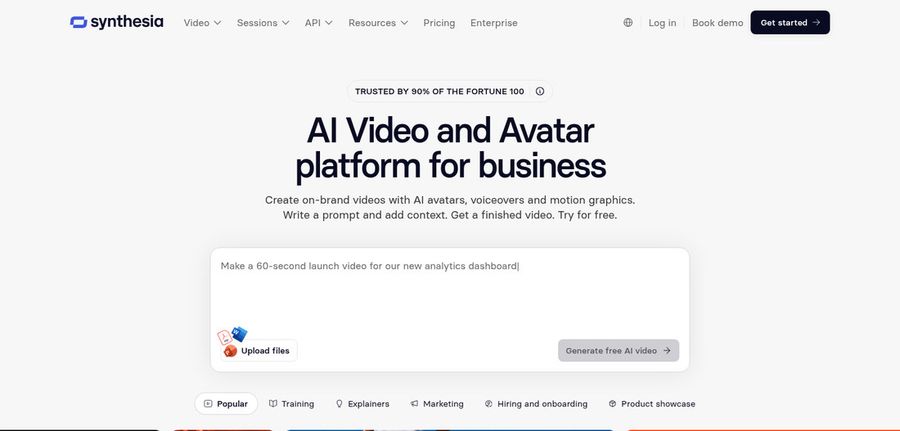
Synthesia serves business teams, with avatars, roleplays, surveys and learning tools in one studio.
Starter lists 125 plus avatars, Pro 180 plus and Enterprise 240 plus, and dubbing spans over 70 languages.
Personal avatars let a team member appear on screen.
Key Features
- AI avatars
- Personal avatars
- Voice cloning
- AI dubbing
- Syren AI video agent
- PowerPoint import
- Bulk personalization
- AI screen recorder
Best For:
- Customer education teams publishing product tutorials
- Companies that localize one video for many markets
- Product teams adding avatars to release walkthroughs
- Account teams producing named outreach videos in bulk
- Learning designers building courses with a steady presenter
- People teams explaining benefits and policies on video
Synthesia Pros
- Training Tools
Training tools sit beside the avatars.
- Avatar Tiers
Avatar counts grow by tier.
- Personal Avatars
Personal avatars put you on screen.
- Dubbing
Dubbing spans 70 plus languages.
- Personalisation
Spreadsheets drive many videos.
- Free Basic
A free Basic plan exists.
Synthesia Cons
- Basic Watermark:
Basic videos are watermarked.
- Editor Limits:
Larger teams outgrow one editor.
- Enterprise Only:
Enterprise holds SSO and learning export.
Synthesia Pricing
Synthesia has Basic, Starter, Pro and Enterprise.
| Plan | Price | What's Included |
|---|---|---|
| Basic | $0/month | Templates, watermark |
| Starter | $19/month | 125 plus avatars, three guests |
| Pro | $89/month | 180 plus avatars, personal avatars |
| Enterprise | Custom Pricing | 240 plus avatars, SSO, success manager |
Starter is $19 and Pro is $89 monthly, a step up from a solo LinkedIn setup.
When to Use Synthesia?
Synthesia suits Gemelo users who need company video.
5. VEED

VEED is a browser editor with automatic subtitles, brand templates, screen and webcam recording and text to video.
Pro adds translation, dubbing and AI avatars, and Creator removes the watermark.
Prices are per user.
Key Features
- Online video editor
- Automatic subtitles
- Translation and dubbing
- AI avatars
- Recording the screen along with a webcam
- Brand templates
- Text to video
- Team workspaces
Best For:
- Content creators in search of an editor in a browser
- Agency groups that want custom templates for their clients
- Business owners building straightforward explainer videos
- Anybody hoping to start free and edit in no time
- Teams recording the screen and trimming what they get
- Social teams that subtitle every video they post
VEED Pros
- Auto Subtitles
Subtitles are automatic.
- Browser Editor
Editing runs in the browser.
- Templates
Brand templates hold style.
- Dubbing
Pro adds dubbing.
- Avatars
Avatars arrive on Pro.
- Free Tier
A free tier exists.
VEED Cons
- Free Branding:
Free exports carry VEED branding.
- Per Seat Pricing:
Prices are per user.
VEED Pricing
VEED offers Free, Creator, Pro, Studio and Enterprise.
| Plan | Price | What's Included |
|---|---|---|
| Free | $0/month | Light editing, VEED branding |
| Creator | $12/user/month billed annually, $22 monthly | Branding removed, auto subtitles |
| Pro | $22 to $24/user/month billed annually, $47 monthly | Dubbing, avatar access, translation |
| Studio | $39/user/month billed annually, $76 monthly | See vendor pricing page |
| Enterprise | Custom Pricing | Tailored plans via sales |
Creator is $12 per user on annual billing or $22 monthly, and Pro is $22 to $24 annually or $47 monthly.
When to Use VEED?
VEED suits Gemelo users who edit and caption their own footage.
Best Use Cases of Gemelo Alternative
These are jobs where a LinkedIn only twin is too narrow.
Customer Support Videos
If Gemelo was your spokesperson, a Host in Zoice reads each script.
Podcast and Audio Teasers
For paid ads, Arcads uses AI actors.
Storytelling and Animation
For a course, Colossyan adds quizzes.
Event Invitations
For company training, Synthesia adds roleplays.
Social Media Posts
For subtitled footage, VEED edits in the browser.
Training and Onboarding
For a Gemelo style intro song, a Zoice Host can lip sync a track.
Educational Content
For a podcast, a Host in Zoice can replace your Gemelo twin as host.
Music and Singing Projects
For a launch, a Host in Zoice presents the news beyond LinkedIn.
How We Compared the Best Gemelo Alternative
Gemelo is aimed at personal LinkedIn video, so we compared alternatives on ten points that reach past one feed.
Ease of Use
We checked how a face or twin is created.
Input Options
We noted whether a script, a prompt or audio drives speech.
Voice and Audio
We recorded how voices are cloned or chosen.
Character Options
We tested lip sync on uploaded audio.
Customisation
We listed templates, studios and ad tools.
Pricing Transparency
We confirmed prices on vendor pages only.
Free Plan Access
We noted free plans and watermarks.
Platform Fit
We read API and seat details on each Gemelo rival's pricing page.
Support and Learning Material
We scanned vendor help pages.
Overall Performance
Each verdict names the Gemelo task it covers.
How to Choose the Right Gemelo Alternative Before You Pay
Decide whether you post as yourself or run a program.
Define Your Input
Decide if one network is enough.
Test the Free Option
Check for free plans and watermarks.
Check the Voice Options
Decide whether your own voice must be cloned.
Look at Character Control
Confirm the character handles audio.
Read the Plan Details
Read the plan tables for what unlocks.
Think About Where You Work
Check for API and team access.
Plan for Growth
Check seat prices before adding people.
Frequently Asked Questions
1. What is the best Gemelo alternative?
Zoice is our first pick when you want a Host beyond LinkedIn. Arcads, Colossyan, Synthesia and VEED fit other jobs.
2. Why look for a Gemelo alternative?
Gemelo users move on when they want ads, training, editing or a Host that is not tied to one network.
3. Is Zoice free to try?
For Gemelo users: Zoice's free plan holds transcription, voice, image and chat, with avatar videos from $7.99 on Starter.
4. Can I use my own audio with Zoice?
Yes. Zoice takes a recording or an upload, previewed before it renders.
5. Can I create my own character in Zoice?
Yes. Gemelo's photo twin has a counterpart in Zoice, where a Host can come from the library, an image or a prompt.
6. What are action prompts?
Action prompts are typed directions for what the Host does.
7. Does Zoice work in the browser?
Yes. The Host lip syncs to whatever audio you upload.
8. How does Arcads compare?
Synthesia is nearest for personal avatars, and Zoice adds a saved voice and cues.
9. Which tool suits beginners?
Zoice, Synthesia and VEED have free plans, and Arcads relies on a trial.
10. Can I use these tools for business videos?
Yes. Gemelo users with a company page can use paid tiers, and Enterprise brings support.
11. How should I test these tools?
Make one short video in each tool.
Conclusion
Gemelo is a focused way to keep a LinkedIn presence going as yourself. When ads, courses or editing matter more, the tools above fit better.
Zoice is an easy trial with the script you would hand a twin. Free gives you voice and image tools for the script, and Starter is where avatar videos begin.