freebeat Alternative Tested, Compared & Ranked

freebeat Alternative: freebeat is built for music: it takes a photo or a described avatar together with a song and produces a singing music video with lip sync, keeping the character consistent across scenes. People who step away from it are often moving toward spoken content, or want a workspace that is not tied to one genre, and this guide compares Zoice, Elai.io, Synthesia, D-ID, and HeyGen.
An honest note up front: most tools here are speech tools rather than music video tools. They suit anyone whose next project is a presenter, a lesson, or a product explainer instead of a song.
Every entry covers what the tool is, its features, strengths, limits, plans, and the kind of person it fits. We quote prices only from vendor pages, and we label anything we could not confirm.
Quick Comparison of the Best freebeat Alternative Tools
| Features & Capabilities | Zoice | Elai.io | Synthesia | D-ID | HeyGen |
|---|---|---|---|---|---|
| Quick Comparison | |||||
| Best For | Singing Photos and Host Videos | Presenter Videos From Text | Training and Business Videos | Talking Photo Videos | Avatar Presenter Videos |
| AI Presenter Avatars | Yes | Yes | Yes | Yes | Yes |
| Voice Cloning | Yes | Enterprise plan | Yes | Yes | Yes |
| Script to Video | Yes | Yes | Yes | Yes | Yes |
| Free Plan | Available | Available | Available | Trial only | Available |
| Starting Price | $7.99/month | $23/month billed annually | $19/month | $4.70/month billed annually | $29/month |
Best freebeat Alternative
The best freebeat alternative depends on whether your next video is sung or spoken. If a song is still the centrepiece, start with how each tool takes audio. If you are moving to talking content, the presenter tools carry more weight.
Zoice sits first because a Host can take your own audio, whether a voice recording or an uploaded track, inside one browser workspace. The same Host can be reused later for other videos.
Elai.io, Synthesia, D-ID, and HeyGen follow. They are presenter oriented, so read their sections with your own project in mind. The table above gives the short version.
1. Zoice

Zoice centres on a character called the Host, who is either chosen from the public library or created from a text description or an image. You can use the Host again whenever you make a new video.
Audio can be typed, recorded, uploaded, or turned into a trained voice profile, and every file can be played back before generation. Action prompts add short directions, so the Host knows what to do while the sound plays.
The account also includes AI images, AI videos, AI chat, and transcriptions. If a photo performing your audio is what interests you, see the AI singing photo generator page.
Key Features
- AI avatar videos from a script
- Custom avatar characters
- Public character library
- Record or upload your own audio
- Voice profiles for cloned speech
- Action prompts for the Host
- AI images and AI videos
- AI chat and transcriptions
Best For:
- Educators producing a presenter video out of their teaching notes
- Business owners in search of a dependable Host over many videos
- Salespeople building short outreach videos out of a script
- Agency staff that produce videos with a presenter for many clients
- Small companies that require quick notices and explainers
- Content creators looking to create their own avatar character
Zoice Pros
- Your Audio on Screen
The Host performs whatever audio you give it, whether a typed script, a recording, or an upload.
- Build or Choose
A Host can be built from a description or a picture, or taken from the library.
- Reusable Voices
Trained voice profiles keep a voice ready for later videos.
- Directions in Plain Words
You can add action prompts to direct the Host.
- Preview Before You Generate
Hearing the audio first avoids wasted generations.
- More in One Account
The account also gives you AI images, videos, chat, and transcriptions.
Zoice Cons
- Needs an Internet Connection:
Zoice runs in the browser, so you must be online to use it.
- Modest Public Library:
The public avatar library is smaller than the very large catalogs, which makes building your own Host a good idea.
Zoice Pricing
Zoice has a free plan, Starter, Basic, Creator, and Agency plans, and an Enterprise tier with custom pricing.
| Plan | Price | What's Included |
|---|---|---|
| Free | $0/month | Free transcription, voice, image, and chat tools |
| Starter | $7.99/month | Avatar videos and AI videos with AI Voice and one Voice Profile |
| Basic | $29.99/month | Starter with an extra two Voice Profiles, three in total |
| Creator | $49.99/month | Starter with five Voice Profiles in total |
| Agency | $89.99/month | Starter with ten Voice Profiles in total |
| Enterprise | Custom Pricing | Custom features, dedicated support, and logins for several staff members |
You pay $7.99 for Starter, $29.99 for Basic, $49.99 for Creator, or $89.99 for Agency each month, and Voice Profiles grow from one to ten. Choosing yearly billing removes 20%.
When to Use Zoice?
Zoice is the right next step if you want your own audio to drive a character you can reuse. It suits a creator who is branching out from music into other formats.
2. Elai.io

Elai.io turns text into presenter videos using libraries of avatars and voices, and it translates videos into many languages. A brand kit helps keep a consistent look.
On Enterprise you can have custom avatars and cloned voices. The free plan is a short trial, not a place to publish regularly.
Its approach is plain: write the script, choose a presenter, and publish.
Key Features
- AI presenter avatars
- Text to video
- Avatar libraries
- Voice libraries
- Translation into many languages
- Custom avatars on Enterprise
- Cloned voices on Enterprise
- Brand kit
Best For:
- HR teams creating onboarding videos
- Small teams in search of a free start
- Educators whose lessons call for a presenter
- Large organizations that want custom avatars along with cloned voices
- Teams after shared workspaces and a brand kit
- Anyone comparing avatar tools before committing
Elai.io Pros
- Text to Video
A script becomes a presenter video with no filming.
- Avatar and Voice Libraries
There are libraries of both avatars and voices.
- Many Languages
Translation covers many languages.
- Brand Kit
A brand kit helps with consistency.
- Modest Entry Price
Creator is $29 a month, or $23 billed annually.
- Team Seats
Team includes three editors and three guests.
Elai.io Cons
- Free Plan Is Small:
The free plan is only enough for a short test.
- Team Plan Costs More:
Team costs much more than Creator, so adding editors is a jump.
- Custom Avatars Need Enterprise:
Custom avatars and cloned voices are limited to Enterprise.
Elai.io Pricing
Elai.io lists Free, Creator, Team, and Enterprise, with a lower rate for annual billing.
| Plan | Price | What's Included |
|---|---|---|
| Free | $0/month | One user with a few test languages and a set of avatars |
| Creator | $29/month, or $23/month billed annually | A single person gets the avatar and voice libraries in full |
| Team | $125/month, or $100/month billed annually | Three editors and three guests, with premium voices and custom assets |
| Enterprise | Custom Pricing | Unlimited users and workspaces, voice clones, translation, SSO, custom avatars, and a brand kit |
Creator is $29 monthly or $23 annually, and Team is $125 monthly or $100 annually.
When to Use Elai.io?
Elai.io is useful for small teams making multilingual explainers from text. It will not replace freebeat for music videos.
3. Synthesia
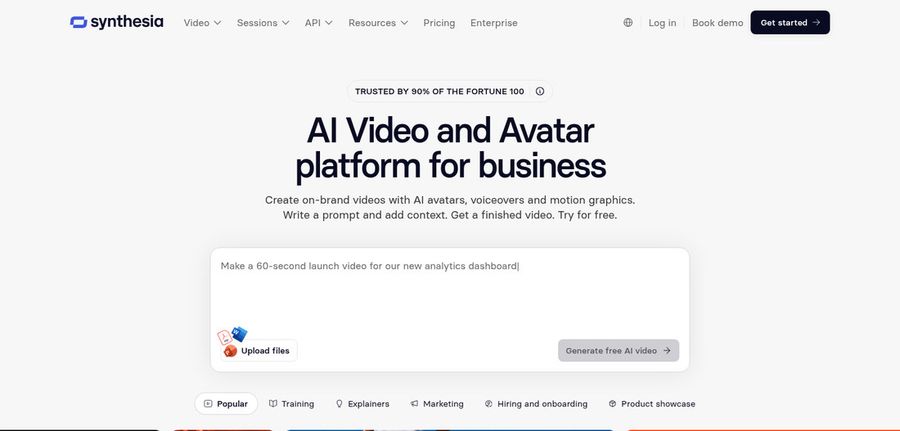
Synthesia serves companies that make training and internal videos with AI avatars. Starter lists 125 plus avatars, Pro lists 180 plus, and Enterprise lists 240 plus.
It has personal avatars, voice cloning, AI dubbing, the Syren video agent, PowerPoint import, bulk personalization, and an AI screen recorder. Enterprise adds single sign on and SCORM export.
It is polished and business minded, which is far from freebeat's music focus.
Key Features
- AI avatars
- Personal avatars
- Voice cloning
- AI dubbing
- Syren AI video agent
- PowerPoint import
- Bulk personalization
- AI screen recorder
Best For:
- Employee experience teams making welcome videos
- Revenue teams staying on top of product training
- Companies that translate their training into many languages
- Internal communications teams who send updates made from slides
- Marketers who want tailored video for each prospect
- Instructional teams that publish routine learning content
Synthesia Pros
- Growing Avatar Catalog
Avatar counts increase with each plan.
- Personal Avatars
Pro includes five personal avatars.
- PowerPoint Import
PowerPoint decks can be imported.
- Bulk Personalization
One script can reach many people through bulk personalization.
- Dubbing and Agent
AI dubbing and Syren add automation.
- Enterprise Controls
Enterprise has SSO, SCORM, and brand kits.
Synthesia Cons
- Watermark on Basic:
The free Basic plan adds a watermark.
- Limited Seats:
Starter and Pro offer guests rather than editors.
Synthesia Pricing
Synthesia has Basic, Starter, Pro, and Enterprise tiers.
| Plan | Price | What's Included |
|---|---|---|
| Basic | $0/month | Prebuilt templates and watermarked videos |
| Starter | $19/month | Lets you download, drops the Synthesia logo, adds three guests, and unlocks 125 plus avatars |
| Pro | $89/month | Raises you to five guests and five personal avatars, with 180 plus stock avatars |
| Enterprise | Custom Pricing | Unlimited personal avatars, 240 plus avatars, SSO, SCORM, and a success manager |
Starter costs $19 monthly and Pro costs $89 monthly, and the pricing page advertises a cheaper first month.
When to Use Synthesia?
Synthesia is for corporate teams making training and internal videos. Musicians will find it a poor match.
4. D-ID

D-ID gives you a talking presenter from one photo, with stock presenters, text to video, and a Studio for creators as extras. Higher plans add voice cloning and watermark control.
A developer platform supports conversational agents, and Lite is a low cost personal plan.
Since freebeat also starts from a photo, D-ID will feel familiar, though its output is a speaking presenter instead of a singing one.
Key Features
- Photo to talking presenter
- Stock presenters
- Voice cloning
- Text to video
- Studio for creators
- Watermark control on higher plans
- Conversational agents
- Developer platform
Best For:
- Marketing teams testing basic videos with a presenter
- Instructors creating short lesson intros
- Groups that depend on a custom watermark for exports
- Software builders who experiment with talking agents
- People who want a low cost entry plan
- Small firms adding a face to announcements
D-ID Pros
- Photo to Presenter
A photo becomes a talking presenter.
- Voice Cloning
Voice clones are on Pro (one) and Advanced (three).
- Watermark Control
Advanced offers a custom or blank watermark.
- Agents and API
Developers get an agent platform.
- Low Cost Entry
Lite has a small monthly cost.
- Stock Presenters
Stock presenters need no photo.
D-ID Cons
- Lite Is Personal Use:
Lite is personal use only and keeps the watermark.
- Costs Jump on Advanced:
Advanced is a large step up at $196 per month.
- Narrower Than Video Suites:
It centres on presenters rather than a full suite.
D-ID Pricing
D-ID lists Lite, Pro, Advanced, and Enterprise, each cheaper when billed annually.
| Plan | Price | What's Included |
|---|---|---|
| Lite | $5.90/month, or $4.70/month billed annually | Personal use with the watermark and standard presenters |
| Pro | $29/month, or $16/month billed annually | Commercial use, premium presenters, and one cloned voice |
| Advanced | $196/month, or $108/month billed annually | Custom or no watermark, commercial use, and three cloned voices |
| Enterprise | Custom Pricing | Arranged through sales |
Lite is $5.90 monthly or $4.70 annually. Pro is $29 or $16, and Advanced is $196 or $108.
When to Use D-ID?
D-ID suits people who want a talking face from one photo. It is not made for music videos.
5. HeyGen
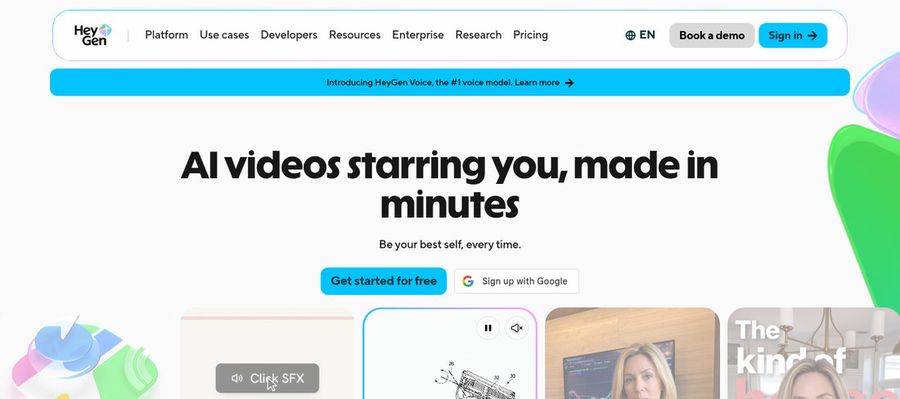
HeyGen offers presenter videos for marketing, training, and sales. Even the free plan lists over 500 presenters and one custom video avatar.
You get photo avatars, voice cloning, video translation, an AI video agent, and PowerPoint or PDF import. Teams on Business share a workspace and a brand kit.
It is the broadest presenter tool in this guide.
Key Features
- AI presenter avatars
- Custom video avatar
- Photo avatars
- AI voices and voice cloning
- Video translation
- AI video agent
- Templates and PowerPoint import
- Team workspace and brand kit
Best For:
- Marketers producing product explainers and social videos with a presenter
- Trainers and HR teams building onboarding and training videos
- Sales teams sending personalized video outreach
- Agencies producing translated versions of one video for several markets
- Founders who want a consistent digital version of themselves on camera
- Educators turning slide decks into narrated lessons
- Support teams making how to videos for customers
- Businesses that need shared workspaces and brand controls
HeyGen Pros
- Many Free Presenters
Free presenters are plentiful.
- Photo Avatars
Photo avatars turn a picture into a speaker.
- Voices
Voice cloning and many voices are available.
- Languages
Creator covers over 175 languages and dialects.
- Slide Import
Slides can be imported.
- Business Controls
Business adds SSO and a brand kit.
HeyGen Cons
- Watermark on Free:
Free output carries HeyGen branding.
- Metered Usage:
Costs depend on usage.
HeyGen Pricing
HeyGen starts free and runs through Creator, Pro, Business, and Enterprise.
| Plan | Price | What's Included |
|---|---|---|
| Free | $0/month | Branded videos, one custom avatar, Avatar IV and Video Agent, and 500 plus presenters |
| Creator | $29/month | Clears the branding, reaches 175 plus languages, and carries your voice onto a custom avatar |
| Pro | $49/month | Creator plus Seedance 2.5, scene avatars, and proofreading for translations |
| Business | $149/month plus $20 per seat | SSO, shared workspace, brand kit, integrations, and LMS export |
| Enterprise | Custom Pricing | Custom terms, multi workspace control, provisioning, and a customer success manager |
HeyGen charges $29 a month for Creator and $49 for Pro, and Business is $149 with $20 added per seat.
When to Use HeyGen?
HeyGen is a good choice for broad presenter work in many languages. It does not replace a music video tool.
Best Use Cases of freebeat Alternative
This is where people leaving freebeat look elsewhere, and how each tool handles those projects.
Sales Outreach
A Host in Zoice can deliver a short spoken or sung post from your audio, and HeyGen can localise it for other regions.
Brand Spokesperson
Zoice gives onboarding a consistent Host, and Elai.io turns a script into a presenter video.
Internal Communications
A course author can let a Host walk through lesson notes in Zoice, while Synthesia turns a PowerPoint deck into narrated slides.
Language Practice
Upload a track to Zoice so a Host performs it, which is the closest match to what freebeat does.
Product Explainers
Zoice reads support steps from a script, and D-ID's agents can answer questions.
Marketing Campaigns
Give an audio episode a face with a Host in Zoice, or use Elai.io to add a presenter to a script.
Personalised Greetings
Build a narrator Host from a description in Zoice, or script a presenter story in Synthesia.
Pet and Character Content
A Host in Zoice can announce an event, and HeyGen can translate the invitation.
How We Compared the Best freebeat Alternative
freebeat is built for music videos, so we judged each alternative on ten points about spoken and presenter content.
Ease of Use
We counted the steps from sign up to a first video where a face speaks a script.
Input Options
We noted whether each tool starts from a photo, a described character, a script or an audio file.
Voice and Audio
We checked recordings and uploads because freebeat users already bring audio, and stock voices for those who do not.
Character Options
We compared how each tool keeps one character across several videos.
Customisation
Templates, brand kits and editors were noted for presenters and lessons.
Pricing Transparency
For freebeat switchers, prices come from vendor pages and any gap is flagged.
Free Plan Access
We recorded free plans and watermarks for each freebeat rival.
Platform Fit
We noted browser, API and team access.
Support and Learning Material
Help pages and tutorials were checked for people who have only made songs so far.
Overall Performance
Each verdict names the freebeat task the tool can take over.
How to Choose the Right freebeat Alternative Before You Pay
Check these points before leaving freebeat for spoken content.
Define Your Input
Decide whether your next project is a song or a presenter, a lesson or an explainer.
Test the Free Option
Start on a free plan where one exists, and watch for watermarks.
Check the Voice Options
Pick between your own recording, a clone and a stock voice.
Look at Character Control
Confirm the same character can appear across videos.
Read the Plan Details
Read each freebeat rival's plan for seats, exports and gated features.
Think About Where You Work
Pick a tool that fits where you already work.
Plan for Growth
Compare seat prices before inviting a team.
Frequently Asked Questions
1. What is the best freebeat alternative?
For freebeat users, Zoice is the first pick when your own audio should drive a reusable Host. Elai.io, Synthesia, D-ID and HeyGen suit presenter work.
2. Why look for a freebeat alternative?
freebeat users leave for spoken content, a reusable Host, or a plan that suits more than music.
3. Is Zoice free to try?
Yes. The free plan is $0 and includes AI Transcriptions, AI Voice, AI Images and AI Chat, and Starter at $7.99 per month adds avatar videos.
4. Can I use my own audio with Zoice?
Yes, record in the browser or upload a file and the Host performs it.
5. Can I create my own character in Zoice?
Yes. Describe a character or upload an image, or choose from the library.
6. What are action prompts?
Think of them as stage directions in plain text, which the Host follows while your audio plays.
7. Does Zoice work in the browser?
Yes, a browser is all it takes, provided you are connected to the internet.
8. How does Elai.io compare?
Elai.io turns scripts into presenter videos in many languages, while Zoice lets a reusable Host perform your own audio.
9. Which tool suits beginners?
Zoice and Elai.io both offer free plans, and Synthesia has a free Basic plan.
10. Can I use these tools for business videos?
Yes, companies use the paid plans, and Enterprise brings dedicated support and access for several staff members.
11. How should I test these tools?
Give each tool the same audio and image and compare how each one handles them.
Conclusion
freebeat is a strong choice for music videos, but not every project is a song. If you are broadening into spoken content, the tools above cover that ground.
Zoice is the best first test for your own audio and a reusable Host. Sign up free, or take Starter, and run the same song past Elai.io or HeyGen for a fair comparison.