FineVoice Alternative Tested, Compared & Ranked

FineVoice Alternative: FineVoice is audio first. It lists more than 2,700 voices, zero shot voice cloning, a voice changer, text to speech, sound effects, music, dubbing in 154 plus languages, an AI lip sync tool and a talking photo generator that turns a still image into a speaking or singing video. If your strength is voice work, it gives you a lot to play with. People who need the face and the finished video handled with the same care look at tools that start from the presenter. This guide compares Zoice, Hedra, Fliki, Arcads and D-ID.
Here the question is what happens after the voice exists. We looked at how each alternative turns audio or text into a character on screen.
Each tool is covered with a profile, features, strengths, limits, plans and who it fits. Prices come from vendor pages, and unconfirmed items are labelled.
Quick Comparison of the Best FineVoice Alternative Tools
| Features & Capabilities | Zoice | Hedra | Fliki | Arcads | D-ID |
|---|---|---|---|---|---|
| Quick Comparison | |||||
| Best For | Talking Photos and Host Videos | Talking Characters From Audio | Text to Video With Voiceover | Creator Style Video Ads | Talking Photo Videos |
| AI Presenter Avatars | Yes | Yes | Yes | Yes | Yes |
| Voice Cloning | Yes | Not confirmed | Yes | Not confirmed | Yes |
| Script to Video | Yes | Limited | Yes | Yes | Yes |
| Free Plan | Available | Not confirmed | Available | Trial only | Trial only |
| Starting Price | $7.99/month | $20/month | $21/month billed annually | About $110/month | $4.70/month billed annually |
Best FineVoice Alternative
The best FineVoice alternative depends on how much of the job is the voice and how much is the person delivering it. A voice platform is a fine place to craft sound. A presenter focused tool is better when the video is the deliverable.
Zoice comes first because a Host, your audio and the finished video sit in one browser workspace. Bring a recording you made elsewhere, or type a script, and tell the Host what to do.
Hedra, Fliki, Arcads and D-ID each cover one slice of the job. The table above offers a quick view before the full sections.
1. Zoice

Zoice is organised around a Host inside a browser workspace. You can pick a Host from the public library or generate one from a written description or an image.
Audio arrives as a typed script, a recording, an uploaded file or a saved voice profile, and you can listen to it first. Action prompts add cues for the Host.
Image, video, chat and transcription tools are part of the login too. The AI talking photo generator page walks through the portrait route.
Key Features
- AI avatar videos from a script
- Custom avatar characters
- Public character library
- Record or upload your own audio
- Voice profiles for cloned speech
- Action prompts for the Host
- AI images and AI videos
- AI chat and transcriptions
Best For:
- Instructors converting teaching notes into a presenter video
- Founders after a dependable Host over many videos
- Sales teams developing short outreach videos from a script
- Agency groups who make presenter videos for clients
- Small companies who need quick notices and explainer videos
- Content creators looking to design their own avatar character
Zoice Pros
- Bring Your Audio
Recordings you made elsewhere can drive a Host video.
- Script Option
A typed script works when you have no recording.
- Host Sources
A Host comes from the library, text or an image.
- Voice Profile
A trained voice can be saved as a profile.
- Cues
Action prompts add cues for the Host.
- Bundled Tools
Chat, image, video and transcription tools come with it.
Zoice Cons
- Needs an Internet Connection:
You must be online because the workspace runs in a browser.
- Modest Public Library:
Next to the biggest catalogs, the public avatar library is small, so people often make a Host.
Zoice Pricing
Zoice offers a free plan, four paid plans and a custom Enterprise plan.
| Plan | Price | What's Included |
|---|---|---|
| Free | $0/month | Free transcription, voice, image and chat tools |
| Starter | $7.99/month | Turns on avatar videos and AI videos with AI Voice and one Voice Profile |
| Basic | $29.99/month | Starter plus three Voice Profiles |
| Creator | $49.99/month | Starter plus five Voice Profiles |
| Agency | $89.99/month | Starter plus ten Voice Profiles |
| Enterprise | Custom Pricing | Custom build, dedicated support and several staff logins |
Per month, Starter is $7.99, Basic is $29.99, Creator is $49.99 and Agency is $89.99, and paying yearly cuts 20%.
When to Use Zoice?
Zoice fits people who already have a voice they like and want a character to deliver it.
2. Hedra
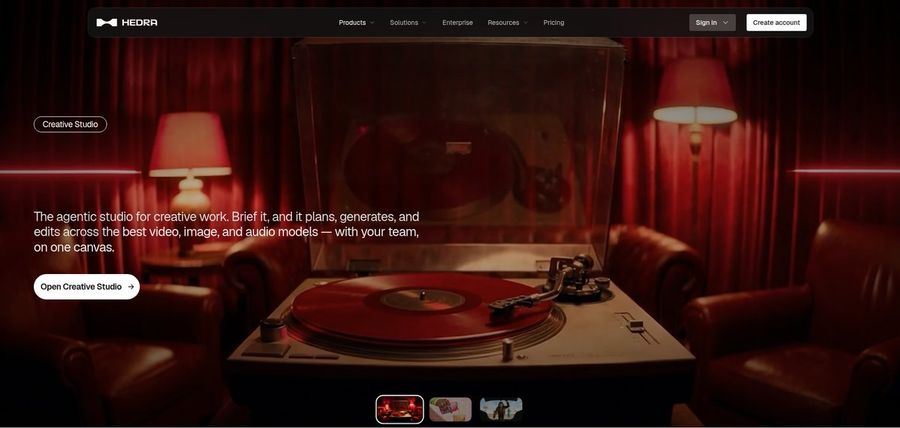
Hedra creates talking and singing characters from an image and a voice file using Character 3, with a Creative Studio and a Visual Agent around it.
An API serves developers and Teams serves shared work. Because audio comes first, it pairs well with a voice platform.
It looks after performance rather than script writing.
Key Features
- Character 3 talking and singing avatars
- Image plus audio to video
- Creative Studio
- Visual Agent
- Several output formats
- Developer access
- Team plan
- Music video scenes
Best For:
- Storytellers designing characters from one image
- Developers looking for a talking avatar model
- Groups running creative work out of a shared workspace
- Social media creators whose starting point is a photo and a recorded voice
- Agency teams investigating visual concepts for clients
Hedra Pros
- Image and Audio
Image plus audio gives a character that talks or sings.
- Creative Studio
A Creative Studio holds image, video and audio work.
- Visual Agent
A Visual Agent assists with direction.
- Music Videos
Music videos are a regular use.
- API
An API is open to developers.
Hedra Cons
- Audio Required:
It cannot start without audio.
- Not Script Led:
Its focus is characters and scenes, with no presenter scripting.
- Recent Repricing:
Individual plans were repriced in late September, so older reviews may be out of date.
Hedra Pricing
Hedra offers Basic, Pro, Ultra and Teams.
| Plan | Price | What's Included |
|---|---|---|
| Basic | $20/month | Entry plan, individuals |
| Pro | $50/month | Details on the vendor page |
| Ultra | $100/month | Biggest solo plan |
| Teams | $75/month | Plan for collaborators |
Solo plans are priced at $20, $50 and $100 monthly, with Teams at $75.
When to Use Hedra?
Hedra suits voice heavy creators who need a face for finished audio.
3. Fliki
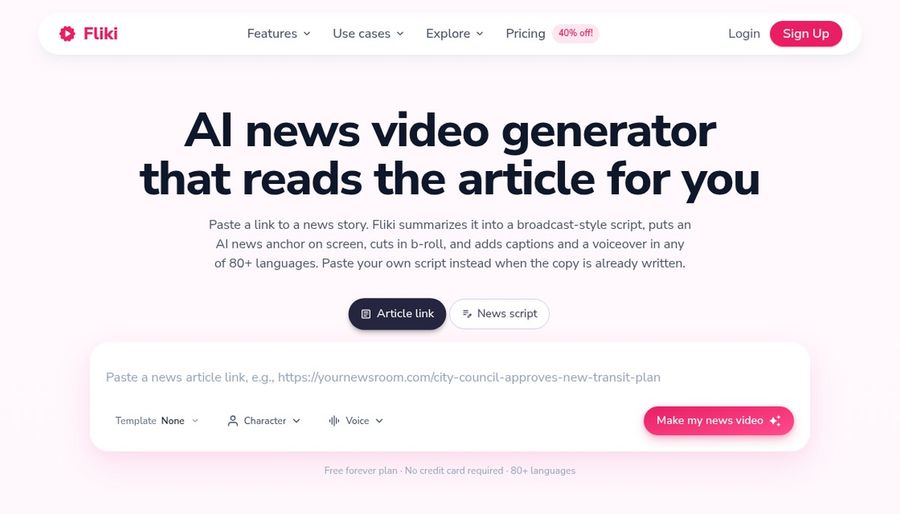
Fliki can begin with an idea, a script, a blog post or a presentation, and it drafts a video with visuals and a voice. Its voice library draws on several providers.
Translation handles uploaded video and audio, voice cloning begins on Standard, and avatars include stock, photo and custom characters. A Copilot takes plain language edit requests.
It is the closest to FineVoice in how much it cares about voices.
Key Features
- Idea, script, and blog to video
- Large voice library
- Voice cloning
- Video translation and dubbing
- AI avatars and photo avatars
- AI Copilot editor
- AI images and thumbnails
- Publishing and series tooling
Best For:
- Course builders producing narrated lessons
- Podcasters who attach visuals to an audio show
- Small teams who want brand kits and shared access
- Anyone who wants to start from a simple idea
- Creators who want a custom character for a series
- YouTubers releasing videos without filming
Fliki Pros
- Many Starts
Ideas, scripts, blogs and decks can all begin a draft.
- Voice Library
The voice library spans many languages.
- Voice Cloning
Cloning arrives on Standard.
- Translation
Translation works on uploaded video and audio.
- Avatars
Stock, photo and custom avatars are offered.
- Copilot
The Copilot accepts edits in plain language.
Fliki Cons
- Watermark on Free:
Free exports include a Fliki watermark.
Fliki Pricing
Fliki lists Free, Standard, Premium and Enterprise.
| Plan | Price | What's Included |
|---|---|---|
| Free | $0/month | Stock media, AI images, voices and a watermark |
| Standard | $28/month, or $21/month billed annually | Commercial rights, custom characters, cloning and limited stock avatars |
| Premium | $88/month, or $66/month billed annually | Several clones, photo avatars, developer access, all avatars and brand kits |
| Enterprise | Custom Pricing | Personalised avatars, a dedicated manager, professional cloning and teamwork |
Standard is $28 monthly ($21 annually), and Premium is $88 monthly ($66 annually).
When to Use Fliki?
Fliki suits creators who write first and want strong voices for the narration.
4. Arcads

Arcads builds ads in the style of creator testimonials. You pick an AI actor, supply a script and get a person speaking to camera.
A studio, workflows, a script agent and audio driven generation support repeat work, and a trial opens every feature. Prices appear inside the app, with reported starts near $110 monthly.
It is specialised and aimed at advertisers.
Key Features
- AI actors
- Script to video ads
- Studio and workflows
- AI agent for scripts
- Audio driven generation
- Video model access
- Custom actors on Pro
Best For:
- Startup founders after ads without hiring content creators
- Groups requiring custom actors plus team seats
- Advertisers on Meta along with short video platforms
- Performance marketers testing many ad variations
- Ecommerce brands making product ads in a creator style
Arcads Pros
- Ad Focus
It is shaped around creator style ads.
- AI Actors
AI actors replace shipping products to creators.
- Workflows
Workflows make repeats quicker.
- Pro Features
From Pro upward you get extra seats, custom actors and API access.
- Full Trial
A trial opens every feature.
Arcads Cons
- No Public Pricing:
Pricing is visible only in the app.
- High Entry Price:
Reported prices start near $110 a month.
- Card Needed:
The trial asks for a card and converts unless cancelled.
Arcads Pricing
Arcads has no public price page, so these are reported list prices.
| Plan | Price | What's Included |
|---|---|---|
| Trial | Card required | Card needed, converts to Starter |
| Starter | About $110/month | Actors, studio and workflows |
| Creator | About $220/month | More usage and actors |
| Pro | About $550/month | Custom actors, ElevenLabs voices, seats and API access |
| Scale and Business | See in app | Check inside the app |
| Enterprise | Custom Pricing | Sales led |
Reported figures are about $110, $220 and $550 monthly for the first three paid plans, so confirm in the app.
When to Use Arcads?
Arcads is for advertisers testing creative angles at volume.
5. D-ID

D-ID animates a still photo into a speaking presenter, with stock presenters, voice cloning, text to video, conversational agents and a developer platform.
Lite is for personal use and keeps the D-ID watermark, while Pro and Advanced allow commercial use.
It is the most direct match for FineVoice's talking photo tool.
Key Features
- Photo to talking presenter
- Stock presenters
- Voice cloning
- Text to video
- Studio for creators
- Watermark control on higher plans
- Conversational agents
- Developer platform
Best For:
- Trainers who would like one cloned voice for narration
- Agency staff looking into avatar videos for clients
- Content creators who would like a single photo to speak
- Marketers testing out plain videos with a presenter
- Educators building short lesson intros
- Teams who must put a custom watermark on exports
D-ID Pros
- Photo to Presenter
Its core feature is a photo that speaks.
- Cloning
Voice cloning starts on Pro.
- Commercial Use
Pro and Advanced allow commercial use.
- Stock Presenters
Stock presenters offer a quick start.
- Agents
Agents extend it to conversation.
- Developers
A developer platform is included.
D-ID Cons
- Lite Limits:
Lite is for personal use and watermarked.
- Price Gap:
Advanced costs far more than Pro.
- Lighter Tools:
It focuses on presenters, so tools are lighter.
D-ID Pricing
D-ID offers Lite, Pro, Advanced and Enterprise.
| Plan | Price | What's Included |
|---|---|---|
| Lite | $5.90/month, or $4.70/month billed annually | Personal use, D-ID watermark, standard presenters |
| Pro | $29/month, or $16/month billed annually | Premium presenters, commercial use, one clone |
| Advanced | $196/month, or $108/month billed annually | Three clones, custom or blank watermark, commercial use |
| Enterprise | Custom Pricing | Custom, via sales |
D-ID's monthly prices are $5.90, $29 and $196, which drop to $4.70, $16 and $108 on annual billing.
When to Use D-ID?
D-ID suits people who want a photo to speak and are happy with presenter style results.
Best Use Cases of FineVoice Alternative
These are jobs where FineVoice users want the face to match the voice.
Social Media Posts
For a voiceover project, drop your finished audio into a Host in Zoice, and Fliki can narrate from a written draft.
Training and Onboarding
For a singing photo, a Host in Zoice performs your track, and Hedra turns an image and audio into a character.
Educational Content
For ads, Zoice gives you a quick spokesperson, and Arcads casts creator style actors.
Music and Singing Projects
For tutorials, one Host in Zoice walks through your script.
Customer Support Videos
For a portrait that speaks, D-ID animates a photo, and a Host in Zoice can do it with your recording.
Podcast and Audio Teasers
For podcasts, a Zoice Host opens each episode using your audio.
Storytelling and Animation
For stories, build a narrator Host in Zoice and keep reusing it.
Event Invitations
For event notices, a Host in Zoice reads the details aloud.
How We Compared the Best FineVoice Alternative
FineVoice is a voice platform, so we compared the alternatives on ten points about what happens when the voice needs a face.
Ease of Use
We counted steps from a finished audio file to a first speaking video.
Input Options
We noted whether each tool accepts audio, text, a photo or documents.
Voice and Audio
We recorded how voices arrive: recorded, uploaded, cloned or stock.
Character Options
We checked whether a character can be reused.
Customisation
We listed editors, templates and brand kits.
Pricing Transparency
Prices come only from vendor pages.
Free Plan Access
We noted free plans and watermarks.
Platform Fit
We noted whether each tool runs in a browser, offers an API or sells team plans.
Support and Learning Material
We checked help pages and tutorials.
Overall Performance
Each verdict ties a tool to a job.
How to Choose the Right FineVoice Alternative Before You Pay
A short list helps you decide whether voice or presenter should lead.
Define Your Input
Decide whether the voice or the face comes first in your workflow.
Test the Free Option
Find out if a free plan exists, and what it does to exports.
Check the Voice Options
Pick how voices will arrive.
Look at Character Control
Confirm the character will be available again.
Read the Plan Details
Read plan tables for limits.
Think About Where You Work
Check for browser, API and team features.
Plan for Growth
Check seat prices before others join.
Frequently Asked Questions
1. What is the best FineVoice alternative?
Zoice is our first pick when your audio is ready and you need a Host to deliver it. Hedra, Fliki, Arcads and D-ID cover narrower jobs.
2. Why look for a FineVoice alternative?
Voice platform users usually move on when they want a repeatable presenter and a finished video, not only sound.
3. Is Zoice free to try?
Zoice's free plan has transcription, voice, image and chat tools, and avatar videos start on Starter at $7.99 a month.
4. Can I use my own audio with Zoice?
Yes. Record in the browser or upload a file, then play it back.
5. Can I create my own character in Zoice?
Yes. A description, an uploaded image or a pick from the library all work.
6. What are action prompts?
They are short cues for what the Host does while the audio plays.
7. Does Zoice work in the browser?
Yes. It needs a browser and a connection.
8. How does Hedra compare?
Hedra also starts from audio, but Zoice lets you build a Host and direct it with action prompts.
9. Which tool suits beginners?
Newcomers can start free with Zoice or Fliki, and each vendor's plan page shows what the others include.
10. Can I use these tools for business videos?
Yes. Businesses can use the paid plans, and Enterprise adds a support contact plus multi staff access.
11. How should I test these tools?
Use one recording in each tool and compare what comes back.
Conclusion
FineVoice is strong when the voice is the product, but the person on screen deserves the same care. The options above handle that part in different ways.
Zoice is an easy test if you hand a Host your best recording. A free account, or Starter for avatar videos, lets you compare it with Hedra or D-ID.