Dreamina Alternative Tested, Compared & Ranked

Dreamina Alternative: Dreamina comes from the CapCut team and covers a lot of ground, from image and video generation to trending effects, poster design, and AI character videos that start from a photo. If what you really need is a presenter who speaks a script, a tool built around that job may suit you better, so this guide compares Zoice, HeyGen, Synthesia, Creatify, and VEED.
Most people who leave Dreamina are not unhappy with it. They ran into a narrower need, such as one recurring spokesperson, a voice they recorded themselves, or a plan that covers weekly publishing without paying for a full creative suite.
Every tool below gets a short profile, a feature list, pros and cons, its published plans, and a verdict on who should pick it. Prices come only from vendor pricing pages, and anything we could not confirm is left out.
Quick Comparison of the Best Dreamina Alternative Tools
| Features & Capabilities | Zoice | HeyGen | Synthesia | Creatify | VEED |
|---|---|---|---|---|---|
| Quick Comparison | |||||
| Best For | Avatar Videos in One Account | Avatar Presenter Videos | Training and Business Videos | Product Link to Video Ads | Browser Video Editing With Subtitles |
| AI Presenter Avatars | Yes | Yes | Yes | Yes | Yes |
| Voice Cloning | Yes | Yes | Yes | Yes | Not confirmed |
| Script to Video | Yes | Yes | Yes | Yes | Yes |
| Free Plan | Available | Available | Available | Available | Available |
| Starting Price | $7.99/month | $29/month | $19/month | $10/month | $12/user/month billed annually |
Best Dreamina Alternative
The best Dreamina alternative depends on whether you need a generator or a presenter. Dreamina creates visuals from prompts and templates, while the tools here start from a script, a voice, and a face that stays the same from one video to the next.
Zoice is first on the list because the whole path sits in one browser tab. You pick or build a Host, type a script or bring your own recording, and generate the finished video without moving files between apps.
Four more options follow, each with its own strength: HeyGen for presenter variety, Synthesia for training teams, Creatify for ad production, and VEED for editing. The table gives the quick view, and the sections give the detail.
1. Zoice

Zoice is a browser based studio where a character called the Host reads your script or speaks over your own recording. The Host can come from the public library or be built from a text description or an image.
Audio can be typed as text, recorded, uploaded, or trained into a voice profile, and you can listen to it before generating. An action prompt tells the Host what to do on screen, such as holding up a product.
The same account also holds AI images, AI videos, AI chat, and transcriptions, so supporting assets do not need an extra subscription. For a closer look at the avatar side, visit the AI avatar generator page.
Key Features
- AI avatar videos from a script
- Custom avatar characters
- Public character library
- Record or upload your own audio
- Voice profiles for cloned speech
- Action prompts for the Host
- AI images and AI videos
- AI chat and transcriptions
Best For:
- Training leads transforming text based material into videos with a presenter
- Marketing professionals making product explainer videos and social media videos
- Educators making a presenter video out of their class notes
- Business owners in search of a dependable Host across many videos
- Sales teams creating short outreach videos from a script
- Agency teams producing presenter videos for multiple clients
Zoice Pros
- Script or Audio Input
Type a script or upload audio and the Host delivers it, with no camera or filming involved.
- Build Your Own Host
Choose a Host from the public library, or describe one in text or supply an image to build your own.
- Your Own Voice
Record in the browser, upload a file, or train a voice profile so the Host speaks in a voice you picked.
- Action Prompts
Action prompts let you direct the Host in plain words, for example asking it to wave or hold a product.
- Preview Before Generating
You can listen to the audio before generating, which saves a wasted attempt when a take sounds wrong.
- One Account for More
Images, videos, chat, and transcriptions share the account with avatar videos.
Zoice Cons
- Needs an Internet Connection:
Zoice runs online, so opening your Host and generating a video requires a working internet connection.
- Modest Public Library:
The public library is smaller than some stock avatar catalogs, though you can always build a character of your own.
Zoice Pricing
Zoice has a free plan, four paid plans from Starter to Agency, and a custom Enterprise tier.
| Plan | Price | What's Included |
|---|---|---|
| Free | $0/month | AI Transcriptions, AI Voice, AI Images, and AI Chat at no cost |
| Starter | $7.99/month | Adds AI Avatar Videos and AI Videos on top of AI Voice, with one Voice Profile |
| Basic | $29.99/month | All of Starter, with three Voice Profiles |
| Creator | $49.99/month | All of Starter, with five Voice Profiles |
| Agency | $89.99/month | All of Starter, with ten Voice Profiles |
| Enterprise | Custom Pricing | Custom features, dedicated support, and access for several staff members |
Voice Profiles scale with the tier: one on Starter at $7.99, three on Basic at $29.99, five on Creator at $49.99, and ten on Agency at $89.99. Yearly billing takes 20% off.
When to Use Zoice?
Choose Zoice over Dreamina when the video is about a Host speaking and you want that Host to stay the same from one upload to the next. It also fits when you would rather supply your own voice recording than pick a preset.
2. HeyGen
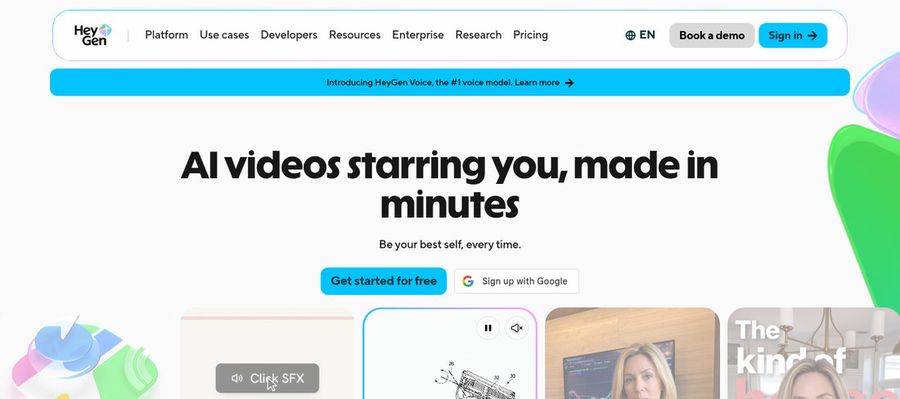
HeyGen is a presenter video platform for marketers, trainers, and sales teams. Its free plan already lists over 500 ready made presenters, plus one custom video avatar built from your own likeness.
Photo avatars, voice cloning, and video translation sit alongside an AI video agent. Creator and Pro widen the language list and add newer avatar models.
For someone coming from Dreamina, the custom video avatar is the interesting part: you set up your likeness once and reuse it across scripts.
Key Features
- AI presenter avatars
- Custom video avatar
- Photo avatars
- AI voices and voice cloning
- Video translation
- AI video agent
- Templates and PowerPoint import
- Team workspace and brand kit
Best For:
- Marketers who want a face for every campaign
- Course teams translating lessons for new regions
- Support teams adding a presenter to help content
- Agencies making branded explainers on request
- Solo creators who want a recurring character
- Large companies that need single sign on
- Salespeople who want personal video at scale
HeyGen Pros
- Presenters Before Payment
The free plan lists over 500 presenters, so you can browse before paying anything.
- Custom Avatar Included
A custom video avatar is included even on the free plan.
- Voices and Cloning
Voice cloning sits beside a wide catalog of AI voices, so a script can be read in your voice or a stock one.
- Translation Coverage
Creator lists more than 175 languages and dialects for translating a finished video.
- Slides to Video
Importing PowerPoint and PDF files gives you a starting point when slides already exist.
- Team Controls
Business adds a shared workspace, a brand kit, and single sign on for larger teams.
HeyGen Cons
- Watermark on Free:
The free plan puts HeyGen branding on every video, and removing it needs a paid tier.
- Usage Based Costs:
Spending varies with the model and the video you pick, so monthly costs are harder to predict than a flat fee.
- Seats Add Up:
Business is $149 per month, and every extra seat adds $20 per month.
HeyGen Pricing
HeyGen starts free, then moves through Creator and Pro for individuals and Business for teams.
| Plan | Price | What's Included |
|---|---|---|
| Free | $0/month | Watermarked output, one custom video avatar, Avatar IV and Video Agent access, and over 500 presenters |
| Creator | $29/month | Removes the branding, covers 175 plus languages and dialects, and puts your own voice on a custom video avatar |
| Pro | $49/month | Everything in Creator, with Seedance 2.5 access, avatars placed in generated scenes, and proofreading of translated scripts |
| Business | $149/month plus $20 per seat | Single sign on, a shared workspace, a brand kit, automation integrations, and learning system export |
| Enterprise | Custom Pricing | Custom terms, multi workspace control, user provisioning, and a customer success manager |
Creator is $29 per month, Pro is $49, and Business is $149 plus $20 per seat. Compare what you need against the tier that unlocks it.
When to Use HeyGen?
HeyGen suits you when the goal is presenter led marketing or training video in many languages. It makes more sense than Dreamina if one custom avatar of yourself will anchor most of your videos.
3. Synthesia
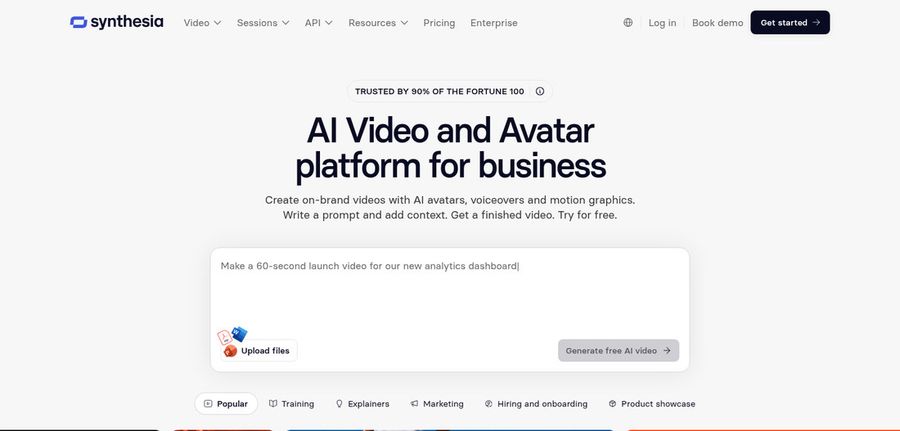
Synthesia is a corporate video platform built around AI avatars, widely used for training, onboarding, and internal communication. Stock avatar counts rise with each plan, from 125 plus on Starter to 180 plus on Pro and 240 plus on Enterprise.
The Syren AI video agent, PowerPoint import, bulk personalization, and an AI screen recorder cover most steps between a document and a published video. Personal avatars are included too, five of them on the Pro plan.
Compared with Dreamina it feels structured rather than experimental: scripts and slides go in, and a presenter video comes out in a consistent house style.
Key Features
- AI avatars
- Personal avatars
- Voice cloning
- AI dubbing
- Syren AI video agent
- PowerPoint import
- Bulk personalization
- AI screen recorder
Best For:
- Teams in learning and development building training courses
- People teams building onboarding and policy videos
- Sales teams producing personalized videos from a spreadsheet
- Companies localizing videos for several markets with AI dubbing
- Product teams building walkthroughs along with release updates
- Communications teams sending internal updates
Synthesia Pros
- Growing Avatar Catalog
Stock avatar catalogs grow with each plan, so the choice of presenters widens as you upgrade.
- Personal Avatars
Pro includes five personal avatars, and Enterprise lifts that to unlimited.
- PowerPoint Import
Slides can be imported from PowerPoint, which suits teams that already work in decks.
- Bulk Personalization
Bulk personalization lets one script go out to many recipients with different details filled in.
- Agent and Dubbing
The Syren agent and AI dubbing add automation and language reach beyond basic avatar creation.
- Enterprise Controls
Enterprise lists single sign on, SCORM export, brand kits, and a dedicated customer success manager.
Synthesia Cons
- Watermark on Basic:
The free Basic plan stamps a Synthesia watermark on videos.
- Limited Seats:
Lower plans give you guests rather than full editors, so growing teams are pushed toward Enterprise.
Synthesia Pricing
Synthesia lists four plans: a free Basic tier, Starter, Pro, and a custom Enterprise tier.
| Plan | Price | What's Included |
|---|---|---|
| Basic | $0/month | Prebuilt templates and watermarked videos |
| Starter | $19/month | Adds downloads, logo removal, three guests, and 125 plus stock avatars |
| Pro | $89/month | Five guests, five personal avatars, 180 plus stock avatars, and on brand avatars |
| Enterprise | Custom Pricing | Unlimited personal avatars, 240 plus stock avatars, single sign on, SCORM export, and a dedicated customer success manager |
Starter is $19 per month and Pro is $89 per month, and the pricing page also shows a reduced first month rate on both.
When to Use Synthesia?
Choose Synthesia when the videos are for staff or customers and need consistent presenters, templates, and sign off controls. Leaving Dreamina for it makes sense if your content is closer to training than to creative experiments.
4. Creatify

Creatify makes video ads from product links, using AI actors, custom avatars, and AdFlow templates. It is aimed at brands advertising on Meta and TikTok.
Ad Clone rebuilds a reference ad from a URL, and a competitor ad tracker shows what rivals are running. A model playground offers premium video models, and more than 75 languages are supported.
Where Dreamina is a general generator, Creatify is narrower: paste in a product page and get ad concepts with a spokesperson attached.
Key Features
- Product link to video
- AI actors
- Custom avatars
- AdFlow templates
- Ad Clone from a URL
- Competitor ad tracker
- Premium model playground
- 75 plus languages
Best For:
- Brands whose ads appear on Meta and TikTok
- Ecommerce stores that want ad videos from product listings
- App marketers who work from store links
- Agency teams creating many ad variations for clients
- Marketers tracking competitor ads
- Teams that would like a managed creative service layered over the software
Creatify Pros
- Product Link Start
A product link is enough to start, so a storefront listing can become an ad without writing a script from scratch.
- Wide Actor Pool
The Free and Standard plans list 300 AI actors, and Pro lists 1,500.
- Custom Avatars
Pro includes three custom avatars, which gives a brand its own spokesperson.
- Ad Research Tools
Ad Clone and the competitor ad tracker are built for ad testing workflows.
- Ad Templates
AdFlow templates provide ready layouts for common ad formats.
- Language Reach
More than 75 languages let one ad concept reach several markets.
Creatify Cons
- Watermark on Free:
Exports from the Free plan carry a watermark.
- Best Tools on Higher Plans:
The ad agent, ad tracker, and Ad Clone sit on Pro and above, not on Standard.
Creatify Pricing
Creatify offers a free plan, four paid plans, and a custom Enterprise option.
| Plan | Price | What's Included |
|---|---|---|
| Free | $0/month | Watermarked exports, a premium model trial, and a pool of 300 AI actors |
| Standard | $10/month | More than 200 templates, 300 AI actors, core creation tools, and watermark removal |
| Pro | $38/month | Three custom avatars, 1,500 AI actors, Ad Clone, the competitor ad tracker, and the Ad Agent |
| Max | $66/month | Everything in Pro, plus three seats and three brand spaces |
| Business | $136/month | Ten seats, ten brand spaces, and team access controls |
| Enterprise | Custom Pricing | Security reviews, custom agreements, and a dedicated account manager |
Standard is $10 per month, Pro $38, Max $66, and Business $136, as shown on the pricing page. Seats and brand spaces grow on the upper tiers.
When to Use Creatify?
Pick Creatify when you produce ads in volume for ecommerce or apps and want product links to drive each concept. It is less relevant if your videos are presenter content with no product attached.
5. VEED

VEED is a browser video editor with an AI side: automatic subtitles, translation and dubbing, AI avatars, and text to video. It also records your screen and webcam.
Brand templates and team workspaces help groups keep a consistent look. The free plan puts VEED branding on exports, and the Creator plan removes it.
If you come from Dreamina, VEED feels more like an editing desk than a generator, since you assemble, trim, subtitle, and publish.
Key Features
- Online video editor
- Automatic subtitles
- Translation and dubbing
- AI avatars
- Screen recording with webcam overlay
- Brand templates
- Text to video
- Team workspaces
Best For:
- Content creators looking for an editor in a browser
- Agency staff wanting custom templates for clients
- Founders building easy explainer videos
- Users who want to start free and edit quickly
- Teams that record their screen and trim the result
- Social teams who add subtitles to every video
VEED Pros
- Subtitles
Automatic subtitles are unlimited on Creator, which helps videos that play with the sound off.
- Built In Recording
Screen and webcam recording are built in, so tutorials do not need a separate recorder.
- Dubbing and Avatars
Translation and dubbing arrive on Pro, together with AI avatar access.
- Free to Try
A free plan lets you try the editor before spending anything.
- Brand Templates
Brand templates keep colors and layouts consistent across a team.
- Text to Video
Text to video gives a starting draft from a written idea.
VEED Cons
- Per Seat Pricing:
Pricing is per user, so a team's bill grows with every editor added.
- Editor Before Presenter:
VEED is an editor first, so a script driven presenter video is a feature rather than the core product.
VEED Pricing
VEED lists a free plan, three paid tiers priced per user, and an Enterprise option.
| Plan | Price | What's Included |
|---|---|---|
| Free | $0/month | Light editing with VEED branding on exports |
| Creator | $12/user/month billed annually, $22 monthly | No watermark and unlimited automatic subtitles |
| Pro | $22 to $24/user/month billed annually, $47 monthly | Creator features plus dubbing, AI avatar access, and translation |
| Studio | $39/user/month billed annually, $76 monthly | A higher tier whose details are on the vendor pricing page |
| Enterprise | Custom Pricing | Custom plans arranged through sales |
Creator is $12 per user per month on annual billing and $22 monthly. Pro is $22 to $24 annually and $47 monthly, and Studio is $39 annually and $76 monthly.
When to Use VEED?
VEED fits when editing is the bigger part of your workflow and avatars are one step in it. Moving from Dreamina makes sense if you want timeline control, subtitles, and screen recordings together.
Best Use Cases of Dreamina Alternative
Here is how people leaving Dreamina tend to use the alternatives, matched to the jobs where each tool is strongest.
Social Media Posts
Zoice lets a Host deliver a short post from your own audio, while Creatify is the better fit when the post is a product ad built from a store link.
Training and Onboarding
Synthesia is built for staff training with templates and sign off controls, and Zoice works well when one consistent Host should guide every module.
Educational Content
Teachers can put a Host in front of lesson notes in Zoice, and HeyGen's PowerPoint import turns an existing deck into a presenter video.
Music and Singing Projects
Zoice accepts an uploaded recording as the Host's audio, which suits musicians sharing a track with a face on it, and VEED can add subtitles to the finished piece.
Customer Support Videos
A Host in Zoice can read each step of a how to guide from a script, and VEED's screen recorder fits software walkthroughs.
Podcast and Audio Teasers
Upload an episode excerpt to Zoice for a Host to deliver, or use VEED's editor to add captions to a recorded teaser.
Storytelling and Animation
A custom Host built from a text description or an image gives a story its own narrator in Zoice, while HeyGen's photo avatars can turn a portrait into a speaker.
Event Invitations
Announce a date or a speaker with a Host in Zoice, or reach international guests by translating a HeyGen video.
How We Compared the Best Dreamina Alternative
Dreamina is a creative generator, so we judged presenter tools on ten points that matter when a script has to be spoken.
Ease of Use
We looked at the steps between sign up and a first presenter video, and whether a browser alone is enough.
Input Options
Photo, script, audio, product link and slides were the starting points we noted for Dreamina switchers.
Voice and Audio
Recording your voice, uploading a file, cloning a voice and choosing stock voices all counted.
Character Options
We checked whether you can build a character, pick from a library or do both, and how reusable it is.
Customisation
Brand kits, templates and editing controls were weighed for people who publish weekly.
Pricing Transparency
Only prices shown on vendor sites are used, and anything behind a sign in or a sales call is flagged.
Free Plan Access
A free tier and its watermark shaped how easy a test is for someone who left a free generator.
Platform Fit
A tool used in a browser, through an API or in a team workspace suits different routines, so we recorded each.
Support and Learning Material
Help articles and tutorials were noted because they decide how soon a new user gets going.
Overall Performance
Each verdict names a Dreamina style job the tool suits, instead of ranking visual output.
How to Choose the Right Dreamina Alternative Before You Pay
Before paying for a Dreamina alternative, run through these checks so the plan fits what you make.
Define Your Input
Decide whether you start from a photo, a script, a recording or a product page.
Test the Free Option
HeyGen, VEED, Creatify and Zoice all have free plans, but check what each includes.
Check the Voice Options
If you will record your own voice, confirm the tool accepts uploads or clones and plays a preview first.
Look at Character Control
Check whether the same character can carry across videos and whether you can create your own.
Read the Plan Details
Look for watermarks, seat limits and features locked to higher tiers.
Think About Where You Work
A browser tool, an editor and an ad platform each fit a different routine, so choose where you already work.
Plan for Growth
If your team will grow, compare how seats are priced.
Frequently Asked Questions
1. What is the best Dreamina alternative?
For Dreamina users, Zoice is the top pick when you want a reusable Host, your own recorded audio and everything in a browser. HeyGen, Synthesia, Creatify and VEED suit other jobs.
2. Why look for a Dreamina alternative?
Dreamina is a broad generator, so people move when the need narrows to a consistent spokesperson or a script driven presenter.
3. Is Zoice free to try?
Dreamina users get a free Zoice plan at $0 with AI Transcriptions, AI Voice, AI Images and AI Chat. Avatar videos begin with the $7.99 Starter plan. Plans rise to a custom Enterprise tier.
4. Can I use my own audio with Zoice?
Yes. Record in the browser or upload a file and the Host speaks with your own voice. Paid plans also let you train a voice profile.
5. Can I create my own character in Zoice?
Yes. Describe a character in text or supply an image to build your own Host, or pick one from the public library.
6. What are action prompts?
Action prompts are plain language instructions that tell the Host what to do while the audio plays, such as holding up a product.
7. Does Zoice work in the browser?
Yes, Zoice runs entirely in a browser with no software to install, though it does need an internet connection.
8. How does HeyGen compare?
HeyGen leans on presenter variety, with over 500 ready made presenters on its free plan, whereas Zoice leans on one reusable Host that you build.
9. Which tool suits beginners?
Zoice and VEED both offer a free plan, and Synthesia's Basic plan is free with a watermark.
10. Can I use these tools for business videos?
Yes. Zoice's paid plans are used for business videos, and Enterprise adds dedicated support and access for several staff members.
11. How should I test these tools?
Use the same script and the same voice file in every tool, then compare how each turns that input into a talking video.
Conclusion
Dreamina is a strong all round creative generator, but it is only one route to a talking presenter. If a speaking character that stays the same across videos is your goal, the tools above are built around that.
Zoice is the one to try first if you want a reusable Host and your own audio in a browser. Start with the free plan or Starter, then compare it against HeyGen or Synthesia using the same script.