DreamFace Alternative Tested, Compared & Ranked

DreamFace Alternative is a common search for people who want a Host who delivers a script instead of a short novelty clip.
DreamFace is an app and web studio that turns photos into talking videos, including talking and singing pet videos. On the web, DreamFace sells one time packs starting at $4.99, with no subscription or automatic renewal.
In this article, we compare Hedra, D-ID, HeyGen, Kling AI, Runway, and Zoice on features, pricing, pros, cons, and best use cases.
Quick Comparison of the Best DreamFace Alternative Tools
| Features & Capabilities | Zoice | Hedra | D-ID | HeyGen | Kling AI | Runway |
|---|---|---|---|---|---|---|
| Quick Comparison | ||||||
| Best For | AI Avatar Videos | Talking Characters From Audio | Talking Photo Videos | Avatar Presenter Videos | AI Video From Text and Images | Generative Video From Prompts |
| AI Presenter Avatars | Yes | Yes | Yes | Yes | Limited | Limited |
| Script to Video | Yes | Limited | Yes | Yes | No | Not listed |
| Team Collaboration | Enterprise plan | Yes | Enterprise plan | Yes | Not confirmed | Enterprise plan |
| Text to Speech | Yes | Not confirmed | Yes | Yes | Not confirmed | Yes |
| AI Images | Yes | Not confirmed | Not confirmed | Yes | Yes | Yes |
| Free Plan | Available | Not confirmed | Trial only | Available | Available | Available |
| Starting Price | $7.99/month | $20/month | $4.70/month billed annually | $29/month | $8.80/month | $12/month |
Best DreamFace Alternative
The best DreamFace alternative depends on what you need from a video tool. We looked at Hedra, D-ID, HeyGen, Kling AI, and Runway next to Zoice, and each one answers a different need.
Hedra is known for talking characters from audio, and D-ID is known for talking photo videos. HeyGen covers avatar presenter videos, Kling AI covers AI video from text and images, and Runway covers generative video from prompts.
We lead with Zoice for anyone who wants a custom Host that speaks a script or an audio file. After that, each tool covers a different reason for comparing options to DreamFace.
1. Zoice

Zoice is an AI creation platform for avatar videos, AI images, AI videos, and voice. Voice profiles let the Host speak in a cloned voice, and paid plans include between 1 and 10 of them. It is a useful check when comparing options against DreamFace.
Zoice lets you design a character for the Host, add a script or your own audio, and generate.
Zoice fits teams and creators who want a reusable Host. You can build your own avatar character or choose from a public library of hundreds, then use the same Host across many videos. Every paid plan includes AI Voice, AI Chat, AI Transcriptions, AI Images, AI Videos, and AI Avatar Videos.
Key Features
- AI avatar videos from a script
- Custom avatar characters
- Public character library
- Record or upload your own audio
- Voice profiles for cloned speech
- Action prompts for the Host
- AI images and AI videos
- AI chat and transcriptions
Best For:
- Marketers making product explainers and social videos.
- Educators turning lesson notes into a presenter video.
- Founders who want a consistent Host across many videos.
- Sales teams making short outreach videos from a script.
- Agencies producing presenter videos for several clients.
- Small businesses that need quick announcements and explainers.
Zoice Pros
- Avatar Videos From a Script or Audio
Starting from text or audio, you get a talking avatar video without picking up a camera.
- Build Your Own Host
Build your own Host from a prompt or an image, or choose from hundreds of public characters.
- Voice Your Way
Voice can come from a recording, an uploaded file, or a trained voice profile.
- Action Prompts
Direct the Host through an action prompt, for instance asking it to hold up a product.
- Hear Before You Commit
Preview the audio to check the voice before generating.
- More Than Avatars
The platform also offers AI images, AI videos from several inputs, AI chat, and AI transcriptions.
Zoice Cons
- Works Only Online:
To use Zoice you need a working internet connection, so check your network before you begin.
- Public Library Is Smaller:
Zoice offers a public library of hundreds of characters, which is smaller than the avatar libraries at some larger platforms. You may notice if you browse for a specific look.
Zoice Pricing
Zoice has a free plan and five paid tiers. Every paid plan includes AI Voice, AI Chat, AI Transcriptions, AI Images, AI Videos, and AI Avatar Videos, with a 20% discount on annual billing. It is a useful check when comparing options against DreamFace.
| Plan | Price | What's Included |
|---|---|---|
| Free | $0/month | Daily allowance, AI Chat, AI Transcriptions, AI Voice, AI Images |
| Starter | $7.99/month | AI Voice, AI Videos, AI Avatar Videos, 1 Voice Profile |
| Basic | $29.99/month | Everything in Starter with 3 Voice Profiles |
| Creator | $49.99/month | Everything in Starter with 5 Voice Profiles |
| Agency | $89.99/month | Everything in Starter with 10 Voice Profiles |
| Enterprise | Custom Pricing | Custom features, multi staff access, dedicated support |
Starter is the lowest cost way to try avatar videos at $7.99 per month. Creator at $49.99 per month sits between the entry and agency tiers. This matters most for anyone switching away from DreamFace.
When to Use Zoice?
Zoice is the better pick when a Host should present a script to the viewer.
2. Hedra
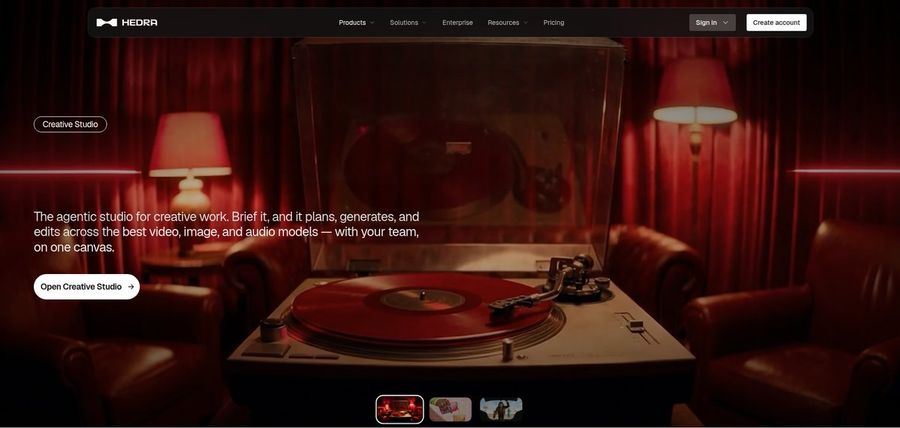
Hedra is a creative studio built around Character 3, which turns an image and an audio file into a talking or singing video. Storytellers build recurring characters from one image. Compared with the other tools here, Hedra needs your own audio, which you can record, upload, or generate.
A Teams plan gives groups a shared workspace. Developers can use Character 3 and pay per second of output. Hedra repriced its individual plans in late September 2026. This matters most for anyone switching away from DreamFace.
Older reviews list plan names that no longer exist. You must supply the audio first. On another front, Hedra offers a Teams plan for shared work.
Key Features
- Character 3 talking and singing avatars
- Image plus audio to video
- Creative Studio
- Visual Agent
- Several output formats
- Developer access
- Team plan
- Music video scenes
Best For:
- Social creators who start from a photo and a voice recording.
- Agencies exploring visual concepts for clients.
- Anyone who already has audio and needs a face for it.
- Creators who want a character to speak or sing.
- Musicians making visuals for a track.
- Storytellers building characters from one image.
Hedra Pros
- Audio Drives the Character
Character 3 builds a talking or singing video from an image and an audio file.
- Creative Studio
Hedra describes its studio as an agentic workspace for creative work.
- Plans for Individuals and Teams
Basic, Pro, and Ultra cover individuals, and Teams covers shared use.
- Clear Monthly Prices
Individual plans are listed at $20, $50, and $100 per month.
- Developer Access
Character 3 is also offered to developers with per second pricing.
- Music and Story Use
The studio has been used for music videos and character stories.
Hedra Cons
- Audio Is Required:
Character 3 needs an audio file, so you must bring or generate the voice first.
- Plan Names Changed:
Hedra repriced its individual plans in late September, so older reviews may be out of date.
- Not a Script Tool:
It is built around characters and scenes, not a script to presenter workflow with team training in mind.
Hedra Pricing
A free plan is not confirmed on its public pages. The Hedra plan list reads Basic, Pro, Ultra, and Teams. Plan names and limits come from the public pricing page.
| Plan | Price | What's Included |
|---|---|---|
| Basic | $20/month | Entry plan for individual creators |
| Pro | $50/month | A larger monthly usage allowance for regular creators |
| Ultra | $100/month | The largest individual plan |
| Teams | $75/month | A plan built for teams that work together |
The first paid plan, Basic, is $20/month. Next comes Pro at $50/month. Check what each tier includes before you decide.
When to Use Hedra?
Choose Hedra when you already have audio and want a character to deliver it. Consider it too if you need talking characters from audio. Keep this in mind when you replace DreamFace.
3. D-ID

D-ID is an early name in talking head video, with a studio for creators and a platform for developers. Developers can explore talking agents inside an app. Compared with the other tools here, D-ID offers watermark options that change by plan.
Lite is a low cost personal plan that carries the D-ID watermark. Stock presenters are available for people who do not want to upload a photo. A developer platform exposes the same technology to apps. Use it as a checkpoint if DreamFace no longer fits.
Plan details have moved around over time, so check the pricing page. It focuses on talking presenters, so editing tools are limited. On another front, D-ID has a short plan ladder that starts at a few dollars.
Key Features
- Photo to talking presenter
- Stock presenters
- Voice cloning
- Text to video
- Studio for creators
- Watermark control on higher plans
- Conversational agents
- Developer platform
Best For:
- Educators making short lesson intros.
- Teams that need a custom watermark on exports.
- Developers exploring talking agents.
- Anyone who wants a low cost entry plan.
- Small businesses adding a face to announcements.
- Trainers who want one cloned voice for narration.
D-ID Pros
- Photo to Presenter
D-ID is known for turning a still photo into a speaking presenter.
- Low Entry Price
The Lite plan starts at $5.90 per month, or $4.70 on annual billing.
- Commercial Use From Pro
Pro and Advanced allow commercial use.
- Voice Clones on Higher Plans
Pro includes one voice clone and Advanced includes three.
- Custom Watermark on Advanced
Advanced allows a custom or blank watermark.
- Studio Plus Developer Tools
D-ID also offers a developer platform and conversational agents.
D-ID Cons
- Lite Is Personal Use:
Lite is limited to personal use and carries the D-ID watermark.
- Costs Jump on Advanced:
Advanced is priced far above Pro at $196 per month.
- Narrower Than Video Suites:
It focuses on presenters, so editing and generation tools are lighter.
D-ID Pricing
There is a trial rather than a permanent free plan. The D-ID plan list reads Lite, Pro, Advanced, and Enterprise. Annual and monthly billing are priced differently, so compare like with like.
| Plan | Price | What's Included |
|---|---|---|
| Lite | $5.90/month, or $4.70/month billed annually | Personal use, D-ID watermark, standard presenters |
| Pro | $29/month, or $16/month billed annually | Commercial use, premium presenters, one voice clone |
| Advanced | $196/month, or $108/month billed annually | Commercial use, custom or blank watermark, three voice clones |
| Enterprise | Custom Pricing | Custom plans through the sales team |
The first paid plan, Lite, is $5.90/month, or $4.70/month billed annually. Pro costs $29/month, or $16/month billed annually. Compare the plan limits with your expected monthly work.
When to Use D-ID?
Pick D-ID when custom watermarks matter and the Advanced plan fits your budget. Keep it on the shortlist if talking photo videos matters to you.
4. HeyGen
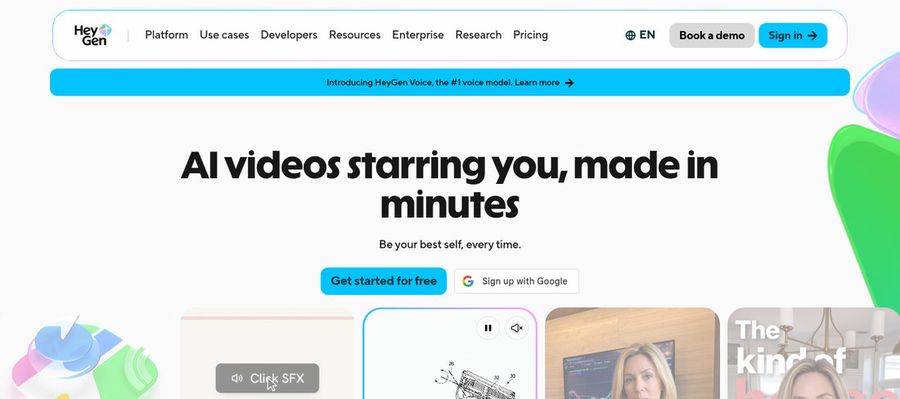
HeyGen is a video platform built around AI presenters, where a written script becomes a spoken video without a camera. Sales teams can use it for personalized outreach videos. Compared with the other tools here, HeyGen offers a very large set of ready made presenters plus custom and photo avatars.
A video agent can draft a video from a prompt before you refine it by hand. The free plan lists a large set of ready made presenters, with HeyGen branding on exports. Paid plans list a much wider range of languages and dialects than the free plan.
Extra seats on the Business plan cost $20 per seat per month on top of the base price. Usage runs through a monthly allowance, so costs are harder to predict. On another front, HeyGen includes Avatar IV and a video agent that drafts videos from a prompt.
Key Features
- AI presenter avatars
- Custom video avatar
- Photo avatars
- AI voices and voice cloning
- Video translation
- AI video agent
- Templates and PowerPoint import
- Team workspace and brand kit
Best For:
- HR teams recording policy updates without a studio.
- Course creators who want a polished host for every lesson.
- Recruiters sending personalized video intros.
- Agencies managing avatar videos for several clients.
- Small businesses that need a spokesperson on a budget.
- Marketing teams producing multilingual product videos.
HeyGen Pros
- Large Presenter Library
Over 500 presenters are listed on the free plan, and the paid plans list more than 700.
- Custom Avatar With Your Voice
A custom video avatar with your own voice and likeness is part of the paid plans.
- Wide Language Coverage
Translation reaches more than 175 languages and dialects on paid plans.
- Translation Controls
Pro subscribers can review and correct translation text before publishing.
- Editor and Templates
You can start from one of more than 75 templates or import a PowerPoint or PDF.
- Team Features
Business subscribers get a shared workspace, brand kit, and automation links to tools such as Zapier and HubSpot.
HeyGen Cons
- Watermark on the Free Plan:
The free plan watermarks every video with HeyGen branding.
- Metered Usage:
Because usage is metered by model and complexity, two videos of similar size can cost differently.
- Seats Cost Extra:
Extra Business seats cost $20 per person per month on top of the plan price.
HeyGen Pricing
Billing options and plan limits can change, so confirm them on the vendor's site. Plans at HeyGen are Free, Creator, Pro, Business, and Enterprise, with entry pricing from $29/month. There is a free plan to test it.
| Plan | Price | What's Included |
|---|---|---|
| Free | $0/month | Watermarked videos, access to Avatar IV and Video Agent, one custom video avatar, 500 plus ready made presenters |
| Creator | $29/month | Branding removed, custom video avatar with your own voice, 175 plus languages and dialects |
| Pro | $49/month | Everything in Creator plus faster processing, Cinematic Avatars, and proofreading for translations |
| Business | $149/month plus $20 per seat | Shared workspace, brand kit, single sign on, learning system export, and automation integrations |
| Enterprise | Custom Pricing | Multi workspace control, user provisioning, dedicated customer success manager, custom terms |
Creator costs $29/month. Pro costs $49/month. Enterprise is priced on request. Higher tiers are worth it only if you use the extra features.
When to Use HeyGen?
Pick HeyGen when presenter videos and translation matter more than a low starting price. It also suits anyone who needs avatar presenter videos. Teams leaving DreamFace often start with this question.
5. Kling AI

Kling AI generates short videos from text prompts and still images. Marketers explore product scenes. Compared with the other tools here, Kling AI starts from text or an image and can extend a clip.
Text to video and image to video are the main inputs. Upscaling is included on paid plans. Paid plans can generate several videos from one request. Keep this in mind when you replace DreamFace.
Plan prices changed in October 2026. Every generation uses a monthly allowance. On another front, Kling AI works from a prompt box.
Key Features
- Text to video
- Image to video
- Talking video from an image
- Video extension
- Upscaling
- Fast track generation
- Several videos per request
- AI image generation
Best For:
- Storytellers who extend a clip into a longer scene.
- Teams that need commercial use on their clips.
- Artists experimenting with image driven video.
- Creators generating short clips from a text prompt.
- Designers who start from a still image.
- Marketers exploring product scenes.
Kling AI Pros
- Text and Image Inputs
You can start from a written prompt or a still image.
- Talking Video From an Image
Kling has a page for turning an image into a talking video.
- Extension and Upscaling
Paid plans add video extension and upscaling.
- Watermark Removal on Paid Plans
Standard removes the watermark and allows commercial use.
- Low Entry Price
Standard is $8.80 per month after a first month price of $6.99.
- Several Videos Per Request
Paid plans can generate more than one video from one prompt.
Kling AI Cons
- Meant for Scenes:
Kling generates clips rather than script driven presenter videos.
- Allowance Is Metered:
Every generation uses a monthly allowance, so costs depend on how often you create.
- Prices Changed in October:
Kling changed its plans in October 2026, so older guides may list different prices.
Kling AI Pricing
Plans at Kling AI are Standard, Pro, and Premier, with entry pricing from $8.80/month. There is a free plan to test it. Billing options and plan limits can change, so confirm them on the vendor's site.
| Plan | Price | What's Included |
|---|---|---|
| Standard | $8.80/month ($6.99 first month) | Watermark removal, commercial use, video extension, upscaling, fast track generation, several videos per request |
| Pro | $32.56/month ($25.99 first month) | Everything in Standard with a larger allowance and priority access to new features |
| Premier | $80.96/month ($64.99 first month) | The largest of the three main plans, with larger tiers available above it |
Standard costs $8.80/month ($6.99 first month). Pro costs $32.56/month ($25.99 first month). Higher tiers are worth it only if you use the extra features.
When to Use Kling AI?
Choose Kling when you want generated scenes from a prompt. It also suits anyone who needs AI video from text and images.
6. Runway

Runway is a long running AI video platform used by filmmakers, designers, and marketing teams to generate scenes. Developers build generation into their own products. Compared with the other tools here, Runway gives model choice and image inputs for steering a scene.
Partner models are offered next to Runway's own models. Image generation, text to speech, and music tools are included. Enterprise plans cover companies with custom needs.
Costs rise quickly on the Max plan at $76 per month on annual billing. It is not built around script to presenter videos. On another front, Runway has a prompt box and a library of models.
Key Features
- Text to video
- Image to video
- Image generation
- Text to speech
- Music and sound tools
- Partner model access
- Characters for developers
- Team and enterprise plans
Best For:
- Ad studios drafting concepts quickly.
- Teams building characters that talk in real time.
- Production houses that need enterprise plans.
- Cinematographers building concept scenes.
- Graphic designers animating visual ideas.
- Social teams producing short brand clips.
Runway Pros
- Creative Generation
Generation works from prompts and images, so no shoot is needed.
- Model Choice
Runway models and partner models are available together.
- Images and Audio
Images, audio, and music tools come with the subscription.
- Free Plan
A one time deposit comes with the free plan.
- Rollover on Max
The top self serve plan rolls over up to one month of unused allowance.
- Established Platform
Runway lists over 60 million creators as users.
Runway Cons
- Everything Is Metered:
Allowance spend depends on which model is chosen.
- No Rollover on Lower Plans:
Standard and Pro reset allowance each month.
- Not a Presenter Tool:
Script to presenter is not the main workflow.
Runway Pricing
There is a free plan to test it. The Runway plan list reads Free, Standard, Pro, Max, and Enterprise. Annual and monthly billing are priced differently, so compare like with like.
| Plan | Price | What's Included |
|---|---|---|
| Free | $0 | A one time deposit to try the tools |
| Standard | $12/month billed annually, $15 monthly | Monthly allowance for video, image, and audio generation |
| Pro | $28/month billed annually, $35 monthly | A larger monthly allowance for regular creators |
| Max | $76/month billed annually, $95 monthly | The largest allowance, with up to one month of unused rollover |
| Enterprise | Contact sales | Custom plans for companies |
The first paid plan, Standard, is $12/month billed annually, $15 monthly. Pro costs $28/month billed annually, $35 monthly. Compare the plan limits with your expected monthly work.
When to Use Runway?
Pick Runway if you are comfortable budgeting around a usage allowance. Keep it on the shortlist if generative video from prompts matters to you.
Best Use Cases of DreamFace Alternative
People use presenter, voice, and video tools for many jobs, and the best DreamFace alternatives cover these eight in different ways. Here is how Hedra, D-ID, HeyGen, Kling AI, Runway, and Zoice map to each one.
Training and Onboarding Videos
Training videos change often, so the best DreamFace alternatives let you edit a script and regenerate instead of filming again. For this, Kling AI starts from text or an image and can extend a clip. Hedra, by comparison, lets audio drive the performance of the character.
Product Explainers
Product walkthroughs work best when a friendly face guides the viewer, and each tool here can supply one. Worth noting: Runway is not built for presenters, so on screen people are secondary, and D-ID turns a photo or a stock presenter into a speaking video. Zoice gives you a Host built from a description or an image, or taken from a public library.
Sales and Outreach Videos
Outreach videos need a voice that sounds like your team, which makes cloning options worth checking. HeyGen pairs a big voice catalog with voice cloning on paid plans, whereas Hedra needs your own audio, which you can record, upload, or generate.
Marketing and Social Content
Marketers need a steady stream of short presenter clips, so how fast a tool produces a draft matters. D-ID turns a photo and a script into a talking video, while Kling AI generates video from text and images with its own models. Zoice also makes AI images and AI videos from text, image, and frame inputs.
Course and Lesson Videos
Educators can turn lesson notes into videos with a presenter, which is where DreamFace alternatives compete. On that front, HeyGen gets you from script to avatar video with a simple editor. Runway has a prompt box and a library of models.
Internal Communication
HR and operations teams use presenter videos for policy changes, so shared workspaces help. Kling AI is aimed at individuals, with larger tiers for heavy use, and Hedra offers a Teams plan for shared work, so both are worth testing against Zoice. Zoice offers an Enterprise plan with multi staff access and dedicated support.
Localized Videos
Reaching customers in more than one language is a common reason to switch from DreamFace. For this, Runway focuses on visuals more than languages. D-ID, by comparison, creates speech from a typed script.
Founder and Brand Videos
A consistent brand presenter makes every message feel familiar, and DreamFace alternatives take different routes to that. Worth noting: Hedra offers paid plans for individuals and teams, and HeyGen removes its branding on paid plans. Zoice paid plans start at $7.99 per month, with annual billing at a 20% discount.
How We Compared the Best DreamFace Alternative
To compare the best DreamFace alternatives, we looked at nine areas using each vendor's own pricing and feature pages, checked in November 2026. The goal was to see where Zoice, Hedra, D-ID, HeyGen, Kling AI, and Runway differ, not to crown a single winner.
1. Presenter Options
We looked at how many presenters each tool offers and whether you can build your own. For this, Kling AI can turn an image into a talking clip. Hedra, by comparison, builds talking characters from one image.
2. Voice Options
We compared voice libraries and whether you can bring your own voice. Worth noting: Runway includes text to speech and music tools, and D-ID adds one voice clone on Pro and three on Advanced. Zoice lets you record or upload audio, or train a voice profile for cloned speech.
3. Script to Video Workflow
Fewer steps between script and video means faster publishing, so we compared the flows. HeyGen includes Avatar IV and a video agent that drafts videos from a prompt, whereas Hedra runs a Creative Studio with image, video, and audio tools.
4. Control Over the Presenter
Control means shaping what the presenter does and how a draft changes after review. D-ID offers watermark options that change by plan, while Kling AI starts from text or an image and can extend a clip. Zoice lets you direct the Host with an action prompt.
5. Language and Translation
We compared translation and dubbing options on each plan. On that front, HeyGen lists a much wider range of languages on paid plans than on free. Runway focuses on visuals more than languages.
6. Ease of Use
The first video should not need a tutorial, so we compared getting started. Kling AI works from a prompt box, and Hedra keeps creation simple with an image and an audio file, so both are worth testing against Zoice. Zoice keeps the flow short: choose a Host, add a script or audio, preview, and generate.
7. Pricing and Value
Price is only half of value, so we compared entry costs and what each plan unlocks. Runway starts at $12/month, D-ID starts at $4.70/month billed annually, and Zoice starts at $7.99 per month.
8. Team Features
We compared seats, workspaces, and brand controls. Worth noting: Hedra offers a Teams plan for shared work, and HeyGen adds a shared workspace and brand kit on the Business plan. Zoice offers an Enterprise plan with multi staff access and dedicated support.
9. Public Information and Reviews
Every claim here traces back to a vendor page, not to a rumor. Vendor pages for D-ID, Kling AI, and Hedra were reviewed in November 2026, and anything unclear is marked as not confirmed.
Overall Performance
Overall, Zoice is the most direct route from a script or audio file to a Host video, while the other tools here lead in narrower areas. For talking characters from audio, Hedra stands out, and D-ID is the pick for talking photo videos. HeyGen is also worth a look for avatar presenter videos.
How to Choose the Right DreamFace Alternative Before You Pay
Choosing among DreamFace alternatives depends on how you plan to use video and voice. Some tools build presenters, others edit, and others generate scenes, so start from your own job before you compare prices.
Pick the Right Kind of Presenter
Decide whether you want a stock presenter, a custom one, or a photo that speaks. For this, Kling AI can turn an image into a talking clip. Hedra, by comparison, builds talking characters from one image.
Check the Voice Options
Voice is half of a presenter video, so test it with your own script. Worth noting: Runway includes text to speech and music tools, and D-ID adds one voice clone on Pro and three on Advanced. Zoice lets you record or upload audio, or train a voice profile for cloned speech.
Compare Plan Structures
Entry prices tell little until you see what unlocks at each step. At the low end, Zoice is $7.99 per month, while Hedra is $20/month and HeyGen is $29/month. Use it as a checkpoint if DreamFace no longer fits.
Look at Free Plans and Watermarks
Free plans are a fair way to test, but most add a watermark. D-ID lists a trial only, Kling AI lists a free plan, and Zoice has a free plan.
Check Translation Needs
Translation features vary, so confirm what your plan includes. On that front, HeyGen lists a much wider range of languages on paid plans than on free. Runway focuses on visuals more than languages.
Think About Team Needs
Collaboration is easy to overlook until a second person joins. Kling AI is aimed at individuals, with larger tiers for heavy use, and Hedra offers a Teams plan for shared work, so both are worth testing against Zoice. Zoice offers an Enterprise plan with multi staff access and dedicated support.
Try Before You Pay
Run one real script through two tools before you commit. On free access, Runway shows a free plan and D-ID shows a trial only, while Zoice offers a free plan.
Frequently Asked Questions
1. What is the best DreamFace alternative?
Zoice is the best DreamFace alternative for people who want a custom Host that speaks a script or an audio file. Hedra suits talking characters from audio, and D-ID suits talking photo videos.
2. Why do people look for a DreamFace alternative?
Most often because they want a Host who delivers a script instead of a short novelty clip. On the web, DreamFace sells one time packs starting at $4.99, with no subscription or automatic renewal.
3. How does Zoice compare with DreamFace?
Zoice lets you design a character for the Host, add a script or your own audio, and generate.
4. Which DreamFace alternative is best for training videos?
Among DreamFace alternatives, Hedra is a strong choice because it builds talking characters from one image. D-ID also works, since it turns a photo or a stock presenter into a speaking video. Zoice fits too when you want a Host built from your own script.
5. Which platform is best for voice cloning?
D-ID and HeyGen list voice cloning in their plans. Zoice lets you train a voice profile so a Host can speak your script in a cloned voice, and paid plans include from 1 to 10 voice profiles.
6. Which DreamFace alternative is the cheapest?
Starting prices differ by billing: Hedra is $20/month, D-ID is $4.70/month billed annually, HeyGen is $29/month, Kling AI is $8.80/month, and Runway is $12/month. Zoice starts at $7.99 per month and also has a free plan.
7. Can I use videos made with these tools commercially?
Paid plans usually allow commercial use, but terms differ by tool and plan. Kling AI allows commercial use on Standard and above, and Runway includes commercial use on paid plans. Always read each vendor's terms before using any DreamFace alternative for client or advertising work.
8. Do I need a camera or video skills to use these tools?
No, most DreamFace alternatives suit beginners. Runway has a prompt box and a library of models, and HeyGen gets you from script to avatar video with a simple editor. Zoice keeps the steps to choosing a Host, adding a script or audio, previewing, and generating.
9. How does Zoice make a talking avatar video?
Pick a Host, then type a script or record or upload your own audio. Preview the audio first, direct the Host with an action prompt if you like, then generate the video. Zoice then builds the video with its Zoice Avatar X model. It is a useful check when comparing options against DreamFace.
10. What should I consider before choosing a DreamFace alternative?
When you choose among DreamFace alternatives, compare the presenter and voice options, how much control you get after a draft is made, what the free plan includes, and whether the tool matches your main job. For example, Kling AI starts from text or an image and can extend a clip, while Zoice lets you direct the Host with an action prompt.
11. Is Zoice free to try?
Zoice has a free plan with a daily allowance, AI Chat, AI Transcriptions, AI Voice, and AI Images. Avatar videos and AI videos start on the Starter plan at $7.99 per month. Agency has up to 10 voice profiles. That is worth weighing if you are moving on from DreamFace.
Conclusion
The right DreamFace alternative is the one that fits your main job, whether that is talking characters from audio, talking photo videos, or something in between. Hedra, D-ID, HeyGen, Kling AI, and Runway each earn a place on the shortlist for a different reason.
Zoice is the simplest place to start if you want a custom Host that speaks a script or an audio file. Try the free plan first, then move to a paid plan from $7.99 per month if it fits. Teams leaving DreamFace often start with this question.