DomoAI Alternative Tested, Compared & Ranked

DomoAI Alternative: DomoAI is known for turning footage and still images into restyled or animated video, and its tool list now includes a talking avatar, lip sync, character to video, and a pet talk template. This guide is for people who want the speaking part to be the main event, and it compares Zoice, Hedra, Vyond, D-ID, and CapCut.
The usual reason to move is control over the voice. DomoAI lets you restyle and animate freely, but if a recording of your own should drive a character from the first frame, you will want a tool designed around audio first.
Each section covers what the tool is, its features, its pros and cons, and its published plans, then closes with who should choose it. Prices are quoted only where the vendor shows them, and gaps are marked rather than guessed.
Quick Comparison of the Best DomoAI Alternative Tools
| Features & Capabilities | Zoice | Hedra | Vyond | D-ID | CapCut |
|---|---|---|---|---|---|
| Quick Comparison | |||||
| Best For | Custom Characters With Voice | Talking Characters From Audio | Character Based Explainer Videos | Talking Photo Videos | Social Video Editing |
| AI Presenter Avatars | Yes | Yes | Yes | Yes | Yes |
| Voice Cloning | Yes | Not confirmed | Yes | Yes | Yes |
| Script to Video | Yes | Limited | Yes | Yes | Yes |
| Free Plan | Available | Not confirmed | Not listed | Trial only | Available |
| Starting Price | $7.99/month | $20/month | $58/month | $4.70/month billed annually | $19.99/month |
Best DomoAI Alternative
The best DomoAI alternative depends on whether your project starts with a picture or with a voice. If a recording, a script, or a song is the thing you already have, favor the tools that treat audio as the input and the face as the output.
Zoice sits at the top because character, voice, and video are handled in the same browser workspace. That removes the export and import steps that creep in when separate apps each handle one part of the job.
After Zoice you will find Hedra for audio driven characters, Vyond for animated workplace scenes, D-ID for photo presenters, and CapCut for editing with AI tools. The summary table compares them side by side before the detailed sections begin.
1. Zoice

Zoice is a browser platform where a Host, its own character, speaks a script or your recorded audio. You can choose a Host from the public library, or build one from a written description or a picture.
Voices come from typed text, a recording, an upload, or a trained voice profile, and every audio file can be played back before you generate. Action prompts add direction, so the Host can be told to point, nod, or show an item.
The account also gives you AI images, AI videos, AI chat, and transcriptions next to avatar videos. Read more on the AI avatar generator page.
Key Features
- AI avatar videos from a script
- Custom avatar characters
- Public character library
- Record or upload your own audio
- Voice profiles for cloned speech
- Action prompts for the Host
- AI images and AI videos
- AI chat and transcriptions
Best For:
- Teachers making a presenter video from class notes
- Startup founders who would like a steady Host over many videos
- Small firms that need quick updates and explainer videos
- Agency groups assembling videos with a presenter for clients
- Teams after one account for AI images, videos, and avatar videos
- Anyone happier writing a script than learning a timeline editor
Zoice Pros
- Audio Leads the Video
Audio is the starting point, whether you type it, record it, or upload it, and the Host delivers it on screen.
- Two Ways to Get a Host
Build a Host from a description or an image, or pick a ready character from the library.
- Voice Profiles
A trained voice profile lets the Host speak in a voice you chose, with plans adding more profiles as you upgrade.
- Directing the Host
Short action prompts tell the Host what to do while it talks.
- Listen First
Play the audio back before you generate so a bad take never turns into a finished video.
- Everything in One Place
Transcriptions, images, videos, and chat live in the same account, which saves juggling tools.
Zoice Cons
- Needs an Internet Connection:
Because Zoice is browser based, it needs an active internet connection to work.
- Modest Public Library:
Its public avatar library is smaller than the biggest stock catalogs, and building your own Host is the way around that.
Zoice Pricing
Zoice starts with a free plan, adds Starter, Basic, Creator, and Agency, and offers Enterprise on custom terms.
| Plan | Price | What's Included |
|---|---|---|
| Free | $0/month | Free tools for transcriptions, voice, images, and chat |
| Starter | $7.99/month | Starter unlocks avatar videos, AI videos, AI Voice, and one Voice Profile |
| Basic | $29.99/month | Starter features with three Voice Profiles |
| Creator | $49.99/month | Starter features with five Voice Profiles |
| Agency | $89.99/month | Starter features with ten Voice Profiles |
| Enterprise | Custom Pricing | Tailored features, a dedicated support contact, and multi staff access |
Starter costs $7.99 a month, Basic $29.99, Creator $49.99, and Agency $89.99, and the number of Voice Profiles climbs from one to ten across them. Paying yearly saves 20%.
When to Use Zoice?
Choose Zoice when a voice, yours or a typed script, should drive a character and you want it all in one browser workspace. It is the straightforward route for anyone whose idea begins with audio rather than footage.
2. Hedra
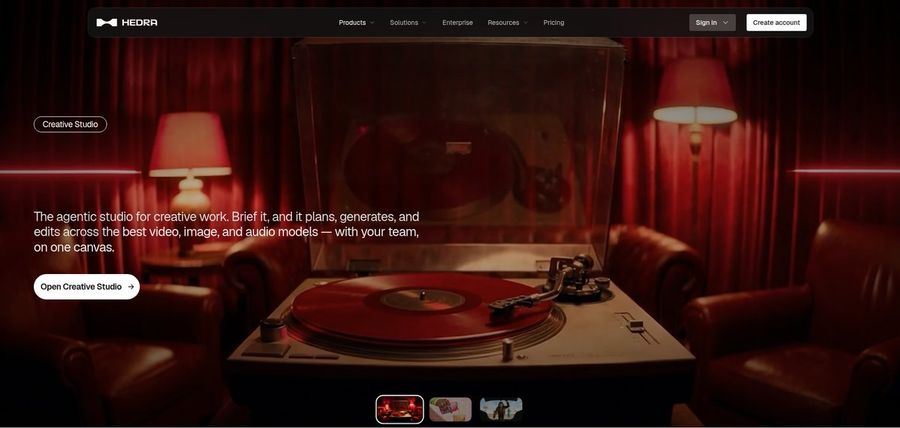
Hedra is a generative studio with a focus on talking and singing characters. Its Character 3 model needs an image and an audio file, which you can record, upload, or generate.
Beyond the character model, Hedra offers a Creative Studio and a Visual Agent in one workspace, along with developer access and a Teams plan. Musicians use it to give a track a performer.
Anyone leaving DomoAI will notice the shift in emphasis: Hedra assumes the voice track exists first.
Key Features
- Character 3 talking and singing avatars
- Image plus audio to video
- Creative Studio
- Visual Agent
- Several output formats
- Developer access
- Team plan
- Music video scenes
Best For:
- Software builders who want a talking avatar model
- Creative teams that share a single workspace
- Content creators on social platforms who open with a photo and a recorded voice
- Agency staff looking at visual concepts for clients
- Audio owners who still need a face for it
- Content creators in search of a character to speak or sing
Hedra Pros
- Audio Drives the Character
A still image plus an audio file produces a talking or singing character in Character 3.
- One Creative Studio
The Creative Studio gathers image, video, and audio tools in one workspace.
- Plans for Individuals and Teams
Individual plans are Basic, Pro, and Ultra, and Teams covers shared work.
- Clear Individual Prices
Published monthly prices of $20, $50, and $100 make budgeting simple.
- Music and Story Use
Music videos and character stories are common uses of the studio.
Hedra Cons
- Audio Is Required:
Hedra needs an audio file before Character 3 will run, so you must record or generate the voice first.
- Plan Names Changed:
Hedra changed its individual plan prices in late September, so older reviews may quote outdated figures.
- Not a Script Tool:
It is built around characters and scenes rather than a script to presenter workflow for training.
Hedra Pricing
Hedra sells Basic, Pro, Ultra, and Teams plans, beginning at $20 per month, and a free tier is not confirmed on its public pages.
| Plan | Price | What's Included |
|---|---|---|
| Basic | $20/month | Entry plan for solo creators |
| Pro | $50/month | A middle tier; the vendor pricing page has the details |
| Ultra | $100/month | The largest of the individual plans |
| Teams | $75/month | A plan aimed at people who collaborate |
Basic is $20 per month, Pro $50, Ultra $100, and Teams $75. Pick the tier by how often you generate.
When to Use Hedra?
Hedra suits musicians and storytellers more than corporate trainers. If you are weighing it against DomoAI, test one character with one voice file in each and see which handles the pairing better.
3. Vyond
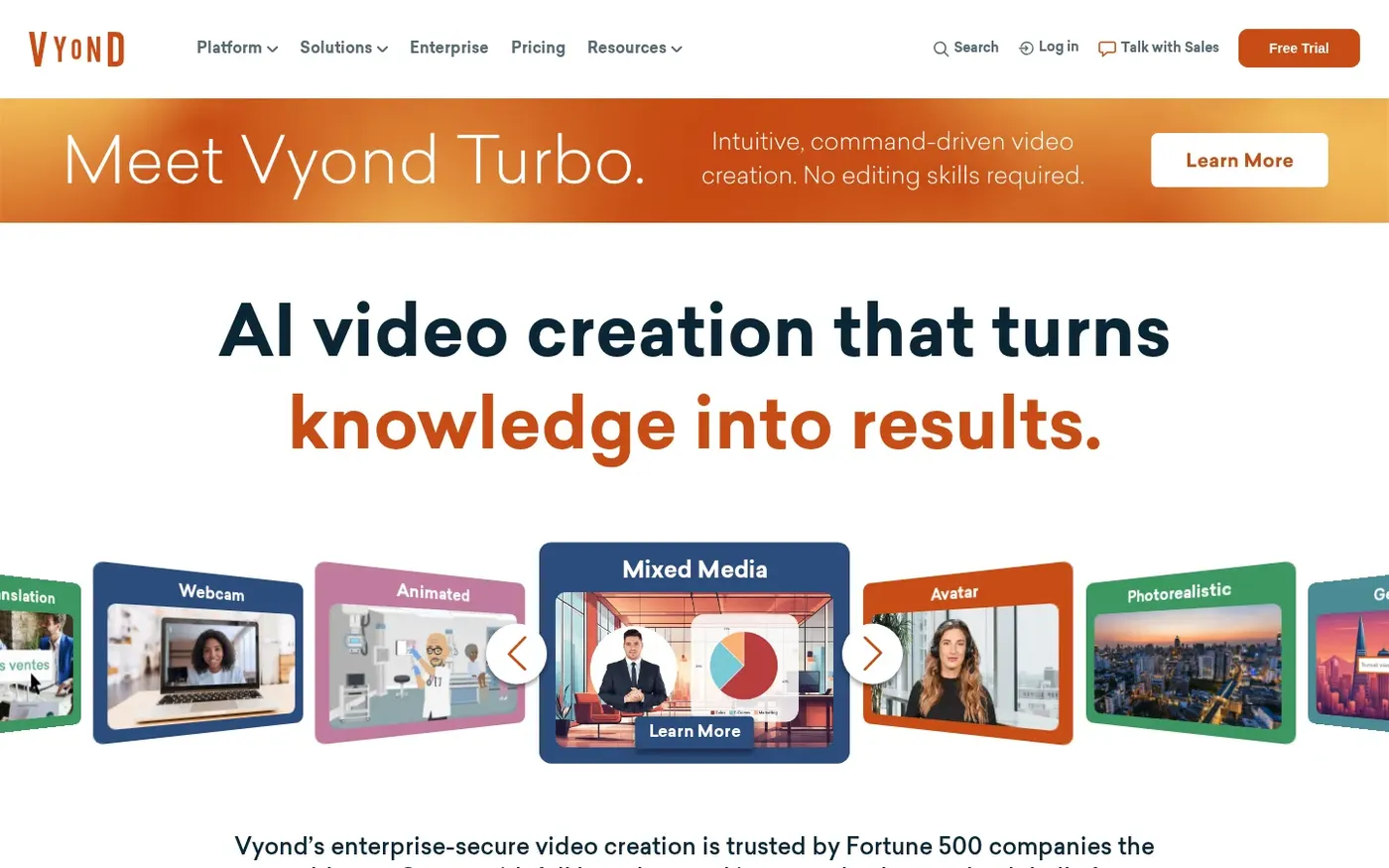
Vyond builds animated video from characters and props, and it is best known for workplace storytelling that now has AI assistance. Learning teams use it for training scenarios.
Vyond Go creates a video from a prompt, a document, or a URL, while AI avatars, text to speech voices, and a photo to character tool fill in the cast. Shared libraries, comments, and export for learning systems support team work.
It is a scene builder more than a speaking face generator, so it differs from DomoAI in how a video gets made.
Key Features
- AI avatars
- Vyond Go prompt to video
- Document and URL to video
- Text to speech voices
- Photo to character
- Capturing the screen and webcam
- Brand management suite
Best For:
- Learning teams making training and compliance videos
- HR teams explaining policies with characters
- Corporate communicators sharing updates
- Agencies producing explainer videos
- Teams that need shared libraries and commenting
- Companies translating videos into many languages
- Educators who want character based lessons
- Brands that need strict color and font control
Vyond Pros
- Large Avatar Choice
The platform lists more than 1,300 AI avatars for building scenes.
- Prompt to Video
Vyond Go starts a video from a prompt, a document, a script, or a URL.
- Voice Library
The Starter plan lists more than 650 text to speech voices.
- Brand Controls
Higher plans add a brand kit, color tools, and approval management.
- Team Features
Shared libraries, commenting, and user management make teamwork easier.
Vyond Cons
- Higher Entry Price:
Starter costs $58 per month billed annually or $99 monthly, for just one user.
- Per User Pricing:
Plans are charged per user per month, so every extra seat adds to the bill.
Vyond Pricing
Vyond prices by user, with a lower rate for annual billing and brand and team features on the higher plans.
| Plan | Price | What's Included |
|---|---|---|
| Starter | $58/month billed annually, $99 monthly | Over 650 text to speech voices, text to video, AI avatars, plus screen and webcam capture |
| Professional | $100/user/month billed annually | Team collaboration, avatars generated from a prompt, Shutterstock assets, and translation into 95 languages |
| Enterprise | $137/user/month billed annually | Security features, the Brand Management Suite, a premium voice set, and advanced collaboration |
| Agency | $167/user/month billed annually | The top tier; the vendor pricing page lists what it includes |
Starter is $58 per month billed annually and $99 monthly. Professional is $100 per user per month billed annually.
When to Use Vyond?
Vyond works when your videos are explainers or training lessons that benefit from characters and team controls. If a simple presenter workflow is what you want, look elsewhere on this list.
4. D-ID

D-ID animates a single photo into a talking presenter and also offers stock presenters, text to video, and a Studio for creators. Voice cloning is included on its higher plans.
For developers it runs a platform for conversational agents, and watermark control is available on top tiers. Plans start at a low monthly Lite price intended for personal use.
Compared with DomoAI, D-ID narrows the job to one thing: a face that speaks.
Key Features
- Photo to talking presenter
- Stock presenters
- Voice cloning
- Text to video
- Studio for creators
- Watermark control on higher plans
- Conversational agents
- Developer platform
Best For:
- Training leads in search of one cloned voice for narration
- Agency groups scoping avatar videos for clients
- Creators after one photo to speak
- Marketers sampling straightforward videos with a presenter
- Instructors putting together short lesson intros
- Groups that require their own watermark on exports
D-ID Pros
- Photo to Presenter
One photo is enough to produce a talking presenter.
- Voice Cloning
Pro includes a voice clone and Advanced includes three.
- Watermark Control
Advanced offers a custom or blank watermark.
- Agents and API
Conversational agents and a developer platform serve builders.
- Low Cost Entry
The Lite plan has a low monthly price for personal projects.
- Stock Presenters
Stock presenters give you a way to start without a photo of your own.
D-ID Cons
- Lite Is Personal Use:
Lite is limited to personal use and keeps the D-ID watermark.
- Costs Jump on Advanced:
Advanced is $196 per month, a big step up from Pro.
- Narrower Than Video Suites:
D-ID leads with presenters, so its editing tools are lighter than a full video suite.
D-ID Pricing
D-ID lists Lite, Pro, Advanced, and Enterprise, each with a monthly price and a cheaper annual rate.
| Plan | Price | What's Included |
|---|---|---|
| Lite | $5.90/month, or $4.70/month billed annually | Personal use, the D-ID watermark, and standard presenters |
| Pro | $29/month, or $16/month billed annually | Commercial use, premium presenters, plus a single voice clone |
| Advanced | $196/month, or $108/month billed annually | A custom or blank watermark, commercial use, and three voice clones |
| Enterprise | Custom Pricing | Custom plans arranged through the sales team |
Lite is $5.90 per month or $4.70 billed annually, and Pro is $29 or $16 billed annually. Advanced is $196 or $108 billed annually.
When to Use D-ID?
D-ID is a good fit if your main need is a talking face from a photo or a conversational agent for a product. For restyling and effects work, DomoAI stays closer to what you are used to.
5. CapCut
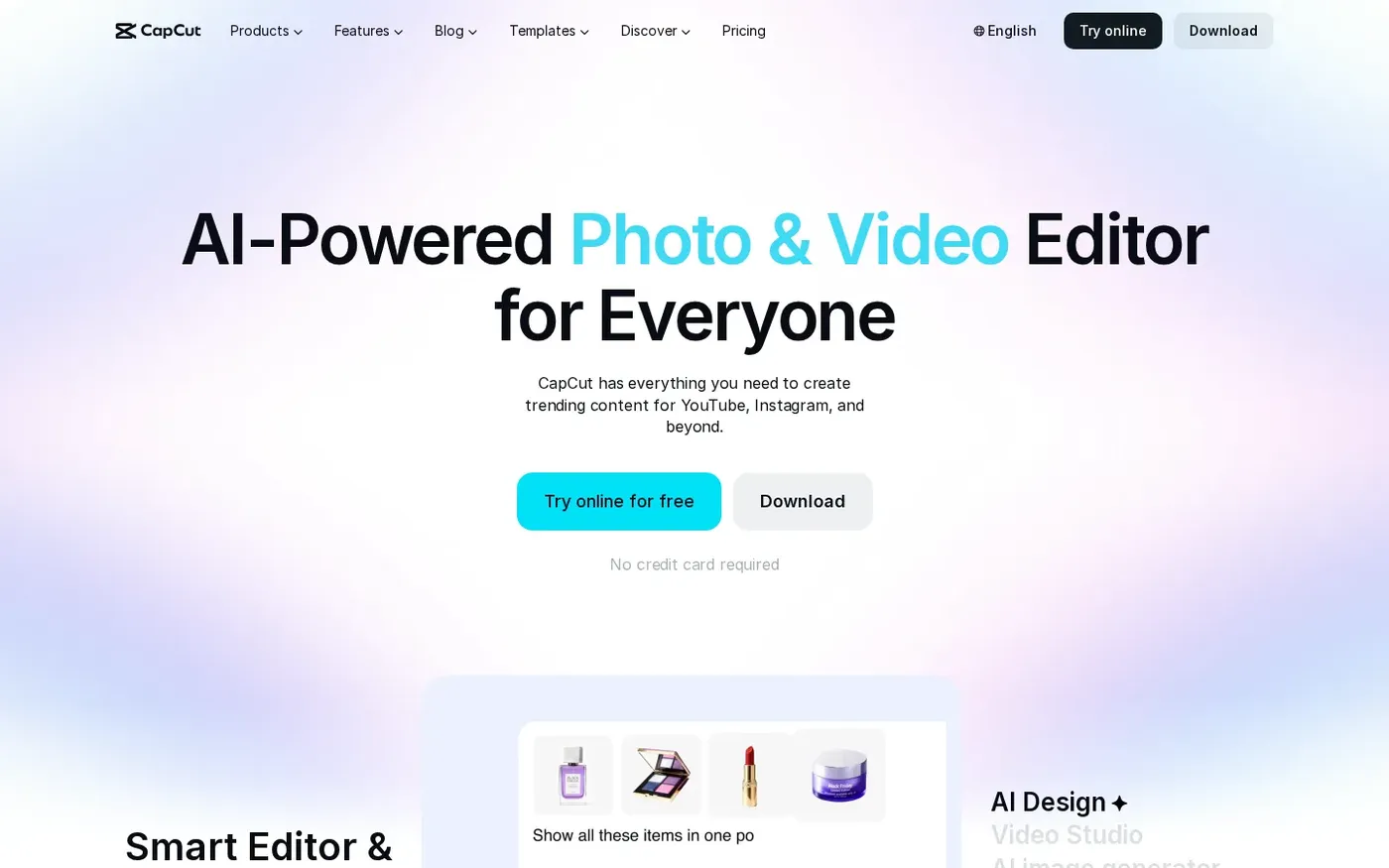
CapCut is a free video and photo editor with an online version, and its AI tools include text to speech, voice cloning from recorded samples, and an AI video translator for dubbing. It also has an AI video generator and a chat based Video Studio.
Automatic subtitles and a background remover come with the editor, and templates cover Reels and TikTok formats. New users can try Pro free for seven days, depending on region and platform.
It gives you audio and picture editing in one app, which is a practical next step for someone leaving DomoAI.
Key Features
- Online video editor
- AI video generator
- Video Studio chat builder
- AI image generator
- Text to speech
- Automatic subtitles
- Background remover
- Templates for Reels and TikTok
Best For:
- Small brands that use templates for quick promos
- Students who are new to video editing
- Hobbyists who want AI tools without paying first
- Sellers who often need a clean background
CapCut Pros
- Free to Start
The free plan handles everyday editing and a first look at the AI features.
- Template Library
Templates exist for social posts, Reels, TikTok, and business formats.
- AI Generation Tools
The editor bundles generators for video, images, and speech.
- Audio Cleanup
Noise removal and voice enhancement help with rough audio takes.
- Pro Trial
New users can try Pro free for seven days where it is offered.
CapCut Cons
- Varies by Region and Platform:
Offers change with your region and device, so the price you see may differ from another user's.
- Prices Shown at Sign In:
Final pricing appears only after you sign in, as the pricing page itself says.
CapCut Pricing
CapCut offers Free, Pro, Ultra, and Teams, with annual and monthly billing priced differently.
| Plan | Price | What's Included |
|---|---|---|
| Free | $0/month | Daily editing and a way to try the platform |
| Pro | $19.99/month | More AI features, premium templates, advanced editing tools, and a seven day trial for new users |
| Ultra | $79/month | A wider set of advanced tools, templates, and AI models |
| Teams | See pricing page | Shared access for several users and a Brand Kit |
Pro is $19.99 per month and Ultra is $79 per month, and Teams pricing is on the vendor page.
When to Use CapCut?
Pick CapCut when you want to add AI generation without leaving your editor. It is a better match for social posts and quick edits than for a dedicated avatar workflow.
Best Use Cases of DomoAI Alternative
Below are the projects where leaving DomoAI tends to matter, with a note on how each tool handles them.
Marketing Campaigns
Zoice lets a Host speak a recorded line for a short post, and CapCut's templates suit trending social formats.
Personalised Greetings
Zoice gives onboarding a repeatable Host, while Vyond lets a training team act out scenarios with animated characters.
Pet and Character Content
A teacher can have a Host explain lesson notes in Zoice, and Vyond's character scenes work for story based lessons.
Sales Outreach
Upload a song or vocal to Zoice for a Host to perform, or try Hedra, whose Character 3 handles talking and singing from audio.
Brand Spokesperson
Zoice reads each step of a support guide from a script, and D-ID's conversational agents can answer questions live.
Internal Communications
Give an audio episode a face in Zoice, or add captions with CapCut's automatic subtitles.
Language Practice
Build a custom Host for a story narrator in Zoice, or script a whole animated scene in Vyond.
Product Explainers
A Host in Zoice can announce an event, and CapCut's templates help you dress up the invitation.
How We Compared the Best DomoAI Alternative
DomoAI starts from footage and images, so we compared alternatives on ten points about audio led character video.
Ease of Use
We counted the steps from sign up to a first video where a recording drives the face.
Input Options
We listed accepted inputs: photo, script, audio file, document or song.
Voice and Audio
We checked recording, upload, cloning and stock voices, since voice control is the usual reason to leave DomoAI.
Character Options
We compared library characters, custom characters and how reusable each one is.
Customisation
Templates, animated scenes and editors were noted for projects that go beyond one speaking face.
Pricing Transparency
Prices come only from vendor pages, and gaps are flagged.
Free Plan Access
We recorded free plans and whether exports carry a watermark.
Platform Fit
We noted browser, API and team access for each DomoAI rival.
Support and Learning Material
Tutorials and help pages were checked for people who are used to a restyling workflow.
Overall Performance
Each verdict names the DomoAI project the tool can take over.
How to Choose the Right DomoAI Alternative Before You Pay
These checks help a DomoAI user pick a tool where the voice leads the video.
Define Your Input
Decide whether your project starts with a picture or with a recording.
Test the Free Option
Try a free plan first where one exists, and note watermarks.
Check the Voice Options
Pick between your own voice, a cloned voice and a stock voice.
Look at Character Control
Confirm that one character can return in every video.
Read the Plan Details
Read each plan table for seats, exports and gated features.
Think About Where You Work
Choose between a browser, an editor and an API depending on how you work.
Plan for Growth
Compare seat prices now if more people will join.
Frequently Asked Questions
1. What is the best DomoAI alternative?
For DomoAI users, Zoice is the first pick when audio should lead the video and you want one Host across projects. Hedra, Vyond, D-ID and CapCut each cover a different type of project.
2. Why look for a DomoAI alternative?
Some DomoAI users want the voice to drive the character, and others want a consistent Host or a different price model.
3. Is Zoice free to try?
The $0 Zoice plan covers AI Transcriptions, AI Voice, AI Images and AI Chat for anyone coming from DomoAI. Starter at $7.99 a month is where avatar videos begin. Paid plans end at custom Enterprise terms.
4. Can I use my own audio with Zoice?
Yes, you can record in the browser or upload a file, and the Host speaks in your own voice.
5. Can I create my own character in Zoice?
Yes, build a Host from a text description or an image, or select one from the library.
6. What are action prompts?
Action prompts are short written directions that tell the Host what to do while it speaks.
7. Does Zoice work in the browser?
Yes, it runs in a browser with nothing to install, and an internet connection is required.
8. How does Hedra compare?
Hedra needs an image and an audio file to run Character 3, while Zoice can start from a typed script or your own recording and keeps a reusable Host.
9. Which tool suits beginners?
Zoice and CapCut both have free plans, and D-ID offers a low priced Lite plan.
10. Can I use these tools for business videos?
Yes. Zoice paid plans are used for business videos, and Enterprise adds dedicated support and multi staff access.
11. How should I test these tools?
Give each tool the same image and voice file, then compare how each handles a character with a voice track.
Conclusion
DomoAI is great for restyling and animating, but it is not the only way to make a character speak. If voice leads your projects, one of the tools above will probably fit better.
Zoice is the best first test because a Host and your own audio live in the same browser workspace. Try a free account or Starter, and compare the result against Hedra or D-ID on the same material.