DeeVid Alternative Tested, Compared & Ranked

DeeVid Alternative: DeeVid describes itself as an AI director for video, images, avatars, voice, and music, with a Video Agent that plans and iterates and a Canvas for arranging edits. Its avatar option turns one photo into on camera talent, and this guide is for people who want that avatar and lip sync work to be the centre of the product. It compares Zoice, Hedra, Creatify, D-ID, and HeyGen.
The decision to leave usually has little to do with what DeeVid cannot do. When a tool covers music, ads, image to video, and avatars at once, some users simply prefer one that does the speaking character job and nothing else.
Every tool is covered the same way, with an overview, features, pros, cons, plans, and a closing note on who it suits. Pricing is included only when the vendor lists it, so some cells are deliberately blank or marked as unconfirmed.
Quick Comparison of the Best DeeVid Alternative Tools
| Features & Capabilities | Zoice | Hedra | Creatify | D-ID | HeyGen |
|---|---|---|---|---|---|
| Quick Comparison | |||||
| Best For | Talking Photos and Host Videos | Talking Characters From Audio | Product Link to Video Ads | Talking Photo Videos | Avatar Presenter Videos |
| AI Presenter Avatars | Yes | Yes | Yes | Yes | Yes |
| Voice Cloning | Yes | Not confirmed | Yes | Yes | Yes |
| Script to Video | Yes | Limited | Yes | Yes | Yes |
| Free Plan | Available | Not confirmed | Available | Trial only | Available |
| Starting Price | $7.99/month | $20/month | $10/month | $4.70/month billed annually | $29/month |
Best DeeVid Alternative
The best DeeVid alternative depends on how you want to start. A photo, a typed script, and a recording all lead to different tools, so choose your starting material before you compare anything else.
Zoice is first because it keeps the Host, the voice, and the finished video in one browser workspace. You can begin with a script, a voice you record, or an audio file you upload.
Four other tools come after it: Hedra, Creatify, D-ID, and HeyGen. The comparison table lines them up, and the sections that follow explain what each one is good at.
1. Zoice

Zoice is a browser platform built around a character called the Host. You pick a Host from the public library or generate your own from a written description or a photo.
The Host can speak typed text, a recording, an uploaded file, or a voice profile you trained, and you can hear the audio before anything is generated. Action prompts let you say what the Host should do while it speaks.
AI images, AI videos, chat, and transcriptions are part of the account too. The AI talking photo generator page covers the photo driven side in more detail.
Key Features
- AI avatar videos from a script
- Custom avatar characters
- Public character library
- Record or upload your own audio
- Voice profiles for cloned speech
- Action prompts for the Host
- AI images and AI videos
- AI chat and transcriptions
Best For:
- Training managers converting written content into videos with a presenter
- Marketers building product explainer videos and videos for social media
- Instructors transforming class notes into a presenter video
- Startup founders who want a consistent Host over many videos
- Sales teams that create brief outreach videos from a script
- Agencies staging videos with a presenter for a range of clients
Zoice Pros
- Script or Voice Input
Type or record a script, or upload audio, and the Host performs it.
- Your Own Host
Make a Host from words or a photo, or choose one that already exists in the library.
- Saved Voice Profiles
Voice profiles save a trained voice for later videos.
- Plain Language Actions
Describe an action in plain words, and the Host does it on screen.
- Hear It First
Playback before generation means you can fix audio before you spend anything on a video.
- Wider Toolset
Images, videos, chat, and transcription tools come with avatar videos.
Zoice Cons
- Needs an Internet Connection:
Zoice depends on a live internet connection, since everything runs in the browser.
- Modest Public Library:
The public Host library is on the small side compared with big stock catalogs, so many people build a Host themselves.
Zoice Pricing
Zoice has one free plan, four paid plans named Starter, Basic, Creator, and Agency, and an Enterprise tier with custom pricing.
| Plan | Price | What's Included |
|---|---|---|
| Free | $0/month | Zero cost, covering transcription, voice, image, and chat tools |
| Starter | $7.99/month | Avatar videos and AI videos with AI Voice and a single Voice Profile |
| Basic | $29.99/month | Everything in Starter and three Voice Profiles |
| Creator | $49.99/month | Everything in Starter and five Voice Profiles |
| Agency | $89.99/month | Everything in Starter and ten Voice Profiles |
| Enterprise | Custom Pricing | Bespoke feature sets, a support contact, and logins for several staff |
Starter is $7.99 a month, Basic is $29.99, Creator is $49.99, and Agency is $89.99. Billing yearly cuts 20% from those prices.
When to Use Zoice?
Zoice is a good move if you want a recurring Host in videos and a simple way to supply your own voice. It is the more focused option for people who found DeeVid's range broader than they needed.
2. Hedra
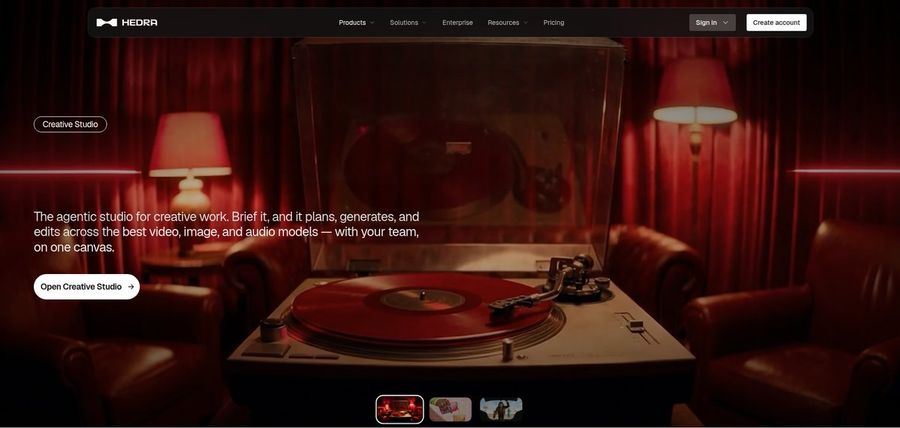
Hedra builds videos around talking and singing characters. Its Character 3 model works from an image and an audio file, which can be recorded, uploaded, or generated.
There is also a Creative Studio with a Visual Agent, several output formats, developer access, and a Teams plan for shared use. A lot of its users make music videos.
The comparison with DeeVid is easy: both are creative studios, but Hedra puts audio driven characters at the front.
Key Features
- Character 3 talking and singing avatars
- Image plus audio to video
- Creative Studio
- Visual Agent
- Several output formats
- Developer access
- Team plan
- Music video scenes
Best For:
- Agency groups looking into visual concepts for clients
- Users who already own audio and needs a face for it
- Content creators who want a character that can speak or sing
- Musicians who make visuals to go with a track
- Storytellers producing characters out of one image
Hedra Pros
- Audio Drives the Character
The audio file steers the character, so the performance follows your voice or song.
- Creative Studio
One workspace holds image, video, and audio tools.
- Individual and Team Plans
Individuals pick Basic, Pro, or Ultra, and groups can use Teams.
- Clear Monthly Prices
The monthly prices for individual plans are public: $20, $50, and $100.
- Music and Story Use
Music videos and story projects are typical uses.
Hedra Cons
- Audio Is Required:
An audio file is mandatory, so you need a voice ready before starting.
- Plan Names Changed:
Prices changed in late September, which means older write ups can be out of date.
- Not a Script Tool:
Characters and scenes come first, so it is not ideal for script to presenter training videos.
Hedra Pricing
Hedra offers Basic, Pro, Ultra, and Teams from $20 per month, and we found no confirmed free tier on its public pages.
| Plan | Price | What's Included |
|---|---|---|
| Basic | $20/month | A starter plan for single users |
| Pro | $50/month | Details are on the vendor pricing page |
| Ultra | $100/month | Hedra's largest plan for one person |
| Teams | $75/month | A plan for groups who share work |
Basic is $20 per month, Pro is $50, Ultra is $100, and Teams is $75. The right choice depends on how much you generate.
When to Use Hedra?
Hedra fits creators who work with songs, spoken stories, and characters. It is not the tool for corporate training videos.
3. Creatify

Creatify builds video ads from a product link, using AI actors, custom avatars, and AdFlow templates. It is aimed at brands that advertise on Meta and TikTok.
Ad Clone recreates a reference ad from a URL, and a competitor ad tracker watches rival ads. A premium model playground and support for 75 plus languages round it out.
If DeeVid's AI Ads feature is what you use most, Creatify is the closest specialist.
Key Features
- Product link to video
- AI actors
- Custom avatars
- AdFlow templates
- Ad Clone from a URL
- Competitor ad tracker
- Premium model playground
- 75 plus languages
Best For:
- Brand teams keeping an eye on what competitors run
- Companies looking for help from a creative service
- Developers integrating ad generation with their own tools
- Advertisers on Meta and TikTok
- Shopify merchants converting listings into video ads
- Teams behind a mobile app advertising a new release
Creatify Pros
- Product Link to Ad
A product link can seed a whole ad.
- Large Actor Pool
The pool holds 300 AI actors on Free and Standard, and 1,500 on Pro.
- Custom Avatars
Pro includes three custom avatars.
- Ad Testing Tools
Ad Clone and the ad tracker help with testing.
- AdFlow Templates
AdFlow offers templates for common ad formats.
- Language Support
Over 75 languages are available.
Creatify Cons
- Watermark on Free:
Free exports include a watermark.
- Best Tools on Higher Plans:
The Ad Agent, ad tracker, and Ad Clone start at Pro.
Creatify Pricing
Creatify has six rows on its pricing page: Free, Standard, Pro, Max, Business, and Enterprise.
| Plan | Price | What's Included |
|---|---|---|
| Free | $0/month | Watermark on exports, premium model trial, and 300 actors |
| Standard | $10/month | Over 200 templates, 300 actors, standard tools, and no watermark |
| Pro | $38/month | Three custom avatars, 1,500 actors, Ad Clone, the competitor tracker, and the Ad Agent |
| Max | $66/month | Pro plus three seats and three brand spaces |
| Business | $136/month | Ten seats and ten brand spaces, with team controls |
| Enterprise | Custom Pricing | Security reviews, custom agreements, and a named account manager |
Standard is $10 a month, Pro is $38, Max is $66, and Business is $136. Seats and brand spaces increase at the top.
When to Use Creatify?
Creatify makes sense if ads are your main output and a store or app link is your starting point. It is a narrower choice than DeeVid for anything else.
4. D-ID

D-ID turns a single photo into a talking presenter, and it also offers stock presenters, text to video, and a creator Studio. Conversational agents and a developer platform serve technical users.
Voice cloning arrives on Pro and Advanced, and Advanced allows a custom or blank watermark. The Lite plan is cheap but limited to personal use.
It does one job, and does it directly: a photo in, a speaking face out.
Key Features
- Photo to talking presenter
- Stock presenters
- Voice cloning
- Text to video
- Studio for creators
- Watermark control on higher plans
- Conversational agents
- Developer platform
Best For:
- Creators looking for one photo to speak
- Marketers checking out straightforward presenter videos
- Instructors producing short lesson intros
- Teams after a custom watermark on their exports
- Developers testing talking agents
- Users who want a low cost entry plan
D-ID Pros
- One Photo Needed
A photo is enough to start.
- Voice Clones
Pro lists one voice clone and Advanced lists three.
- Watermark Control
Advanced can remove or customise the watermark.
- Agents for Developers
The developer platform supports conversational agents.
- Cheap to Try
Lite offers a low entry price for personal use.
- Stock Presenters
Stock presenters are there if you lack a photo.
D-ID Cons
- Lite Is Personal Use:
Lite is for personal use and keeps the D-ID watermark.
- Costs Jump on Advanced:
Advanced costs $196 per month, well above Pro.
- Narrower Than Video Suites:
It centres on presenters, so editing is less rich than in full suites.
D-ID Pricing
D-ID sells Lite, Pro, Advanced, and Enterprise, and each paid plan is cheaper when billed annually.
| Plan | Price | What's Included |
|---|---|---|
| Lite | $5.90/month, or $4.70/month billed annually | For personal projects, with the D-ID watermark and standard presenters |
| Pro | $29/month, or $16/month billed annually | Commercial rights, premium presenters, and a voice clone |
| Advanced | $196/month, or $108/month billed annually | Watermark control, commercial rights, and three voice clones |
| Enterprise | Custom Pricing | Custom arrangements through sales |
Lite is $5.90 monthly or $4.70 annually. Pro is $29 monthly or $16 annually, and Advanced is $196 monthly or $108 annually.
When to Use D-ID?
Choose D-ID for a simple talking face from a photo or for building a conversational agent. If DeeVid's wider toolset mattered to you, D-ID will feel smaller.
5. HeyGen
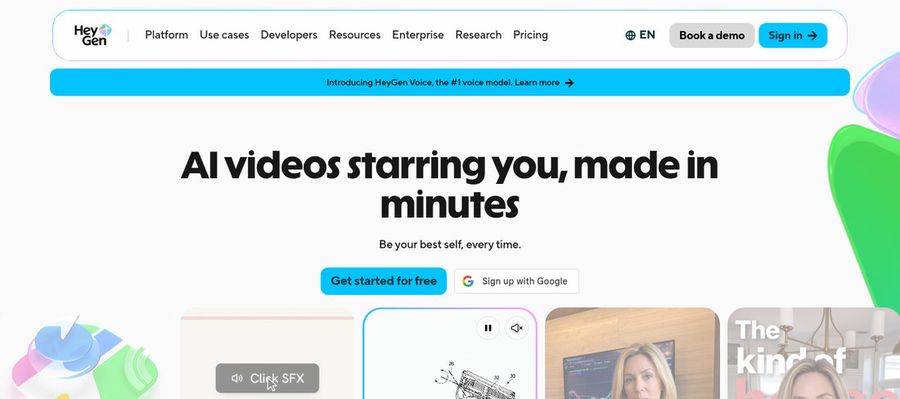
HeyGen focuses on presenter videos for marketing, training, and sales teams. Over 500 ready made presenters are listed even on the free plan.
It adds photo avatars, voice cloning, translation, an AI video agent, and an import tool for PowerPoint and PDF files. Business brings a shared workspace and brand kit.
Many people who outgrow an all in one generator end up here.
Key Features
- AI presenter avatars
- Custom video avatar
- Photo avatars
- AI voices and voice cloning
- Video translation
- AI video agent
- Templates and PowerPoint import
- Team workspace and brand kit
Best For:
- People teams who record policy updates without a studio
- Course authors in search of a polished host for every lesson
- Recruiters delivering customized video intros
- Agency teams managing avatar videos for several clients
- Small businesses who need a spokesperson on a budget
- Marketers building multilingual product videos
HeyGen Pros
- Free Presenters
A big presenter list is available on the free plan.
- Custom Avatar
A custom video avatar comes with the free plan.
- Voices
Voice cloning and a voice catalog cover many needs.
- Many Languages
Creator supports over 175 languages and dialects.
- Slide Import
PowerPoint and PDF import saves time with slides.
- Business Controls
Business adds single sign on and a brand kit.
HeyGen Cons
- Watermark on Free:
Free videos carry HeyGen branding.
- Metered Usage:
Cost depends on what you generate, so budgeting takes care.
- Seats Cost Extra:
Each Business seat beyond the base is $20 per month.
HeyGen Pricing
HeyGen starts with a free tier and continues through Creator, Pro, Business, and Enterprise.
| Plan | Price | What's Included |
|---|---|---|
| Free | $0/month | Videos with branding, one custom avatar, Avatar IV and Video Agent, and 500 plus presenters |
| Creator | $29/month | No branding, 175 plus languages, and your voice on a custom avatar |
| Pro | $49/month | Creator, plus Seedance 2.5, scene based avatars, and proofreading for translated scripts |
| Business | $149/month plus $20 per seat | Single sign on, workspace sharing, a brand kit, integrations, and LMS export |
| Enterprise | Custom Pricing | Custom terms, workspace controls, provisioning, and a success manager |
On pricing, Creator is $29 monthly and Pro is $49, while Business is $149 with an extra $20 for each seat.
When to Use HeyGen?
HeyGen is the pick when you want a wide choice of presenters and strong language coverage. It is a good fit for marketing and training videos.
Best Use Cases of DeeVid Alternative
These are the cases where DeeVid users tend to compare alternatives, and how each tool handles them.
Training and Onboarding
A short post can be spoken by a Host in Zoice using your own audio, and Creatify turns a product link into ad videos for social platforms.
Educational Content
Zoice offers one Host for every onboarding video, and HeyGen can translate the same video for other regions.
Music and Singing Projects
Zoice lets a Host explain lesson notes, and HeyGen imports slides from PowerPoint.
Customer Support Videos
Upload your track to Zoice for a Host to deliver, or give Hedra a song and a picture for a singing character.
Podcast and Audio Teasers
A Host in Zoice reads support steps from a script, and D-ID's conversational agents can answer questions.
Storytelling and Animation
Upload audio to Zoice for a Host to present, or use Hedra to give a spoken teaser a character.
Event Invitations
Zoice builds a narrator Host from a description or photo, and Hedra can place characters in story scenes.
Social Media Posts
A Host in Zoice can announce an event, and HeyGen's translation reaches guests who speak other languages.
How We Compared the Best DeeVid Alternative
DeeVid directs many kinds of video, so we judged each alternative on ten points about avatar and lip sync work.
Ease of Use
We counted the steps between creating an account and finishing a first avatar video.
Input Options
For DeeVid switchers we noted whether a tool starts from a photo, a script, an audio file or a product link.
Voice and Audio
Voice recording, upload, cloning and stock voices were all considered for DeeVid users.
Character Options
We checked whether characters can be created, chosen and reused.
Customisation
Templates, brand kits and editing controls matter to teams, so we listed them.
Pricing Transparency
Only published prices count here, and anything unpublished is marked.
Free Plan Access
We recorded whether free plans exist and whether they watermark exports.
Platform Fit
Browser, API and workspace options show where each DeeVid rival fits.
Support and Learning Material
Help pages and tutorials shape how quickly a newcomer gets comfortable, so we checked them.
Overall Performance
Each verdict matches a tool to a DeeVid use case instead of picking one winner.
How to Choose the Right DeeVid Alternative Before You Pay
Check these points before you pay for a DeeVid alternative.
Define Your Input
Decide what you have first: a photo, a script or a recording.
Test the Free Option
Try a free plan where possible, and note any watermark.
Check the Voice Options
Choose between your own voice, a cloned voice and stock voices.
Look at Character Control
Confirm that the same character can appear in many videos.
Read the Plan Details
Read plan tables for seat limits, watermarks and features held for upper tiers.
Think About Where You Work
Pick a tool that fits the place where you already work.
Plan for Growth
Compare per seat pricing if the team will grow.
Frequently Asked Questions
1. What is the best DeeVid alternative?
For DeeVid users, Zoice is the first pick for a reusable Host with your own audio. Hedra, Creatify, D-ID and HeyGen each fit a different job.
2. Why look for a DeeVid alternative?
Some DeeVid users want a more focused avatar tool, others want a reusable Host, and some want a different plan structure.
3. Is Zoice free to try?
DeeVid users can open Zoice for free at $0 with AI Transcriptions, AI Voice, AI Images and AI Chat, then move to Starter at $7.99 a month for AI Avatar Videos.
4. Can I use my own audio with Zoice?
Yes. Record in your browser or upload a file, and the Host will use your voice.
5. Can I create my own character in Zoice?
Yes. A text description or an image is enough to build a Host, and the library is there if you prefer.
6. What are action prompts?
Action prompts are written directions telling the Host what to do while the audio plays.
7. Does Zoice work in the browser?
Yes. Zoice works in a browser and needs only an internet connection.
8. How does Hedra compare?
Hedra builds from an image and an audio file, while Zoice can also start with a typed script and keeps a reusable Host.
9. Which tool suits beginners?
Zoice, Creatify and HeyGen have free plans, which suits beginners leaving DeeVid.
10. Can I use these tools for business videos?
Yes. Zoice paid plans serve business videos, and Enterprise adds dedicated support and multi staff access.
11. How should I test these tools?
Use the same script and voice in each tool, then compare how each one handles them.
Conclusion
DeeVid covers a lot of creative ground, but its breadth is not what everyone needs. If you mainly want a speaking character, the tools above are more focused.
Zoice is the first one to try for a reusable Host and your own audio. A free account or Starter is enough for a fair comparison with Hedra or HeyGen.