Creatify Alternative Tested, Compared & Ranked

Creatify Alternative is a popular search among ecommerce teams and marketers who like turning product links into video ads but want a different price, workflow, or feature mix. Creatify builds ads from a product page, app store link, or Shopify link.
Many users compare other tools because each Creatify generation spends from a monthly allowance, free exports carry a watermark, and the ad agent and ad tracker start above the Standard plan. Others want a general presenter tool rather than an ad platform.
In this guide we compare the best Creatify alternatives by ad workflow, presenter options, voice, pricing, and team features. Whether you make product ads or social clips, this will help you decide.
Quick Comparison of the Best Creatify Alternative Tools
| Features & Capabilities | Zoice | Arcads | HeyGen | InVideo | Runway | Synthesia |
|---|---|---|---|---|---|---|
| Quick Comparison | ||||||
| Best For | AI Avatar Videos | Creator Style Video Ads | Avatar Presenter Videos | AI Video Creation With Editing | Generative Video From Prompts | Training and Business Videos |
| AI Presenter Avatars | Yes | Yes | Yes | Yes | Limited | Yes |
| Text to Speech | Yes | Yes | Yes | Yes | Yes | Yes |
| AI Video From Prompts | Yes | Yes | Yes | Yes | Yes | Yes |
| AI Images | Yes | Yes | Yes | Yes | Yes | Yes |
| Free Plan | Available | Trial only | Available | Not listed | Available | Available |
| Starting Price | $7.99/month | About $110/month | $29/month | $10/seat/month | $12/month | $19/month |
Best Creatify Alternative
Creatify is an AI ad platform with a library of AI actors, custom avatars, AdFlow templates, a model playground, Ad Clone, a competitor ad tracker, an ad agent, support for 75 plus languages, and developer plans.
Depending on your goals, you may want a simpler script to Host flow, a different pricing model, or a tool that is not tied to ads.
In this section we compare the best Creatify alternatives so you can choose a platform that fits your marketing.
1. Zoice

Zoice is an AI creation platform for avatar videos, AI images, AI videos, and voice. You write the message, choose a Host, add a script or your own audio, and the Zoice Avatar X model generates a talking avatar video.
If you already know the message you want to say, Zoice lets you skip the product link step. You write the script or bring audio, choose a Host, and generate the video, then choose the aspect ratio in the Output setting.
Zoice is for the moment when you already know what to say. Write the message, choose a Host, and generate.
Key Features
- AI avatar videos from a script
- Custom avatar characters
- Public character library
- Record or upload your own audio
- Voice profiles for cloned speech
- Action prompts for the Host
- AI images and AI videos
- AI chat and transcriptions
Best For:
- Marketers who write their own scripts.
- Brands that want a Host to deliver a message they have drafted.
- Founders who want a consistent Host across campaigns.
- Creators making short promotional clips.
- Educators who prefer starting from notes.
- Agencies producing presenter videos for several clients.
Zoice Pros
- Avatar Videos From a Script or Audio
Scripts and recordings both work as the starting point for a talking avatar video.
- Build Your Own Host
A character library with hundreds of options sits beside the option to build a Host from text or an image.
- Voice Your Way
Use a recording, an upload, or a trained voice profile to give the Host its voice.
- Action Prompts
With an action prompt you can ask the Host to do something on screen, such as presenting a product.
- Hear Before You Commit
Hear the voice in a preview before the video is made.
- More Than Avatars
Image generation, video generation from several inputs, chat, and transcription come in the same plan.
Zoice Cons
- Needs an Internet Connection:
Zoice runs online, so you need an internet connection. Check your network before you begin.
- Smaller Avatar Library:
Compared with the largest avatar platforms, Zoice shows fewer public characters, which you may notice if you browse for a specific look.
Zoice Pricing
Zoice starts with a free plan and continues through Starter, Basic, Creator, and Agency to a custom Enterprise offer. Every paid plan has the same AI tools, higher plans have more voice profiles, and yearly billing saves 20%.
| Plan | Price | What's Included |
|---|---|---|
| Free | $0/month | Daily allowance, AI Chat, AI Transcriptions, AI Voice, AI Images |
| Starter | $7.99/month | AI Voice, AI Videos, AI Avatar Videos, 1 Voice Profile |
| Basic | $29.99/month | Everything in Starter with 3 Voice Profiles |
| Creator | $49.99/month | Everything in Starter with 5 Voice Profiles |
| Agency | $89.99/month | Everything in Starter with 10 Voice Profiles |
| Enterprise | Custom Pricing | Custom features, multi staff access, dedicated support |
Starter suits first time users, while Basic, Creator, and Agency add voice profiles for growing workloads. Enterprise adds support and custom features for larger organizations.
When to Use Zoice?
Zoice is a great choice if you want a Host to deliver a message you have already written, with your own voice or audio. If you want a product link turned into an ad, a link based ad tool is built for that.
2. Arcads

Arcads makes short ads in the style of creator and customer testimonials. You pick an AI actor, write or generate a script, and receive a talking video.
The product includes an actor library, a studio with workflows, a script helper agent, captions, audio driven generation, and several video models. Pro and the plans above it add developer access, team seats, custom actors, and ElevenLabs voices.
It suits performance marketers who run many ad tests. Its website has no pricing page, so plan details live inside the app and help center.
Key Features
- AI actors
- Script to video ads
- Studio and workflows
- AI agent for scripts
- Captions
- Audio driven generation
- Video model access
- Custom actors on Pro
Best For:
- Growth marketers who test many ad hooks.
- Online brands making product ads in a creator voice.
- App teams producing testimonial style clips.
- Agencies running ad tests for clients.
- Founders who want ads without hiring creators.
- Teams that need custom actors and seats.
- Advertisers on Meta and short video platforms.
Arcads Pros
- Built for Ads
The whole product is aimed at short ad videos in a creator style.
- Actor Library
AI actors replace the need to book creators and ship products.
- Studio and Workflows
Studio and workflow tools help you repeat ad production.
- Captions Included
Captions can be added to your videos.
- Team and Developer Features
Pro and above add developer access, team seats, and custom actors.
- Trial Available
A short trial lets you try every feature before paying.
Arcads Cons
- No Public Pricing Page:
Plan prices are only visible inside the app.
- Higher Starting Price:
Reported list prices start near $110 per month, above most tools in this guide.
- Card Needed for the Trial:
The trial needs a card and turns into a paid Starter plan unless you cancel.
Arcads Pricing
Arcads does not publish plans on its website. Its help center lists Starter, Creator, Pro, Scale, and Business plans plus Enterprise, with 20 percent off yearly billing. Figures below are list prices reported from the app in October 2026.
| Plan | Price | What's Included |
|---|---|---|
| Trial | Card required | A short trial with all features unlocked that converts to a paid Starter plan unless you cancel |
| Starter | About $110/month | Actors, studio, and workflows for getting started |
| Creator | About $220/month | A larger actor library and more monthly usage |
| Pro | About $550/month | Developer access, team seats, custom actors, and ElevenLabs voices |
| Scale and Business | See in app | Larger usage allowances for high volume teams |
| Enterprise | Custom Pricing | Through the sales team |
Starter is for small tests, Creator for regular ad production, and Pro is where team seats and custom actors start.
When to Use Arcads?
Arcads is a great choice if testimonial style ads are your whole workflow. If you want product link ads at a published price, look at a link based tool instead.
3. HeyGen
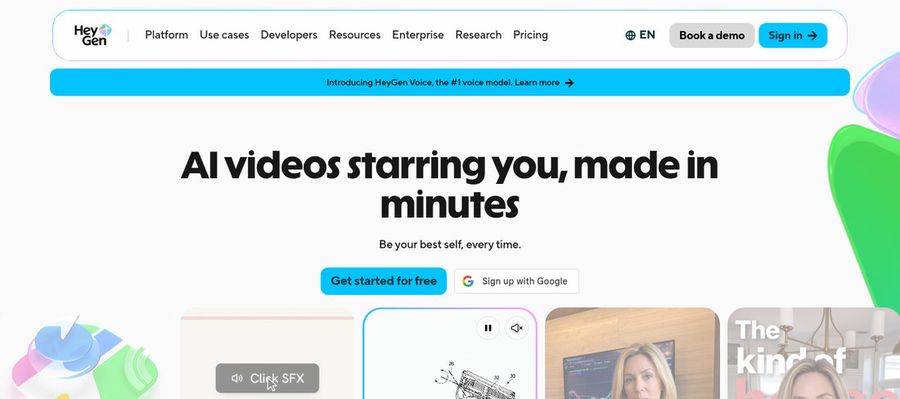
HeyGen is a general avatar video platform. You write a script, pick a presenter, and the video is made without a camera.
It lists ready made presenters, custom video avatars, photo avatars, voice cloning, templates, PowerPoint and PDF import, a video agent, and translation into 175 languages and dialects on paid plans.
It suits teams who want presenters for ads and many other jobs.
Key Features
- AI presenter avatars
- Custom video avatar
- Photo avatars
- AI voices and voice cloning
- Video translation
- AI video agent
- Templates and PowerPoint import
- Team workspace and brand kit
Best For:
- Product teams who want a host for release notes.
- Training managers who publish in many languages.
- Help desk teams that explain features on video.
- Consultants who brand explainers for each client.
- Creators who want one recognizable on screen persona.
- Organizations that need controlled workspaces.
- Sales teams that want a human touch in outreach.
HeyGen Pros
- Large Presenter Library
Free accounts see over 500 presenters, paid accounts over 700.
- Custom Avatar With Your Voice
Your own likeness and voice can become a custom video avatar on paid plans.
- Wide Language Coverage
The language list passes 175 languages and dialects on paid plans, compared with over 30 free.
- Translation Controls
Pro includes proofreading for translated scripts.
- Editor and Templates
Templates, PowerPoint and PDF import, and a video agent help you begin.
- Team Features
Business unlocks workspace sharing, a brand kit, single sign on, and automation links.
HeyGen Cons
- Watermark on the Free Plan:
Free exports include the HeyGen watermark.
- Metered Usage:
Monthly allowance spend varies by model and complexity.
- Seats Cost Extra:
Additional Business team members cost $20 per seat monthly.
HeyGen Pricing
HeyGen has a free plan, with watermarked videos, and paid plans for individuals, teams, and large companies.
| Plan | Price | What's Included |
|---|---|---|
| Free | $0/month | Watermarked videos, access to Avatar IV and Video Agent, one custom video avatar, 500 plus ready made presenters |
| Creator | $29/month | Branding removed, custom video avatar with your own voice, 175 plus languages and dialects |
| Pro | $49/month | Everything in Creator plus faster processing, Cinematic Avatars, and proofreading for translations |
| Business | $149/month plus $20 per seat | Shared workspace, brand kit, single sign on, learning system export, and automation integrations |
| Enterprise | Custom Pricing | Multi workspace control, user provisioning, dedicated customer success manager, custom terms |
Creator is for individuals, Pro adds newer tools, and Business adds shared workspaces and seats at $20 each.
When to Use HeyGen?
Choose HeyGen if you need a presenter for many kinds of video. If you want ads built from product links, a link based tool is better aimed.
4. InVideo

InVideo turns a prompt into a draft video and gives you a timeline editor to refine it, which is a different route from a product link flow.
Access to image and video models, an actor library, AI twins, voice cloning, stock footage, and multiplayer editing come with it. Pricing is per seat.
It suits creators and marketers who like to shape each cut by hand. Its ad specific tools are lighter.
Key Features
- Prompt to video AI agents
- Full timeline editor
- AI twins
- AI actor library
- Voice cloning
- Stock footage library
- Multiplayer editing
- Image and video generation models
Best For:
- Marketers making social ads from a short brief.
- Solo creators who want a draft and full manual control.
- Presenters who want to appear through an AI twin.
- Studios with a few editors working together.
- Retailers producing product videos in house.
- Creators who need footage and music from one library.
- Users who want generative images and video together.
InVideo Pros
- Prompt First Workflow
The agent workflow starts from a plain description.
- Real Timeline Editor
A complete timeline with color, audio, and 3D tools is on every plan.
- AI Twins and Actors
Actors and AI twins give you a presenter without a shoot.
- Generative Models Inside
The same account reaches several image and video models.
- Multiplayer Editing
Collaborative editing is built in, with seat limits that rise by plan.
- Stock and Storage
Stock footage and storage are bundled in.
InVideo Cons
- Usage Allowance:
Allowance use changes with the model, and unspent usage does not carry over.
- Lighter Starter Plan:
The entry plan offers Lite agent access and skips the newest video models.
- Per Seat Pricing:
Seats are priced individually, so team costs add up.
InVideo Pricing
InVideo prices every seat separately and shows lower rates for annual billing. Unused allowance does not roll over.
| Plan | Price | What's Included |
|---|---|---|
| Starter | $10/seat/month billed annually, $20 monthly | Timeline editor, multiplayer editing up to 5 seats, Lite agent access, selected models |
| Plus | $30/seat/month billed annually | Access to frontier agents, the newest video models, multiplayer editing up to 10 seats |
| Max | $250/seat/month billed annually | All models and features, early access to advanced AI features, lowest cost per unit of usage |
Starter is the entry plan, Plus adds frontier agents and newer models, and Max is for the heaviest use.
When to Use InVideo?
InVideo is a good choice if you want a full editor in the same tool. For product page ads with tracking tools, a link based tool has more focus.
5. Runway

Runway generates video, images, and audio from prompts, using its own models and partner models.
Plans include text to speech and music tools and a monthly allowance spent across models. Characters lets developers build conversational video characters from one image.
It is for brand teams that want original scenes rather than actor led ads. It does not turn product links into videos.
Key Features
- Text to video
- Image to video
- Image generation
- Text to speech
- Music and sound tools
- Partner model access
- Characters for developers
- Team and enterprise plans
Best For:
- Cinematographers building concept scenes.
- Graphic designers animating visual ideas.
- Social teams producing short brand clips.
- Explorers of new video models.
- Ad studios drafting concepts quickly.
- Teams building characters that talk in real time.
- Production houses that need enterprise plans.
Runway Pros
- Creative Generation
Generation works from prompts and images, so no shoot is needed.
- Model Choice
Runway models and partner models are available together.
- Images and Audio
Images, audio, and music tools come with the subscription.
- Free Plan
A one time deposit comes with the free plan.
- Rollover on Max
The top self serve plan rolls over up to one month of unused allowance.
- Established Platform
Runway lists over 60 million creators as users.
Runway Cons
- Everything Is Metered:
Allowance spend depends on which model is chosen.
- No Rollover on Lower Plans:
Standard and Pro reset allowance each month.
- Not a Presenter Tool:
Script to presenter is not the main workflow.
Runway Pricing
Runway has a free plan and three paid plans, with lower prices on yearly billing.
| Plan | Price | What's Included |
|---|---|---|
| Free | $0 | A one time deposit to try the tools |
| Standard | $12/month billed annually, $15 monthly | Monthly allowance for video, image, and audio generation |
| Pro | $28/month billed annually, $35 monthly | A larger monthly allowance for regular creators |
| Max | $76/month billed annually, $95 monthly | The largest allowance, with up to one month of unused rollover |
| Enterprise | Contact sales | Custom plans for companies |
Standard suits trials, Pro suits regular creators, and Max suits heavy generation.
When to Use Runway?
Runway fits if you want creative scenes for a campaign. For quick ad variations from product pages, use an ad tool.
6. Synthesia
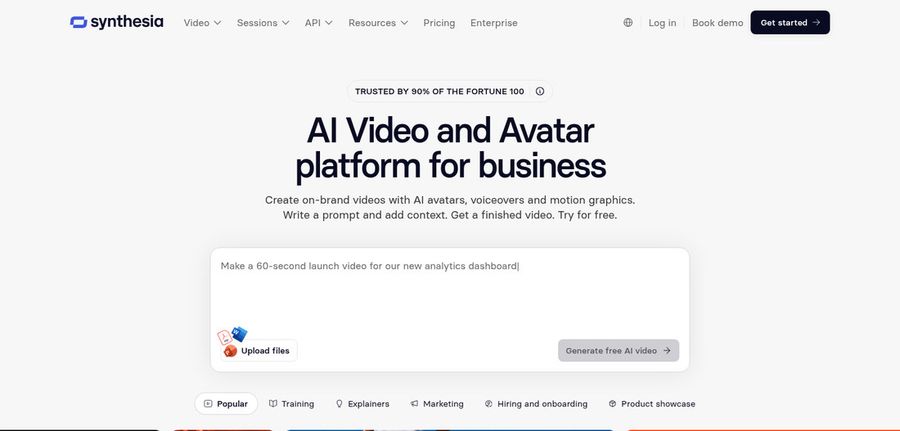
Synthesia produces presenter videos for training, onboarding, and internal communication, rather than short social ads.
It offers avatars, personal avatars, voice cloning, dubbing in more than 70 languages, a screen recorder, PowerPoint import, bulk personalization, and the Syren AI video agent.
It suits teams that also make training videos next to their ads. Features share one monthly pool.
Key Features
- AI avatars
- Personal avatars
- Voice cloning
- AI dubbing
- Syren AI video agent
- PowerPoint import
- Bulk personalization
- AI screen recorder
Best For:
- Learning and development teams building training courses.
- HR teams creating onboarding and policy videos.
- Sales teams producing personalized videos from a spreadsheet.
- Companies localizing videos for several markets with AI dubbing.
- Product teams making walkthroughs and release updates.
- Communications teams sharing internal announcements.
- Enterprises that need single sign on and a dedicated success manager.
- Teams converting slide decks into narrated presentations.
Synthesia Pros
- Built for Business Video
Templates, roleplays, surveys, and learning oriented tools suit training and enablement teams.
- Avatar Choices
Plans list 125 plus avatars on Starter, 180 plus on Pro, and 240 plus on Enterprise.
- Personal Avatars
Paid plans include personal avatars so you can appear in your own videos.
- AI Dubbing
Dubbing is offered in more than 70 languages, with voice and accent preservation and optional lip sync.
- Bulk Personalization
You can create many personalized videos from a spreadsheet using a template.
- Enterprise Controls
Enterprise adds single sign on, export for learning systems, tailored onboarding, and a dedicated success manager.
Synthesia Cons
- Shared Usage Pool:
Avatars, dubbing, surveys, and generated clips all draw from one allowance, so costs depend on what you make.
- Watermark on the Free Plan:
Videos made on the Basic plan carry a Synthesia watermark.
- Limited Seats:
Starter and Pro include one editor, with guests added on top, so larger teams need Enterprise.
Synthesia Pricing
Synthesia has a free Basic plan, two paid plans, and Enterprise pricing, with a pooled monthly allowance.
| Plan | Price | What's Included |
|---|---|---|
| Basic | $0/month | Free allowance to try video creation and dubbing, prebuilt templates, watermarked videos |
| Starter | $19/month | Everything in Basic plus 125 plus avatars and 3 guests |
| Pro | $89/month | Everything in Starter plus 5 personal avatars, 5 guests, and 180 plus avatars |
| Enterprise | Custom Pricing | 240 plus avatars, unlimited personal avatars, single sign on, learning system export, dedicated success manager |
Starter is for light use, Pro for regular production, and Enterprise for security and the biggest avatar choice.
When to Use Synthesia?
Synthesia is a good fit for explainers and training. For ad testing, a dedicated ad tool is more direct.
Best Use Cases of Creatify Alternative
Video ads and product clips serve ecommerce, apps, and agencies. The list below shows where the best Creatify alternatives help most.
Ads From Product Pages
Online shops can turn listings into video ads quickly, which is the main reason people use Creatify.
App Install Campaigns
Short videos from app store links explain what an app does.
Testing Hooks and Scripts
Ad teams test many variations, so each new version has to be cheap to make.
Competitor Research
Some teams watch what others run before they plan creative.
Brand Social Videos
A recurring Host can carry a brand voice across posts. In Zoice an action prompt can tell the Host to hold up a product.
Client Work for Agencies
Agencies need many versions across clients without booking actors.
Videos in Several Languages
Campaigns in several markets should compare language support.
Explainers Without Product Pages
If you start from a message rather than a link, you need a tool that starts from a script.
How We Compared the Best Creatify Alternative
To find the best Creatify alternatives, we compared each platform on ad workflow, presenters, voice, generation range, price, and team features. We used each vendor's own pricing pages, checked in November 2026.
1. Ad Workflow
We checked how directly each tool turns a product, link, or idea into a finished video.
2. Presenter Options
We compared actor libraries, custom avatars, and consistency.
3. Voice Options
Voices were compared on variety, whether cloning exists, and the option to supply your own recordings.
4. Script Help
We looked at the generation range, including video, image, and speech models.
5. Control Over the Result
Control meant how much you can change after a draft, such as text and captions, and in Zoice what the Host does through action prompts.
6. Ease of Use
We followed the path from sign up to a first video and counted the steps.
7. Pricing and Value
We compared free plans, entry prices, and what each tier unlocks using each vendor's own pricing page.
8. Team Features
We looked at seats, brand spaces, and developer options.
9. Public Information and Reviews
The facts here come from vendor pages, with preference for statements that are specific and up to date.
Overall Performance
Finally, we weighed ad workflow, presenters, voice, generation range, control, price, and team features to decide which Creatify alternative suits each kind of marketer.
How to Choose the Right Creatify Alternative Before You Pay
Choosing a Creatify alternative depends on whether you start from a product link or a script and how many ad tools you need. Compare the points below before you pay.
Start From Your Input
Decide whether you begin with a product link, a script, or a creative idea. Different tools shine at each.
Check Which Ad Tools Cost Extra
Agents and trackers often sit on higher tiers. Look at what the plan you can afford includes.
Listen to the Voice
Ask whether you can bring your own voice and whether a preview is available before generating.
Compare Presenters
See how many actors you can use and whether you can create your own.
Read How Usage Is Counted
Some plans spend an allowance per generation. Read how it works so retries do not surprise you.
Look at Team Needs
Once several people work on ads, shared seats, brand spaces, and approval steps start to matter.
Test One Product
Make the same ad in two or three tools and compare the results.
Frequently Asked Questions
1. What is the best Creatify alternative?
It depends on your work. Zoice is a strong alternative for script to Host videos. Arcads is built for creator style ads, HeyGen and Synthesia are broader avatar platforms, InVideo adds a timeline editor, and Runway generates scenes from prompts.
2. Why are users looking for Creatify alternatives?
People look for a different pricing model, no watermark on a free plan, access to ad tools on a lower plan, or a tool that works beyond ads.
3. Is Zoice better than Creatify?
Zoice is a good fit if you want a simple script to Host workflow. Creatify is a better fit if you want product links turned into ads with templates and ad tools. The right choice depends on whether you start from a script or a product page.
4. Which Creatify alternative is best for video ads?
Arcads is built around creator style ads, and HeyGen and Synthesia are broader avatar platforms. Zoice is a general option: write a script or bring audio, choose a Host, and generate a video that works in ads and other content.
5. Which platform is best for voice cloning?
Voice cloning is listed by HeyGen, InVideo, and Synthesia. Zoice lets you train a voice profile for cloned speech, and its paid plans include from 1 to 10 voice profiles.
6. Which Creatify alternative is the cheapest?
Zoice starts at $7.99 per month for avatar videos. Creatify Standard is $10 per month, Runway Standard is $12 per month on annual billing, Synthesia Starter is $19 per month, and HeyGen Creator is $29 per month. Arcads Starter is reported at about $110 per month.
7. Can I use AI videos and avatars in paid ads?
Paid plans usually allow commercial use, but terms differ by tool and plan. Free exports often carry a watermark, so use a paid plan for campaigns and read the vendor's terms first.
8. Do I need design skills to make ads with these tools?
No. With Zoice you choose a Host and a voice, write a script, and set the output. Creatify and similar tools also start from a link or a script.
9. How does Zoice make a talking avatar video?
Pick a Host, then type a script or record or upload audio. Preview the audio, add an optional action prompt for what the Host does, set the output, and generate.
10. What should I consider before choosing a Creatify alternative?
Look at what input each tool starts from, which ad tools sit on higher plans, how generations are counted, and whether free exports are watermarked. Make one ad in two tools and compare.
11. Do Creatify alternatives offer free plans or trials?
Yes. Zoice, Creatify, HeyGen, Runway, and Synthesia list free plans, and Creatify's free exports carry a watermark. Arcads offers a short trial that needs a card, and InVideo does not list a free plan.
Conclusion
Choosing the best Creatify alternative depends on whether you start from a product link or a script and how many ad tools you need. Creatify is built for product ads, but other tools offer different prices and broader features.
Zoice stands out when you want a Host to deliver a message you have written, with your own voice or audio and action prompts to direct the Host, starting from $7.99 per month.