Clipfly Alternative Tested, Compared & Ranked

Clipfly Alternative: Clipfly is an all in one online video editor that covers trimming, subtitles, effects, a video maker, an AI video generator, image tools and enhancement, with an AI Lip Sync tool and an AI Talking Avatar tool tucked among them. Editors who mostly cut footage may be happy there. People whose main product is a speaking character tend to want a workspace built around that character. This guide compares Zoice, Colossyan, Hedra, Creatify and D-ID.
We judged each tool on the avatar side, looking at how a speaker is chosen, how audio is supplied and how much of the editing is left to you.
Each entry explains what the tool is, what stands out, what holds it back, what plans cost and who it fits. Vendor pages supply every price, and anything unconfirmed is flagged.
Quick Comparison of the Best Clipfly Alternative Tools
| Features & Capabilities | Zoice | Colossyan | Hedra | Creatify | D-ID |
|---|---|---|---|---|---|
| Quick Comparison | |||||
| Best For | Talking Photos and Host Videos | Training Videos and Courses | Talking Characters From Audio | Product Link to Video Ads | Talking Photo Videos |
| AI Presenter Avatars | Yes | Yes | Yes | Yes | Yes |
| Voice Cloning | Yes | Yes | Not confirmed | Yes | Yes |
| Script to Video | Yes | Yes | Limited | Yes | Yes |
| Free Plan | Available | Available | Not confirmed | Available | Trial only |
| Starting Price | $7.99/month | Free, then $59/month | $20/month | $10/month | $4.70/month billed annually |
Best Clipfly Alternative
The best Clipfly alternative depends on whether editing or the speaker is your main job. If you cut and polish footage all day, an editor suite is sensible. If the presenter is the product, a speaker centred tool is a better base.
Zoice comes first because the Host, your audio and the finished video are handled together in one browser workspace. Type a script or bring a recording, direct the Host with action prompts and reuse the character.
Colossyan, Hedra, Creatify and D-ID follow with different strengths. The table above gives a quick overview before the full sections.
1. Zoice

Zoice is a workspace in the browser that centres on a Host. Pick one from the public library, or build one from a description or an image.
You can type a script, record audio, upload a file or train a voice profile, and each recording plays back before generation. Action prompts give the Host directions for what to do on screen.
Image, video, chat and transcription tools live in the same account. The AI talking photo generator page covers starting from a portrait.
Key Features
- AI avatar videos from a script
- Custom avatar characters
- Public character library
- Record or upload your own audio
- Voice profiles for cloned speech
- Action prompts for the Host
- AI images and AI videos
- AI chat and transcriptions
Best For:
- Creators who need a person to deliver a script on screen
- Marketers combining a Host with generated scenes
- Teams that want AI images and AI videos next to avatar videos
- Founders who want a consistent Host
- Educators building a presenter video from teaching notes
- Agency teams who make presenter videos for clients
Zoice Pros
- Script or Audio
Scripts and audio become speaking Host videos without filming.
- Host Choices
Hosts are picked from the library or made from text or an image.
- Saved Voices
Trained voice profiles can be reused.
- Directions
Action prompts give stage directions.
- Preview
You can preview audio before you generate.
- More Tools
Image, video, chat and transcription tools are part of the account.
Zoice Cons
- Needs an Internet Connection:
Zoice runs in a browser and needs an internet connection.
- Modest Public Library:
Compared with the largest catalogs the public avatar library is small, and building a custom Host fills the gap.
Zoice Pricing
Zoice comes with a free plan, four paid plans and an Enterprise route.
| Plan | Price | What's Included |
|---|---|---|
| Free | $0/month | Free transcription, voice, image and chat tools |
| Starter | $7.99/month | Brings avatar videos and AI videos, plus AI Voice and one Voice Profile |
| Basic | $29.99/month | Everything in Starter plus three Voice Profiles |
| Creator | $49.99/month | Everything in Starter plus five Voice Profiles |
| Agency | $89.99/month | Everything in Starter plus ten Voice Profiles |
| Enterprise | Custom Pricing | Features set to order, dedicated support and several staff accounts |
Starter is $7.99 a month, Basic is $29.99, Creator is $49.99 and Agency is $89.99, with 20% off on yearly billing.
When to Use Zoice?
Zoice is for people whose videos hinge on a presenter and who would rather not rebuild that presenter inside an editor.
2. Colossyan
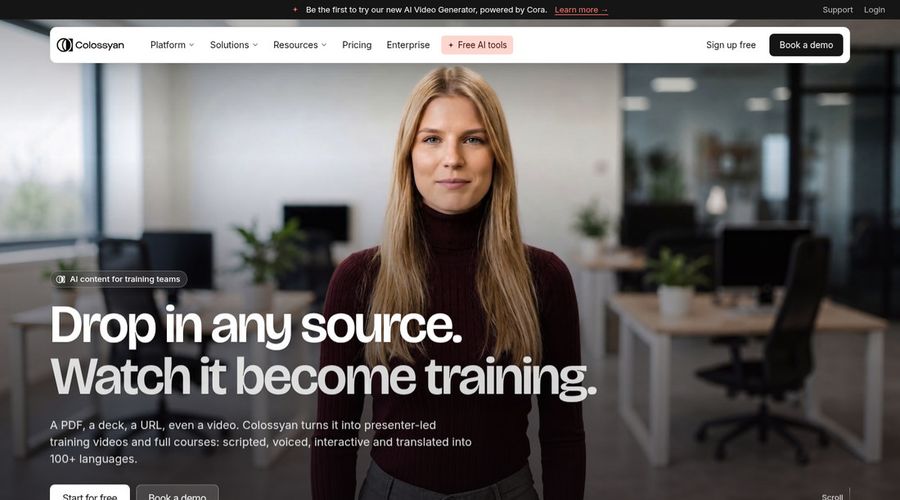
Colossyan serves training teams, pairing AI avatars with a course builder, cloned voices and PowerPoint or PDF import.
Quizzes can sit inside a video, and a screen recorder and brand kits come with it. Paid plans export to learning systems.
It is closer to course production than to general editing.
Key Features
- AI avatars
- Cloned voices
- Interactive videos
- Course creation
- Export for learning systems
- Brand kits
- Screen recorder
- PowerPoint and PDF import
Best For:
- Trainers who want quizzes inside a video
- Companies localizing training for several regions
- Enablement teams refreshing product training
- Consultants preparing client learning material
- Large firms needing security reviews and data residency
- Training teams building courses from documents
Colossyan Pros
- Course Builder
A course builder works alongside the video tools.
- Cloned Voices
Cloned voices are supported.
- Quizzes
Quizzes make videos interactive.
- Document Import
PowerPoint and PDF files can be imported.
- Screen Recorder
A screen recorder is included.
- Free Starter
The free Starter plan includes brand kits and the whole avatar library.
Colossyan Cons
- Watermark on Free:
Free videos carry a watermark, removed on Professional.
- Studio Avatar Add On:
Green screen studio avatars are a $1,000 yearly extra.
Colossyan Pricing
Colossyan sells Starter, Professional and Enterprise plans.
| Plan | Price | What's Included |
|---|---|---|
| Starter | Free | The full avatar library, courses, brand kits and interactive videos |
| Professional | $59/month billed annually | Learning system export, no watermark, up to three editors and AI images |
| Enterprise | Custom Pricing | SSO, branded avatars, analytics, a success manager and no gated features |
Professional costs $59 monthly when billed yearly, while Enterprise is quoted.
When to Use Colossyan?
Colossyan suits teams building lessons around avatars.
3. Hedra
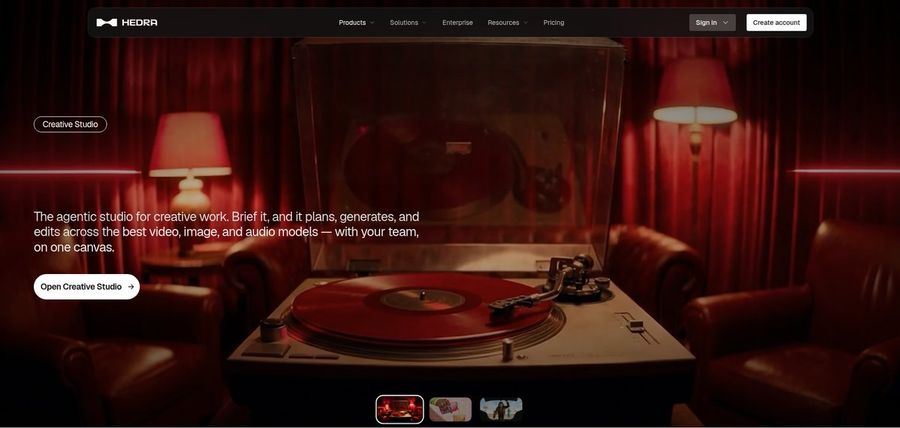
Hedra turns an image and an audio file into a talking or singing character with Character 3, and it offers a Creative Studio and a Visual Agent.
Several output formats, developer access and a Teams plan round it out. Audio has to come first, either yours or generated.
It is about performance, not editing.
Key Features
- Character 3 talking and singing avatars
- Image plus audio to video
- Creative Studio
- Visual Agent
- Several output formats
- Developer access
- Team plan
- Music video scenes
Best For:
- Content creators who would like a character to speak or sing
- Musicians developing visuals for their track
- Storytellers creating characters out of one image
- Software builders in search of a talking avatar model
- Creative teams that want a common workspace
Hedra Pros
- Audio Driven
An image and audio create a talking or singing character.
- Creative Studio
A Creative Studio gathers its tools.
- Visual Agent
A Visual Agent helps with direction.
- Output Formats
Several output formats are offered.
- Developer Access
Developers get access.
Hedra Cons
- Audio First:
Character 3 needs an audio file first.
- Not Script Led:
It works with characters and scenes, not scripts for presenters.
- Repriced Plans:
Individual plans changed in late September, so older reviews may be stale.
Hedra Pricing
Hedra's four plans are Basic, Pro, Ultra and Teams.
| Plan | Price | What's Included |
|---|---|---|
| Basic | $20/month | Entry plan for individual creators |
| Pro | $50/month | See the vendor pricing page |
| Ultra | $100/month | Largest plan for one person |
| Teams | $75/month | Plan for groups building together |
Individual plans are $20, $50 and $100 a month, and Teams is $75.
When to Use Hedra?
Hedra suits people with audio who want a character to perform it.
4. Creatify

Creatify makes video ads from a product link, with AI actors, AdFlow templates, Ad Clone, a competitor ad tracker and voiceover in over 75 languages.
A model playground opens third party image and video models, and custom avatars arrive on Pro.
It is aimed at sellers and marketers.
Key Features
- Product link to video
- AI actors
- Custom avatars
- AdFlow templates
- Ad Clone from a URL
- Competitor ad tracker
- Premium model playground
- 75 plus languages
Best For:
- Teams looking for a managed creative service in addition to the tool
- Developers who would like to automate ad videos through its developer plans
- Small companies that want ads with no video team behind them
- Companies with ads on Meta and TikTok
- Online retailers turning product listings into ad videos
- App marketing professionals building ads from store links
Creatify Pros
- Link to Ad
A product link is enough to start.
- Actor Library
Standard lists 300 AI actors and Pro 1,500.
- Ad Tools
Ad Clone and a tracker help campaigns.
- Playground
A playground opens third party models.
- Languages
Over 75 languages are supported.
- Free Tier
A free tier lets you try it.
Creatify Cons
- Watermark on Free:
Free exports are watermarked.
- Upper Tier Tools:
Ad Clone, Ad Agent and the tracker sit above Standard.
Creatify Pricing
Creatify has Free, Standard, Pro, Max, Business and Enterprise.
| Plan | Price | What's Included |
|---|---|---|
| Free | $0/month | Watermarked exports, 300 actors and a premium model trial |
| Standard | $10/month | Watermark removal, 300 actors, core tools and 200 plus templates |
| Pro | $38/month | Ad Clone, Ad Agent, 1,500 actors, three custom avatars and the tracker |
| Max | $66/month | Pro with three seats and three brand spaces |
| Business | $136/month | Ten seats and ten brand spaces with team control |
| Enterprise | Custom Pricing | An account manager of your own, bespoke agreements and security extras |
Standard is $10 monthly, Pro $38, Max $66 and Business $136.
When to Use Creatify?
Creatify suits sellers producing many ad variations.
5. D-ID

D-ID animates a still photo into a talking presenter. It also has stock presenters, voice cloning, text to video, a creator studio, conversational agents and a developer platform.
Higher plans control the watermark.
Photos and speech are its centre, so it sits closest to Clipfly's lip sync tool.
Key Features
- Photo to talking presenter
- Stock presenters
- Voice cloning
- Text to video
- Studio for creators
- Watermark control on higher plans
- Conversational agents
- Developer platform
Best For:
- Agency teams looking at avatar videos for clients
- Content creators looking for a single photo to speak
- Marketing teams checking out straightforward videos with a presenter
- Teachers who make short lesson intros
- Departments that call for a custom watermark on exports
- Engineers exploring talking agents
D-ID Pros
- Photo to Presenter
It turns a still photo into a presenter.
- Voice Cloning
Voice cloning starts on Pro.
- Watermark Control
Higher plans control the watermark.
- Stock Presenters
Stock presenters are available.
- Agents
Conversational agents are offered.
- Developer Platform
A developer platform is included.
D-ID Cons
- Lite Limits:
Lite is personal use with a watermark.
- Price Gap:
Advanced costs far more than Pro.
- Lighter Editing:
Editing tools are lighter.
D-ID Pricing
D-ID lists Lite, Pro, Advanced and Enterprise.
| Plan | Price | What's Included |
|---|---|---|
| Lite | $5.90/month, or $4.70/month billed annually | Limited to personal use, with the D-ID watermark and standard presenters |
| Pro | $29/month, or $16/month billed annually | Commercial use, premium presenters and one voice clone |
| Advanced | $196/month, or $108/month billed annually | Commercial use, three cloned voices and your own or no watermark |
| Enterprise | Custom Pricing | Custom plans through sales |
At D-ID, Lite is $5.90 a month ($4.70 annually), Pro is $29 ($16 annually), and Advanced is $196 ($108 annually).
When to Use D-ID?
D-ID suits people who want a photo to speak in presenter style.
Best Use Cases of Clipfly Alternative
These are the jobs where Clipfly users want a speaker built tool.
Pet and Character Content
For social posts, a Host in Zoice speaks the script you would otherwise add as text.
Sales Outreach
For lessons, Zoice reads your notes with a Host, and Colossyan adds quizzes.
Brand Spokesperson
For product pages, Zoice gives you a spokesperson, and Creatify drafts an ad from a link.
Internal Communications
For songs, upload a track so a Host in Zoice performs it, or give Hedra an image and audio.
Language Practice
For tutorials, a Host in Zoice talks viewers through steps from a script.
Product Explainers
For podcasts, give your audio to a Host in Zoice to introduce episodes.
Marketing Campaigns
For stories, build a narrator Host in Zoice you can reuse.
Personalised Greetings
For events, a Host in Zoice announces the details, and D-ID can animate a photo of the organiser.
How We Compared the Best Clipfly Alternative
Clipfly is an editor with avatar tools, so we compared alternatives on ten points about the speaker rather than the cutting.
Ease of Use
We counted steps from signup to a first speaking video.
Input Options
We noted whether each tool starts from a photo, a script, audio, a link or documents.
Voice and Audio
We recorded how voices arrive: recording, upload, clone or stock.
Character Options
We tested whether a speaker, once built, can appear in later videos.
Customisation
We listed editors, templates and brand kits.
Pricing Transparency
Prices come only from vendor pages.
Free Plan Access
We noted free plans and watermarks.
Platform Fit
We recorded browser use, API access and team focus.
Support and Learning Material
We checked tutorials and help pages.
Overall Performance
Each verdict ties a tool to a kind of project.
How to Choose the Right Clipfly Alternative Before You Pay
This short list helps you decide whether to stay with an editor or move to a speaker built tool.
Define Your Input
Decide whether editing or the speaker is the main work.
Test the Free Option
Start on a free plan and look at the watermark.
Check the Voice Options
Pick how the voice will arrive.
Look at Character Control
Confirm the speaker can come back.
Read the Plan Details
Study plan tables for caps and gated features.
Think About Where You Work
Choose browser, API or team use.
Plan for Growth
Check seat prices before others join.
Frequently Asked Questions
1. What is the best Clipfly alternative?
Zoice is our first pick when the speaker is the point of your videos, and the other four each cover a narrower job.
2. Why look for a Clipfly alternative?
People generally leave an editor suite when they need a reusable speaker and finer control over the voice.
3. Is Zoice free to try?
The free plan has transcription, voice, image and chat tools, and avatar videos start on Starter at $7.99 per month.
4. Can I use my own audio with Zoice?
Yes. Record in the browser or upload a file, and play it back before you generate.
5. Can I create my own character in Zoice?
Yes. Write a description, upload an image or pick from the library.
6. What are action prompts?
Action prompts are short instructions for what the Host does during your audio.
7. Does Zoice work in the browser?
Yes. Zoice works in a browser with an internet connection.
8. How does Colossyan compare?
D-ID animates a photo into a presenter, while Zoice builds a Host you can direct and reuse.
9. Which tool suits beginners?
Beginners can start free, since Zoice, Colossyan and Creatify each include a free plan.
10. Can I use these tools for business videos?
Yes. Paid plans suit businesses, and Enterprise adds dedicated support and multi staff access.
11. How should I test these tools?
Give each tool the same photo and audio and compare the output.
Conclusion
Clipfly is a capable editor, but a speaking character deserves a tool built around it. The alternatives above each take a different route.
To judge Zoice, give a Host one of your own recordings. A free account, or Starter when you need avatar videos, lets you hold it up against Hedra or D-ID.