Avatarify Alternative Tested, Compared & Ranked

Avatarify Alternative: Avatarify is built around a simple idea: pick a song, apply it to your photo and share a singing portrait with friends. It is a phone app aimed at fun and sharing. When the goal shifts to your own audio, a branded presenter or a character that returns, the app's scope becomes a limit. This guide compares Zoice, Colossyan, Hedra, Creatify and D-ID for people who want more control than a song picker.
Our lens is the step from a novelty video to repeatable work. We looked at what each tool takes as input, how it handles voice and what it returns.
For every tool we cover what it is, what it does well, where it falls short, what it costs and who should pick it. Prices come from vendor pages, and gaps are noted.
Quick Comparison of the Best Avatarify Alternative Tools
| Features & Capabilities | Zoice | Colossyan | Hedra | Creatify | D-ID |
|---|---|---|---|---|---|
| Quick Comparison | |||||
| Best For | Talking Photos and Host Videos | Training Videos and Courses | Talking Characters From Audio | Product Link to Video Ads | Talking Photo Videos |
| AI Presenter Avatars | Yes | Yes | Yes | Yes | Yes |
| Voice Cloning | Yes | Yes | Not confirmed | Yes | Yes |
| Script to Video | Yes | Yes | Limited | Yes | Yes |
| Free Plan | Available | Available | Not confirmed | Available | Trial only |
| Starting Price | $7.99/month | Free, then $59/month | $20/month | $10/month | $4.70/month billed annually |
Best Avatarify Alternative
The best Avatarify alternative depends on how far you want to go beyond sharing a singing portrait with friends. For a quick laugh, a song app does the job. For your own words, your own recording or a recurring character, you need a fuller tool.
Zoice leads because it combines a Host, your audio and the finished video in one browser workspace. Provide a script or a recording, direct the Host and keep using the same character.
Colossyan, Hedra, Creatify and D-ID follow, each with a different focus. The table above gives a quick read before the full sections.
1. Zoice

Zoice is a workspace in the browser that revolves around a Host. Pick one from the public library, or create one from a description or an image.
Supply a typed script, a recording, an uploaded file or a trained voice profile, and play it back before generating. Action prompts tell the Host what to do.
The account also has image, video, chat and transcription tools. See the AI talking photo generator page for how a portrait becomes a speaker.
Key Features
- AI avatar videos from a script
- Custom avatar characters
- Public character library
- Record or upload your own audio
- Voice profiles for cloned speech
- Action prompts for the Host
- AI images and AI videos
- AI chat and transcriptions
Best For:
- Agencies making presenter videos for multiple clients
- Small businesses that need quick announcements and explainer videos
- Content creators who would like to create their own avatar character
- Training managers transforming written content into videos with a presenter
- Marketers producing product explainer videos and social media videos
- Instructors transforming teaching notes into a presenter video
Zoice Pros
- Your Audio
Your own words or recording become a speaking or singing Host video.
- Host Options
Hosts come from the library, a description or an image.
- Voice Profiles
Trained voice profiles can be reused.
- Direction
Action prompts direct what the Host does.
- Preview
Audio can be previewed before generation.
- Extra Tools
Image, video, chat and transcription tools sit alongside.
Zoice Cons
- Needs an Internet Connection:
The workspace is browser based and needs an internet connection.
- Modest Public Library:
The public avatar library is smaller than the largest catalogs, so people often create their own Host.
Zoice Pricing
Zoice offers a free plan, four paid plans and a custom Enterprise tier.
| Plan | Price | What's Included |
|---|---|---|
| Free | $0/month | Free transcription, voice, image and chat tools |
| Starter | $7.99/month | Avatar videos and AI videos switch on, together with AI Voice and one Voice Profile |
| Basic | $29.99/month | Starter with three Voice Profiles |
| Creator | $49.99/month | Starter with five Voice Profiles |
| Agency | $89.99/month | Starter with ten Voice Profiles |
| Enterprise | Custom Pricing | Custom features, dedicated support and multi staff access |
Paid plans are $7.99 for Starter, $29.99 for Basic, $49.99 for Creator and $89.99 for Agency per month, with a 20% yearly discount.
When to Use Zoice?
Zoice is for people who want to sing or speak in their own audio and keep the same character afterwards.
2. Colossyan
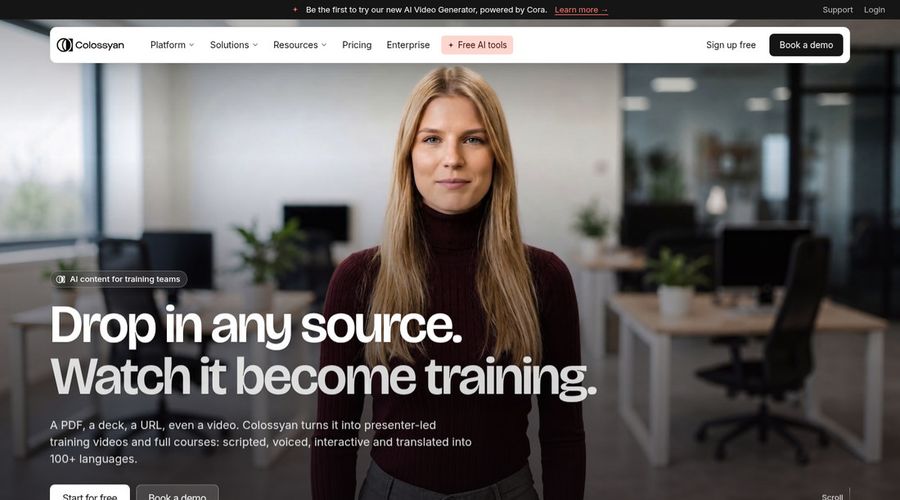
Training teams use Colossyan, a video platform that pairs AI avatars with a course builder. Its library lists more than 300 stock avatars and 700 stock voices.
Quizzes can be embedded in a video, and paid plans export to learning systems.
It is serious where Avatarify is playful.
Key Features
- AI avatars
- Cloned voices
- Interactive videos
- Course creation
- Export for learning systems
- Brand kits
- Screen recorder
- PowerPoint and PDF import
Best For:
- Enterprises with security and regional data storage requirements
- Learning designers transforming slide decks into lessons
- Human resources teams creating welcome videos
- Instructors who add questions inside videos
- Global teams who translate training
- Product education teams who revise tutorials
Colossyan Pros
- Course Tools
A course builder sits with the video editor.
- Wide Catalog
More than 300 avatars and 700 voices are listed.
- Quizzes
Videos can include quizzes.
- Localisation
Narration can be localised into 120 plus languages.
- Export
Paid plans export to learning platforms.
- Free Starter
The free Starter plan unlocks the whole avatar library.
Colossyan Cons
- Watermark on Free:
Watermark removal needs the Professional plan.
- Studio Avatar Add On:
Studio avatars filmed on a green screen cost $1,000 a year extra.
Colossyan Pricing
Colossyan lists Starter, Professional and Enterprise plans.
| Plan | Price | What's Included |
|---|---|---|
| Starter | Free | Interactive videos, courses, brand kits and the whole avatar library |
| Professional | $59/month billed annually | Export to learning systems, three editors, AI images and no watermark |
| Enterprise | Custom Pricing | Branded avatars, analytics, SSO, no gated features and a success manager |
Professional costs $59 a month on annual billing. Enterprise is custom.
When to Use Colossyan?
Colossyan suits trainers rather than party videos.
3. Hedra
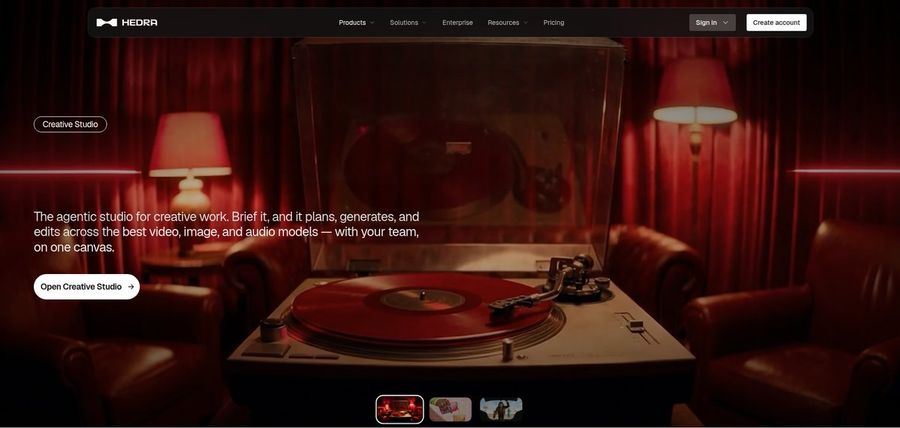
Hedra makes talking and singing characters with its Character 3 model from an image and an audio file. A Creative Studio and Visual Agent extend it.
Developers can use an API, and Teams serves shared projects. You must bring or generate the voice before the model can run.
Of the tools here it is closest to Avatarify's singing idea, with more control.
Key Features
- Character 3 talking and singing avatars
- Image plus audio to video
- Creative Studio
- Visual Agent
- Several output formats
- Developer access
- Team plan
- Music video scenes
Best For:
- Teams pooling creative work in a shared workspace
- Creators who create social posts from a photo and a recorded voice
- Agency groups exploring visual concepts for clients
- Anyone who already has audio and needs a face for it
- Creators who want a character to speak or sing
- Musicians who pair visuals with a track
Hedra Pros
- Sing or Talk
An image and audio produce a talking or singing character.
- Creative Studio
A Creative Studio groups creative tools.
- Visual Agent
A Visual Agent helps with direction.
- Music Videos
Music videos are a common use.
- API
An API is available for developers.
Hedra Cons
- Audio Required:
Character 3 requires audio first.
- Not Script Based:
It focuses on characters and scenes, not scripted presenters.
- Repriced Plans:
Individual plans were repriced in late September, so older reviews can be wrong.
Hedra Pricing
Hedra sells Basic, Pro, Ultra and Teams plans.
| Plan | Price | What's Included |
|---|---|---|
| Basic | $20/month | The starting plan for individuals |
| Pro | $50/month | Details on the vendor pricing page |
| Ultra | $100/month | The biggest individual plan |
| Teams | $75/month | For teams who share projects |
A single user pays $20, $50 or $100 a month, while Teams is $75 a month.
When to Use Hedra?
Hedra suits people with a song or recording who want a character performing it.
4. Creatify

Creatify builds video ads starting from a product link. It supplies AI actors, templates and voiceover in over 75 languages, and higher plans add Ad Clone, an ad agent and a competitor tracker.
A playground opens many third party models.
It is commerce focused, which is far removed from a singing selfie.
Key Features
- Product link to video
- AI actors
- Custom avatars
- AdFlow templates
- Ad Clone from a URL
- Competitor ad tracker
- Premium model playground
- 75 plus languages
Best For:
- Online retailers converting product listings into video ads
- App marketers producing ads from store links
- Agencies making ad variations for many clients
- Marketing teams who want to study competitor ads
- Groups that want a managed creative service alongside the tool
- Software builders who would like to automate advertising videos through its developer plans
Creatify Pros
- Link to Ad
A product link starts an ad.
- Actors
The roster grows from 300 AI actors on Standard to 1,500 on Pro.
- Campaign Tools
Campaigns get help from templates, Ad Clone and a tracker.
- Playground
A playground offers third party models.
- Languages
Over 75 languages are supported.
- Free Tier
A free tier is available.
Creatify Cons
- Watermark on Free:
Free exports carry a watermark.
- Higher Tiers:
Ad Agent, the tracker and Ad Clone sit above Standard.
Creatify Pricing
Creatify's ladder runs Free, Standard, Pro, Max, Business, then Enterprise.
| Plan | Price | What's Included |
|---|---|---|
| Free | $0/month | Premium model trial, 300 actors and watermarked exports |
| Standard | $10/month | The core toolset without a watermark, 300 actors and 200 plus templates |
| Pro | $38/month | Three custom avatars, Ad Clone, Ad Agent, tracker and 1,500 actors |
| Max | $66/month | Pro with three brand spaces and three seats |
| Business | $136/month | Ten seats and ten brand spaces for teams |
| Enterprise | Custom Pricing | Negotiated agreements with a dedicated manager and added security |
Standard is $10 a month, Pro $38, Max $66 and Business $136.
When to Use Creatify?
Creatify suits sellers who need ad variations.
5. D-ID

D-ID turns a still photo into a speaking presenter, and adds stock presenters, voice cloning, text to video, conversational agents and a developer platform.
Lite is licensed for personal use and keeps the D-ID watermark, whereas Pro and Advanced permit commercial use.
It is the most photo focused tool after Avatarify.
Key Features
- Photo to talking presenter
- Stock presenters
- Voice cloning
- Text to video
- Studio for creators
- Watermark control on higher plans
- Conversational agents
- Developer platform
Best For:
- Marketing professionals checking out straightforward videos with a presenter
- Instructors who build short lesson intros
- Teams requiring a custom watermark applied to exports
- Software builders investigating talking agents
- Anyone who wants a low cost entry tier
- Small businesses putting a face on updates
D-ID Pros
- Photo Speaker
Its core is a speaking photo.
- Cloning
Voice cloning starts on Pro.
- Commercial Use
Commercial use is permitted on Pro and Advanced.
- Stock Presenters
Stock presenters help you start.
- Agents
Conversational agents are offered.
- Developers
A developer platform is available.
D-ID Cons
- Lite Limits:
Lite is personal use with a watermark.
- Price Gap:
Advanced costs far more than Pro.
- Lighter Tools:
Its tools are lighter because it focuses on presenters.
D-ID Pricing
D-ID has Lite, Pro, Advanced and Enterprise plans.
| Plan | Price | What's Included |
|---|---|---|
| Lite | $5.90/month, or $4.70/month billed annually | Personal use with the D-ID watermark and standard presenters |
| Pro | $29/month, or $16/month billed annually | Premium presenters, commercial licensing and a single voice clone |
| Advanced | $196/month, or $108/month billed annually | A custom or empty watermark, commercial licensing and three voice clones |
| Enterprise | Custom Pricing | Custom plans through sales |
D-ID charges $5.90 a month for Lite ($4.70 yearly), $29 for Pro ($16 yearly) and $196 for Advanced ($108 yearly).
When to Use D-ID?
D-ID suits those who want a photo to speak with presenter style output.
Best Use Cases of Avatarify Alternative
These are situations where an app made for singing portraits runs out of options.
Event Invitations
For a birthday message, a Host in Zoice can say your own words, and D-ID can animate a photo.
Social Media Posts
For a lyric video, upload your own recording so a Host performs it, or give Hedra an image and a track.
Training and Onboarding
For a shop offer, Zoice offers a Host spokesperson, and Creatify drafts an ad from a link.
Educational Content
For a class, a Host in Zoice reads your notes, and Colossyan adds quizzes.
Music and Singing Projects
For a family update, record a voice note and let a Host deliver it.
Customer Support Videos
For a podcast, a Host in Zoice introduces each episode from audio.
Podcast and Audio Teasers
For a story, build a narrator Host in Zoice that you can reuse.
Storytelling and Animation
For an event, a Host in Zoice announces the details, and Colossyan can localise it.
How We Compared the Best Avatarify Alternative
Avatarify is a phone app for singing portraits, so we compared alternatives on ten points that reflect moving from a novelty to repeatable video.
Ease of Use
We counted steps from opening the tool to a first finished video.
Input Options
We noted whether each tool accepts your own audio, a script, a link or only a preset song.
Voice and Audio
We recorded how voices work: recording, upload, cloning or stock.
Character Options
We checked whether a character can be created and used again.
Customisation
We listed templates, editors and brand kits.
Pricing Transparency
Prices come only from vendor pages.
Free Plan Access
We noted free plans and watermarks.
Platform Fit
We noted which tools run in a browser, which offer an API and which are made for teams.
Support and Learning Material
We checked tutorials and help pages.
Overall Performance
Verdicts match each tool to a kind of project.
How to Choose the Right Avatarify Alternative Before You Pay
Before you leave a song app, run through a short list about your goals.
Define Your Input
Decide whether you want a preset song or your own audio.
Test the Free Option
See whether a free plan exists and how it treats watermarks.
Check the Voice Options
Choose how the voice will be made.
Look at Character Control
Confirm the character can appear again.
Read the Plan Details
Study plan tables for limits.
Think About Where You Work
Choose a browser, API or team workspace.
Plan for Growth
Check seat prices if friends or colleagues join.
Frequently Asked Questions
1. What is the best Avatarify alternative?
Zoice is our first pick when you want to use your own audio with a reusable Host. Colossyan, Hedra, Creatify and D-ID suit narrower jobs.
2. Why look for an Avatarify alternative?
People generally leave a song app when they want their own words, a choice of voice or a character that returns.
3. Is Zoice free to try?
Zoice starts with a free plan for transcription, voice, image and chat tools. Avatar videos begin at Starter for $7.99 a month.
4. Can I use my own audio with Zoice?
Yes. You can record in the browser or upload a file, and listen before generating.
5. Can I create my own character in Zoice?
Yes. Describe one, upload an image or pick from the library.
6. What are action prompts?
With action prompts you give the Host short directions, and it follows them while your audio plays.
7. Does Zoice work in the browser?
Yes. You need a browser and a connection.
8. How does Colossyan compare?
D-ID animates a photo into a presenter, while Zoice builds a Host you direct and bring back.
9. Which tool suits beginners?
Free plans help beginners, and Zoice, Colossyan and Creatify each offer one.
10. Can I use these tools for business videos?
Yes. Any paid plan can serve a business, and Enterprise brings support and access for multiple staff.
11. How should I test these tools?
Try the same photo and recording in each tool and compare.
Conclusion
Avatarify is a lively way to make a portrait sing, but your own audio and a returning character call for a different tool. The options above each approach it differently.
A good test for Zoice is to give a Host one of your own recordings. A free account, or Starter for avatar videos, is enough to compare it with Hedra or D-ID.