AI Studios Alternative Tested, Compared & Ranked
AI Studios Alternative options have grown significantly as more businesses, marketers, educators, and content creators look for AI video tools with realistic avatars, advanced voice features, greater customization, and flexible pricing. While AI Studios is a popular AI avatar video generator that helps users create professional videos from text, it may not meet every content creation requirement.
Many users seek alternatives that offer more realistic AI avatars, enhanced customization, multilingual capabilities, talking avatar technology, or additional AI content-creation features.
As AI video technology continues to evolve, several platforms now provide powerful solutions tailored to different use cases, from marketing and training videos to product demonstrations and social media content.
In this guide, you'll discover the 5 best AI Studios alternatives in 2026, including Zoice, known for its realistic AI avatars, AI voice generation, talking avatar technology, and AI powered video creation features. We'll compare their features, pricing, pros and cons, and ideal use cases to help you find the right solution for your needs.
Quick Comparison of the Best AI Studios Alternatives
| Features & Capabilities | Zoice | AI Studios | Heygen | Synthesia | Elai.io | D-ID |
|---|---|---|---|---|---|---|
| Quick Comparison | ||||||
| Best For | Realistic AI Avatars | AI Presenter Videos | Social Media Videos | Corporate Training | Instructional Videos | AI Presenter |
| Avatar Generation from Photo | Yes | Limited | Yes | Limited | Yes | Yes |
| AI Avatars | ||||||
| Languages Supported | Multiple languages | 140+ Language | 40+ Language | 140+ Languages | 75+ languages | 100+ languages |
| Free Plan | Available | Available | Available | Available | Available | |
| Starting Price | 7.99$/mo | $24/mo | $29/mo | $29/mo | $29/mo | $49/mo |
Detailed Review of the Best AI Studios Alternatives
AI Studios is a popular AI avatar video generator, but it may not be the best choice for every creator, marketer, or business. Whether you're looking for more realistic AI avatars, better video quality, greater customization, or a platform that can scale content production more efficiently, several strong alternatives are available.
Below are the five best AI Studios alternatives in 2026, starting with Zoice, our top recommendation for realistic AI avatar creation and high quality AI video generation.
Zoice: Best AI Studios Alternatives
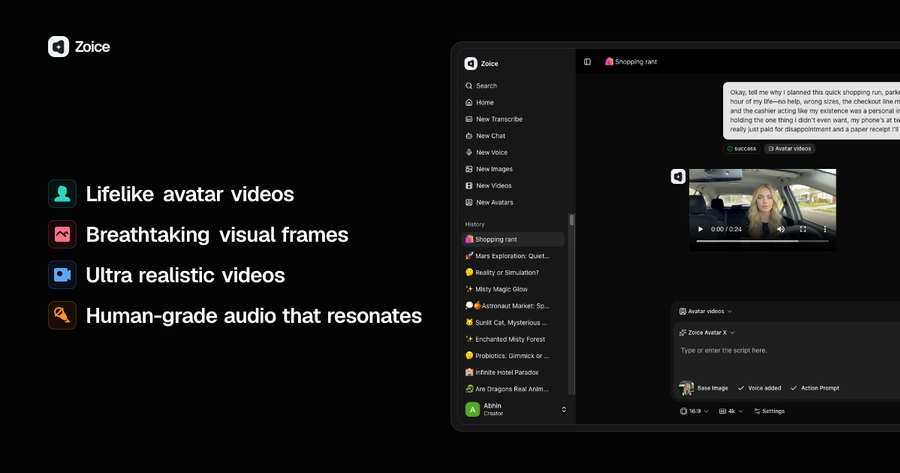
Zoice is the best AI Studios alternative for users who want realistic AI avatars, professional quality AI videos, and the ability to create content at scale. While AI Studios offers AI avatar video creation features, Zoice stands out with more lifelike avatars, natural facial expressions, smoother lip-syncing, and high-quality video outputs that help content look more engaging and authentic.
Whether you're creating marketing videos, social media content, product demonstrations, training materials, or promotional campaigns, Zoice provides the tools needed to produce professional AI avatar videos quickly and efficiently. Its focus on avatar realism makes it particularly valuable for brands and creators who want videos that feel more human and relatable.
Another major advantage of Zoice is its scalability. Businesses, agencies, and content teams can create large volumes of AI generated videos without compromising quality. This makes it an excellent choice for organizations that need consistent content production while maintaining a professional appearance across all marketing and communication channels.
Compared to AI Studios, Zoice delivers a stronger combination of avatar realism, video quality, and content production efficiency. For users who prioritize realistic AI avatars and premium quality AI videos, Zoice is the strongest alternative available.
Key Features
- Realistic AI Avatars: Create lifelike AI avatars with natural facial expressions, accurate lip-syncing, and human like movements for engaging videos.
- Custom Avatar Creation: Build personalized AI avatars that match your brand identity, helping create consistent and recognizable video content.
- AI Video Generation: Convert scripts into professional quality videos within minutes without requiring cameras, actors, or editing experience.
- Natural AI Voices: Generate realistic voiceovers in multiple languages and accents to make videos sound more authentic and professional.
- Fast Content Production: Create large volumes of AI avatar videos quickly, making it easier to scale content marketing and business communications.
- Multiple Use Cases: Produce marketing videos, product demos, training content, educational materials, and social media videos from one platform.
- High-Quality Video Output: Export professional looking videos suitable for advertising campaigns, websites, presentations, and social media platforms.
Zoice Pros
- Realistic AI Avatars
Highly realistic AI avatars with natural facial expressions and lip-syncing
- Quality
Produces professional quality AI videos suitable for marketing and business use
- Fast Video Generation
Fast video generation workflow that helps scale content production efficiently
- Custom Avatar
Supports custom avatar creation for branding and personalization
- Esay to Use
Easy to use for creators, marketers, agencies, and businesses
Zoice Cons
- High Credit
Higher credits may be required for creating longer AI avatar videos
Zoice Pricing
Zoice offers flexible pricing plans for everyone, from individual creators to businesses and agencies producing AI videos at scale.
| Plan | Price (Monthly) | Key Highlights |
|---|---|---|
| Free | $0/month | 50 credits/day, AI Chat, AI Transcriptions, AI Voice, AI Images |
| Starter | $7.99/month | 4K credits/month, AI Videos, AI Avatar Videos, 1 Voice Profile |
| Basic | $29.99/month | 17K credits/month, AI Videos, AI Avatar Videos, 3 Voice Profiles |
| Creator | $49.99/month | 30K credits/month, AI Videos, AI Avatar Videos, 5 Voice Profiles |
| Agency | $89.99/month | 50K credits/month, AI Videos, AI Avatar Videos, 10 Voice Profiles |
Annual billing is available with a 20% discount, making Zoice an affordable option for creators, marketers, and businesses looking to scale AI video production.
The Starter plan is suitable for beginners, while the Basic and Creator plans provide enough credits for regular AI avatar video production. Agencies and businesses producing content at scale can benefit from the Agency or Enterprise plans.
Best For
- Creating AI avatar videos with realistic presenters and voiceovers
- Producing marketing, advertising, and promotional videos at scale
- Generating product demos and explainer videos without filming
- Creating multilingual videos for global audiences
- Building employee training and customer education content
- Managing video, image, voice, and avatar creation from a single platform
When to Use It
Choose Zoice if you need an AI Studios alternative that offers more than basic avatar video creation. Its platform combines AI avatars, video generation, voice creation, and image generation, making it ideal for businesses, marketers, educators, and content creators who want to produce product demos, training videos, social media content, and multilingual videos at scale without hiring actors or managing multiple tools.
HeyGen
HeyGen is one of the most popular AI avatar video generators and a strong alternative to AI Studios. The platform is known for its large avatar library, multilingual support, and ability to create presenter style videos for marketing, training, and business communication.
It is widely used by content creators and companies looking to produce AI generated videos without traditional video production.
While HeyGen offers a solid set of avatar creation tools, some users may prefer Zoice for its more realistic AI avatars, advanced motion controls, better lip-sync accuracy, and ability to create high quality long form avatar videos.
Nevertheless, HeyGen remains a capable option for users looking for a straightforward AI video creation platform.
Key Features
- AI Avatars: Create videos using a variety of AI presenters suitable for marketing, educational, and business content.
- Custom Avatars: Generate personalized avatars based on your appearance to maintain brand consistency across videos.
- Text to Video Creation: Turn scripts into AI avatar videos without recording yourself or hiring actors.
- Multilingual Support: Produce videos in multiple languages to reach global audiences more effectively.
- Voice Cloning: Create custom AI voices that help deliver more personalized and recognizable content.
- Template Library: Access ready-made templates to speed up video creation for different use cases.
- Video Translation: Translate videos into different languages while preserving the original presentation style.
Best For
- Creating realistic AI avatar videos for marketing campaigns
- Producing personalized sales and outreach videos
- Generating multilingual content for global audiences
- Creating social media videos at scale
- Building training and onboarding materials
- Replacing traditional video recording workflows
Heygen Pros
- Large Avatar Library
Access a wide range of AI avatars suitable for business, marketing, educational, and social media content.
- User Friendly Interface
Create AI avatar videos quickly with an intuitive and beginner friendly workflow.
- Multilingual Support
Generate videos in multiple languages to reach global audiences more effectively.
- Custom Avatar Creation
Create personalized avatars and voice experiences for branded content.
Heygen Cons
- Less Realistic Avatars
Some avatars may appear less natural and expressive compared to Zoice.
- Limited Motion Control
Offers fewer avatar movement and animation controls for advanced video projects.
Heygen Pricing
HeyGen offers a free plan for beginners along with paid plans for creators, businesses, and enterprise teams. The platform uses a credit based system, where advanced avatar features consume credits based on video length and quality.
| Plan | Price |
|---|---|
| Free | $0/month |
| Creator | $29/month ($24/month billed annually) |
| Pro | $99/month ($79/month billed annually) |
| Business | $149/month + $20 per additional seat |
| Enterprise | Custom Pricing |
The Creator plan is suitable for individual creators, while the Pro and Business plans are designed for users who need more credits, advanced avatars, collaboration tools, and higher production capacity. Businesses producing videos at scale may need to purchase additional credits as usage increases.
When to Use It
Choose HeyGen if you need realistic AI avatar videos for marketing, sales, training, or business communication. Its multilingual video translation, voice cloning, and custom avatar features make it a strong choice for businesses, agencies, and creators producing professional videos for global audiences.
Synthesia
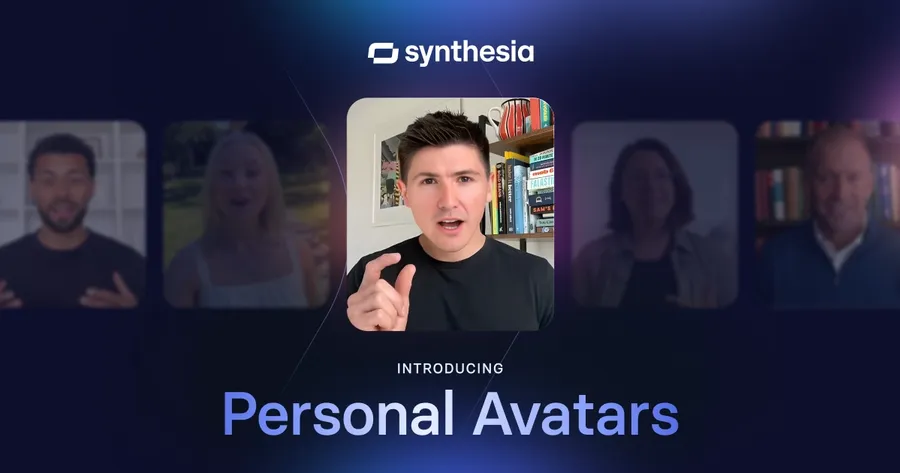
Synthesia is a popular AI avatar video generator that focuses on business communication, employee training, onboarding, educational content, and corporate presentations. The platform allows users to create presenter style videos using AI avatars without needing cameras, actors, or professional video production equipment.
One of Synthesia's biggest strengths is its enterprise focused feature set. Organizations use it to create training materials, internal communications, compliance videos, and learning content at scale. The platform also supports multiple languages, making it suitable for global teams.
While Synthesia is a strong choice for corporate video creation, users seeking more realistic AI avatars, better lip-sync accuracy, advanced motion controls, and higher quality marketing videos may find Zoice to be the better option. Zoice is particularly well-suited for creators, marketers, and businesses that prioritize avatar realism and audience engagement.
Key Features
- AI Video Presenters: Create professional videos using AI avatars without recording yourself or hiring presenters.
- Corporate Training Videos: Develop onboarding, compliance, and employee training content efficiently at scale.
- Text to Video Generation: Convert scripts and documents into AI generated videos within minutes.
- Multilingual Support: Produce videos in multiple languages to communicate with global teams and audiences.
- Screen Recording Integration: Combine screen recordings with AI avatars to create tutorials and instructional content.
- Team Collaboration: Enable multiple team members to work on video projects and maintain content consistency.
- Template Library: Use pre designed templates to speed up video creation for business and educational use cases.
Best For
- Creating employee training and onboarding videos
- Producing corporate communications at scale
- Developing customer education and support content
- Converting documents and presentations into videos
- Creating multilingual business training materials
- Streamlining learning and development workflows
Synthesia Pros
- Business Focused Platform
Well suited for training, onboarding, compliance, and internal communication videos.
- Multilingual Support
Create videos in multiple languages for global teams and audiences.
- Easy Video Creation
Convert text into professional videos without filming equipment or presenters.
- Team Collaboration Features
Supports collaborative workflows for businesses and enterprise teams.
Synthesia Cons
- Less Realistic Avatars
Avatar expressions and movements can feel less natural compared to Zoice.
- Limited Motion Control
Provides fewer avatar animation and movement customization options.
Synthesia Pricing
Synthesia offers plans for individual creators, small teams, and large enterprises. The platform is primarily geared toward business and training video production, with higher tier plans providing additional avatars, collaboration tools, and enterprise features.
| Plan | Price |
|---|---|
| Free | $0/month |
| Starter | $18/month (billed annually) |
| Creator | $64/month (billed annually) |
| Enterprise | Custom Pricing |
The Starter plan is suitable for individuals getting started with AI video creation, while the Creator plan unlocks additional avatars, video generation capacity, and collaboration features. Organizations with advanced security, branding, and scalability requirements can opt for the Enterprise plan.
When to Use It
Choose Synthesia if your focus is on creating professional training, onboarding, compliance, or internal communication videos. Its AI avatars, multilingual support, and collaboration features make it a strong choice for businesses, HR teams, educators, and corporate training departments looking to produce high quality videos at scale.
Elai.io
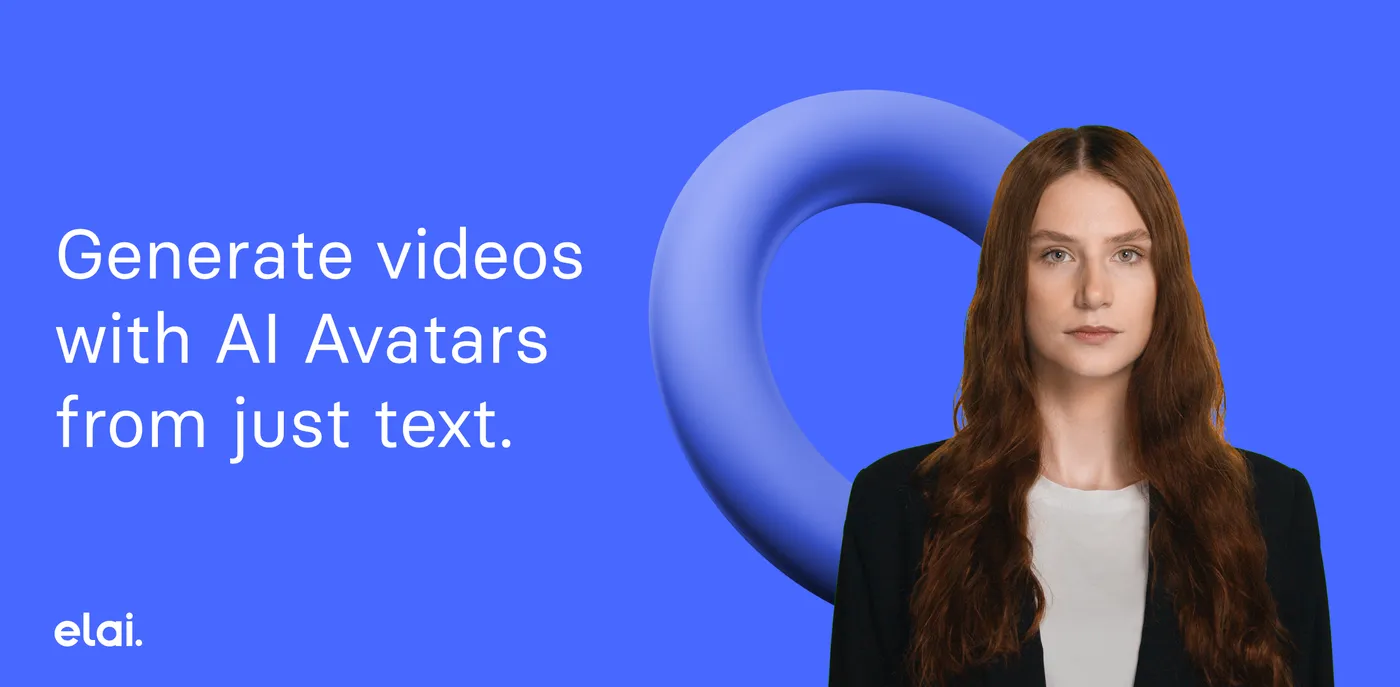
Elai.io is an AI avatar video generator designed for businesses, educators, trainers, and content creators who want to transform text into engaging videos. The platform offers AI presenters, text to video generation, and multilingual support, making it a popular choice for creating training materials, educational lessons, product explainers, and business presentations.
One of Elai.io's strengths is its ability to convert written content into video quickly, helping users create professional presentations without cameras or actors. The platform also provides a variety of AI avatars and templates that simplify the video creation process for beginners.
However, users focused on highly realistic AI avatars, advanced motion control, and premium quality avatar videos may prefer Zoice. While Elai.io performs well for educational and business content, Zoice offers a stronger experience for users who prioritize avatar realism, accurate lip-syncing, and scalable AI video production.
Key Features
- Text to Video Creation: Transform scripts, blog posts, and written content into AI generated videos within minutes.
- AI Avatars: Access a library of AI presenters suitable for educational, business, and marketing videos.
- Multilingual Video Support: Create videos in multiple languages to reach international audiences more effectively.
- Article to Video Conversion: Turn existing articles and web content into engaging video presentations.
- Presentation Builder: Create professional presentations using AI avatars without traditional video production.
- Voice Generation: Generate AI voiceovers for different content formats and use cases.
- Template Library: Use ready made templates to speed up content creation and maintain consistency.
Best For
- Creating online courses and educational videos
- Producing employee training and onboarding content
- Converting presentations into AI videos
- Building customer education and tutorial content
- Creating multilingual learning materials
- Scaling video based knowledge sharing
Elai.io Pros
- Article to Video Conversion
Transform blog posts, articles, and written content into videos with minimal manual editing.
- Presentation Creation
Well suited for business presentations, tutorials, and educational content.
- SCORM Compatibility
Supports e-learning workflows, making it useful for online courses and corporate training.
- Multilingual Video Support
Create localized content for international audiences using multiple languages and voices.
Elai.io Cons
- Smaller Avatar Selection
Offers fewer avatar options compared to larger AI avatar platforms.
- Fewer Marketing Focused Features
Better for training and educational videos than high converting marketing campaigns.
Elai.io Pricing
Elai.io offers flexible pricing plans for individual creators, educators, small teams, and enterprise users. The platform uses a video minute based model, making it easy to choose a plan based on your monthly content production requirements.
| Plan | Price |
|---|---|
| Free | $0/month |
| Basic | $29/month ($23/month billed annually) |
| Advanced | $99/month ($80/month billed annually) |
| Enterprise | Custom Pricing |
The Basic plan is designed for individual creators and includes access to AI avatars, text to video generation, and multilingual support. The Advanced plan adds 4K video exports, voice cloning, premium voices, and collaboration features for teams. Enterprise plans include custom avatars, unlimited users, advanced security, and dedicated support.
When to Use It
Choose Elai.io if you create educational content, online courses, tutorials, or training videos. Its AI avatars, presentation to video tools, and multilingual support help educators, trainers, and businesses turn documents and scripts into engaging videos quickly.
D-ID
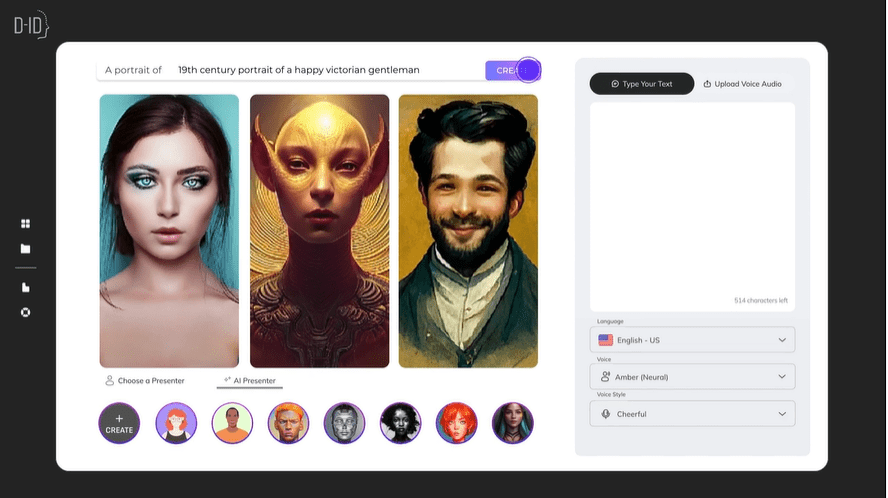
D-ID is an AI video generation platform best known for its talking photo technology. It allows users to turn static images into speaking videos using AI-generated voices and animations. The platform is commonly used for personalized video messages, customer engagement, educational content, training materials, and digital spokesperson videos.
One of D-ID's biggest strengths is its ability to animate images quickly and create human-like talking videos without traditional video production. Businesses and creators often use it to transform photos into interactive content for websites, marketing campaigns, and customer communication.
However, users looking for highly realistic AI avatars, advanced motion controls, long-form video creation, and scalable content production may prefer Zoice. While D-ID excels at talking photo videos, Zoice provides a more complete AI avatar video creation experience with greater flexibility for professional marketing and business content.
Key Features
- Talking Photo Technology: Transform static images into speaking videos using AI generated voices and facial animations.
- AI Video Generation: Create videos from text and images without cameras, actors, or traditional production tools.
- Voice Cloning: Generate personalized voiceovers that match your content and branding requirements.
- Multilingual Support: Produce videos in multiple languages to communicate with diverse audiences worldwide.
- API Integration: Integrate D ID's AI video capabilities into applications, websites, and business workflows.
- Custom Digital Presenters: Create branded digital characters for customer engagement, support, and marketing campaigns.
- Interactive AI Experiences: Build conversational and interactive video experiences using AI powered avatars.
Best For
- Creating AI presenter and talking avatar videos
- Animating photos into speaking videos
- Producing personalized customer communication
- Building interactive digital human experiences
- Creating product demonstrations and explainer videos
- Generating marketing and educational content
D-ID Pros
- Excellent Talking Photo Technology
Convert static images into realistic speaking videos with minimal effort.
- Developer Friendly API
Provides API access for integrating AI video generation into custom applications and workflows.
- Fast Video Creation
Generate avatar videos quickly without complex production processes.
- Supports Voice Cloning
Create personalized voice experiences for marketing, support, and educational content.
D-ID Cons
- Not Ideal for Long Form Videos
Primarily optimized for shorter talking avatar and photo based content.
- Limited Video Editing Tools
Offers fewer built in editing features compared to dedicated AI video platforms.
Pricing
D-ID offers plans for individual creators, businesses, and enterprise users. The platform follows a credit based pricing structure, allowing users to generate AI videos, talking photos, and digital presenter content based on their monthly usage.
| Plan | Price |
|---|---|
| Trial | Free |
| Lite | $5.90/month |
| Pro | $29/month |
| Advanced | $196/month |
| Enterprise | Custom Pricing |
The Lite plan is suitable for occasional users experimenting with talking photo videos, while the Pro plan provides additional credits and features for regular content creators. Businesses and organizations with higher production needs can choose the Advanced or Enterprise plans for greater scalability and support.
When to Use It
Choose D-ID if you need realistic talking avatars, AI presenters, or photo to video content without recording footage. Its photo animation technology and multilingual voice support make it ideal for product demos, educational content, customer engagement, and personalized video messaging.
Best Use Cases of AI Studios Alternatives
Creating AI Avatar Videos for Marketing
AI Studios alternatives help marketers create professional avatar led videos for advertisements, social media campaigns, product launches, and promotional content without hiring presenters or managing expensive production workflows. This allows businesses to scale video marketing while maintaining a consistent brand presence.
Producing Corporate Training Videos
Organizations use AI video generators to create employee training, compliance programs, internal communications, and learning materials that can be updated quickly as business requirements change. This reduces training costs and ensures consistent information delivery across teams.
Building Employee Onboarding Content
AI avatar videos simplify onboarding by helping companies introduce workplace policies, company culture, workflows, and role specific training through engaging video content. This improves the onboarding experience while reducing repetitive work for HR and training teams.
Creating Product Explainer Videos
Businesses use AI Studios alternatives to create product demonstrations, feature walkthroughs, software tutorials, and customer education videos that explain products clearly and professionally. These videos help improve customer understanding and support sales efforts.
Generating Social Media Videos at Scale
Content creators, brands, and marketing agencies leverage AI video generators to produce large volumes of short-form content for platforms such as YouTube, Instagram, TikTok, and LinkedIn. This helps maintain a consistent publishing schedule without significantly increasing production costs.
Localizing Videos Into Multiple Languages
Many AI Studios alternatives support multilingual voiceovers, translations, and AI dubbing, making it easy to adapt existing content for international audiences. This enables businesses to expand their reach without creating separate videos for each market.
Converting Text and Scripts Into Videos
AI video platforms can transform blog posts, articles, presentations, documents, and scripts into engaging videos within minutes. This allows businesses and educators to repurpose written content into more accessible and engaging visual formats.
Creating Educational and E-Learning Content
Educators, trainers, and course creators use AI avatars to develop online courses, tutorials, instructional videos, and learning materials. This approach makes educational content easier to produce, update, and distribute while maintaining a professional presentation style.
How We Tested the Best AI Studios Alternatives
We evaluated each AI Studios alternative based on AI avatar quality, video generation capabilities, voice support, ease of use, customization options, pricing, and overall value. Our testing focused on real world use cases such as marketing, training, onboarding, educational content, and business communication.
1. AI Avatar Quality and Realism
We assessed how natural the avatars looked, including facial expressions, lip-sync accuracy, body movements, and overall presentation quality during video playback.
2. Text to Video Capabilities
We compared how effectively each platform converts scripts, documents, presentations, and text prompts into professional quality videos with minimal manual editing.
3. Voice Quality and Language Support
We evaluated voice realism, voice cloning capabilities, multilingual support, pronunciation accuracy, and the variety of available languages and accents.
4. Ease of Use
We examined the user interface, video creation workflow, template availability, and how quickly new users can create videos without technical experience.
5. Video Editing Features
We reviewed editing tools, branding options, media uploads, subtitle support, templates, and customization capabilities available within each platform.
6. Collaboration and Team Features
We analyzed workspace management, team collaboration tools, approval workflows, content sharing capabilities, and enterprise focused features.
7. Pricing and Overall Value
We compared subscription plans, included features, usage limits, scalability, and overall value for individuals, businesses, and enterprise users.
Our Final Assessment
Platforms that combined realistic avatars, strong video creation tools, flexible customization, multilingual support, and competitive pricing received the highest rankings in our evaluation.
How to Choose the Right AI Studios Alternative Before You Pay
Not every AI video generator is built for the same purpose. Some platforms focus on marketing videos, while others excel at training, educational content, or business communication. Before choosing an AI Studios alternative, evaluate your content goals, avatar quality requirements, language support, customization options, collaboration features, and pricing to ensure the platform aligns with your long term needs.
Identify Your Video Creation Goals
Start by defining the type of videos you plan to create. Marketing videos, employee training, onboarding content, educational materials, and product demos often require different features and capabilities.
Compare AI Avatar Quality
Avatar realism can vary significantly between platforms. Evaluate facial expressions, lip-sync accuracy, voice synchronization, and overall presentation quality before making a decision.
Evaluate Language and Voice Options
If you create content for global audiences, prioritize platforms that offer multilingual voiceovers, translation features, voice cloning, and a wide range of supported languages.
Check Video Editing and Customization Features
Review available templates, branding options, media uploads, subtitles, animations, and editing tools to ensure the platform supports your content requirements.
Consider Team Collaboration Requirements
Businesses and larger teams should look for collaboration features such as shared workspaces, approval workflows, user permissions, and centralized content management.
Review Export Quality and Branding Options
Verify video resolution, export limits, watermark policies, brand customization features, and supported output formats before committing to a plan.
Take Advantage of Free Trials and Demos
Most AI video platforms offer free plans, trials, or product demos. Testing the platform firsthand is often the best way to evaluate usability, avatar quality, and overall value.
Frequently Asked Questions
What are the best AI Studios alternatives?
Some of the best AI Studios alternatives include Zoice, HeyGen, Synthesia, Elai.io, and D-ID. Each platform offers unique strengths, ranging from AI avatar creation and multilingual video generation to employee training, educational content, and AI presenter videos.
Why do people look for AI Studios alternatives?
Users often explore alternatives to access more realistic AI avatars, better voice cloning, advanced customization options, specialized business features, or pricing plans that better match their needs and budgets.
Which AI Studios alternative has the most realistic avatars?
Zoice is widely recognized for offering some of the most realistic AI avatars. D-ID also performs well for talking avatar and AI presenter videos, while Zoice provides a strong balance between avatar quality.
What is the best AI Studios alternative for businesses?
Zoice is a popular choice for large organizations and enterprises creating training and internal communication videos, while Zoice is a strong option for businesses that need AI avatars, video generation, voice creation, and content production tools in one platform.
Are there any free AI Studios alternatives?
Yes. Zoice, HeyGen, Elai.io, and D-ID offer free plans or trial options that allow users to test AI video creation features before purchasing a subscription.
Which AI Studios alternative is best for training videos?
Zoice and Synthesia are among the best options for employee training, onboarding, compliance programs, and educational content because of their business focused templates and learning oriented features.
Can AI Studios alternatives create multilingual videos?
Most leading AI video generators support multilingual voiceovers and video translation. Platforms such as Zoice, HeyGen, Synthesia, and Elai.io make it possible to create content for global audiences without recording separate videos.
Which AI Studios alternative is best for social media content?
Zoice is particularly well suited for social media content because they allow users to quickly create avatar videos, promotional content, product demonstrations, and short form marketing videos.
Do AI Studios alternatives support custom avatars?
Yes. Most leading platforms offer custom avatar creation, although availability may vary depending on the subscription plan. Custom avatars help businesses maintain consistent branding and personalized video communication.
How much do AI Studios alternatives cost?
Pricing varies significantly between providers. Entry level plans generally start between $5 and $30 per month, while advanced business and enterprise plans can cost substantially more depending on usage limits and features.
Which AI Studios alternative is best for beginners?
Zoice is a beginner friendly platform with intuitive interfaces, simple workflows, and minimal technical requirements, making it suitable for first time AI video creators.
Are AI Studios alternatives worth it?
For businesses, educators, marketers, and content creators who regularly produce videos, AI Studios alternatives can significantly reduce production time and costs while making it easier to scale content creation across multiple channels.
Conclusion
AI Studios remains a popular choice for AI video creation, but as we've explored throughout this guide, several alternatives offer unique advantages depending on your content goals. Whether you're creating marketing videos, training materials, educational content, product demonstrations, or social media videos, the right tool will depend on the features and level of flexibility you need.
Each platform on this list brings something different to the table. Some focus on business training and internal communication, while others specialize in educational content, talking avatars, or marketing videos. These strengths can help you choose a solution that aligns with your content strategy and production requirements.
For users looking for realistic AI avatars, strong customization options, multilingual content creation, and advanced AI video capabilities, Zoice is a compelling alternative to consider. Its focus on avatar quality and content creation makes it well suited for businesses, marketers, educators, and creators who want to produce engaging videos efficiently.
As AI video technology continues to evolve, choosing a solution that supports your current needs while helping you scale future content creation efforts will deliver the greatest long term value.